28 posts tagged with "Update"

Explore EventCatalog articles and updates about Update.

View All Tags

Whats new in EventCatalog - August 2026

· 11 min read
David Boyne
Founder of EventCatalog

Welcome to the monthly update for EventCatalog. In July we released EventCatalog v4 and introduced systems as a new way to document software architecture. In August we focused on what happens when that architecture grows across teams, repositories, and thousands of resources.

The headline is EventCatalog Federation v2, a new built-in workflow for composing team-owned catalogs into one verified organization catalog. We also shipped a catalog-wide Architecture Graph, custom sidebars for every resource, a major upgrade to the EventCatalog Linter, and plenty of improvements underneath.

We started the month on 4.3.4 and finished on 4.10.3.

EventCatalog Federation v2

EventCatalog works well as a central catalog, but large organizations often want teams to own their architecture documentation next to their code while still giving everyone one place to explore the wider system.

In August we released EventCatalog Federation v2.

Federation is now built into EventCatalog. An organization catalog lists the team catalogs it wants to compose, then one command fetches those sources, validates ownership and relationships across them, and materializes a connected view for people and AI agents.

eventcatalog.config.js
export default {
federation: {
sources: [
{ id: 'acme/payments', source: 'github:acme/payments-catalog' },
{ id: 'acme/orders', source: 'github:acme/orders-catalog' },
{ id: 'acme/fulfillment', source: 'file:../fulfillment-catalog' },
],
},
};

Then run:

npx eventcatalog federate

The important change from the first version is the contract. Federation v1 cloned repositories and copied configured directories. Federation v2 indexes catalogs and resolves their architecture graph. Teams reference resources owned by other teams instead of copying them, and collisions fail closed instead of being hidden by last-write-wins behavior.

Read the EventCatalog Federation docs

Each run also writes an eventcatalog.lock file with the resolved source state, uses a content-addressed cache, and restores the previous output if a run fails. Diagnostics for duplicate ownership, missing resources, unresolved versions, type conflicts, and asset collisions can be configured as off, warn, or error.

Federation can pull from GitHub or local folders, which means you can test the whole workflow on your machine before wiring it into CI. Team-owned custom components and public assets can come across too, while central catalog components still take precedence.

This is the first working version of the new model and we are looking for feedback. You can read more in the Federation v2 announcement or follow the Federation guide to try it.

See your whole architecture as a graph

Systems and context maps give you deliberate, curated views of an architecture. Sometimes you need the opposite: one map that starts with everything and lets you explore from there.

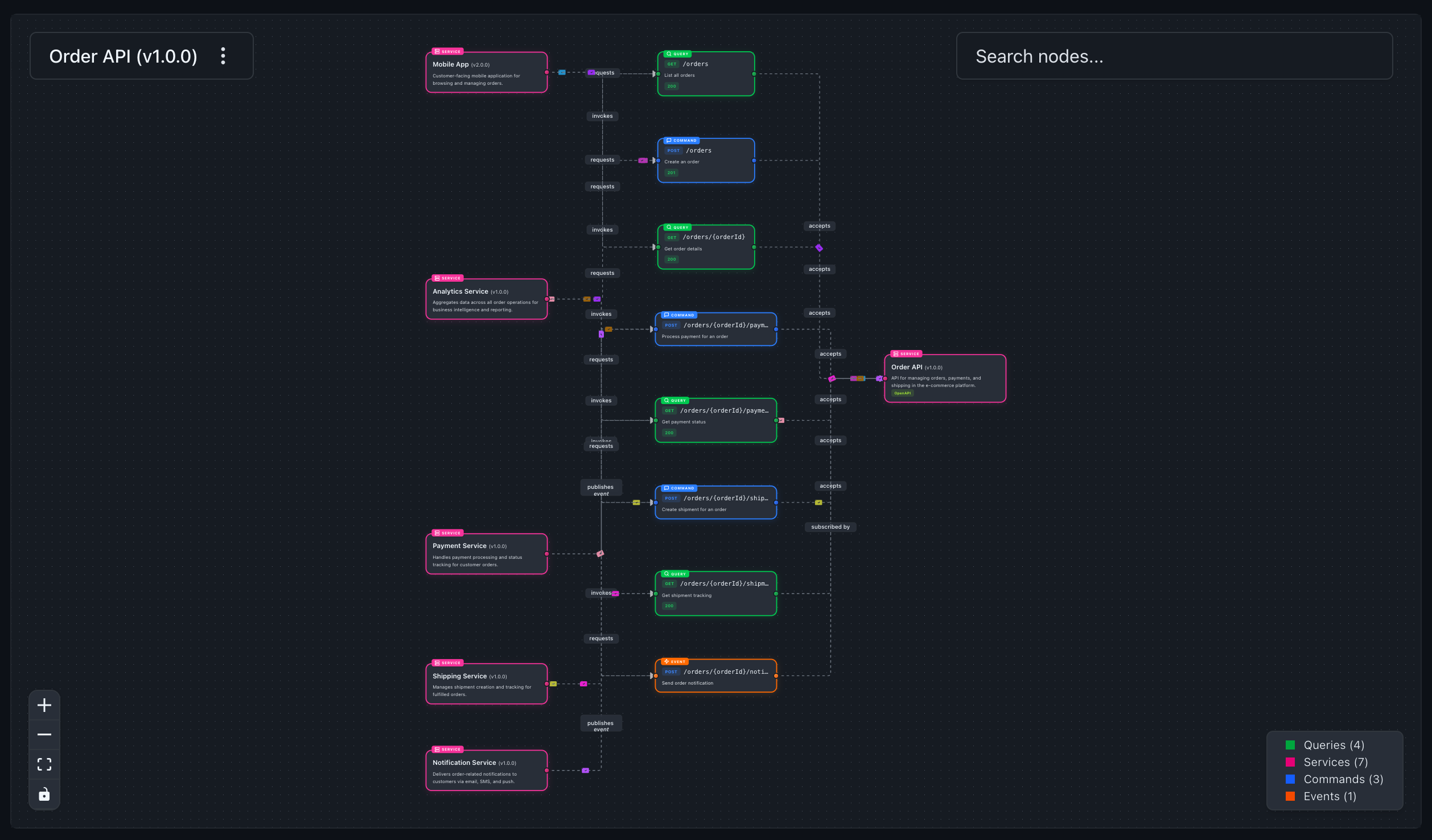
EventCatalog 4.5.0 introduced the new Architecture Graph, a catalog-wide force-directed graph of your domains, systems, services, agents, messages, flows, entities, containers, data products, teams, and the relationships between them.
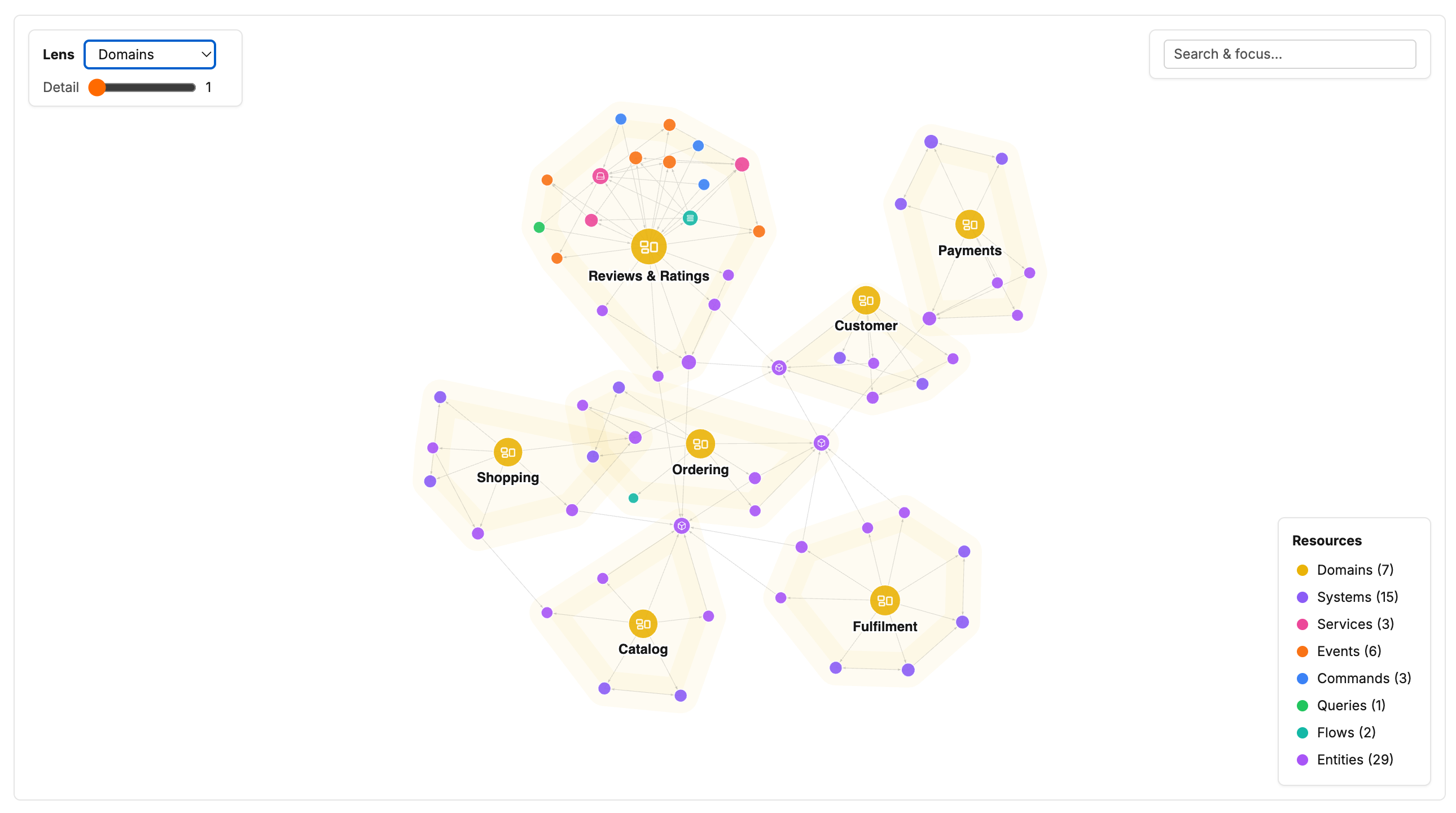
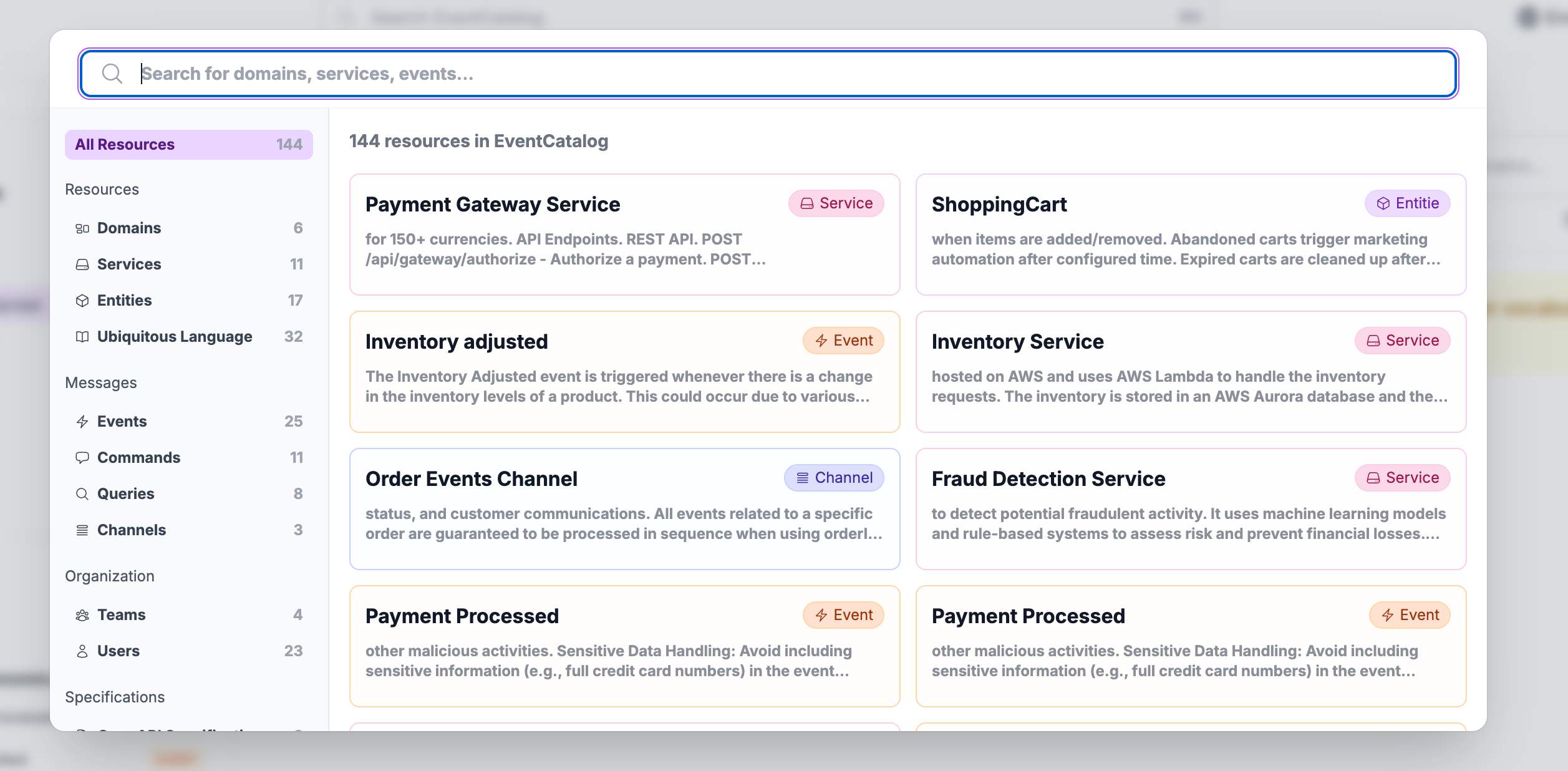
You can search for any resource, click it to focus on its neighbourhood, change how many hops you want to see, and switch lenses to group the graph around domains, systems, owners, or resource types. Double-clicking a node opens its documentation.

The graph renders to a single canvas and keeps its wire format compact, so it is designed to stay responsive even when a catalog contains thousands of resources. It is opt-in while in beta:

eventcatalog.config.js
export default {
visualiser: {
architectureGraph: {
enabled: true,
},
},
};

At the end of the month we also added the <ArchitectureGraph/> component, so you can embed a focused view directly into a domain, system, service, message, or custom documentation page.

<ArchitectureGraph depth="3" lens="messages" />

The embedded graph starts from the resource being documented. Readers can explore locally, then open the same state full screen when they need more room. The component works even if the full-page graph is not enabled.

Build a sidebar around your readers

Generated resource sidebars are useful because they stay up to date automatically. But the most useful order for EventCatalog is not always the most useful order for your readers.

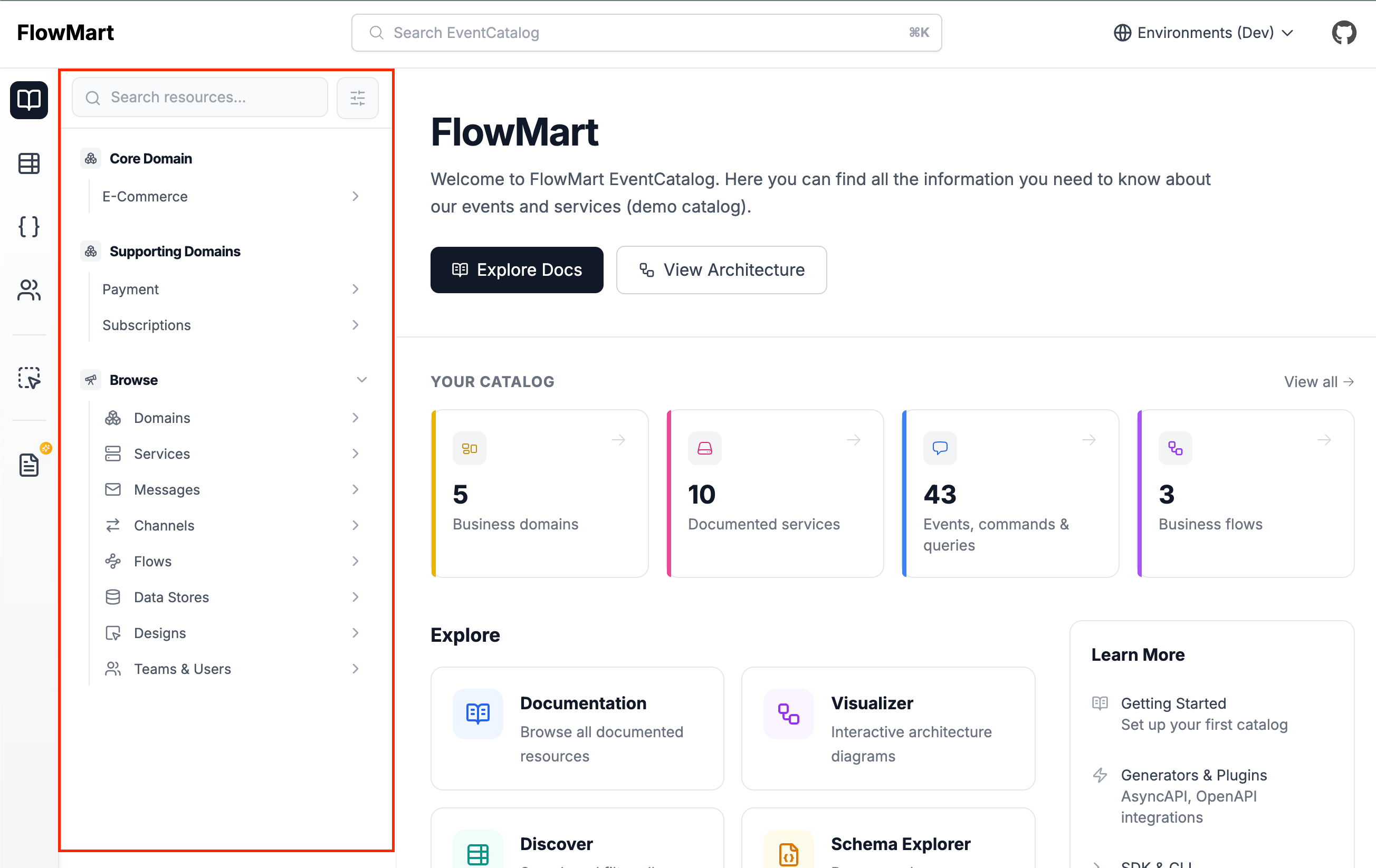
EventCatalog 4.10.0 adds custom resource sidebars. Add a sidebar.json next to any resource's index.mdx and you can define the navigation for that resource yourself.
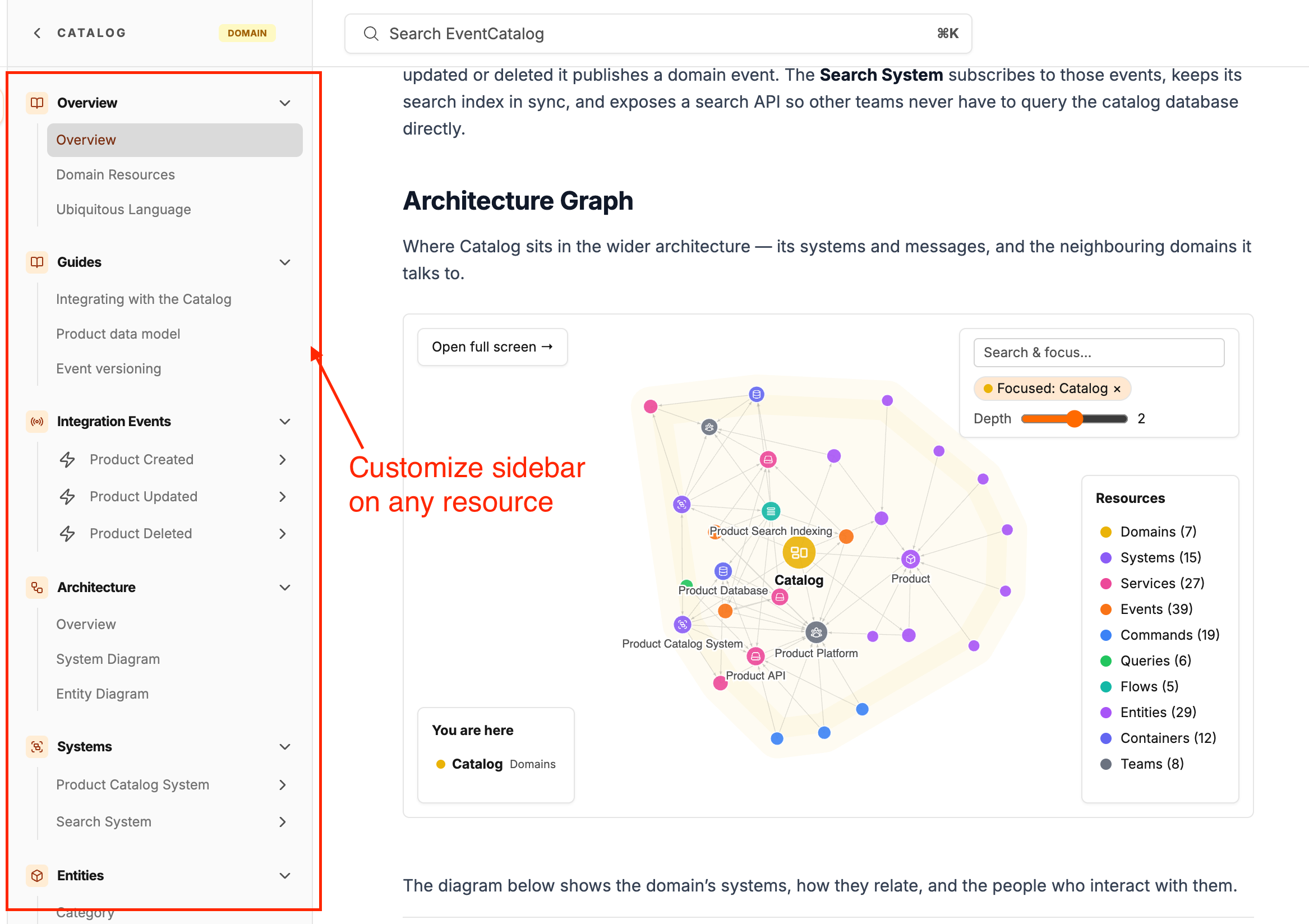
domains/Payments/sidebar.json
{
"sections": [
{ "section": "$quick-reference", "title": "Start here" },
{
"title": "Guides",
"pages": ["[[doc|guides/onboarding]]"]
},
{ "section": "$services", "title": "APIs and workers" },
{ "section": "$domain-events", "title": "Integration contracts" },
{ "section": "$decision-records", "collapsed": true }
]
}

The $sections remain live as your catalog changes, while custom groups can mix documentation, specifications, schemas, resource references, and normal links. Groups can be nested or collapsed, and versioned resources inherit the sidebar from the resource folder unless they define their own.

If a token, document, specification, or schema cannot be resolved, the build fails with the file and valid options. That makes a custom sidebar safe to maintain rather than another navigation file that silently drifts.

A much stronger EventCatalog Linter

The EventCatalog Linter received one of its largest upgrades so far in August.

New rules now catch unknown frontmatter fields, unrecognised Markdown files, and file references that point at missing schemas, specifications, data product contracts, or public icons. Misspelled fields include suggestions, and x- custom properties continue to work as expected.

Findings now include the exact line and column, version ranges behave the same way as EventCatalog core, and missing resources are reported separately from references to versions that do not exist.

npx @eventcatalog/linter --init

The new --init command creates a fully commented .eventcatalogrc.js with every rule and its default severity. We also added --quiet, --max-warnings, and --no-color, fixed the checked-file summary, and made CI output quieter and easier to scan.

Channel maps

Channels now have their own architecture maps.

A big thank you to Jonas Lagoni, who contributed this feature in #2756.

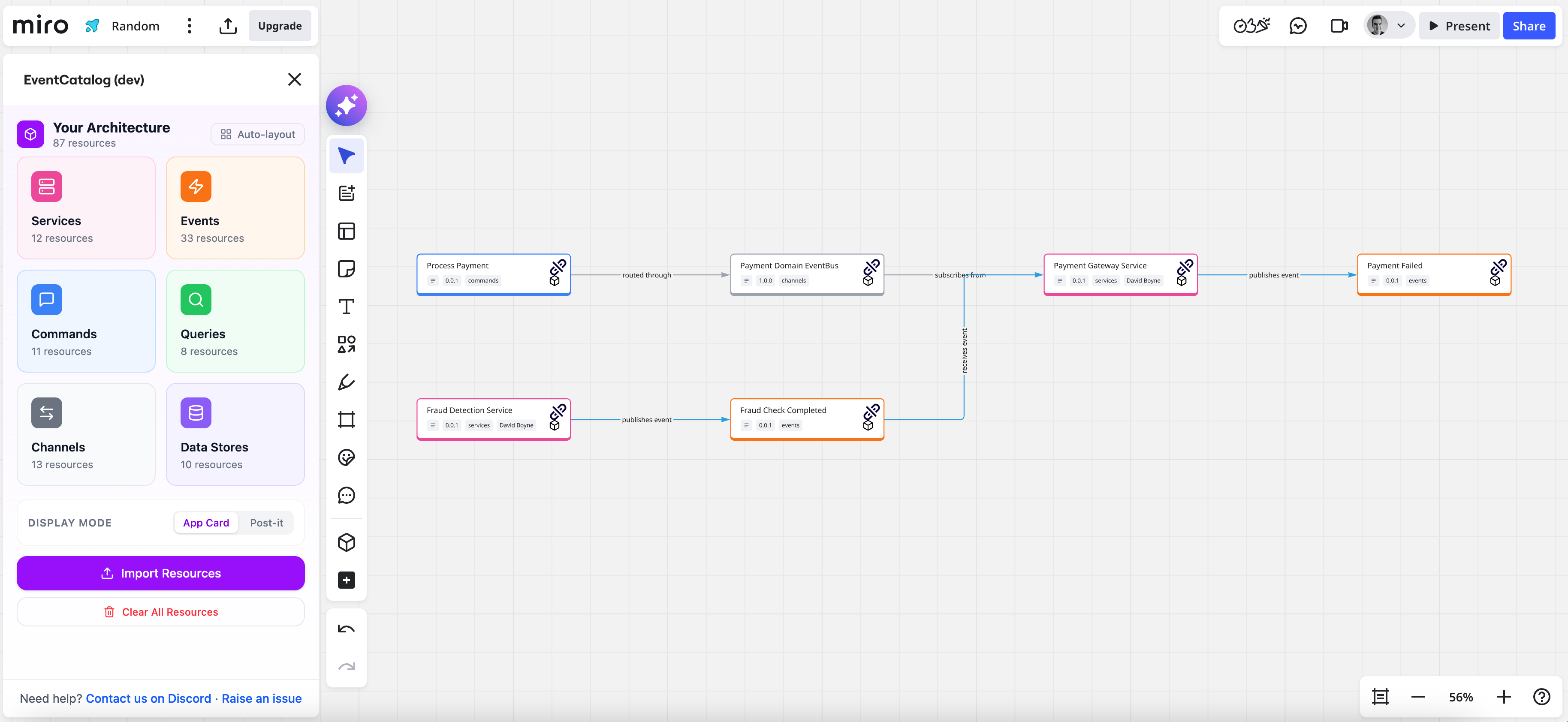
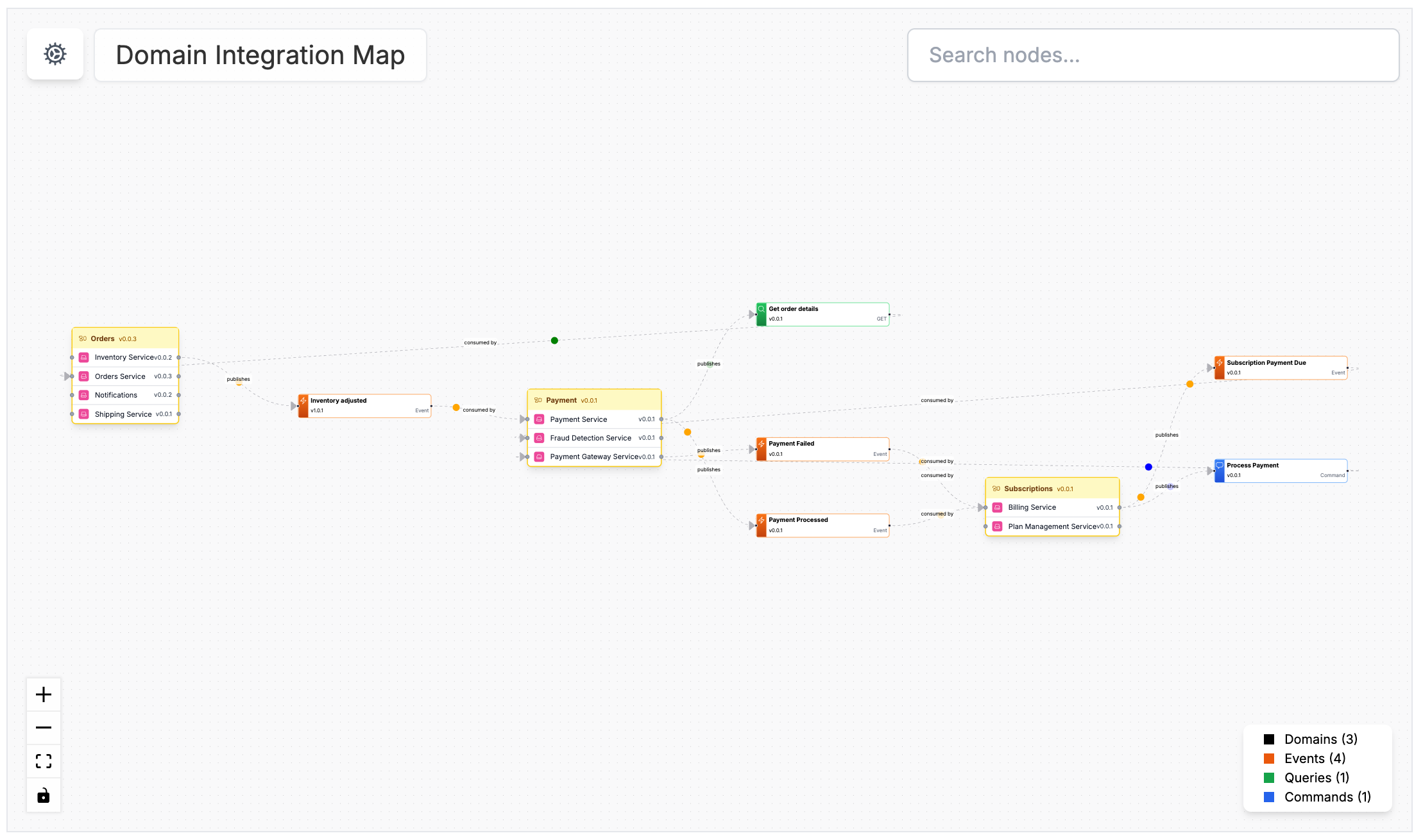
A channel map shows the producers and messages that publish into the channel, the services and agents that consume from it, and the channels it routes to or receives routes from. Routed chains remain connected all the way through, so you can follow how a message enters one channel and reaches a consumer through another.

You can add <NodeGraph /> to a channel page, or open the Architecture → Map link in its sidebar when the visualiser is enabled.

EventCatalog Scale now supports monthly subscriptions

EventCatalog Scale is now available month-to-month alongside annual billing, giving teams more flexibility to get started and cancel at any time.

Other project improvements

  • Customizable sidebars for any resource using sidebar.json (#2832)
  • New <ArchitectureGraph/> component for resource and custom documentation pages (#2834)
  • New linter rules, line and column reporting, accurate summaries, and --init configuration scaffolding (#2831)
  • Support for V1, V2, and other V-prefixed integer resource versions across lookup, comparison, federation, and snapshots (#2815)
  • Ubiquitous language terms now support edit URLs and appear in indexed search (#2820, #2802)
  • Domain resource pages now include every directly attached resource, including subdomains, systems, agents, and data products (#2769)
  • AsyncAPI parser errors now render on the page instead of leaving a blank screen (#2777)
  • AsyncAPI generator now preserves shared references when saving parsed specification files (#445)
  • OpenAPI and AsyncAPI generators now escape angle brackets in descriptions so generated MDX continues to build (#447)
  • Historical message versions now show their version-specific producers and consumers (#2787, #2805)
  • Fixed container context-menu links opening entity URLs instead of container URLs (#2804, #2809)
  • Fixed a Windows development-server crash caused by backslashes in watched project paths (#2806)
  • Fixed LikeC4 diagrams in Vite development mode (#2823)
  • Fixed domain-owned entities appearing as external resources in entity maps (#2825)
  • Fixed embedded Architecture Graphs in static builds and missing domain System Diagram pages (#2839)
  • Updated vulnerable dependencies and bumped Astro and its integrations through 7.2.8 (#2771, #2818)

Thanks

Thanks to everyone who contributed to EventCatalog this month by opening issues, reporting bugs, and suggesting features, including Jonas Lagoni, Lucas Chabalier, Alex Dunne, Xavier Gouley, Ondrej Musil, and many more.

The detailed reports and fixes from the community helped us make the new v4 foundation more reliable while we kept building on it.

What's coming in September?

A few things we're working on:

  • Notifications for breaking changes
  • Better ways to capture breaking changes
  • Improvements to our Code-to-Docs workflows
  • Introducing community calls for EventCatalog

If you have any questions or want to join our community exploring EventCatalog and event-driven architecture feel free to join us!

Until next time!, Dave
Whats new in EventCatalog - July 2026

· 13 min read
David Boyne
Founder of EventCatalog

Welcome to the monthly update for EventCatalog. July was our biggest release month so far. We shipped EventCatalog v4, and then kept shipping on top of it, moving from 4.0.0 all the way to 4.3.4 by the end of the month.

The theme was one we have been building towards for a while: EventCatalog is no longer only about documenting events. It is about documenting your software architecture, and giving both your engineers and your AI tools a graph they can actually reason about.

EventCatalog v4 and systems

EventCatalog started in 2022 as a small open source project for documenting events. More than 40,000 catalogs later, it is clear our community is not only documenting events, they are documenting their software architecture.

EventCatalog v4 is the first release shaped around that. The headline change is systems, a new first-class resource that sits between domains and implementation detail.

  • Domains describe a business boundary or bounded context.
  • Systems describe a software capability or an external system.
  • Resources describe the services, messages, flows, data stores, entities, and diagrams inside that system.

Your Payments domain might contain a Payment Processing System, and that system owns the API, the worker, the events, the data store, the checkout flow, and the entities involved in authorization and capture. It gives teams a natural place to document the thing they actually own, rather than a flat list of services.

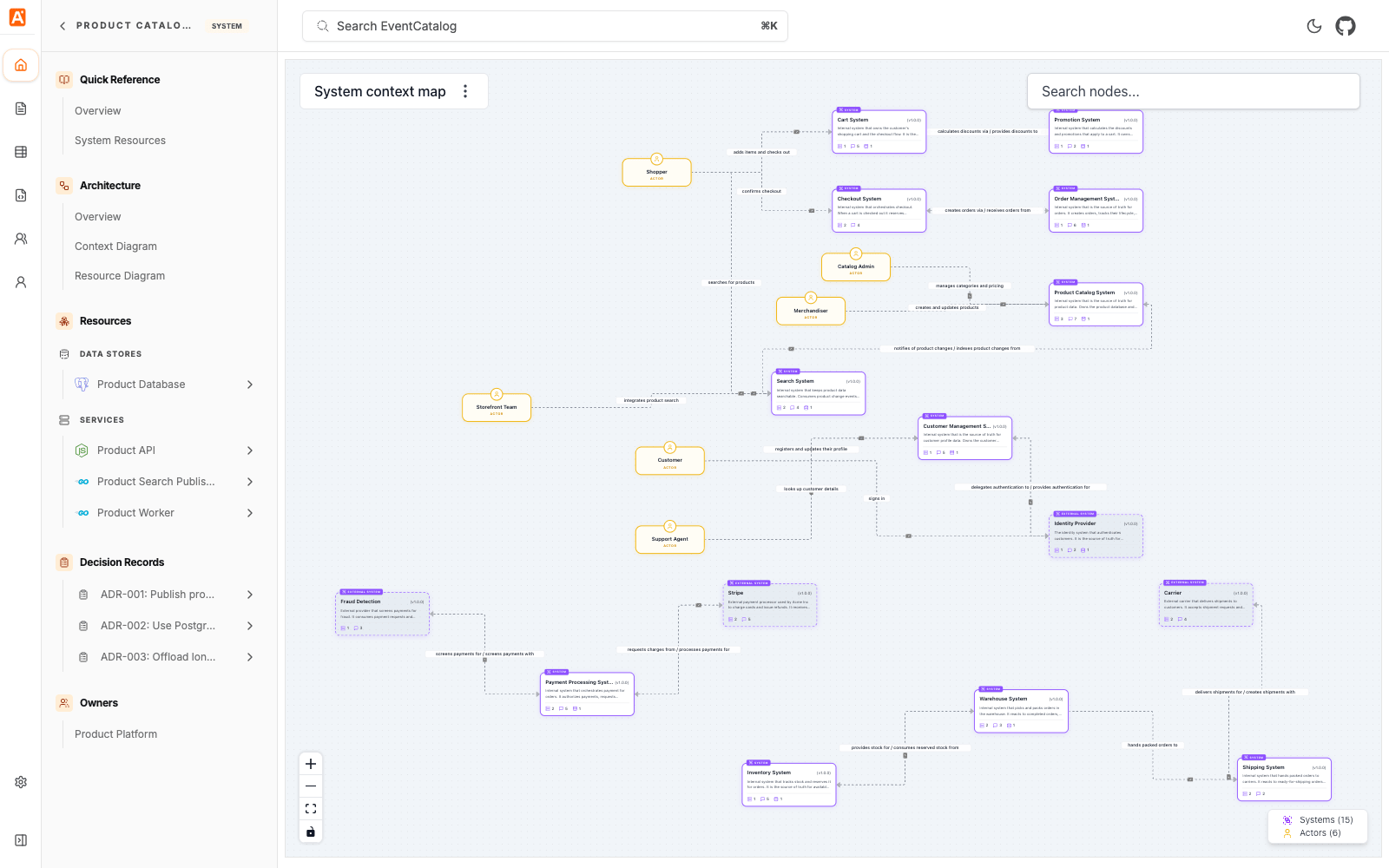
Systems also define relationships to other systems and actors, and EventCatalog turns those into system context maps.

The context diagram answers "how does this system fit into the wider architecture?". Add <NodeGraph /> to a system page and you get the lower-level resource diagram too, which answers "what is this system made of?". Architects usually want the first view, engineers making a change usually want the second.

v4 also brought a single Catalog experience with a Kind filter (instead of separate explore pages per resource type), configurable navigation.groups for the application sidebar, and two capabilities moving into Community Edition: custom homepages and diagram comparison.

You can read more in the v4 announcement and the v4 upgrade guide.

Custom pages and API routes

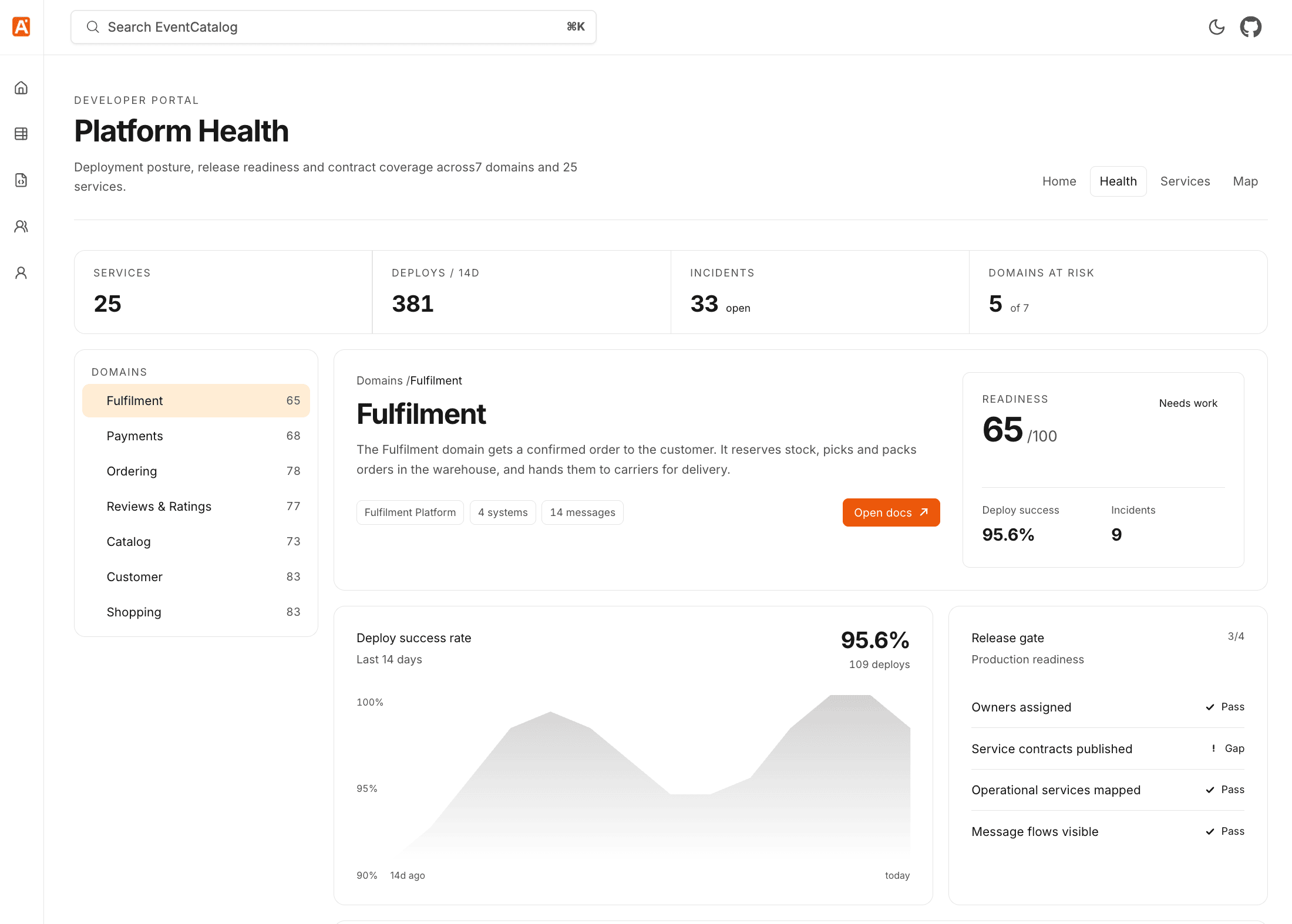
Every organization eventually needs a page that does not fit a predefined resource type. A service scorecard. A migration tracker. A review workflow. A platform health dashboard that combines catalog structure with deployment and incident data.

As of 4.1.0, you can build those pages inside EventCatalog. Drop Astro files into a top-level pages directory and they get served alongside the rest of your catalog.

pages/reports.astro
---
import Layout from '@catalog/layouts/Layout.astro';
import { getServices } from '@catalog/utils';

const services = await getServices({ getAllVersions: false });
---

<Layout title="Service reports" description="Operational views built from catalog data.">
<p>There are {services.length} services in this catalog.</p>
</Layout>

That page is served at /custom/reports, and you can add it to the application sidebar with navigation.groups so it feels like part of the catalog rather than something bolted on.

API routes live in pages/api and give you the server-side half: expose catalog data as JSON, receive a form submission, proxy an internal platform, or pull service health from your observability tool. They need EventCatalog running in server mode.

If you use AI coding agents, there is a custom-pages-and-apis skill in our skills repository that gives your agent the conventions so you do not have to remember them yourself.

You can read more in the custom pages release post.

Map commands to the events they trigger

This one is my favourite from July, and it did not get its own announcement.

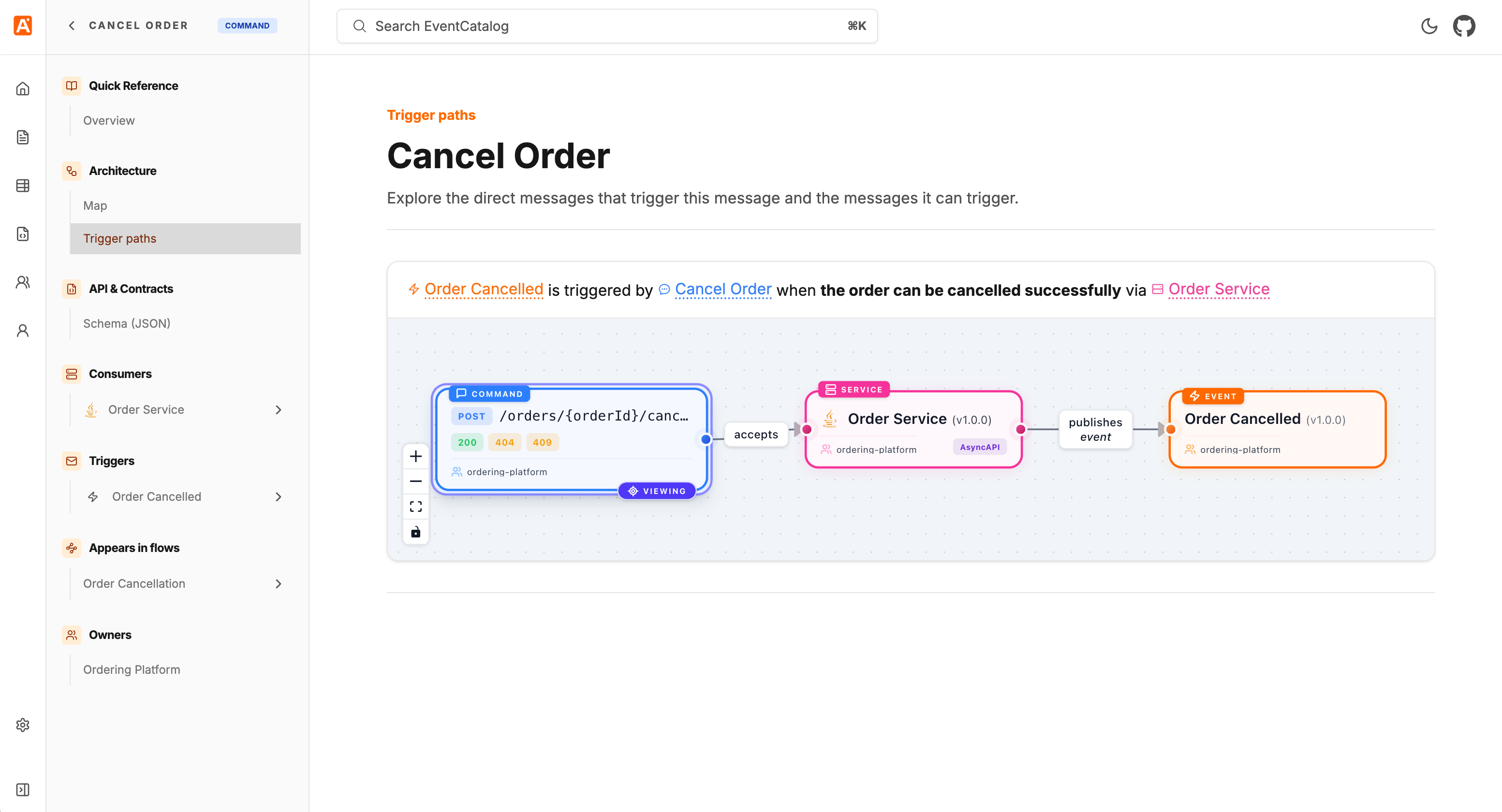
Your catalog has always been able to tell you that OrderService receives the CreateOrder command and produces OrderCreated and OrderRejected. What it could not tell you is which of those events came from which command, and under what circumstances. That relationship lived in someone's head, or in the code.

EventCatalog 4.2.0 adds a triggers property so you can map commands to the events they produce.

/services/OrderService/index.mdx
---
id: OrderService
version: 1.0.0
name: Order service
receives:
- id: CreateOrder
version: 1.0.0
triggers:
- id: OrderCreated
version: 1.0.0
condition: When payment is authorized and stock is available
- id: OrderRejected
version: 1.0.0
condition: When payment fails or stock is unavailable
---

The optional condition is what makes this genuinely useful. It lets you document the scenario, so a command producing a success event or a failure event, a branch driven by a business rule, or two different paths that happen to produce the same event, are all visible on the page rather than implied.

The relationship is bidirectional. Commands list their events under Triggers, and each event page lists the commands that can produce it under Triggered by. Messages that take part in at least one resolved relationship also get a dedicated Map commands to events page, with one visual row per path and its scenarios.

The same release improved the visualiser: the resource you are currently viewing now stays visibly marked as the focus of the graph, context menus let you focus another node in its own map, and edge labels render above edges so intersecting paths no longer hide their text. Trigger pointers are supported in the SDK too.

Scoped MCP servers

More context is not always better context.

Our MCP server already let AI tools query your entire architecture, which is exactly what you want for organization-wide dependency questions. But most engineers spend their day inside a much smaller boundary, and an agent loading Shipping, Identity, and Analytics resources to answer a refunds question just adds noise.

From 4.3.0, EventCatalog exposes a scoped MCP endpoint for every domain and system.

https://your-eventcatalog.com/docs/mcp/domains/payments
https://your-eventcatalog.com/docs/mcp/systems/payment-processing/1.2.0

Your AI tool can now connect at the level that matches the question it needs to answer:

Open a domain or system page, select Connect to MCP server, and you get a URL for that part of the catalog. The scoped server includes the selected resource and follows its relationships recursively, so the client gets the connected architecture graph including services, messages, schemas, flows, ubiquitous language, and ADRs, without pulling in unrelated parts of the catalog.

Connect a team's tooling to the domain they own once, and engineers stop having to restate boundaries in every prompt. The same release added an mcp.enabled config option if you want to turn the built-in server off entirely.

You can read more in the scoped MCP servers release post.

Custom properties on resources

EventCatalog gives you first-class fields for the common concepts: owners, messages, relationships, schemas, repositories. But every organization has metadata that is specific to its own platform and processes, and until now there was nowhere clean to put it.

4.2.3 adds custom properties. Any top-level frontmatter field prefixed with x- is treated as your own metadata.

/services/PaymentAPI/index.mdx
---
id: PaymentAPI
name: Payment API
version: 1.0.0
x-operational-tier: 1
x-on-call:
schedule: payments-primary
escalation-channel: '#payments-incidents'
---

Values can be strings, numbers, booleans, arrays, or nested objects, and they work on domains, systems, services, agents, messages, channels, flows, containers, entities, data products, diagrams, and ADRs. New <CustomProperties> and <CustomProperty> MDX components render them on the page, so operational tiers, recovery objectives, and on-call schedules can live next to the architecture they describe.

A better Discover experience

Two small changes that make a big difference when your catalog gets large.

Discover table filters now persist in the URL. Searches, filters, and toggles survive a page reload, and more importantly you can share a filtered view as a link rather than telling someone which six filters to click.

Domains also got a type filter for root domains and subdomains, and subdomains now render nested under their parent in the name column. If you use subdomains heavily, the list finally reflects the hierarchy you actually modelled.

Schema Explorer improvements

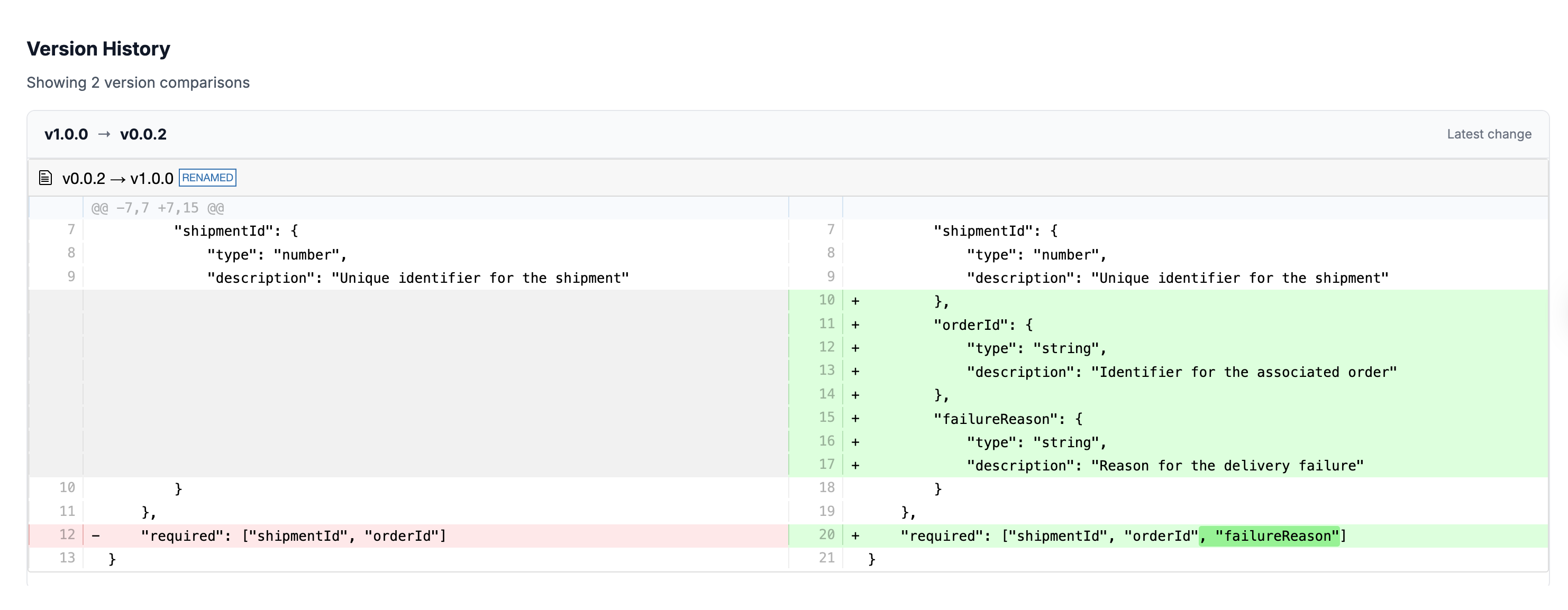
The Schema Explorer's version comparison used to only show you consecutive-version diffs, which is fine until someone asks "what changed between 1.0.0 and 2.3.0?".

You can now pick any two versions to diff using From/To selectors. We also fixed $ref resolution for remote JSON schemas, so local and remote pointers are inlined properly instead of rendering as unresolved $ref values, and fixed SchemaViewer portal targeting when multiple schemas share the same id on a page.

Entities go deeper

Entities picked up recursive embedded properties in 4.3.2, so you can model nested structures properly rather than flattening them out. You can also opt in to whole-entity relationship targets, embedded properties render in both entity documentation and visualiser nodes, and generated entity maps come out more compact.

Other project improvements

  • Custom documentation tools (getCustomDocs, searchCustomDocs, getCustomDoc) added to AI Chat and the MCP Server, with section-level full-text search (#2670)
  • New getGraph API in the SDK (#2726)
  • SDK support for architecture decision records (#2659)
  • Linter support for the new system resources (#2665)
  • create-eventcatalog can now optionally install EventCatalog Skills when scaffolding a new project (#2688)
  • Stable, versionless URLs for the latest service's specifications, changelog, and attached documentation (#2740)
  • Navigation loading indicator so slower SSR page transitions give feedback instead of appearing unresponsive (#2722)
  • Improved sidebar group collapsing, persistence, and resizing (#2743)
  • Bumped to Astro 7.1.1 with updated @astrojs integrations (#2723)
  • Fixed: static builds crashing with TypeError: Missing parameter: id when trailingSlash: true (#2690)
  • Fixed: AI chat API URL not respecting a custom base path (#2682)
  • Fixed: cropped and colorless visualiser image exports (#2683)
  • Fixed: changelog diffs and raw Markdown endpoints resolving the wrong file paths in SSR deployments (#2712, #2708)
  • Fixed: the linter failing to load dependencies from an ESM eventcatalog.config.js (#2678)
  • Fixed: sidebar collapse state for ADR status groups (#2731)
  • Fixed: proper favicons served instead of the logo image (#2697)
  • Removed the EventCatalog DSL import command and Compass playground integration from the CLI (#2738)

Thanks

Thanks to everyone who contributed to EventCatalog this month by opening issues, reporting bugs, and suggesting features, including Benjamin Otto, Alex Dunne, omid eidivandi, Dominik Szczepaniak, Wenzel, Max Dobler, Jan, Christian Johansen, and many more.

Shipping a major version and then iterating on it this fast only works because people tell us what broke.

What's coming in August?

A few things we're working on:

  • More improvements to systems, context maps, and the Catalog experience now that v4 is out
  • Continued work on EventCatalog Agent and the Code-to-Docs workflow
  • More ways to bring catalog context into the tools your teams already use

If you have any questions or want to join our community exploring EventCatalog and event-driven architecture feel free to join us!

Until next time!, Dave
Whats new in EventCatalog - May 2026

· 11 min read
David Boyne
Founder of EventCatalog

Welcome to the monthly update for EventCatalog. May was one of our biggest months yet, and there was a clear theme running through it: your catalog should be the source of truth for the humans building your system and the AI agents working alongside them.

We made agents and architecture decisions (ADRs) first-class resources, shipped a visual editor in beta, and added full-content search, GitHub user sync, and a set of features aimed squarely at coding agents. Here's everything that landed.

Document and Govern AI Agents

Most companies are not going to have one agent. They are going to have many. One team adds a support agent, another adds a fraud review agent, another adds an internal architecture assistant. Each one consumes events, calls tools, reads data, and produces work that downstream systems depend on. If an agent influences your system, it needs to be visible in the same place as the rest of your architecture.

EventCatalog 3.41.0 adds agents as a first-class resource. Each agent gets its own page, frontmatter API, sidebar entry, search result, visualizer node, ownership metadata, and version history.

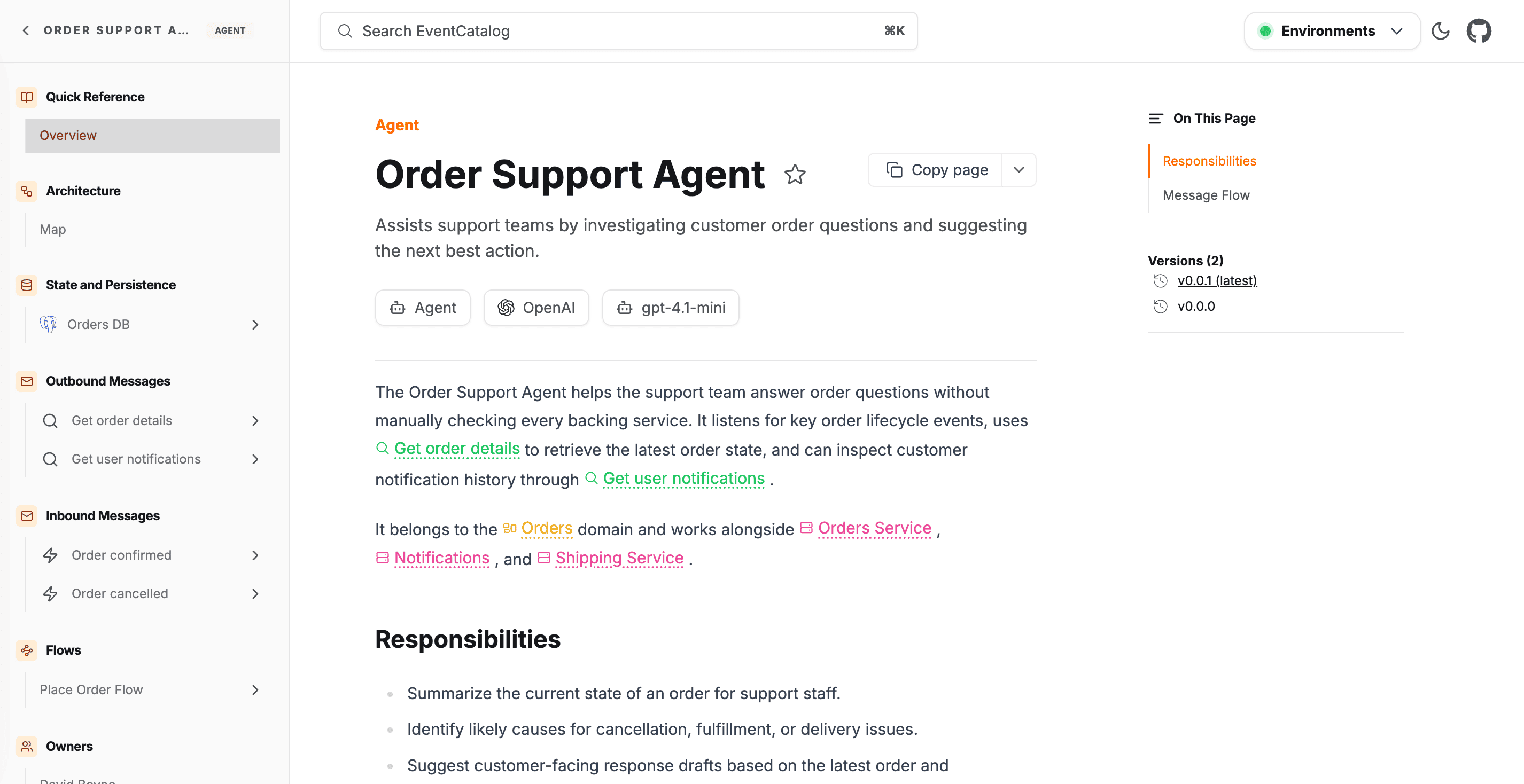
For each agent you can document who owns it, which model it uses, which tools (MCP servers, APIs, databases, search indexes) it can call, which messages it consumes and produces, and which data stores it reads from or writes to. Agents also show up in the visualizer and can be used as nodes in flows, so you can see exactly how information moves between agents, services, messages, and data.

A huge thank you to Martijn van der pauw for raising the original RFC and helping shape this one.

You can read more about agents in our release blog post here.

Architecture Decision Records

Your catalog tells you what services exist, what events they produce, what schemas look like. What it hasn't told you is why any of it was built the way it was. Why Kafka over RabbitMQ. Why the Orders domain owns customer address data. Decisions separated from the things they describe are decisions that get made again, usually with incomplete information.

Architecture Decision Records are now a first-class resource in EventCatalog. They have frontmatter, versioning, and markdown content, and they show up in search, the Discover page, and the visualizer alongside everything else.

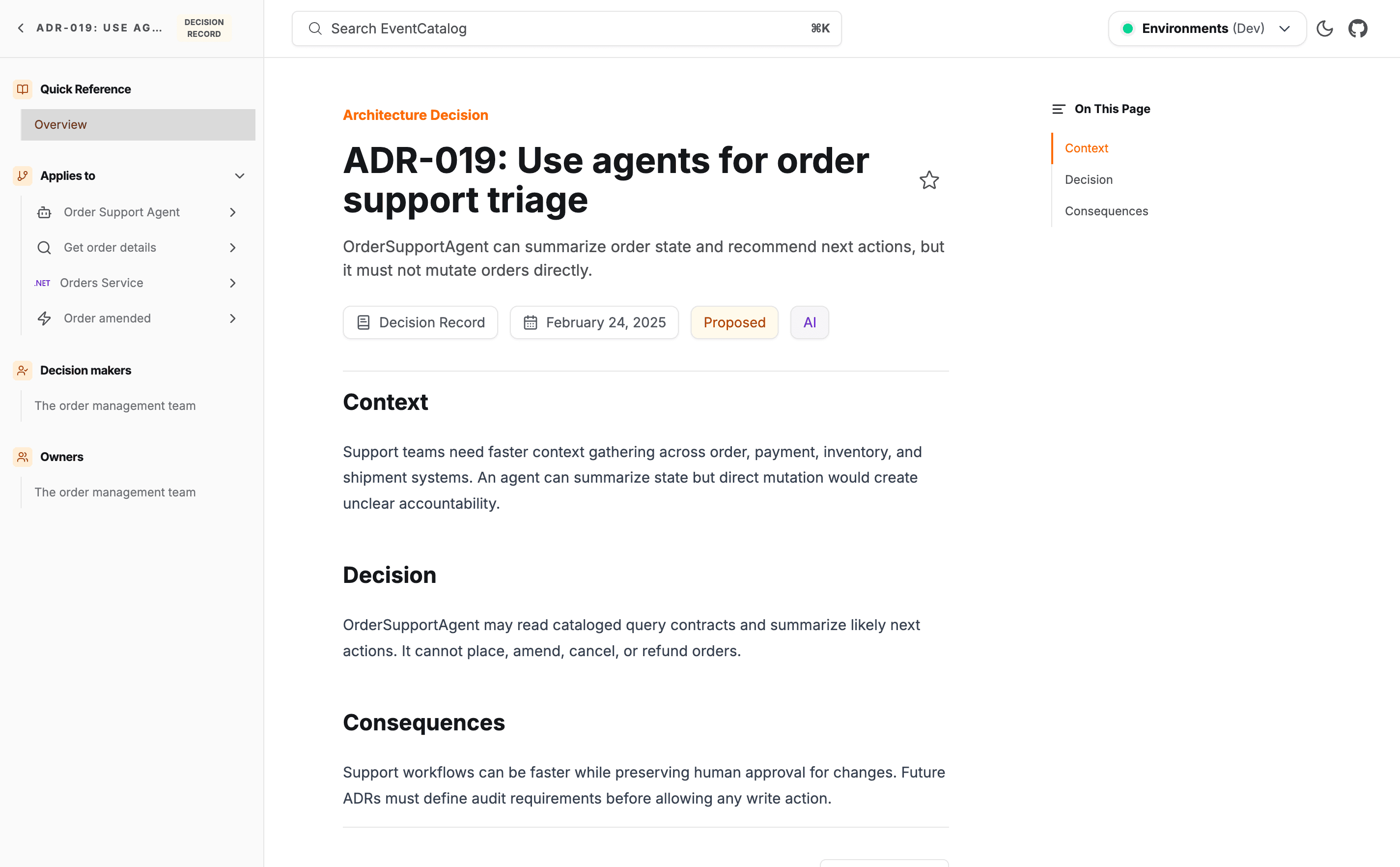
An ADR document rendered in EventCatalog showing status, context, decision, and consequences

The most useful part is the appliesTo field, which links an ADR directly to the services, events, commands, and domains it governs. Those links are bidirectional, so when someone views OrdersService they see the decisions that shaped it, right at the point where it matters. ADRs also track lineage through supersedes, amends, and related, and because they live in the catalog the MCP server can answer "why did we choose Kafka for the Orders domain?" by reading the actual decision record.

You can read more about ADRs in our release blog post here.

EventCatalog Editor (Beta)

Catalog maintenance is not only an engineering task. Architects, analysts, and product owners often know what needs to change, but the source files, frontmatter, schemas, and Git workflow slow them down.

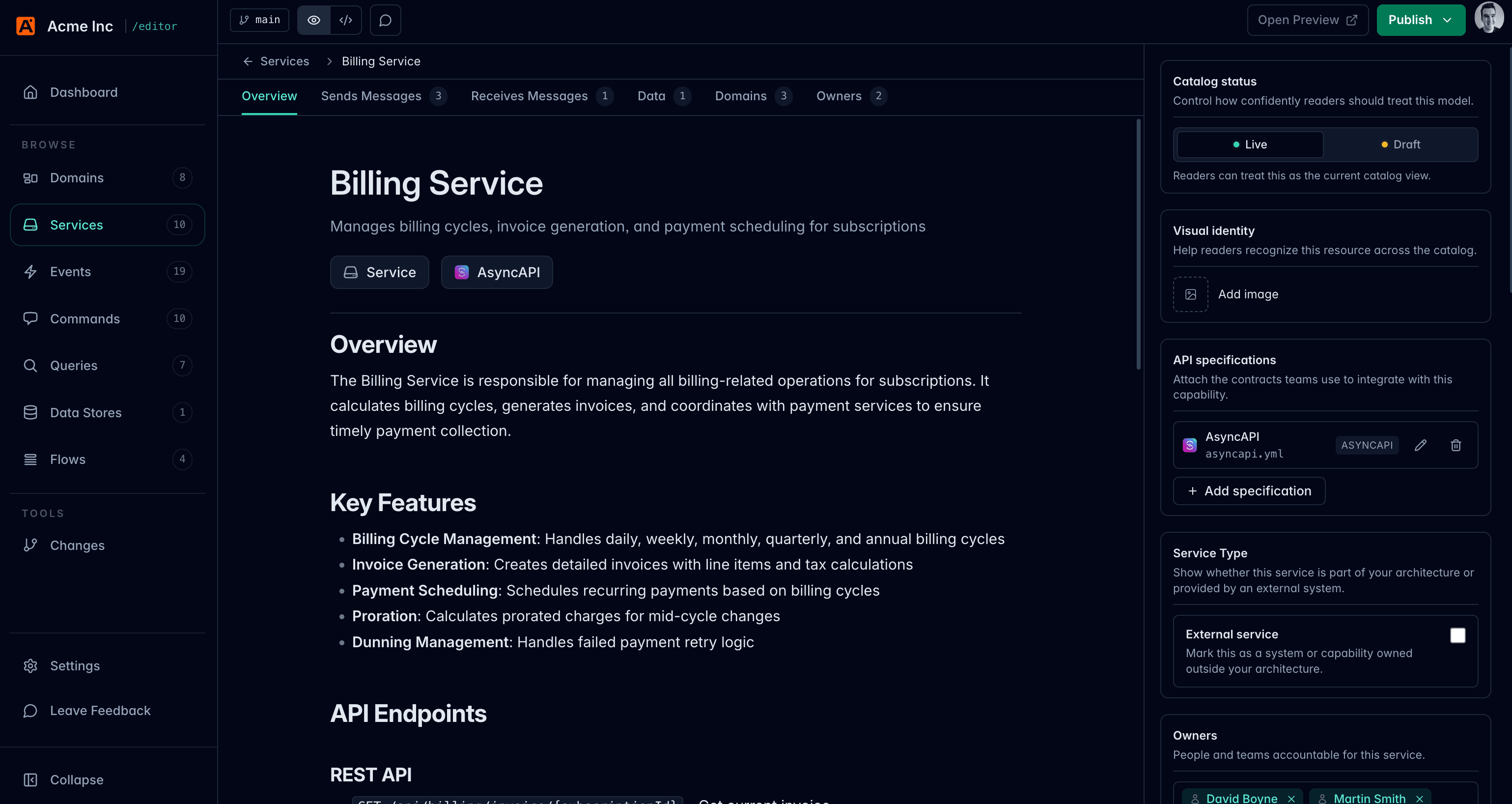
EventCatalog Editor is now in beta. It gives your team a local visual editor for maintaining the same EventCatalog files you already keep in Git. You can edit resources, preview changes, review diffs, and publish local commits without opening Markdown for every update.

The editor runs locally on top of your catalog and writes changes back to the same files, so your existing review and release process stays in place. Highlights include a visual Flow Editor for building flows by shape rather than YAML, a changes view that groups local Git diffs by resource before you publish, and slash commands for inserting diagrams, callouts, prompts, and resource-aware blocks without remembering the syntax. Source mode is always one click away when you need it.

You can read more about the Editor in our release blog post here.

The default search is fast and works everywhere, but it only sees frontmatter-level data: names, identifiers, types, summaries, and badges. If the detail you need is buried in a message payload description, a changelog entry, or a custom architecture doc, the default search will not find it.

EventCatalog v3.36.0 adds indexed full-content search. It reads the body of every page in your catalog, powered by Pagefind. If a term appears anywhere in your documentation, it shows up.

Enabling it is one line in your eventcatalog.config.js:

// eventcatalog.config.js
export default {
// ... rest of your config
search: {
type: 'indexed',
},
};

The index builds automatically during eventcatalog build and eventcatalog dev, with debounced rebuilds whenever a .md or .mdx file changes. Results are ranked so titles and identifiers score highest, then summaries, then body content. One note for auth-protected catalogs: Pagefind stores full page content in a /pagefind directory, so protect it with the same auth layer as your pages.

You can read more about indexed search in our release blog post here.

Sync users and teams from GitHub

Teams and users are how you assign ownership in EventCatalog, and ownership is only useful when it is accurate. Keeping a list current by hand is not sustainable. People join and leave teams, teams get restructured, and the catalog falls behind until nobody trusts the data.

EventCatalog can now sync users and teams directly from GitHub. Point the new githubDirectory connector at your org, list the teams you care about, and ownership data stays accurate automatically.

If your team data lives somewhere else, an HR tool, LDAP, Okta, or Microsoft Entra, you can build your own connector with defineDirectorySource. The same sync mechanism runs regardless of the source. Directory sync is a Scale plan feature (and available on Enterprise), but the connector package is open source so you can build and test locally.

You can read more about GitHub sync in our release blog post here.

Docs your AI agents can trust

I've been using Claude Code and Cursor every day on EventCatalog, and I kept hitting the same thing: the agent would confidently spit out frontmatter that didn't exist or point at folders we'd renamed months ago. It's not really the agent's fault, it's working from a snapshot of the web that's months out of date, and EventCatalog moves fast.

As of 3.35.1, the full EventCatalog docs are bundled inside the npm package, version-matched to whatever you have installed. After a normal install they live at node_modules/@eventcatalog/core/dist/docs/. No extra install, no network request, no version mismatch. New projects scaffolded with create-eventcatalog get an AGENTS.md and CLAUDE.md that tell any coding agent to read those docs before generating anything.

You can read more about bundled docs in our release blog post here.

Prompt and Visibility components

Writing docs that serve both a human reading the UI and an AI agent consuming raw markdown used to mean maintaining two versions of the same information. That overhead compounds fast across a large catalog.

EventCatalog 3.33.0 ships two new MDX components to fix this:

  • <Prompt /> embeds a copyable AI prompt block directly on any resource page, with one-click copy to clipboard or open in Cursor.
  • <Visibility> gates content by audience in a single file. Humans see one block in the UI, AI agents see another in the raw markdown. The same file, zero duplication, two audiences.

You can read more about both components in our release blog post here.

API catalog discovery

Developers and agents should not need to crawl your docs site to find the contracts your team already publishes. They should be able to ask one known URL and get a machine-readable answer.

EventCatalog can now publish an API catalog at /.well-known/api-catalog, following RFC 9727. The endpoint returns a Linkset of every service and domain with OpenAPI, AsyncAPI, or GraphQL specifications attached, plus the EventCatalog MCP endpoint when enabled. Your catalog already knows where your APIs live, this exposes that knowledge in a format developer tools and agents can consume directly.

You can read more about API catalog discovery in our release blog post here.

Flows reach the data layer

Flows let you document end-to-end business workflows across services, messages, actors, and external systems. Until now they stopped at the application layer and went silent the moment data landed somewhere or fed into a report.

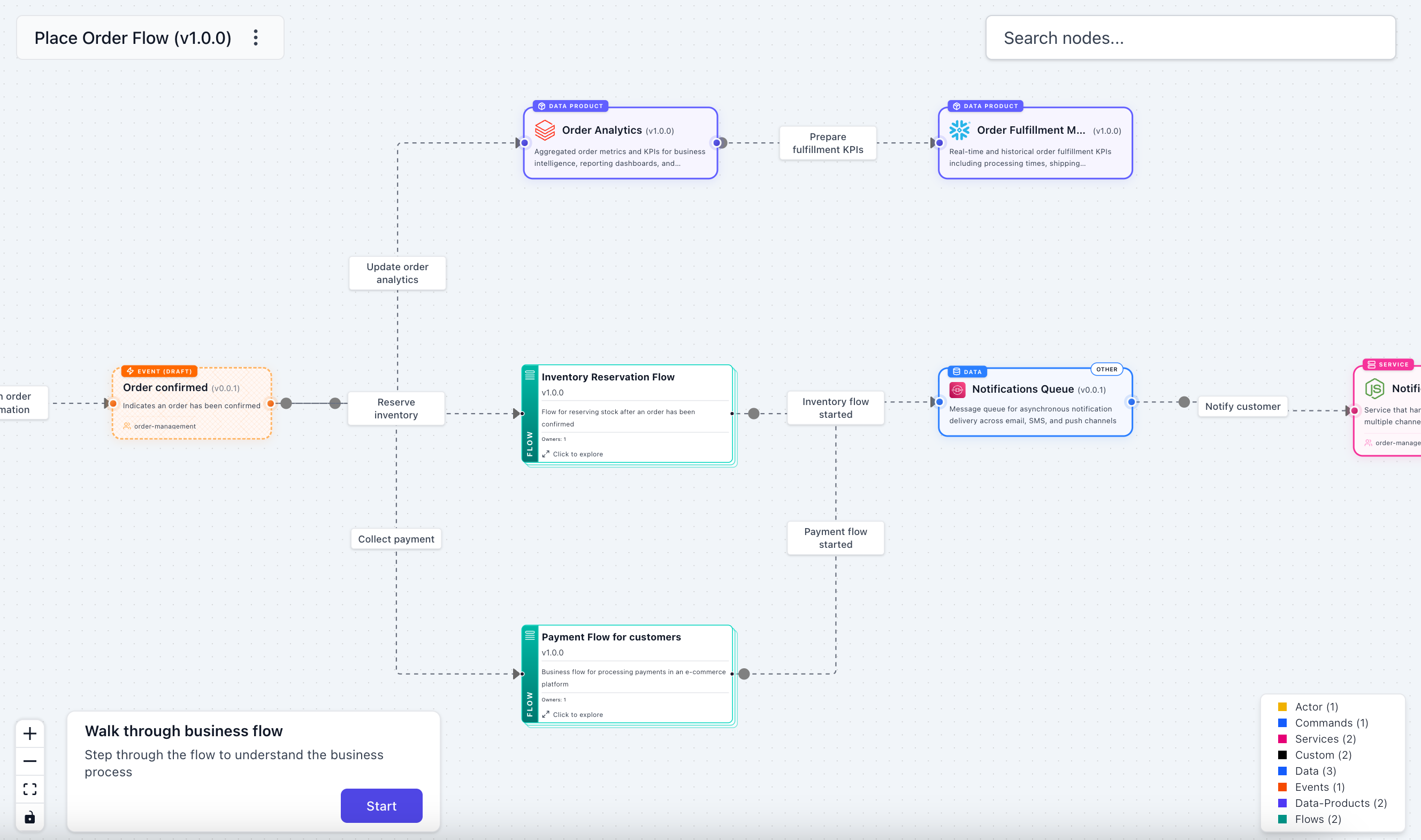
v3.36.3 adds two new flow node types, container and dataProduct, so your flows can reach into the data layer. A container step references a data store, and a dataProduct step references a data product. You can now draw the complete picture in a single diagram: the services that process events, the data stores they write to, and the data products built on top.

Bidirectional linking is automatic. When a flow references a container or data product, that resource's sidebar gains a "Flows" section listing every flow that touches it.

You can read more about the new flow nodes in our release blog post here.

Other project improvements

  • Added search configuration so you can customize what the search modal indexes (search docs)
  • <AgentTools /> component renders the tools an agent can call directly on its page
  • Slash commands in the Editor for inserting diagrams, callouts, steps, tiles, and prompts
  • ADR status field tracks the full lifecycle: proposed, accepted, deprecated, superseded
  • Auth support added to the EventCatalog Editor for Cloud seats
  • New @eventcatalog/connectors package for syncing directory data from external systems

What's coming in June?

A few things we're working on:

  • Continued polish on the EventCatalog Editor as we move it through beta toward general availability
  • More ways to document and govern AI agents as the resource type matures
  • Deeper AI-native workflows building on bundled docs, the MCP server, and skills

If you have any questions or want to join our community of over 1,200 people exploring EventCatalog and event-driven architecture feel free to join us!

Until next time!, Dave
Whats new in EventCatalog - March 2026

· 9 min read

Welcome to the monthly update for EventCatalog. March was a big month. We shipped governance capabilities, field-level intelligence, a redesigned schema explorer, a new Miro integration, AI-assisted flow creation, and upgraded the entire platform to Astro 6.

Architecture Change Detection

A service starts consuming your OrderPlaced event. No ticket. No Slack message. No email. You find out weeks later when something breaks downstream.

Architecture Change Detection turns your catalog into an active monitoring system. It compares your EventCatalog across git branches, detects when services start or stop producing or consuming messages, and notifies your teams automatically.

You define governance rules in a governance.yaml file at the root of your catalog. Each rule specifies what to watch, what conditions to trigger on, and where to send notifications.

This is designed for service owners who want to know the moment someone starts depending on their messages, platform teams who need to catch breaking changes before a PR merges, and operations teams who want an audit trail of every dependency change.

We also added the schema_changed and message_deprecated governance triggers, and support for a fail action type so you can gate CI/CD pipelines on governance rules.

You can read more about Architecture Change Detection in our release blog post here.

Schema Insights - Trace Fields Across Your Architecture

As your architecture grows, schemas multiply. An OrderPlaced event gains fields. A PaymentProcessed event reuses some of those same fields. A CustomerUpdated command redefines one of them with a slightly different type. Nobody notices until a consumer breaks.

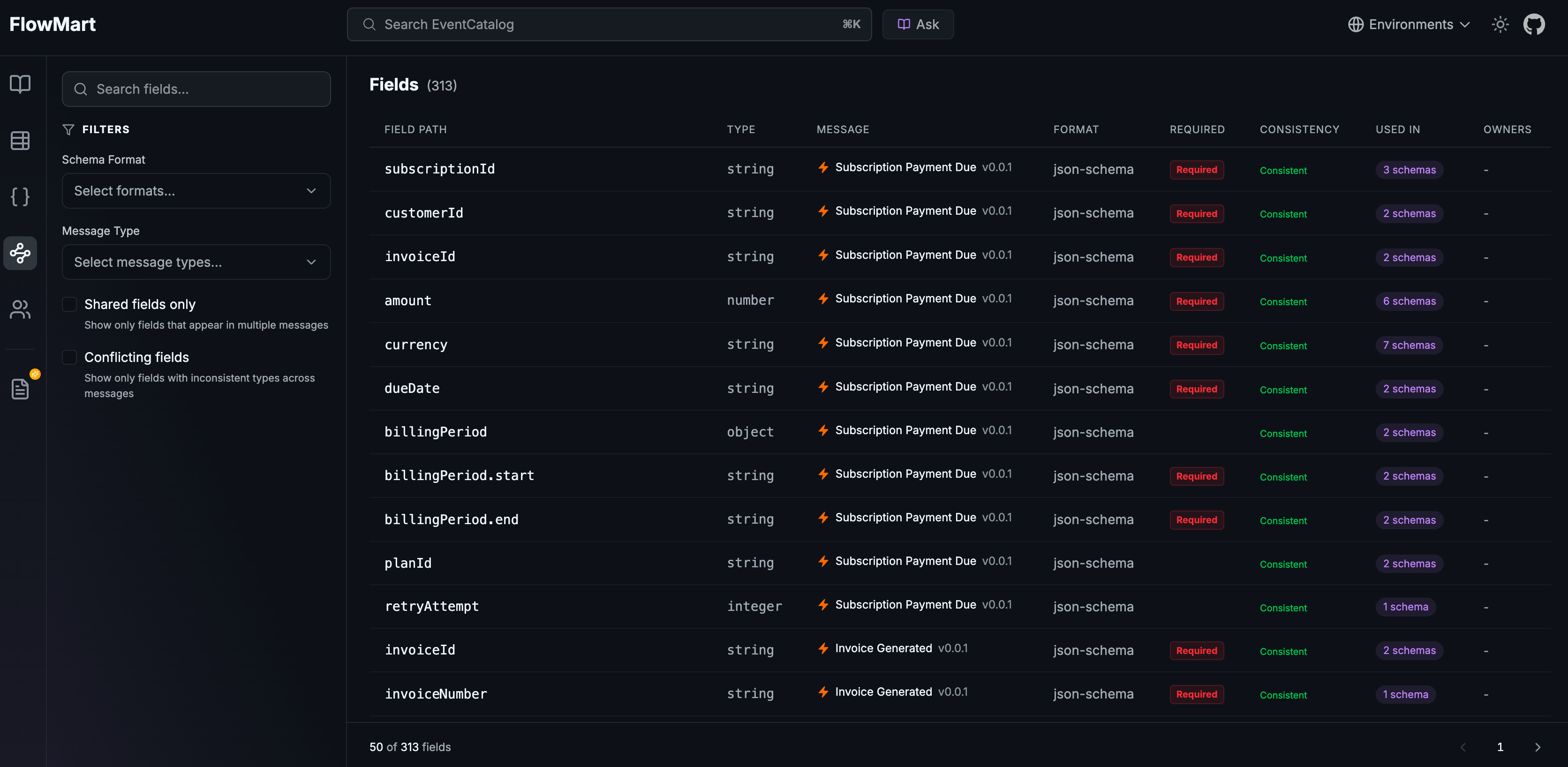
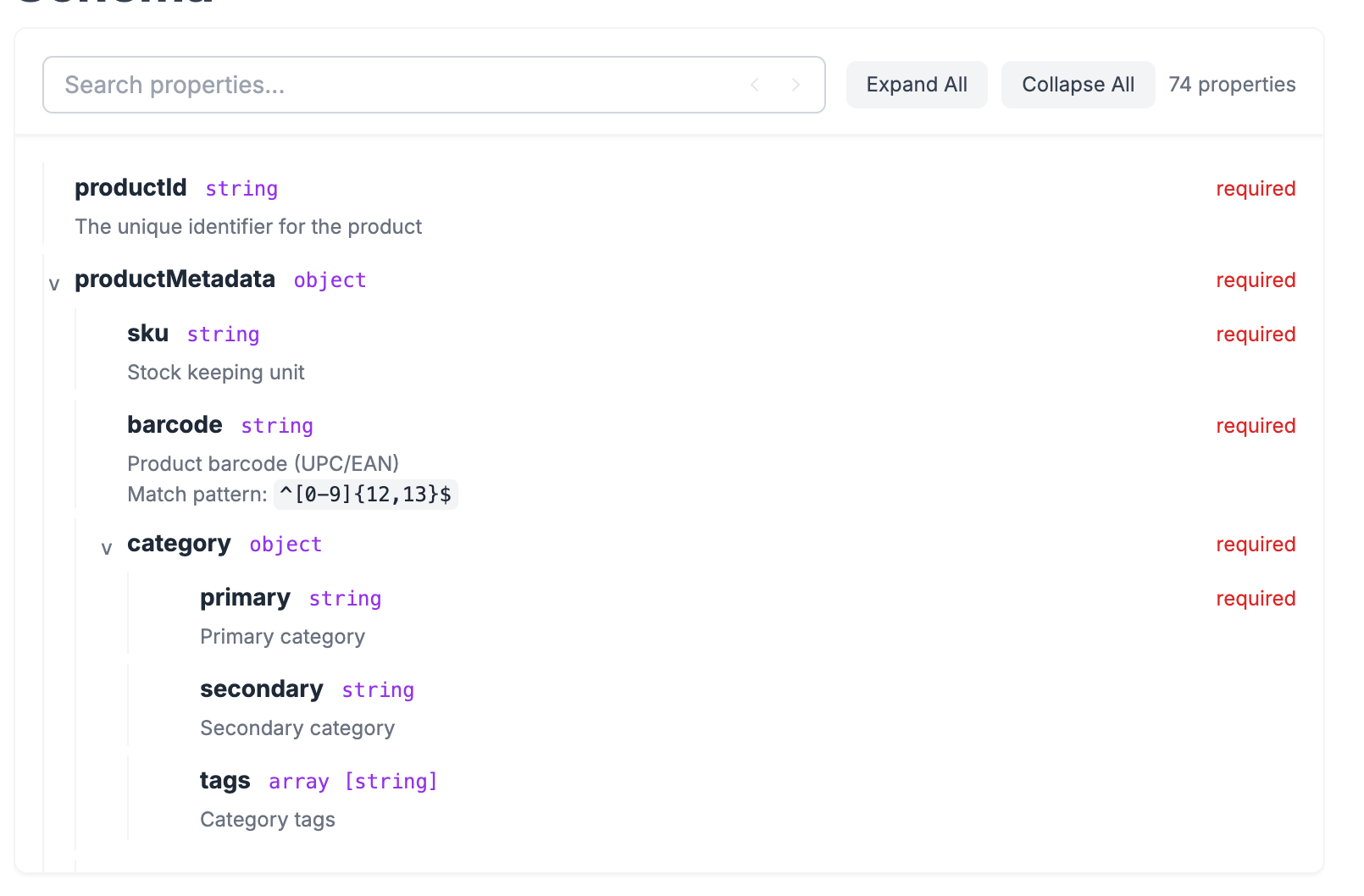
Schema Insights indexes every field from every message schema in your architecture and makes them searchable, traceable, and verifiable from a single page.

Available at /schemas/fields in your catalog, Schema Insights gives you:

  • Field search and filtering across every message in your architecture
  • Type conflict detection that flags when the same field name has different types across messages
  • Interactive traceability graphs showing how a field connects to messages and services
  • A redesigned Schema Explorer with a modern layout and dark mode support

You can read more about Schema Insights in our release blog post here.

Field-Level Usage Tracking

EventCatalog already tells you which services consume a message. Now it can also tell you which specific fields they use.

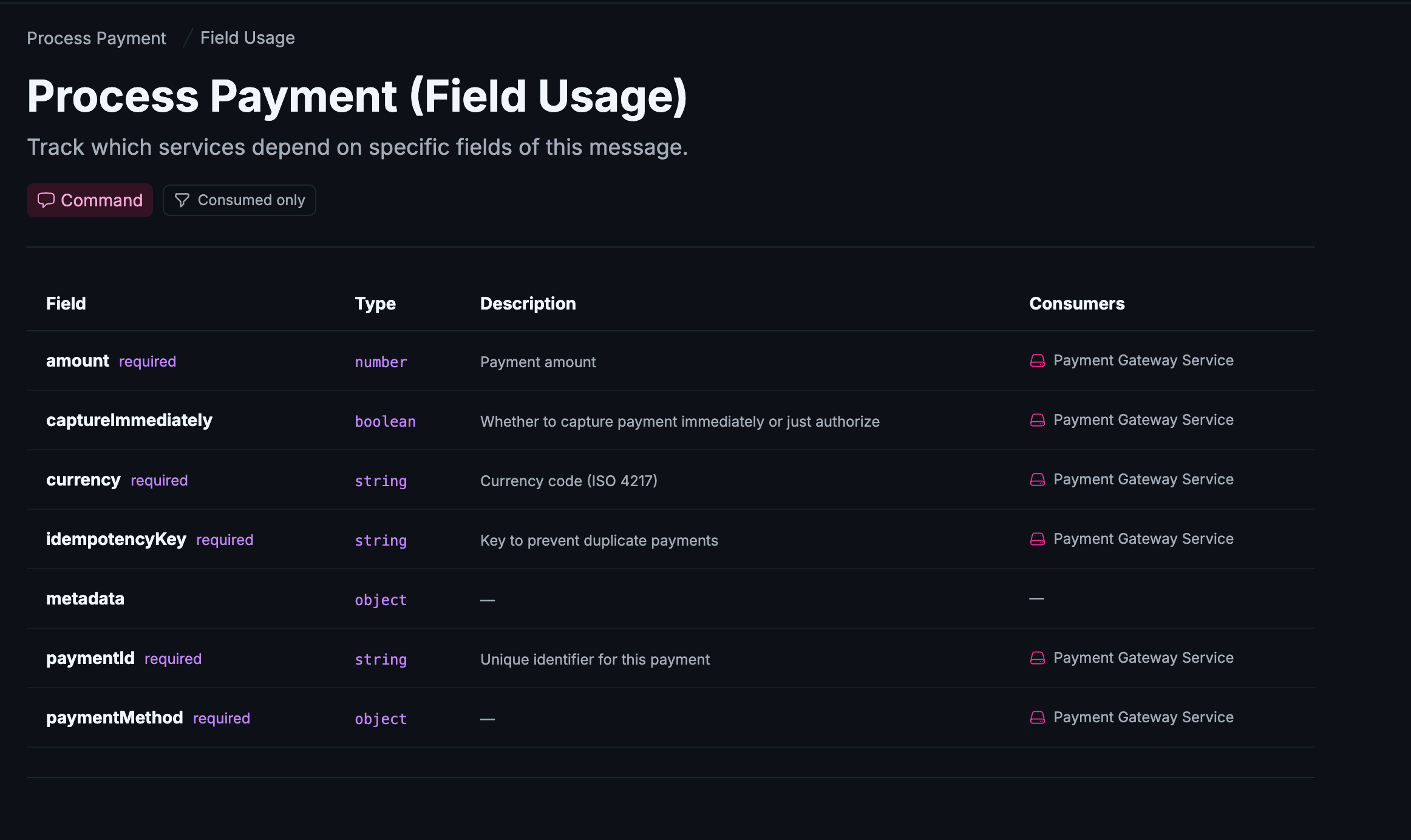
Field Usage view showing which fields each consumer depends on

When consumers declare which fields they depend on, the message page gains a Field Usage view showing every schema property alongside the services that use it. This makes it much easier to understand the blast radius of a schema change. If you're about to remove a field or change its type, you can see exactly who depends on it.

Field usage is opt-in. Add a fields array to any entry in the receives pointer of a service, and EventCatalog surfaces it automatically.

You can read more about field-level usage in our release blog post here.

Message Usage Examples

A schema tells you the shape of a message. An example shows you how it can be used. Schemas are necessary. Examples are what people actually reach for when they're writing a consumer, debugging a failed event, or onboarding to a service they've never touched.

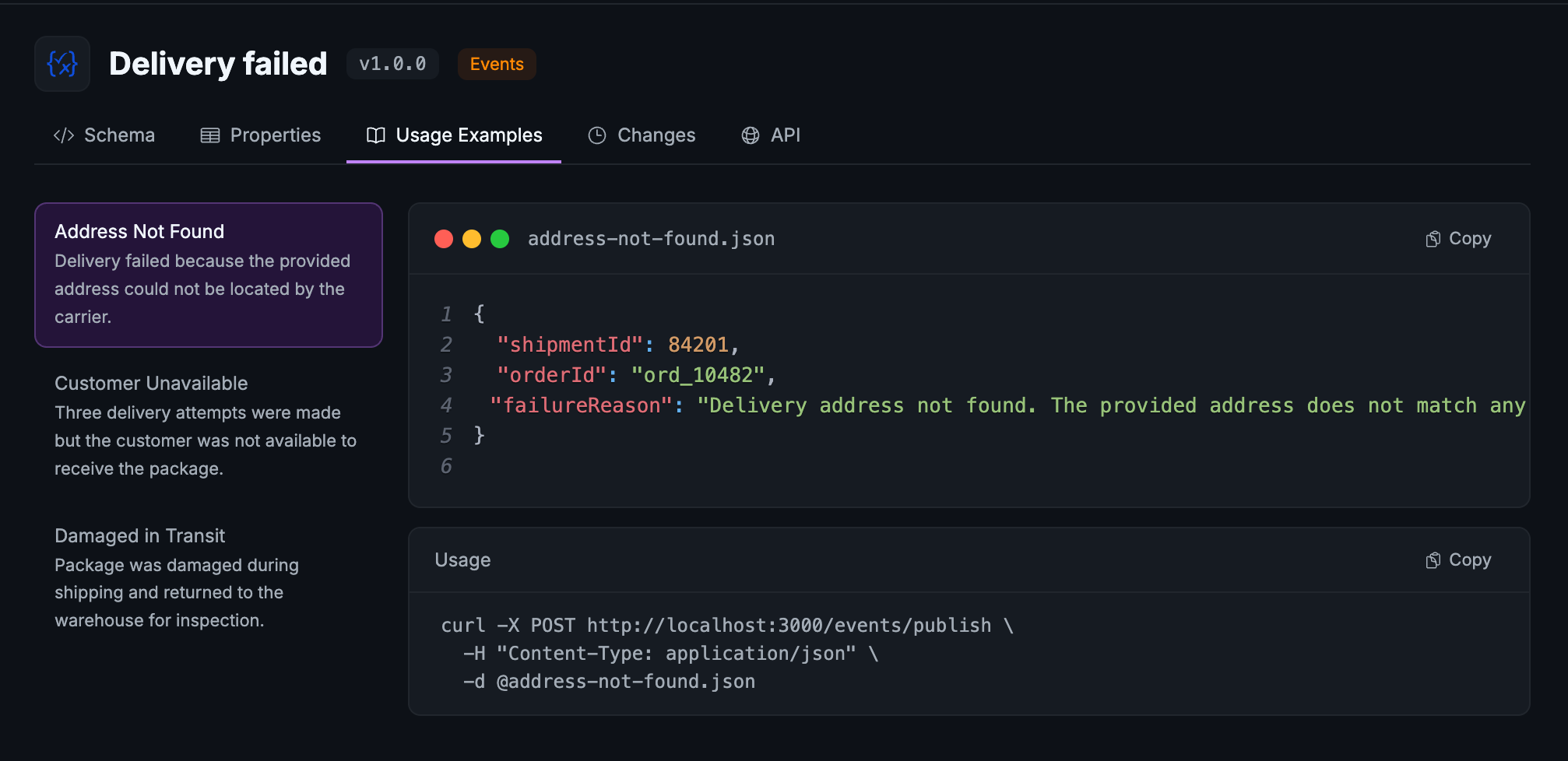
Drop JSON, YAML, XML, Protobuf, or any format your messages use alongside your schemas. EventCatalog renders them with syntax highlighting under a new Usage Examples tab in the Schema Explorer. Each example can carry metadata to describe the scenario it represents, a standard order, an international order, a failed payment.

You can read more about message examples in our release blog post here.

Flow Wizard Skill

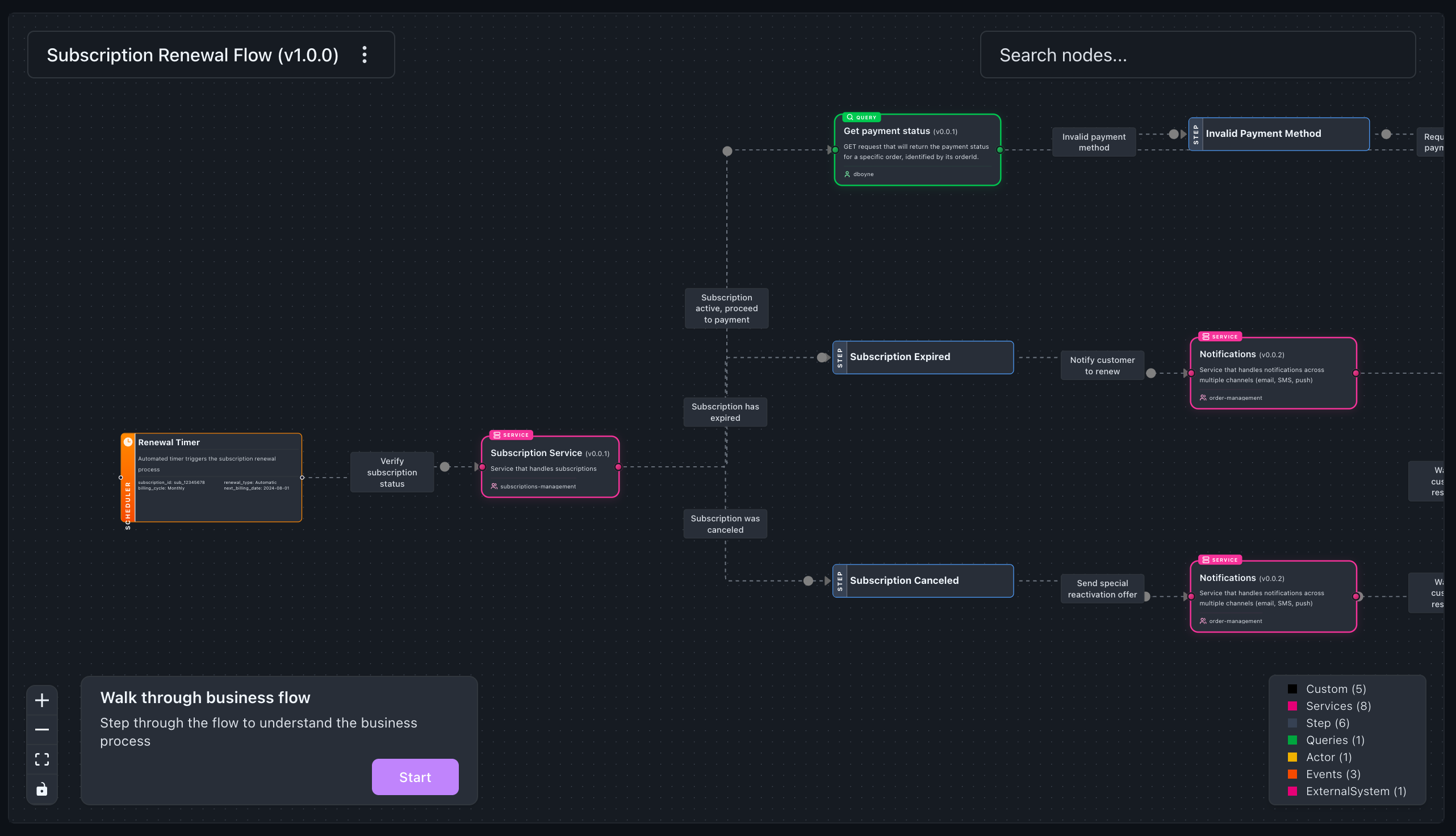
Flows are one of the most popular resources documented in EventCatalog. They let you document end-to-end business workflows, giving your team the bigger picture of how everything connects. But creating them meant writing YAML by hand.

The new flow-wizard skill lets you describe your workflow in plain language, and your AI agent builds the flow for you. It scans your existing catalog resources, walks you through each stage of the workflow, and cross-references services, events, and commands you already have.

Whether you're a product owner, architect, or developer, if you can describe a business workflow you can now document it. No YAML knowledge required.

You can read more about the flow wizard in our release blog post here.

OpenAPI Consumer Services

Understanding who owns an API is useful. Understanding who consumes it is what makes the documentation actually actionable.

The OpenAPI generator now supports a consumers array on each service configuration. Each entry defines a downstream service that calls endpoints produced by that API, with optional route-based filtering to scope which endpoints it cares about.

Visualization showing consumer services for API endpoints

This means your architecture diagrams and documentation now show the full producer-consumer picture for your REST APIs, not just the owner.

You can read more about OpenAPI consumer services in our release blog post here.

EventCatalog Miro App v2

Every team has the same problem. The architecture lives in one place and the diagrams live in another. The Miro board from the last event storming session doesn't match what's actually running.

The EventCatalog Miro App v2 turns your documentation into interactive, collaborative design artifacts, and brings your design decisions back into the catalog when you're done.

EventCatalog architecture on a Miro board

The v1 integration embedded Miro boards into doc pages. V2 flips the direction. Your documented architecture flows into Miro, you design on top of real data, and the results flow back out. You can:

  • Browse, search, and drag your full catalog onto a Miro board
  • Drag services with their full dependency graphs
  • Edit resources inline and create new draft resources on the board
  • Navigate between connected resources with smart connectors

You can read more about the Miro App in our release blog post here.

Astro 6 and Platform Upgrades

We upgraded EventCatalog to Astro 6, Zod 4, Vite 7, and Vitest 4. This is a significant platform upgrade that improves build performance and keeps EventCatalog on the latest tooling.

As part of this upgrade, we also replaced better-sqlite3 with sql.js (WASM), removing the need for native binary compilation. This means fewer installation issues, especially in CI environments and Docker containers.

To upgrade, run:

npm install @eventcatalog/core@latest

Other project improvements

  • Added eventcatalog export command for exporting your catalog programmatically
  • SDK now supports entities, containers, and flows in dumpCatalog
  • SDK changelog helper methods for programmatic access to changelogs
  • Added channels section to service sidebar
  • Entity map visualiser now available for services
  • Flows now support nested directories and work across domains/services
  • Added analytics integrations: GA4, GTM, and PostHog
  • Support for governance.yml in addition to governance.yaml
  • Improved generated README for new EventCatalog projects
  • Default template events now include usage examples
  • Fixed: circular refs in AsyncAPI spec rendering
  • Fixed: fields explorer crash with nullable JSON Schema types
  • Fixed: fields index build failing when catalogs have no messages
  • Fixed: auth behind reverse proxy (trustHost defaults to true)
  • Fixed: SSR compatibility for visualiser, schema/fields pages
  • Fixed: sidebar navigation losing sync with custom base path
  • Fixed: semver comparison for version sorting
  • Fixed: schema API returning empty response in SSR mode
  • Fixed: generator continues running when one generator fails

What's coming in April?

If you have any questions or want to join our community exploring EventCatalog and event-driven architecture feel free to join us!
What's new in EventCatalog - January 2026

· 13 min read

Welcome to the first EventCatalog update of 2026! EventCatalog turned 4 years old this month and we are excited to share what we have been working on.

We launched EventCatalog v3, introduced themes and dark mode, added data products as a first-class resource, shipped domain-level messaging, and released a built-in MCP server. Plus improvements to the visualizer, new CLI capabilities, and diagram resources.

In this post, we will get you up to speed on what shipped, and how to get started.


EventCatalog v3

After 18 months of v2, we released EventCatalog v3.

The community has grown to over 1,200 members on Discord. We've shipped more than 70 releases and added features teams asked for. v3 refines EventCatalog for larger catalogs and more complex architectures.

New context-aware navigation

The biggest change is the navigation system. The sidebar now adapts based on what you're viewing, showing relevant information and supporting drilldown exploration through domains, services, and messages. This can help your team find what they need faster.

You can customize the sidebar to exactly how you want it, and also favorite resources to quickly access them.

Performance improvements

We have made some performance improvements to EventCatalog, making it faster and more responsive.

Results: Faster page loads, instant search without build steps, and 100/100 Lighthouse scores on the demo catalog.

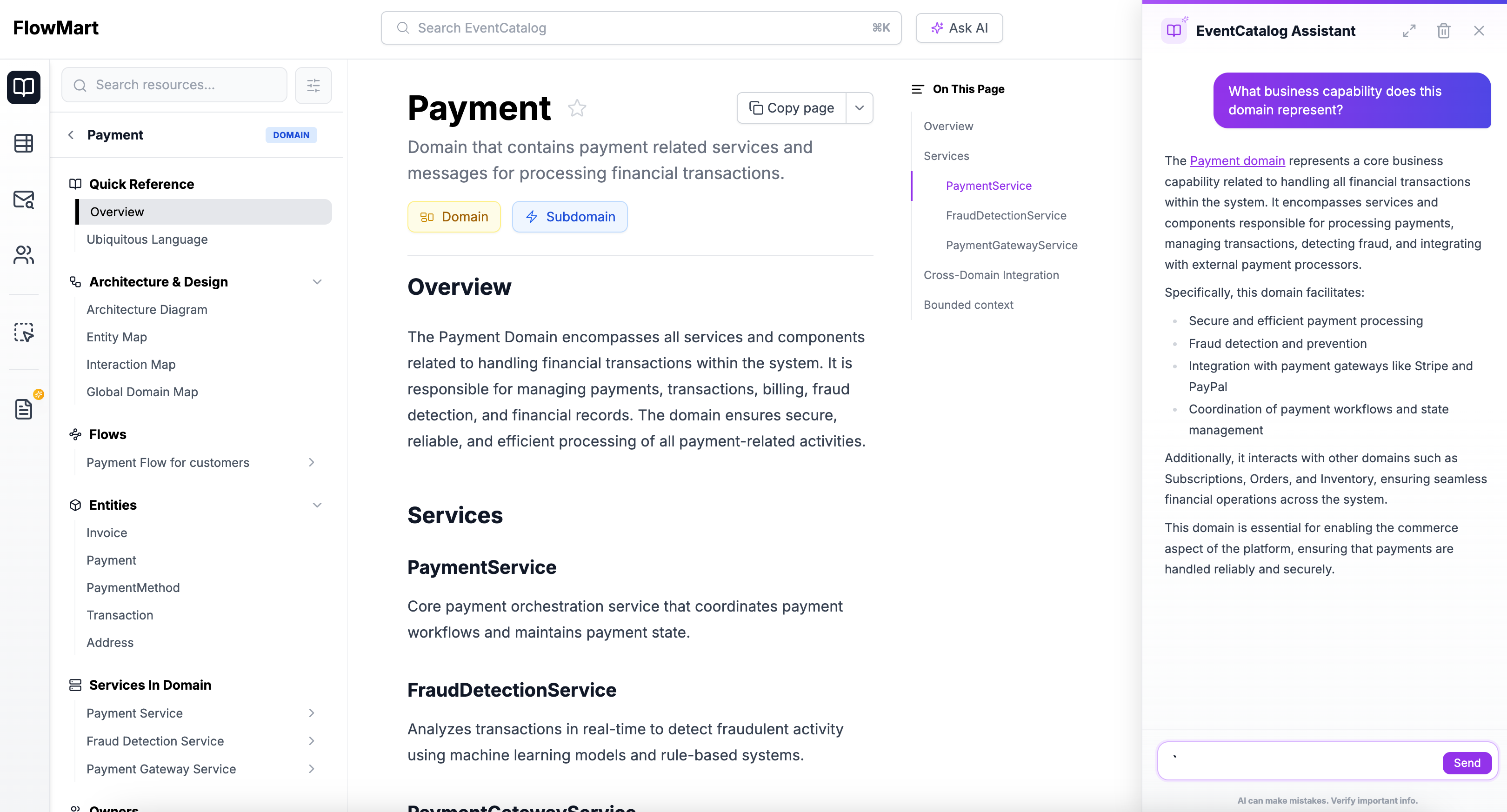
Simplified AI with EventCatalog Assistant

We have simplified the way AI can be integrated into your documentation which allows you to bring your own models and tools to your documentation.

The new EventCatalog Assistant is simpler and more powerful. Bring any AI model you want (OpenAI, Anthropic, local models). Use custom tools for your integrations. One config file for AI settings. Context-aware conversations with your resources.

Every resource type has it's own question set when you load it into your assistant. Viewing an OpenAPI schema will give you questions about the schema, and you can also ask about the schema in natural language. If you are looking at your visualizations of your architecture you can ask questions about the nodes and how systems are connected.

To get started, you can follow the EventCatalog Assistant setup guide.

Store business workflows with services and domains

A highly requested feature: you can now assign flows (business workflows) to services and domains. Document business workflows, user journeys, and feature flows alongside your technical architecture.

---
id: Orders
flows:
- id: checkout-flow
- id: refund-flow
---

Read the v3 upgrade guide for full details on changes and migration steps.


Themes and Dark Mode

EventCatalog now supports themes and dark mode.

Dark mode automatically detects system preferences. Users can manually switch themes using the header toggle. Their choice persists across visits and syncs across tabs.

EventCatalog ships with five built-in themes: default (purple), ocean (teal), sapphire (blue), sunset (orange), and forest (dark green).

For complete brand control, create custom themes using CSS variables in eventcatalog.styles.css. Custom themes are available on Starter, Scale, and Enterprise plans.

export default {
theme: 'sapphire',
};

Read the themes documentation for CSS variable references and examples.


Custom Tools for EventCatalog Assistant

Custom tools let you extend EventCatalog Assistant with your own integrations.

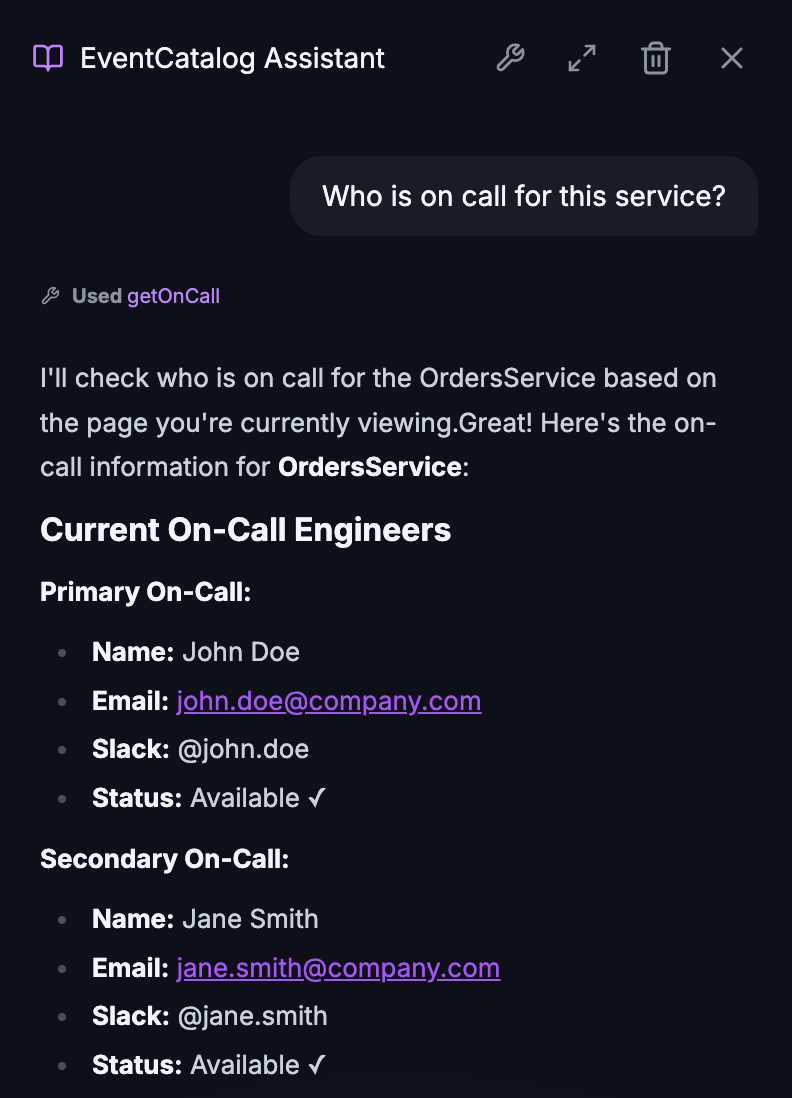
EventCatalog Assistant Tool 1Calling custom tool to ask who is on call for a service

Your documentation is valuable, but it only tells part of the story. With custom tools, you can ask EventCatalog "Is OrderService healthy?" or "Who's on-call for PaymentService?" and get answers based on live data from your production systems.

Connect to any system you use: Datadog or Prometheus for metrics, PagerDuty or OpsGenie for on-call schedules, Kafka or RabbitMQ for queue depths. Your stack, your integrations, your data.

import { tool } from 'ai';
import { z } from 'zod';

export const tools = {
getServiceHealth: tool({
description: 'Get the current health status of a service.',
inputSchema: z.object({
serviceName: z.string(),
}),
execute: async ({ serviceName }) => {
const health = await datadogClient.getServiceHealth(serviceName);
return { status: health.status, uptime: health.uptime };
},
}),
};

Custom tools are available on Scale and Enterprise plans. Read the documentation for setup and examples.


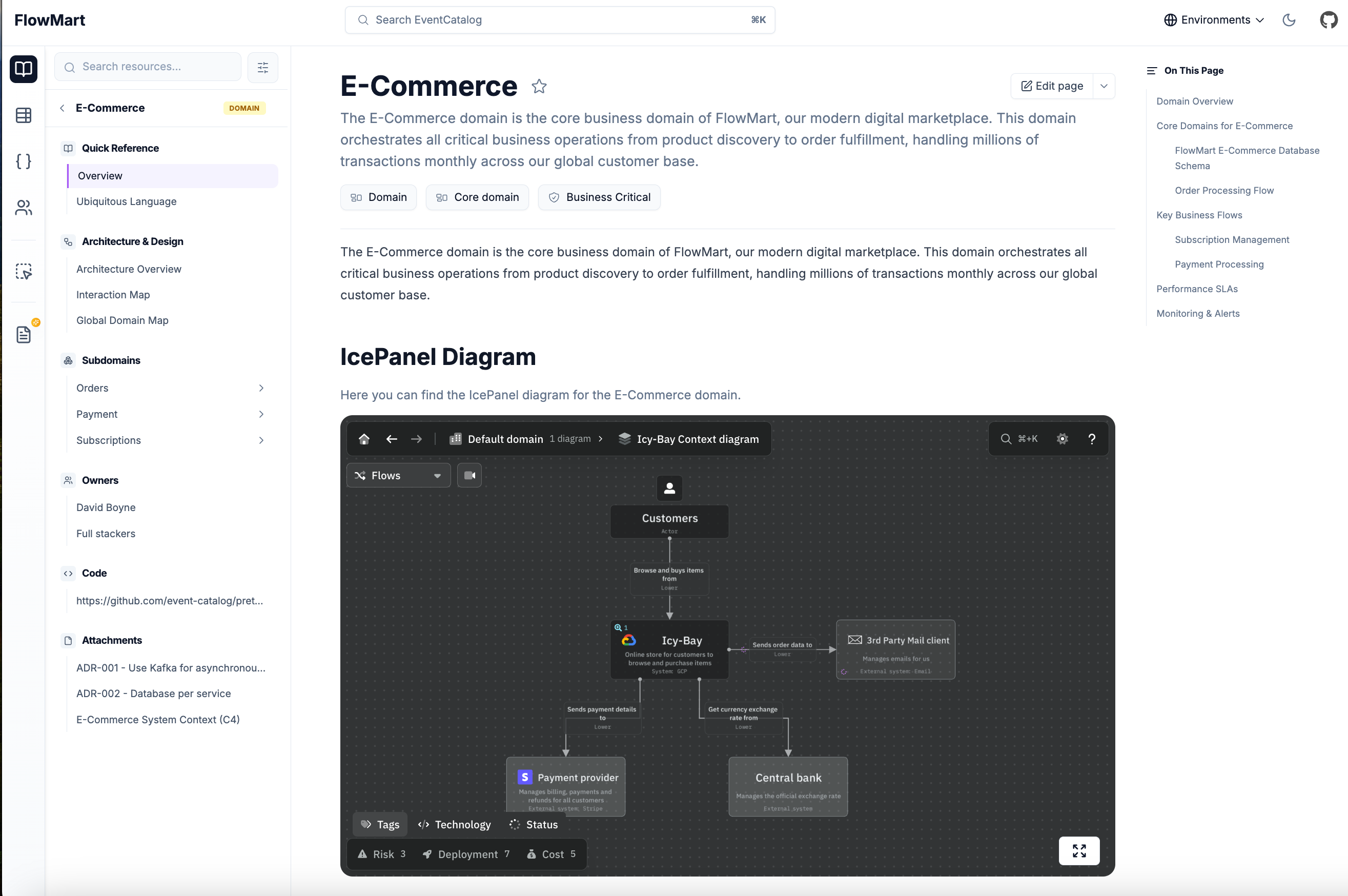
Embed IcePanel Diagrams

IcePanel is a tool for visualizing software architecture using the C4 model. You can now embed IcePanel diagrams directly into EventCatalog.

Example outputEmbedding an IcePanel diagram in EventCatalog

Use the new <IcePanel /> component to embed interactive C4 diagrams into any page: domains, services, messages, or custom documentation.

<IcePanel
url="https://s.icepanel.io/OpQVdslrqhZkyb/0QfB"
title="System Context"
description="High-level view of our ordering system."
height="800"
/>

Each embedded diagram includes a full-screen button for exploring complex architectures without leaving EventCatalog.


Diagrams as First-Class Resources

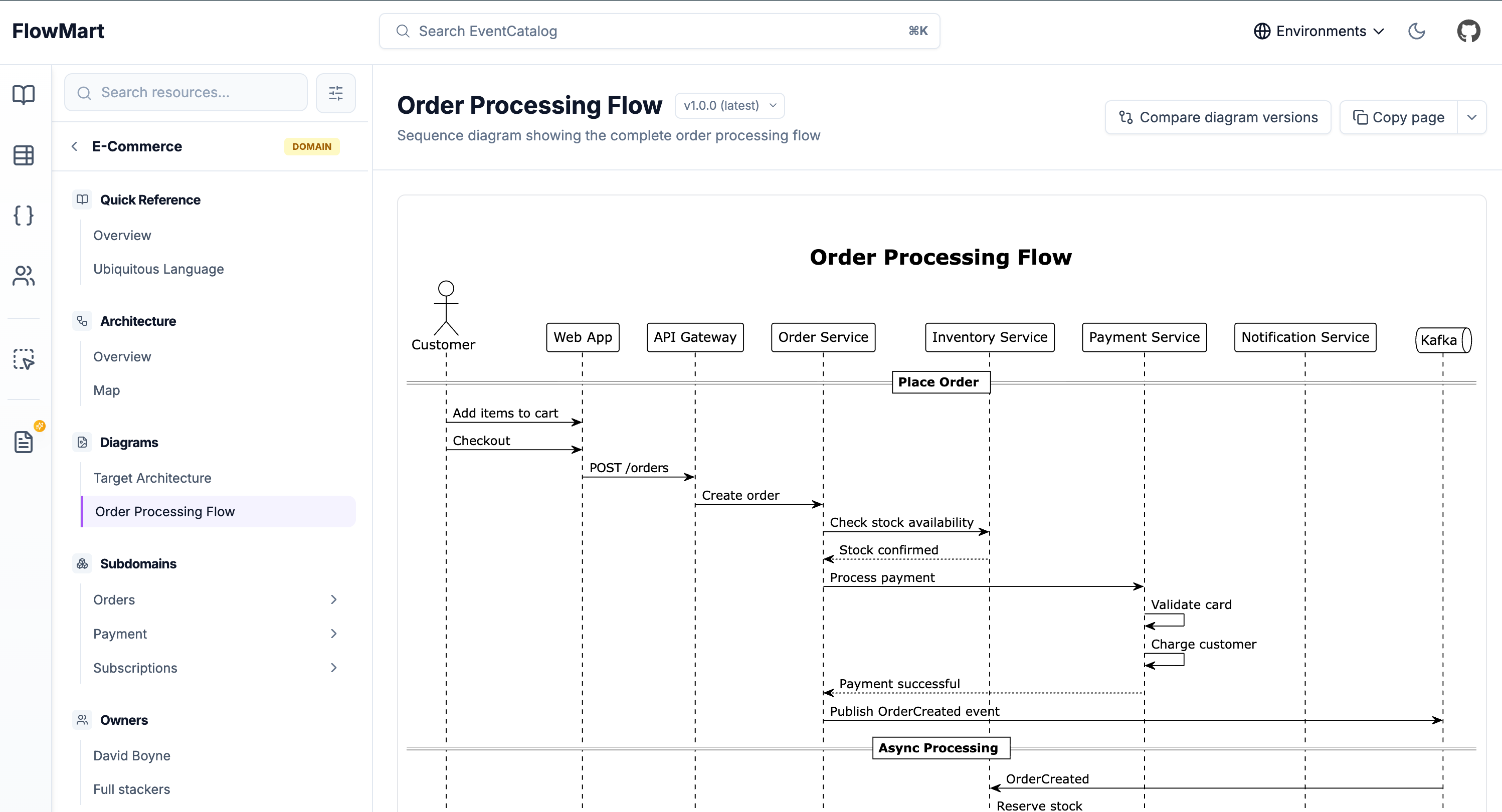
EventCatalog 3.3.0 lets you bring custom diagrams to your documentation as first-class, versioned resources.

Diagram pageExample of PlantUML diagram

Your custom diagrams are now standalone resources with their own dedicated pages. Version them, link them to domains and services, and ask AI about them.

Features:

  • Versioning: Track how your architecture evolves over time
  • Version comparison: See what changed between versions (Scale)
  • Cross-references: Link diagrams to domains, services, messages, and containers
  • LLM support: Every diagram is accessible via .mdx endpoints for AI tools
  • Interactive controls: Zoom, pan, and copy diagram code for better exploration

Create diagrams anywhere in your catalog. Put them at the root level for system-wide diagrams or nest them within domains and services.

# Root level
/diagrams/target-architecture/index.mdx

# Nested within a domain
/domains/Orders/diagrams/order-flow/index.mdx

Use code blocks for Mermaid or PlantUML, or use EventCatalog's built-in components like <Miro>, <IcePanel>, or <Lucid>.

Read the diagrams documentation for more details.


Domain-Level Messages

Domains in EventCatalog 3.7.0 can now directly specify which messages they send and receive.

If you practice Domain-Driven Design or think about messaging at the domain level, this update makes EventCatalog work the way you think.

---
id: E-Commerce
version: 1.0.0
sends:
- id: OrderCreated
version: 1.0.0
- id: PaymentComplete
receives:
- id: PaymentInitiated
- id: FraudDetected
---

Domain messages appear in the sidebar under "Publishes Messages" and "Consumes Messages". You can mix approaches. Some domains use sends and receives. Some only have services that send and receive. Both work.

The EventCatalog SDK supports domain-level messages with addEventToDomain(), addCommandToDomain(), and addQueryToDomain().

Read the adding messages to domains guide for setup instructions.


Built-In MCP Server

Every EventCatalog instance now includes a built-in MCP server at /docs/mcp/.

The MCP server gives LLMs and MCP clients (Claude Desktop, Cursor, Windsurf, VS Code) direct access to your architecture documentation.

Ask questions about message schemas, trace service dependencies, or analyze change impact. The AI works with the same source of truth your team uses.

Example questions:

  • "What's the blast radius if I change the OrderCreated event?"
  • "Which services does the Payment team own?"
  • "Show me the schema for UserRegistered"
  • "Explain the checkout business flow"

The MCP server includes 15 tools for querying your architecture and 9 resources for bulk data access. It requires SSR mode and a Scale license.

Read the MCP server documentation for setup and API reference.


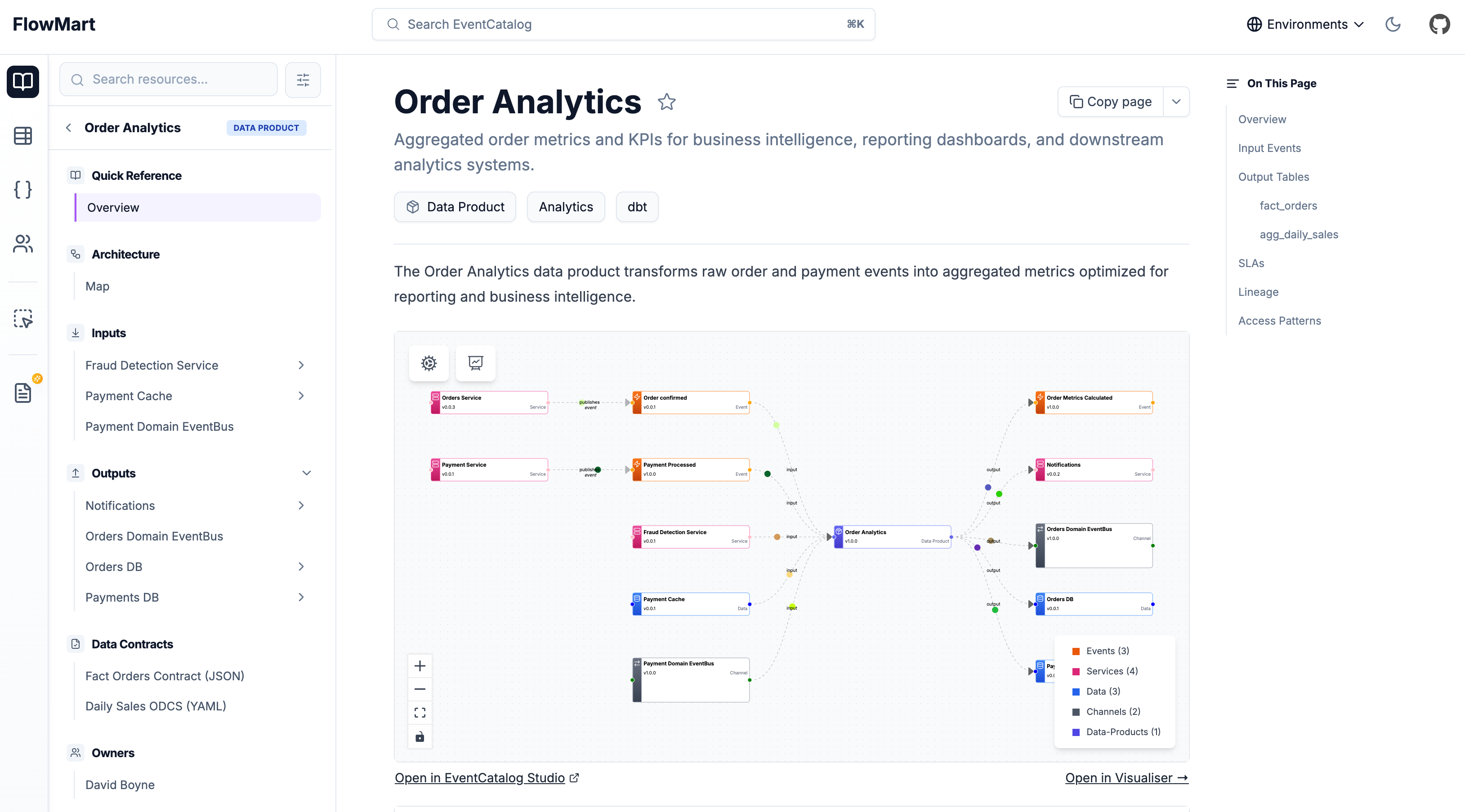
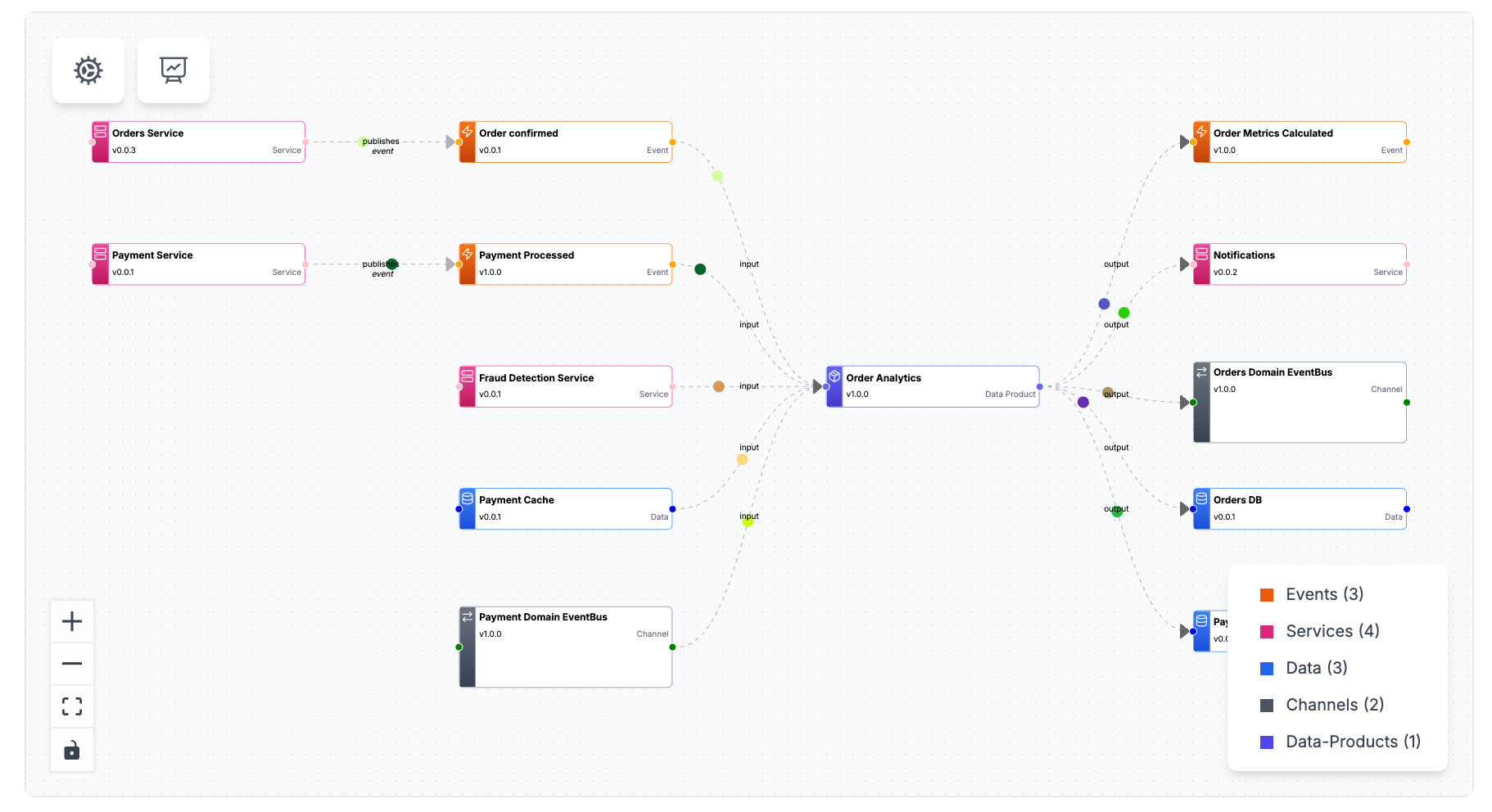
Data Products

EventCatalog 3.8.0 introduces data products as a first-class resource type.

Example

Data products transform raw events into analytics-ready tables. If your organization is building a data mesh or turning events into business metrics, you can now document those data products alongside your events, services, and domains.

Features:

  • Inputs and Outputs: Document what goes into a data product and what comes out
  • Contracts: Attach data contracts (JSON Schema, ODCS YAML) to outputs
  • Versioning: Track how data products evolve over time
  • Ownership: Assign teams and users as owners
  • Relationships: Connect to services, containers, and events
import { writeDataProduct } from '@eventcatalog/sdk';

await writeDataProduct({
id: 'order-analytics',
name: 'Order Analytics',
version: '1.0.0',
inputs: [
{ id: 'OrderConfirmed' },
{ id: 'PaymentProcessed' }
],
outputs: [
{
id: 'orders-db',
contract: {
path: 'fact-orders-contract.json',
type: 'json-schema'
}
}
],
});

Data products integrate with all existing EventCatalog features: domains, sidebar navigation, discover page, node graphs, AI chat, MCP server, and schema explorer.

Data products are in beta. Read the data products documentation and share feedback on Discord.


EventCatalog CLI

The @eventcatalog/sdk package now includes a command-line interface. Every SDK operation works directly from the command line.

# Get an event
npx @eventcatalog/sdk --dir ./catalog getEvent "OrderCreated"

# Get all events
npx @eventcatalog/sdk --dir ./catalog getEvents

# Create a new event
npx @eventcatalog/sdk --dir ./catalog writeEvent '{
"id":"OrderCreated",
"version":"1.0.0",
"markdown":"# Order Created"
}'

All output is JSON. Pipe it to jq, store it in environment variables, or use it in CI/CD pipelines.

Use cases:

  • CI/CD integration: Validate events in your message broker match your catalog
  • Automation scripts: Bulk update services or domains with bash scripts
  • External system integration: Create draft events from monitoring tool webhooks
  • DevOps workflows: Manage your catalog like infrastructure-as-code

Run npx @eventcatalog/sdk list to see all available functions.

Read the CLI documentation for detailed examples and API references.


Visualizer Improvements

Layout Persistence

You can now rearrange nodes in the visualizer and save those layouts for your team.

EventCatalog automatically arranges nodes when you add resources. Now you can drag nodes to custom positions, save the layout, and persist it for everyone.

Layouts are saved to _data/visualizer-layouts/ in your catalog. Commit them to git. Your team sees the same arrangement. When you add new resources, EventCatalog auto-positions them while keeping your saved positions for existing nodes.

This works in dev mode. Run npm run dev, drag nodes, open the settings menu, and click Save Layout.

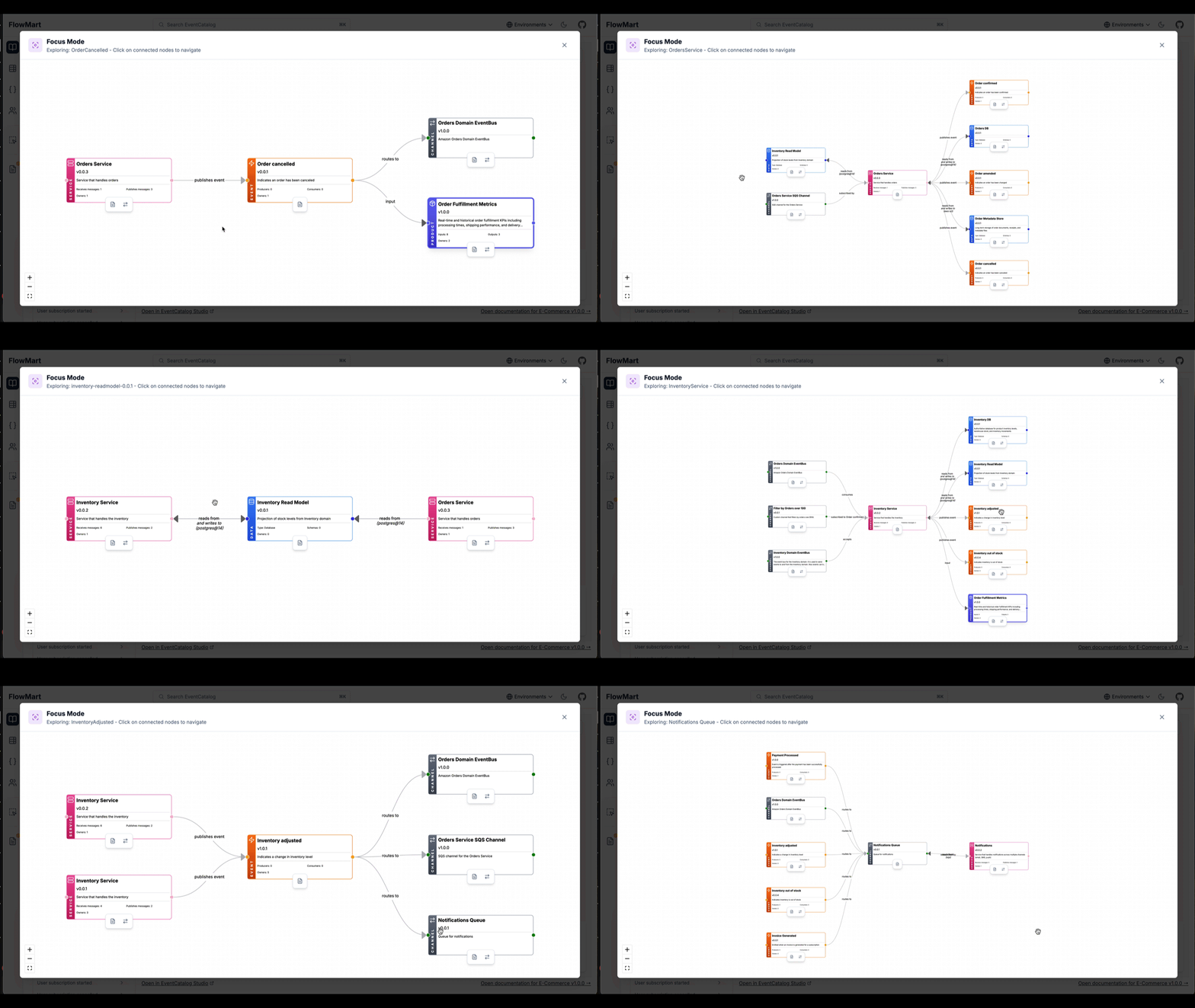
Focus Mode

Focus Mode makes exploring complex diagrams easier. Click any node in the visualizer to see its connections in isolation.

Focus Mode

Focus Mode shows the clicked node in the center with incoming connections on the left and outgoing connections on the right. Click any connected node to navigate through your architecture's relationships.

This works across all visualizer types: services, domains, flows, entity maps, and designs.

Read the visualizer documentation for more details.


Summary

January 2026 was a milestone month for EventCatalog. The v3 release brings improved navigation, better performance, and a simpler AI experience. New features like data products, domain-level messaging, and diagram resources expand what you can document.

Visualizer improvements with layout persistence and focus mode give you more control over how your architecture is presented. The built-in MCP server and CLI open up new integration possibilities.

The project vision remains the same: bring discoverability to event-driven architectures and save teams time. EventCatalog continues to evolve based on community feedback and real-world usage patterns.

If you like EventCatalog, give us a star on GitHub. Join our Discord community of over 1,200 members to share feedback and connect with other users.

Thank you for being part of this journey.

Document, visualize and discover your data products

· 5 min read

I'm excited to share that EventCatalog 3.8.0 introduces data products as a first-class resource type.

If your organization is building a data mesh or transforming raw events into analytics-ready tables, you can now document those data products directly in your catalog alongside your events, services, and domains.

Data products are now discoverable, versioned, and queryable through the same tools you use for the rest of your architecture.

Example

You can now document how your events impact the data systems downstream, visualize the complete lineage, and understand the bigger picture between your event-driven architecture and your data platforms.

For teams running data platforms, this means your analysts, architects, and engineers can find the metrics they need without hunting through Slack channels or outdated wikis. They also gain visibility into where their data comes from and how it flows through the system.

Why data products matter

Your event-driven systems generate thousands of events daily. OrderConfirmed, PaymentProcessed, ShipmentDelivered. But business stakeholders don't ask "How many OrderConfirmed events fired yesterday?" They ask "What was our revenue?" or "What's our fulfillment rate?"

Data products bridge that gap. They transform raw events into business-ready metrics. They're the aggregated sales dashboards, the fulfillment KPI tables, the customer segmentation datasets that power decisions.

In a data mesh architecture, each domain owns its data products. The orders domain produces order analytics. The payments domain produces payment metrics. Just like services in a microservices architecture, data products are independently owned, versioned, and evolved.

What EventCatalog data products give you

EventCatalog treats data products the same way it treats events and services. Full versioning, ownership tracking, and relationship mapping.

Inputs and Outputs: Document what goes into a data product and what comes out. Your order analytics data product might consume OrderConfirmed and PaymentProcessed events or an ETL pipeline, then output to a Snowflake table and an analytics service.

Example

Contracts: Attach any data contract to your outputs (e.g JSON Schema, ODCS YAML, etc). Your downstream consumers can see exactly what fields, types, and SLAs they're working with. The Schema Explorer renders these contracts inline.

Versioning: Data products evolve. When you add a new metric or change an aggregation, you version it. The catalog tracks all versions and highlights the latest.

Ownership: Assign teams and users as owners. When someone has questions about payment metrics, they know who to contact.

Relationships: Data products connect to the rest of your architecture. They consume events from services, write to containers (databases, data warehouses), and may even produce new events. The node graph visualizes these connections.

Integration With Existing Features

Data products aren't isolated. They integrate with everything EventCatalog already offers.

Domains: Nest data products inside domains and subdomains.

Sidebar Navigation: Data products appear in the sidebar under their domain, just like services and events.

Discover Page: Filter, search, and browse data products across your entire catalog. Sort by domain, owner, or version.

Node Graphs: The visualizer shows inputs flowing into data products and outputs flowing to consumers. If a data product consumes an event produced by a service, the graph renders that relationship.

AI Chat: Ask your catalog "Which data products consume OrderConfirmed?" or "Show me all payment metrics." The AI understands data products as a resource type.

MCP Server: Query data products programmatically through the MCP Server. Your architects can ask Claude Desktop, Cursor, or Windsurf about data product schemas and relationships.

Schema Explorer: Attach any data contract to your outputs (e.g JSON Schema, ODCS YAML, etc). The Schema Explorer renders them with syntax highlighting and field-level details. Click a field to see its type, description, and validation rules.

SDK Support

The EventCatalog SDK includes full support for data products. You can create, update, and manage them programmatically.

import { writeDataProduct } from '@eventcatalog/sdk';

await writeDataProduct({
id: 'order-analytics',
name: 'Order Analytics',
version: '1.0.0',
inputs: [
{ id: 'OrderConfirmed' },
{ id: 'PaymentProcessed' }
],
outputs: [
{
id: 'orders-db',
contract: {
path: 'fact-orders-contract.json',
name: 'Fact Orders Contract',
type: 'json-schema'
}
}
],
markdown: 'Your markdown content...'
});

This makes it easy to generate data products from your existing data platform metadata or automate documentation as part of your CI/CD pipeline.

Getting Started

Data products are available in EventCatalog 3.8.0.

Create a data-products directory in your catalog, add an index.mdx file, and start documenting. The structure mirrors events and services. You can nest them in domains or place them at the root.

Read the data products documentation for full configuration options, schema contract formats, and node graph customization.

Beta status and feedback welcome

Data products are in beta. The core features work. Inputs, outputs, contracts, versioning, node graphs, SDK support. But we want your feedback before we finalize the API.

If you're building data products, try this out. Tell us what's missing, what's confusing, what could be better. We're particularly interested in feedback on contract formats, visualization preferences, and workflow integration.

Join the Discord to share your thoughts or open an issue on GitHub with suggestions.

Data products are how you turn events into insights. Now they're documented alongside the rest of your architecture.

Whats new in EventCatalog - October 2025

· 8 min read

Welcome to another monthly update for EventCatalog. In this blog post I will summarise what was new to EventCatalog in October and how you can get started.


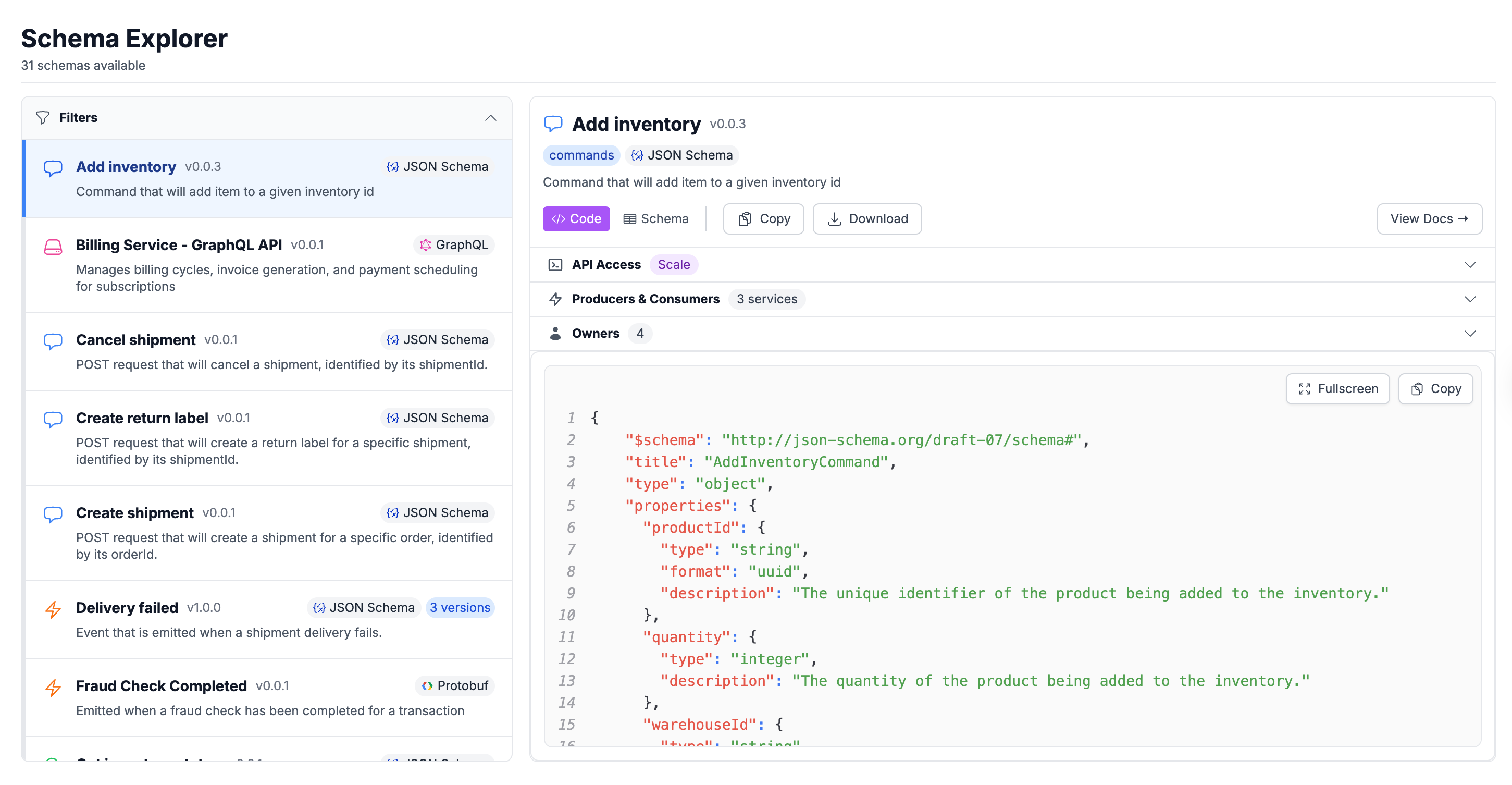
EventCatalog Schema Explorer

Many teams building event-driven architectures have schema sprawl throughout their organization.

Finding schemas can be hard. Most people are either directed to a schema registry (if you are lucky) or a random GitHub repo with the implementation details of the schema.

We want to help people save time and make schemas more discoverable and understandable in organisations, not only for technical developers but for business stakeholders.

This is why we built the Schema Explorer. A new page to help teams save time and find the information they need.

Teams can still have any schema registry as the source of truth, but with EventCatalog the schemas can be aggregated, filtered, and searchable helping teams find the information they need.

Using the Schema Explorer teams can quickly filter and find the schema they need (e.g JSON, Avro, Proto, OpenAPI, AsyncAPI, GraphQL), and find the producers and consumers of these schemas.

Teams can also track the versions of their schemas and quickly see a version has changed over time.

EventCatalog Schema ExplorerSchema diffs between versions

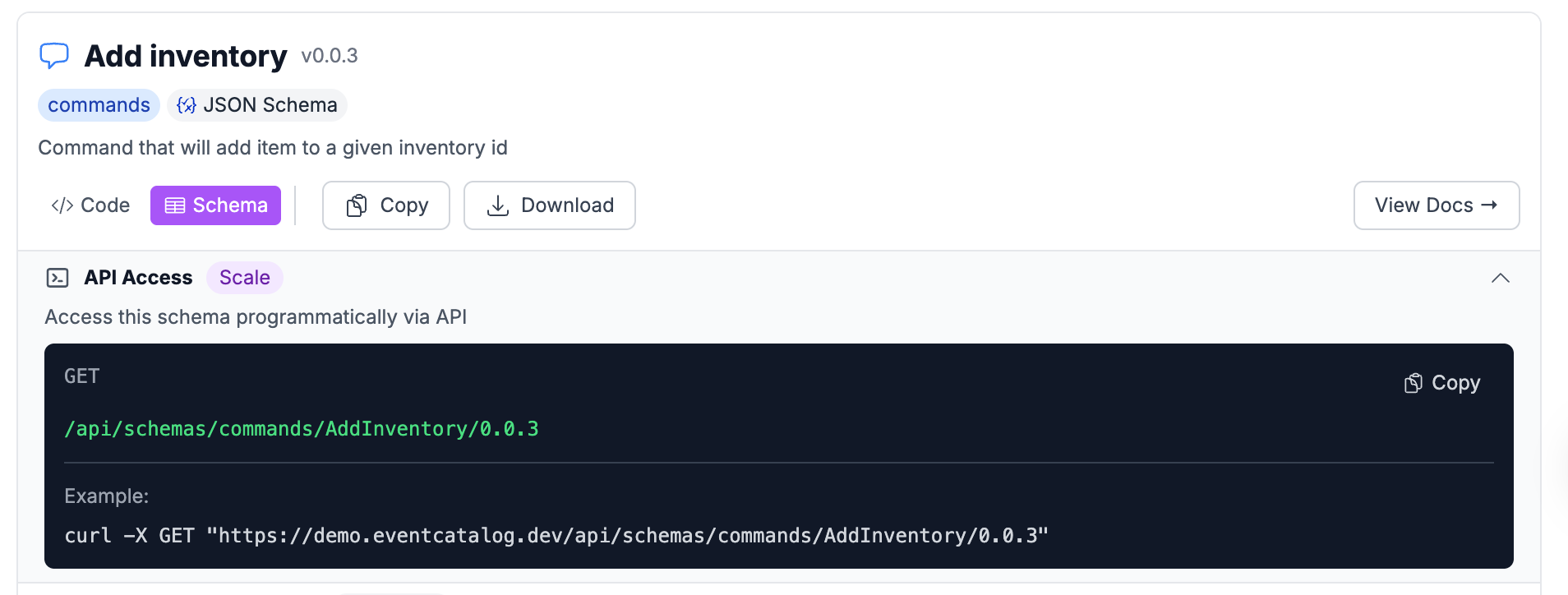
Using the new Schema API, teams can also programmatically get access to their schemas to help them with any local testing or integrations they need to do. This supports any specification or schema format you are using in your organization.

EventCatalog MCP Schema Tools

For folks using AI and MCP servers, we also added new tools in the EventCatalog MCP server to help you get the information you need in the context you need it.

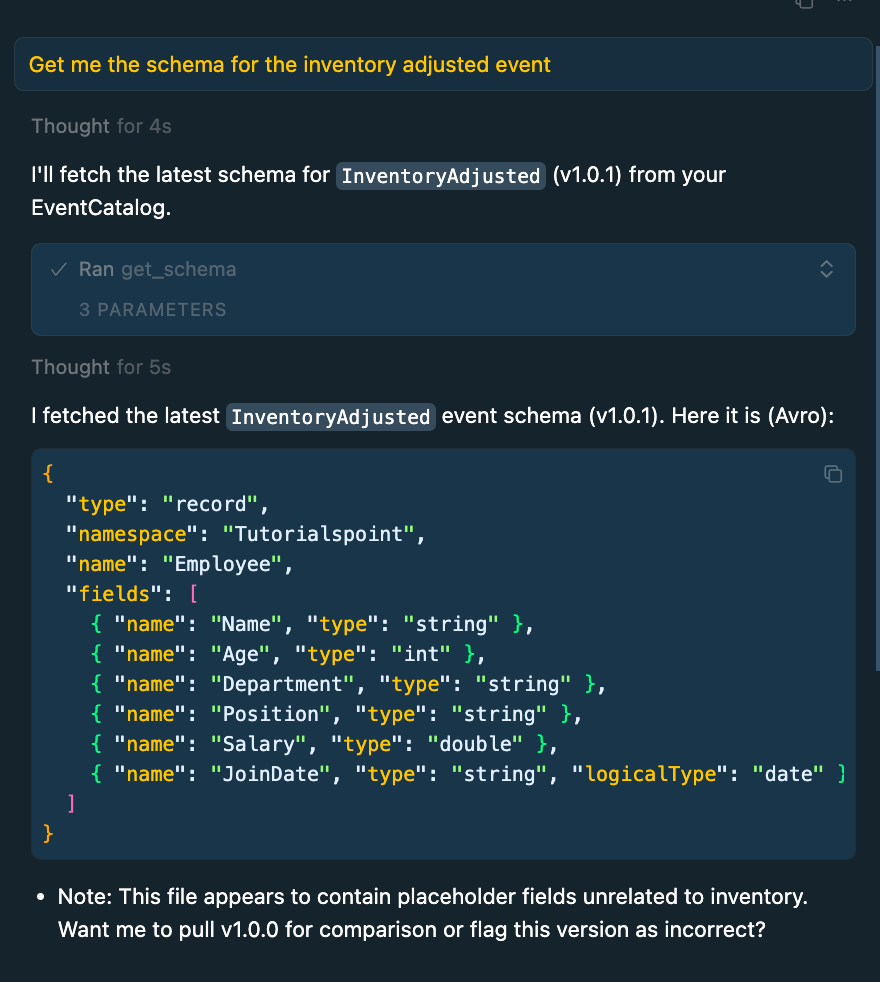
We our new schema tools you can ask questions about your schemas and fetch them in your IDE, giving your teams the context they need when they need it. Saving them time searching for the information they need.

If you want to get started with the Schema Explorer you can read our documentation page.

Introduced Data stores into EventCatalog

After speaking to users of EventCatalog, we felt one thing missing, was the ability to model and document data stores (e.g databases, caches, objectStores, searchIndex etc).

So this is our first iteration into data architecture, starting with the data stores (containers).

Data stores are like any other resource type in EventCatalog. You define them with markdown and frontmatter. When you define your data store they are given their own page in your catalog.

Like any other resource type in EventCatalog, you can visualize them, assign schemas to them, version them, and more.

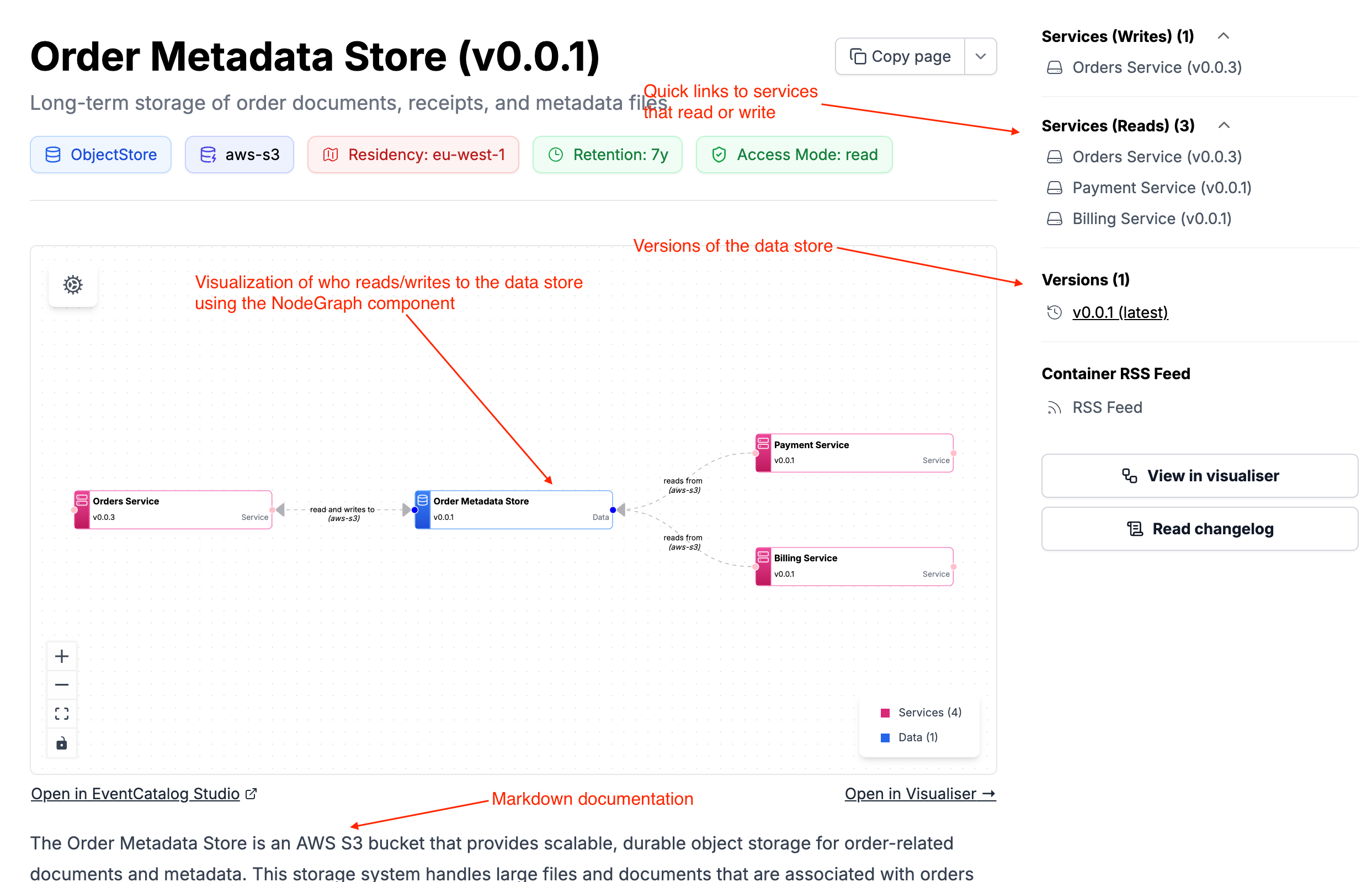
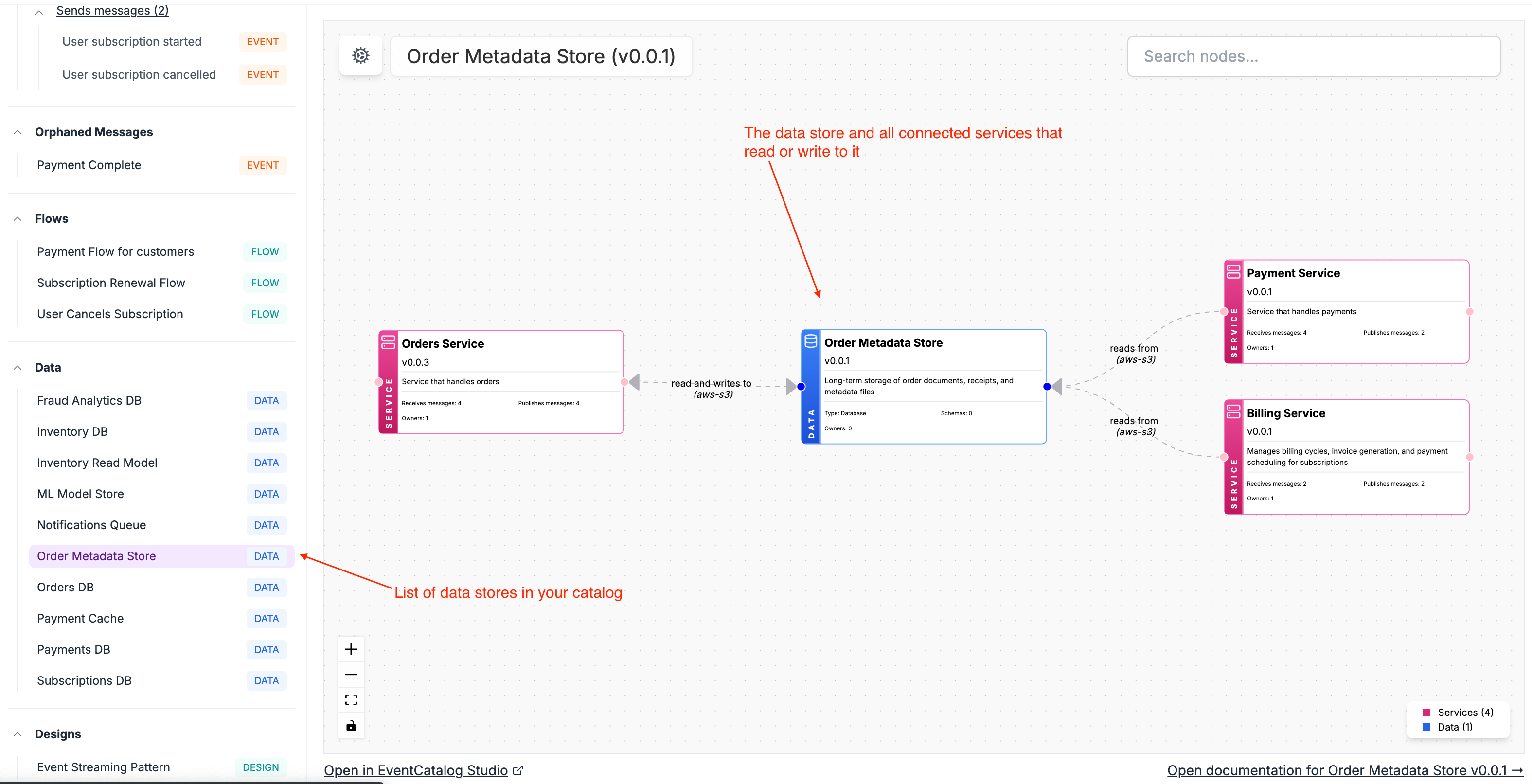
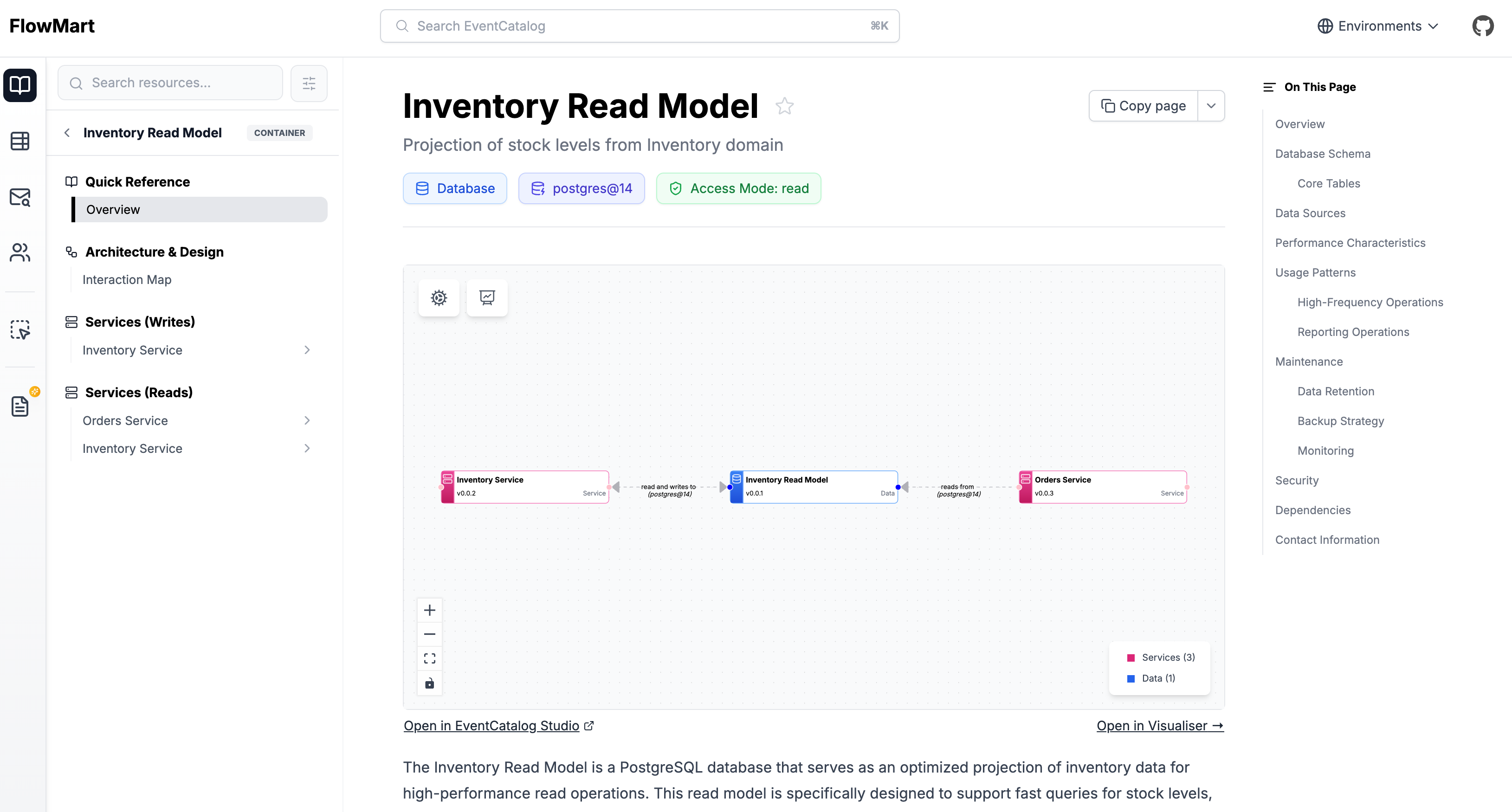
Using the new data store resource you can document databases, caches, object stores, search indexes, and more, assign schemas to them and create read/write relationships with your services.

You can now assign your services to to data stores using the new readsFrom and writesTo properties in your services. EventCatalog will then render and visualize the relationship between your services and their data layers.

EventCatalog Studio

A new version of the EventCatalog SDK has been released with support for data stores, and if you want to start documenting your data stores today you can read our data store documentation.

Coming soon...

We also want to start looking and how we can help data architects catalog information using EventCatalog.

To do this we are exploring more channel to channel patterns in EventCatalog, and data product support in EventCatalog. If this is something you would be interested, reach out to me I would love to talk to you!

EventCatalog MCP Server improvements

The EventCatalog MCP server has been updated with new tools to help you get the information you need in the context you need it. You can ask questions about your schemas and fetch them in your IDE, giving your teams the context they need.

EventStorming to EventCatalog

This is more of an experimental tool, that will take a picture of your event storm and automatically create an EventCatalog for you. Upload your photo to your LLM and tell it to create you an EventCatalog.

The EventCatalog MCP server gives your teams the ability to query, and find information you need in your MCP clients (e.g Cursor, Claude Desktop), giving you even more value from your documented architecture and saving time.

You can find our MCP server on GitHub, or setup our MCP server with our guides.

Import all your resources into EventCatalog Studio

We want to make it easier to document flows in EventCatalog. How information flows across your organization with your messages, domains and services.

We introduced a new feature that let’s you import all your resources from EventCatalog straight into EventCatalog Studio. This let’s you create new designs in Studio using our drag and drop editor and import them back into your documentation page, giving you more value from your documented architecture.

Integration updates

The OpenAPI, AsyncAPI and GraphQL plugins for EventCatalog have been updated. You can now fetch schemas giving a remote URL. This will sync your schemas with your EventCatalog documentation.

We have many integrations with specifications and schema registries, to help you integration with systems you already have. You can find the list of integrations here.

Avro Schema Viewer Support

Our SchemaViewer now supports avro schemas, whilst will render your avro schemas in a new UI.

This gives you the ability to render and filter your avro properties in the UI.

EventCatalog Schema Viewer

Summary

October was a busy month for EventCatalog, and the project continues to grow.

My project vision remains the same; bring discoverability to event-driven architectures and save teams time.

A few things we want to focus on next include, channel to channel support, ability for domains to send and receive messages, exploring data products and flows, and stability of the project.

If you like EventCatalog, I would love a ⭐️ on GitHub, and feel free to join our Discord Channel, which now has over 1,200 members!

Whats new in EventCatalog - September 2025

· 5 min read

Welcome to EventCatalog’s monthly update! 🎉

September was a big month — we launched EventCatalog Studio, introduced a new GraphQL Plugin, added Data Stores as a new resource type, and shipped a range of smaller improvements.\

In this post, we’ll take a look at what’s new, what’s coming next, and how you can get started.


EventCatalog Studio

We’re excited to announce the launch of EventCatalog Studio — our new visual design tool for distributed systems.

Many developers already love the EventCatalog visualizer, which gives you a static view of your architecture. With EventCatalog Studio, you can take that experience further: design diagrams interactively, collaborate with your team, and save drafts locally — all using architecture primitives.

Our goal is to make designing and collaborating on event-driven architectures easier than ever. With EventCatalog Studio you can:

You can jump straight in today. Try EventCatalog Studio or experiment in our playground.

EventCatalog Data Stores

You can now document your data stores in EventCatalog — whether they’re databases, caches, object stores, search indexes, or anything else — and define which services read from or write to them.

This new feature gives your teams a clearer picture of how data flows across your architecture: who owns the data, and which services depend on it.

Example

We’ve also updated the visualizer to include two new perspectives:

  • Service view → see which data stores a service uses (see demo)
  • Data store view → see which services depend on a specific data store (see demo)

Data stores take inspiration from the C4 model (containers), giving you a more complete way to document and explore your systems.

You can start adding Data Stores today — check out the documentation to get going.

The new GraphQL Plugin

GraphQL has become a go-to for many teams building distributed systems. With our new GraphQL Plugin, you can now turn your GraphQL schemas directly into EventCatalog documentation.

The plugin automatically maps your GraphQL operations into EventCatalog concepts:

  • Queries → Queries
  • Mutations → Commands
  • Subscriptions → Events

You can also assign your GraphQL schemas to specific services and domains in your architecture, making it easier to see how everything connects.

This unlocks powerful automation — your catalogs can now be generated directly from your GraphQL schemas. And when combined with our OpenAPI and AsyncAPI plugins, you have a strong foundation for documenting a wide range of services and technologies.

Get started by checking out the GraphQL Plugin docs or watch the demo video.


Introducing Attachments to all Resources

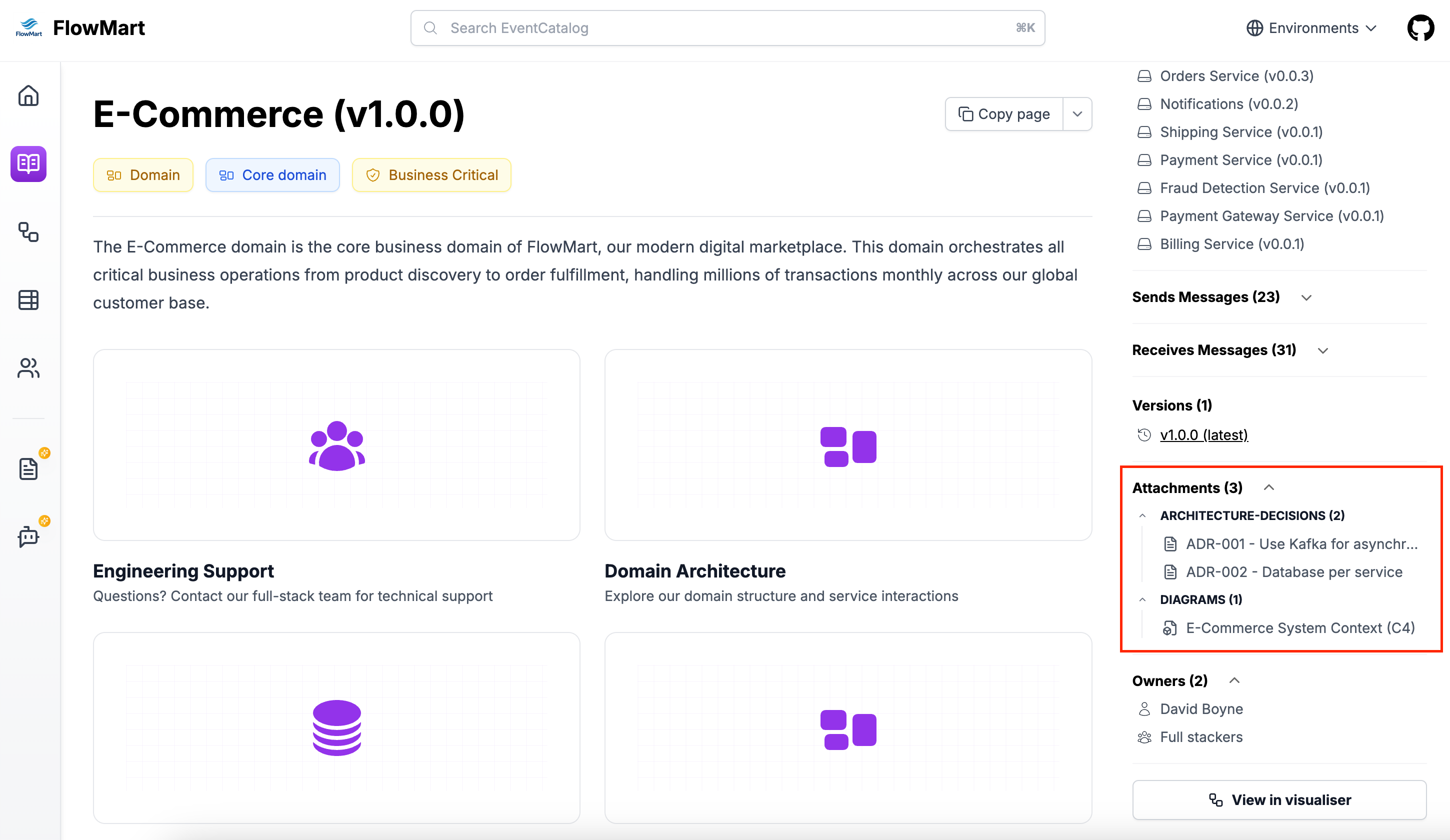
We added the ability to add attachments to any resource type in EventCatalog. A new feature that allows you to link external resources, diagrams, and documentation directly to your domains, services, events, commands, queries, and channels.

Many teams and organizations have information scattered across different tools and platforms. This makes it difficult to find the information you need when you need it.

With Attachments, you can now link to external resources, diagrams, and documentation directly to your EventCatalog resources.

EventCatalog Attachments

To learn more and get started you can read our blog post on attachments.

Other improvements

As usual we have updated our dependencies in the project and we have also added support for Structurizr.

If you have any issues or want to join our community of over 1200 people exploring EventCatalog and event-driven architecture feel free to join us!

Whats new in EventCatalog - August 2025

· 7 min read

Welcome to EventCatalog's monthly update!

August brought a welcome change of pace as many in our community took well-deserved summer breaks. While things were quieter overall, we stayed focused on two key areas: advancing EventCatalog Studio and strengthening the core platform through stability improvements and bug fixes.

In this update, we'll dive into:

  • The exciting progress on EventCatalog Studio and what's on the horizon
  • Recent fixes and improvements to the platform
  • A preview of what's coming next

Let's explore what we've been building while you've been recharging!


EventCatalog Studio

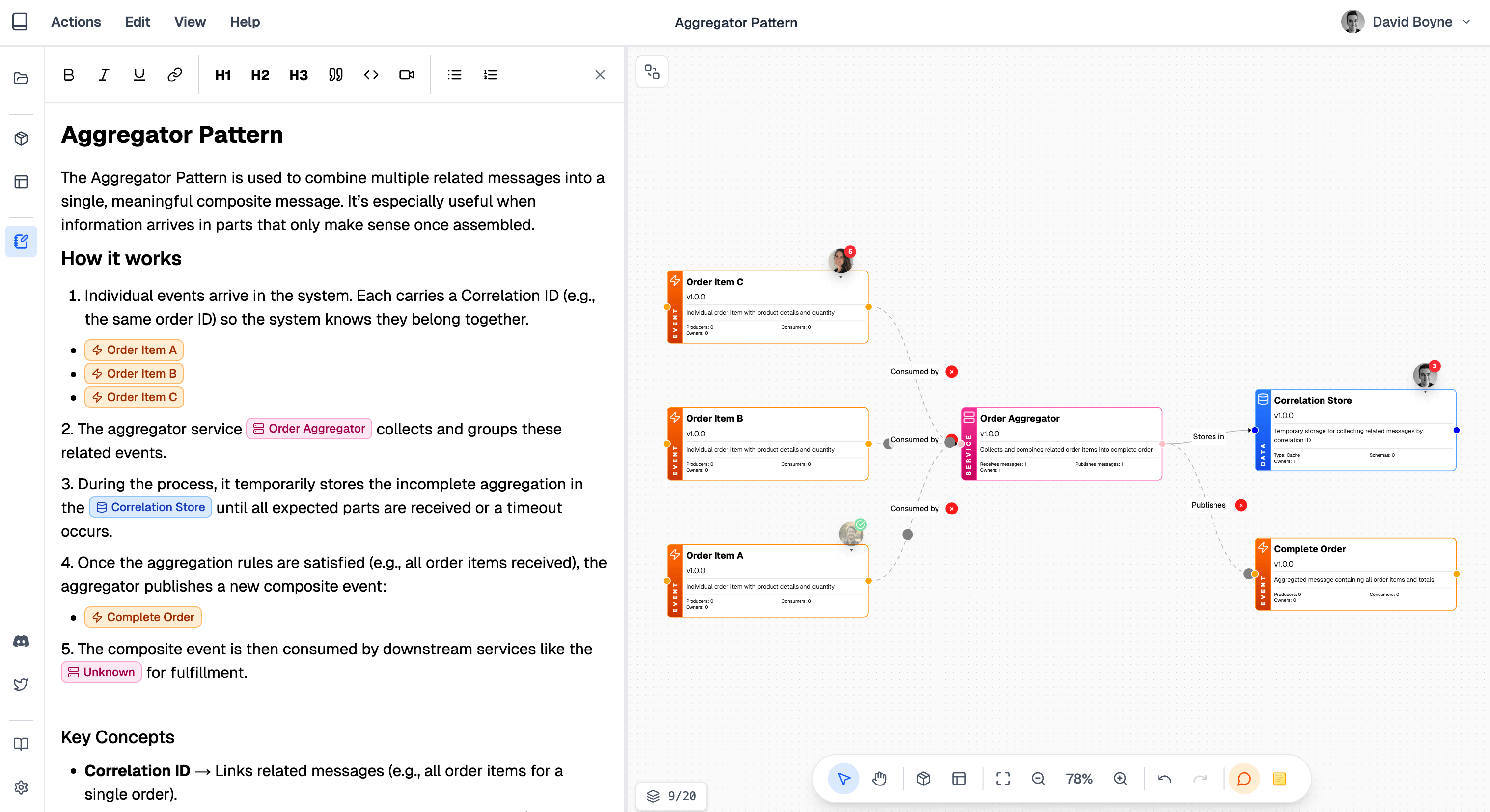
During August we have been busy, working on our new open source project called EventCatalog Studio. This is a visual editor that allows you to design, gather feedback, collaborate with your teams, define schemas and much more.

EventCatalog Studio

Before we get into the details, it’s important to understand why we are focusing in this area.

Life-cycle of event-driven architecture

Over the past 3 years we have learnt from the community and users of EventCatalog that the life-cycle of defining messages, schemas, ideas, collaboration with teams, documentation and governance is a mess.

EventCatalog was born from a personal problem. That discoverability with event—driven architecture is hard. So we built an open source project to help folks discover what events they have, assign them to services and domains, and provide their teams with a platform where they can get a better understanding of what is going on in their architecture. The project has grown far beyond the initial release and is now being used by companies around the world, helping them document and govern their architectures, and continues to be adopted.

Whilst this solves documentation and governance, I feel we still have a gap in the life-cycle.

I feel we have gaps in the ability to capture ideas, drafts, schema designs, get feedback from teams, capture breaking changes, notifying teams of changes, understand how events are used in their architecture, and the list goes on…. As I dive deeper into this topic, I've started to learn from community members and teams using EventCatalog that the life-cycle for event-driven architecture is broken.

What if we could make this easier? What if we had tools that let us explore new drafts, ideas, plan work, get feedback, design diagrams that can be exported into artifacts that we can actually use in our code, our documentation and specifications?

Could we close the gap between ideas, design, implementation and documentation?

I think it’s possible, and that’s why we have been exploring EventCatalog Studio.

What is EventCatalog Studio?

EventCatalog Studio is a local first open source visual designer, that focuses on architecture primitives (e.g messages, channels, data stores, etc). Your designs are owned by you and can be shared with your teams and committed to source control.

You will be able to run EventCatalog on the cloud or run locally on your machine. Either way your data is owned by you, and nothing is shared, keeping your designs private to your organization.

To start you can create new designs, or use custom templates to start from. You can define workflows, business processes, or architecture patterns. You can start from predefined templates to get started.

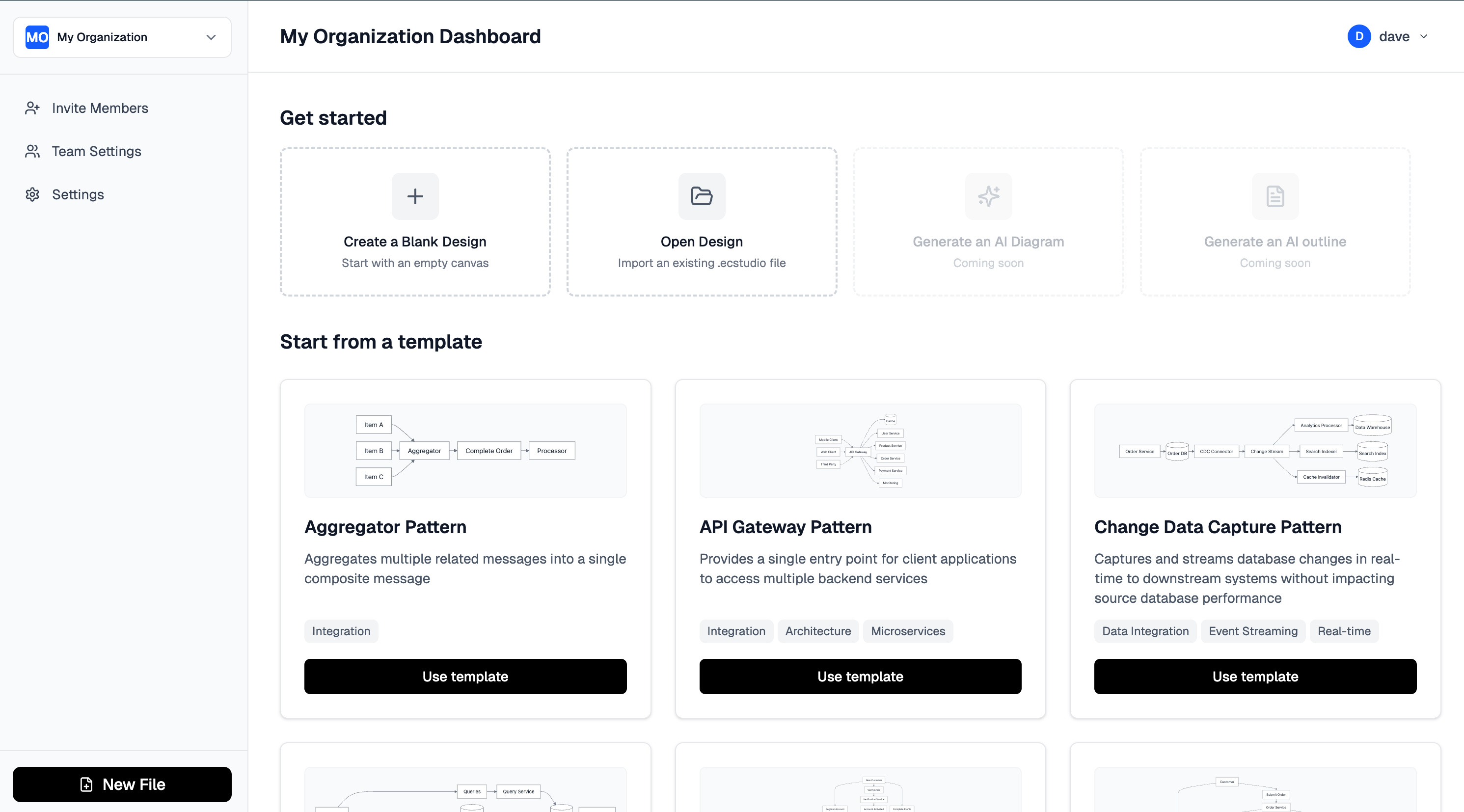
In future versions you will be able to define your own templates for your teams to get started. Below is an example of the welcome dashboard you will see. Allowing you to open a design from disk, or create a new one from scratch or from a predefined template.

EventCatalog Studio

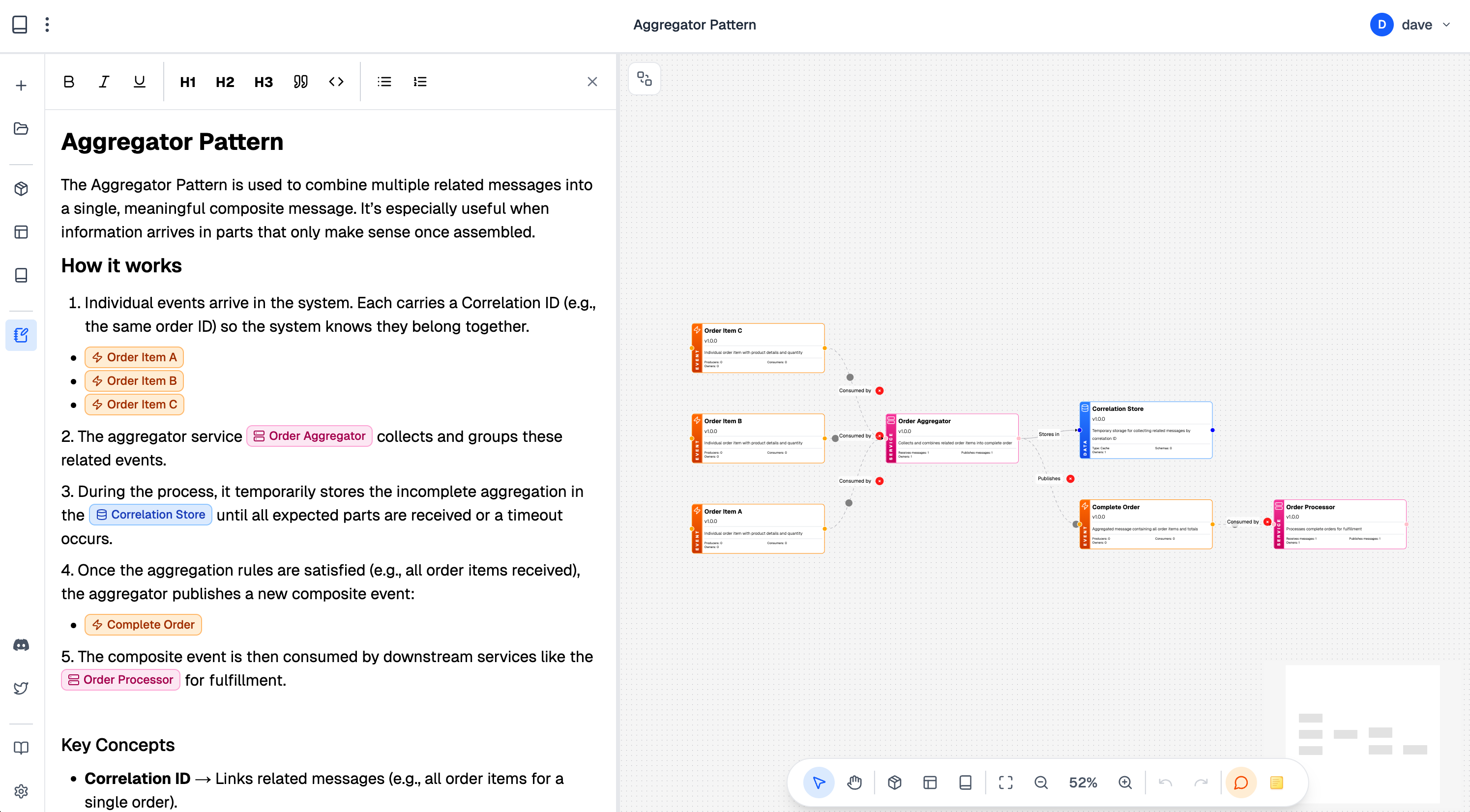
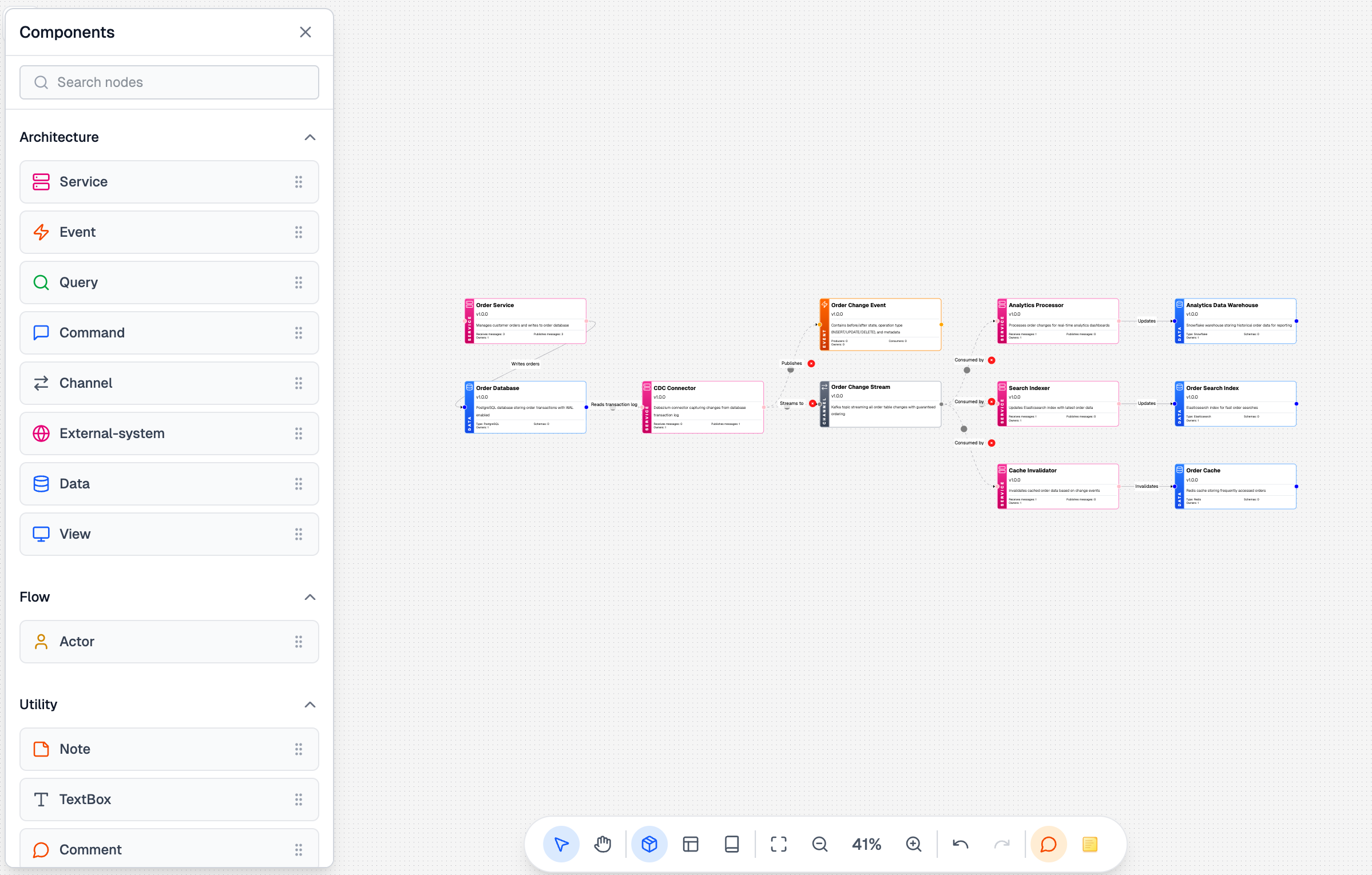
In EventCatalog Studio you will be able to create designs, simply dragging your primitives onto the canvas (e.g Service, Events, Command, Query, Domain etc). This will let you create design concepts for your teams, simulate messages on the design, define schemas and much more.

Then you will be able to export this design into EventCatalog (or any other tool), and use your designs as a living reference.

EventCatalog Studio

Using the documentation editor you can reference any node in your canvas. This lets you document your design and link to resources in your designs to guide your end users through the flow of your design. Helping them understand your architecture, choices, and changes.

EventCatalog Studio

Similar to Figma, you will be able to leave comments on your designs, join the conversation and get feedback. Everything in your design is version controlled.

EventCatalog Studio

You will be able to import all resources from your EventCatalog documentation into your canvas. This will allow you to create new drafts, designs and ideas using your architecture patterns and components you already have. Giving you a foundation to start for new ideas, get feedback on schema design and much more….

Getting access to EventCatalog Studio

We are aiming to get EventCatalog Studio released very soon. If you would like to try it out you can sign up to our beta here https://eventcatalog.studio/

EventCatalog documentation is helping teams govern and discover their architecture. EventCatalog Studio can help teams design, gather feedback and explore ideas. We want to make governing event-driven architecture easier, and we are super excited to see what you all think to EventCatalog Studio.

Recent fixes and improvements to EventCatalog

New EventCatalog SDK Version

EventCatalog SDK

We have released a new version of the EventCatalog SDK. This new feature let’s you programmatically create entities in EventCatalog. This means you can create entity maps in EventCatalog from any source you have.

To get started, you can read the EventCatalog SDK documentation.

Other improvements to EventCatalog

  • EventCatalog visualizer is now ready to import designs from EventCatalog Studio.
  • Architecture pages for messages, services, and domains are now single column.
  • Added support for avsc files in changelog diffs.
  • SchemaViewer now supports array rooted schemas.
  • Reduced pagesize of EventCatalog.

What’s coming in September?

In September, we are focused on releasing EventCatalog Studio. We are also focusing on implementing offline license checks (for those that want to use EventCatalog in regulated environments) and exploring support for Azure messaging services, Azure Schema Registry, and Apicurio Schema Registry.

We are also exploring and working on notifications. These will be webhook notifications you can setup and listen to when things in your catalog change. Examples of these are schema changes, breaks, new versions, etc. Use cases include:

  • Teams getting notified when a new version of a schema is published.
  • Trigger contract tests or infrastructure when schemas change.
  • Provision new infrastructure when a new version of a service is published.
  • Trigger a build when a new version of a service is published.

If you have any questions or want to join our community of over 1200 people exploring EventCatalog and event-driven architecture feel free to join us.

Whats new in EventCatalog - July 2025

· 6 min read

Welcome to the monthly update for EventCatalog, here you can find what's next, how to get started, and what's coming next.

EventCatalog Linter

We're excited to introduce the EventCatalog Linter — a powerful tool to help you maintain consistency and quality across your architecture documentation. The linter helps catch common issues, enforces best practices, and ensures your EventCatalog stays well-organized as it grows.

The linter can be integrated into your CI/CD pipelines to catch issues early and maintain documentation standards across your team.

$ npx @eventcatalog/linter

services/user-service/index.mdx
✖ error version: Invalid semantic version format [version] (schema/valid-semver)
⚠ warning Summary is required for better documentation [summary] (best-practices/summary-required)

2 problems

domains/sales/index.mdx
✖ error Referenced service "order-service" does not exist [services] (refs/resource-exists)

1 problem

3 problems (2 errors, 1 warning)
2 files checked

To get started with the EventCatalog Linter, you can read our quick guide in our documentation here.

New Entity Resource and Entity Map

We've introduced Entity Resources and the new EntityMap component to help you document and visualize your domain entities and their relationships. This new feature allows you to:

  • Document your domain entities with rich metadata
  • Visualize entity relationships across your architecture
  • Track how entities flow through your systems
  • Better understand your domain model

The Entity Map provides a visual representation of your domain entities and their relationships, making it easier to understand your domain model at a glance.

Using the EntityMap component you can embed the entity map into your documentation pages and pick and choose which entities to display.

Fetching Schemas at Runtime


EventCatalog now supports fetching schemas at runtime with the new Remote Schemas component, allowing you to dynamically load and display schema information without needing to rebuild your catalog. This feature is particularly useful for:

  • Large organizations with frequently changing schemas
  • Dynamic schema registries
  • Keeping documentation in sync with live systems

This capability ensures your documentation stays up-to-date with the latest schema changes without manual intervention.

You can read more about the RemoteSchema component here.

Better Search Capabilities (Search v2)

We've completely rebuilt our search experience with Search v2. The new search provides:

  • Faster, more accurate results
  • Better filtering options
  • Improved relevance scoring
  • Enhanced autocomplete
  • Search across all resource types including entities

The improved search makes it much easier to find the information you need across your entire EventCatalog.

To get started, just update your EventCatalog with the command:

$ npm install @eventcatalog/core@latest

Updated Ubiquitous Language Explorer

The Ubiquitous Language Explorer has been significantly improved with:

  • Bigger, more prominent display making it easier to browse your domain language
  • Subdomain language integration — terms from subdomains now appear in their parent domains
  • Better organization of domain-specific terminology
  • Enhanced navigation through your ubiquitous language

This makes it much easier for teams to discover and understand the shared language across domains and subdomains.

AsyncAPI and OpenAPI Generator Enhancements

Our AsyncAPI and OpenAPI generators have received significant updates:

Draft Support for life cycle management

You can now mark resources as draft during generation, allowing you to:

  • Tell your team that a message or endpoint is still in development
  • Iterate on designs without affecting live documentation
  • Maintain work-in-progress resources separately

You can read more about the draft support here.

Markdown Templates

The generators now support custom markdown templates, giving you:

  • Full control over generated documentation format
  • Ability to match your organization's documentation standards
  • Flexible content generation based on your needs

These enhancements make the generators much more flexible and suitable for enterprise workflows.

Other project improvements

  • Improved performance for large catalogs
  • Updated Astro Versions
  • New EventCatalog SDK version to support Entities

What's coming in August?

In August, we are focused on EventCatalog Studio. We are working on a visual interface for managing your EventCatalog, making it even easier for non-technical team members to contribute to your documentation. You can sign up for the early access release here.

We are also working on notifications. These will be webhook notifications you can setup and listen to when things in your catalog change. Examples of these are schema changes, breaks, new versions, etc. Usecase's include:

  • Teams getting notified when a new version of a schema is published
  • Trigger contract tests or infustructure when schemas change
  • Provision new infrastructure when a new version of a service is published
  • Trigger a build when a new version of a service is published

If you have any questions or want to join our community of over 1200 people exploring EventCatalog and event-driven architecture feel free to join us!

Whats new in EventCatalog - June 2025

· 9 min read

Welcome to the monthly update for EventCatalog, here you can find what’s next, how to get started, and what’s coming next.

Authentication and Role Based Access Control

We have introduced Authentication and Role Based Access Control to EventCatalog. This allows you to secure your EventCatalog instance and control access to your resources.

EventCatalog now provides secure authentication to control access to your documentation. Whether you're a small team getting started or a large enterprise with complex identity requirements, EventCatalog's flexible authentication system grows with your needs.

To get started with authentication, you can read our quick guide in our documentation here.

Domain Integration Map

We are excited to introduce the Domain Integration Map — a powerful new visualizer designed to give you a clear view of how messages flow across domain boundaries in your event-driven architecture.

This feature highlights all messages that are produced or consumed between domains, helping you instantly spot integration events and understand cross-domain communication at a glance.

If you're building systems using domain-driven design (DDD) and event-driven architecture (EDA), this should make it much easier to track message usage and reduce the time spent mapping interactions.

The new page can be seen in EventCatalog at /visualiser/domain-integrations (see demo here).

EventCatalog GitHub Action

The EventCatalog GitHub action is a powerful tool that helps you catch issues early in your pull requests, ensuring your event-driven architecture stays healthy, aligned and governed.

The EventCatalog Action has the context of your EventCatalog, and can help you identify issues with producers, consumers, messages and much more.

The action brings AI-powered insight into your Git workflows. It uses large language models (LLMs) to automatically review changes to your EventCatalog, helping you catch issues early—before they reach production (you can pick your model and provider).

Think of it as a smart assistant for your pull requests. It doesn't just lint code—it understands the implications of your changes.

You can learn more and how to get started in our release blog post here.

EventCatalog MCP 1.0 release

You can now connect any MCP Client (e.g Cursor, Claude) to your EventCatalog instance. Version 1.0 introduces new MCP tools and features, including:

  • Get resources (domains, services, messages, etc)
  • Find producers and consumers for a given message
  • Create flows based on your business requirements
  • Review schema changes
  • And much more.

When it comes to AI LLMs or Agents, context is key.

EventCatalog let's you document domains, models, messages, producers and consumers and much more. Using the MCP client, this context is given to your LLM's providing your models with the context they need to understand your architecture and domains.

With the EventCatalog MCP server you can give models the context they need to understand your architecture and domains.

The best way to try it out is to install the MCP server and connect it to your EventCatalog instance. You can get get started with the MCP in our documentation here.

Introducing EventCatalog Snippets

Keeping your documentation DRY just got easier.

With EventCatalog Snippets, you can now reuse markdown and variables across your EventCatalog documentation — whether it's domains, services, or events.

Instead of duplicating content, simply define it once and import it wherever you need it.

This is perfect for maintaining consistent, centralized information across your docs. And with variable support, you can easily customize shared content without repetition.

To get started with snippets, you can read our quick guide in our documentation here.

PlantUML Support

We have added support for PlantUML to EventCatalog. This allows you to create diagrams and visualizations of your architecture using PlantUML.

The new plantuml code block allows you to define PlantUML diagrams in your documentation.

```plantuml
@startuml
!define Table(name,desc) class name as "desc" << (T,#E5E7EB) >>
!define PK(x) <u>x</u>
!define FK(x) <i>x</i>

' ===== Core Tables =====

Table(Customers, "Customers") {
PK(customerId): UUID
firstName: VARCHAR
lastName: VARCHAR
email: VARCHAR
phone: VARCHAR
dateRegistered: TIMESTAMP
}

Table(Orders, "Orders") {
PK(orderId): UUID
FK(customerId): UUID
orderDate: TIMESTAMP
status: VARCHAR
totalAmount: DECIMAL
}

Table(Products, "Products") {
PK(productId): UUID
name: VARCHAR
description: TEXT
price: DECIMAL
stockQuantity: INT
}

Table(OrderItems, "Order Items") {
PK(id): UUID
FK(orderId): UUID
FK(productId): UUID
quantity: INT
unitPrice: DECIMAL
}

Table(Payments, "Payments") {
PK(paymentId): UUID
FK(orderId): UUID
amount: DECIMAL
method: VARCHAR
status: VARCHAR
paidAt: TIMESTAMP
}

Table(InventoryEvents, "Inventory Events") {
PK(eventId): UUID
FK(productId): UUID
eventType: VARCHAR
quantityChange: INT
eventTime: TIMESTAMP
}

Table(Subscription, "Subscriptions") {
PK(subscriptionId): UUID
FK(customerId): UUID
plan: VARCHAR
status: VARCHAR
startDate: TIMESTAMP
endDate: TIMESTAMP
}

' ===== Relationships =====

Customers ||--o{ Orders : places
Orders ||--o{ OrderItems : contains
Products ||--o{ OrderItems : includes
Orders ||--o{ Payments : paid_by
Products ||--o{ InventoryEvents : logs
Customers ||--o{ Subscription : subscribes

@enduml
```_

This will render the following diagram:

Using plantuml you can now bring more diagrams and context to your documentation. You can read more about it in our documentation here

AWS Glue Schema Registry integration

We have added support for AWS Glue Schema Registry to EventCatalog. This allows you to pull and sync your schemas from AWS Glue Schema Registry into EventCatalog.

Schema registries are great, but they lack meaning, context, business context, history and much more. This new integration let's you document your schemas in ways that aren't possible with a schema registry. Providing you and your teams with more information, visualizations, AI capabilities and much more.

You can import all your schemas, or just the ones you want to sync and use filtering to map them to your producers and consumers.

To get started with the AWS Glue Schema Registry integration, you can read our quick guide in our documentation here.

Other project improvements

What’s coming in July?

In June, we’re releasing more integrations for EventCatalog, including support for Azure messaging services, Azure Schema Registry, and Apicurio Schema Registry. These integrations will allow you to add semantic meaning to your schemas and keep them in sync with your documentation—making it easier for teams to find the information they need and maintain a shared understanding of your architecture.

Many teams use EventCatalog as a design > implement > document workflow. We’re exploring ways to make drafting messages, services, and resources directly in EventCatalog easier—and we expect to release the first version of this feature in July.

Lastly, we know many of you are eagerly waiting for EventCatalog Studio. We’re still hard at work on it and aim to release an initial version soon. Stay tuned!

If you have any questions or want to join our community of over 1150 people exploring EventCatalog and event-driven architecture feel free to join us!

Introducing the EventCatalog GitHub Action

· 5 min read

Today we are excited to announce the release of the EventCatalog GitHub Action. This action is a powerful tool that helps you catch issues early in your pull requests, ensuring your event-driven architecture stays healthy, aligned and governed.

What is the EventCatalog GitHub Action?

The EventCatalog GitHub Action is a GitHub Action that helps you catch issues early in your pull requests. You can pick which tasks you want to use from the Action from your pull requests.

The EventCatalog Action has the context of your EventCatalog, and can help you identify issues with producers, consumers, messages and much more.

The EventCatalog GitHub Action brings AI-powered insight into your Git workflows. It uses large language models (LLMs) to automatically review changes to your EventCatalog, helping you catch issues early—before they reach production.

Think of it as a smart assistant for your pull requests. It doesn't just lint code—it understands the implications of your changes.

What it does:

  • Detect breaking changes in schemas during pull requests
  • Score how likely a change is to cause issues
  • List affected consumers so you know who’s impacted
  • Recommend actions to resolve problems before merging

By automating the review process, this GitHub Action saves your team hours of manual effort, reduces human error, and brings consistency to your EventCatalog maintenance.

You’re always in control—the final merge decision is still up to you. But now, you’ll have the insights to make it with confidence.

What are tasks?

Tasks are the core of the EventCatalog GitHub Action. They are a range of tools you can use.

With this initial version we are launching the Schema Review task.

We will be adding more tasks in the future.

How does the schema review task work?

The schema review task is used to review schemas for breaking changes. This task let's you catch breaking changes in your schemas before they are deployed.

The schema review supports any schema format, including (JSON, Avro, Protobuf, Thrift, etc.).

Why use the schema review task?

  • Capture breaking changes in your schemas before they are deployed
  • Get a score of how likely the changes are to be breaking
  • See a list of consumers that will be affected by the changes
  • Take action to fix breaking changes before they are deployed

Workflow example:

  1. Your team member makes a change to a schema in EventCatalog (inside your events, queries or commands folders)
  2. The action will review the schema for breaking changes using your configured LLM (OpenAI, Anthropic, Google)
  3. The action will return a summary of changes, and give you a score of how likely the changes are to be breaking
  4. The action will list affected consumers so you know who’s impacted
  5. Your team member is still in control of the merge decision, but now has the information to make a more informed decision
EventCatalog GitHub Action

How to get started?

To get started you can visit the EventCatalog homepage.

The EventCatalog GitHub Action uses LLMs to review your schemas, and find breaking changes. You can pick your provider and model from the following list:

Summary

The EventCatalog GitHub Action is a powerful tool that helps you catch issues early in your pull requests, ensuring your event-driven architecture stays healthy, aligned and governed.

Finding breaking schemas early can save you time and de-risk your production environment.

To get started you can visit the EventCatalog homepage.

FAQ

  • What is the EventCatalog GitHub Action?

    • The EventCatalog GitHub Action is a GitHub Action that helps you catch issues early in your pull requests. You can pick which tasks you want to use from the Action from your pull requests.
  • Will the LLM hallucinate?

    • Like all LLMs, the EventCatalog GitHub Action can hallucinate, although we provide the right context to the LLM to help it understand the context of the changes and the effected consumers.
    • You have configuration to pick which provider and models you want to use. If you are seeing hallucinations, you can try a different provider or model.
    • Think of EventCatalog GitHub Action as another member of your team. It is not a replacement for your team, but a tool to help you catch issues early, saving you time.
  • Can I bring my own rules?

    • We are working on it!
    • We want you to to have the ability to bring your own rules to the action. This will let you define your own rules for your organization and health checks for the LLM.
    • This will let you define specific rules for your organization and governance checks for the LLM to check for your reviews.