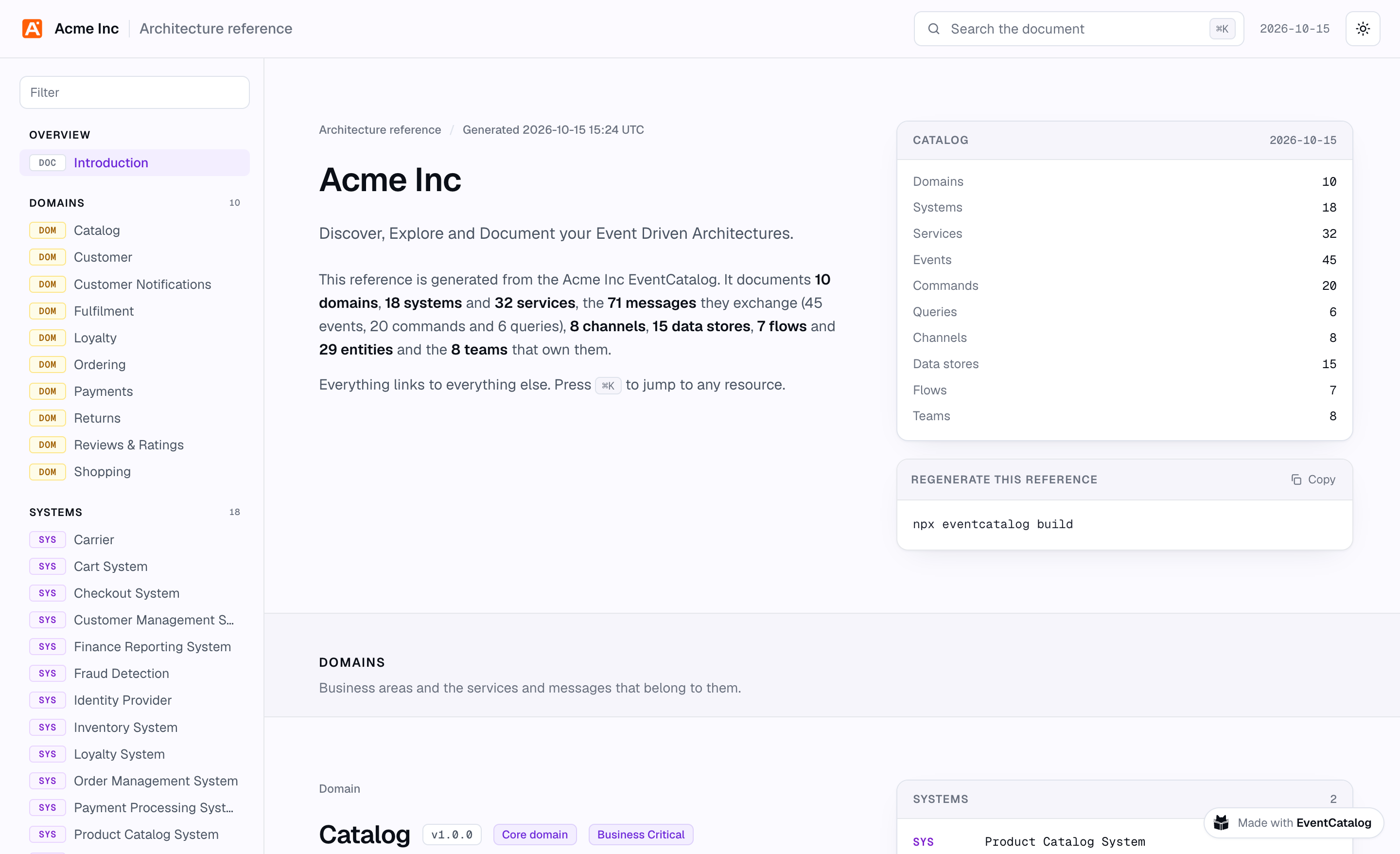
Export your whole catalog, or just the part someone needs, as one self-contained HTML file. Every domain, system, service and message in it is linked to everything it relates to. Send it to a partner, an auditor, a new team or a contractor, and it's written again every time you build.
Every now and then, someone asks for "a copy of the architecture".
It's never the people who can already open your catalog. It's the partner integrating with your payments, the auditor who needs to know where personal data lives, the team at the company you just acquired, the contractor who is still waiting on VPN access. They need to understand part of your architecture, and they can't get to where it's documented.
So someone opens the catalog, takes twenty screenshots and pastes them into a doc. By next month it's out of date.
API teams sorted this out years ago: write an OpenAPI file, generate a reference from it, send it to anyone. I wanted the same thing for a whole architecture, and a few of you have asked for it too.
So we built it. You can now export your catalog as one HTML file: all of it, or just the part someone needs. Every domain, system, service, message and flow in it is linked to everything it relates to, and it's written again every time you build.
Open the export of our demo catalog to see it for yourself.
Two ways to export
- The architecture reference is your whole catalog in one file,
architecture.html. It's for people who should see all of it: your own teams in a design review, an architecture audit, an AI agent that needs the full picture. - A custom export is the part of your catalog you choose for someone, with your own introduction at the top. The services and events a partner integrates with. The systems that hold personal data, for a regulator. One domain, for the team taking it over.
Both are one self-contained file. There's no server and nothing to sign in to, so you can attach it to an email, add it to a design review, keep it with an audit, or host it next to your catalog.
What's in the file
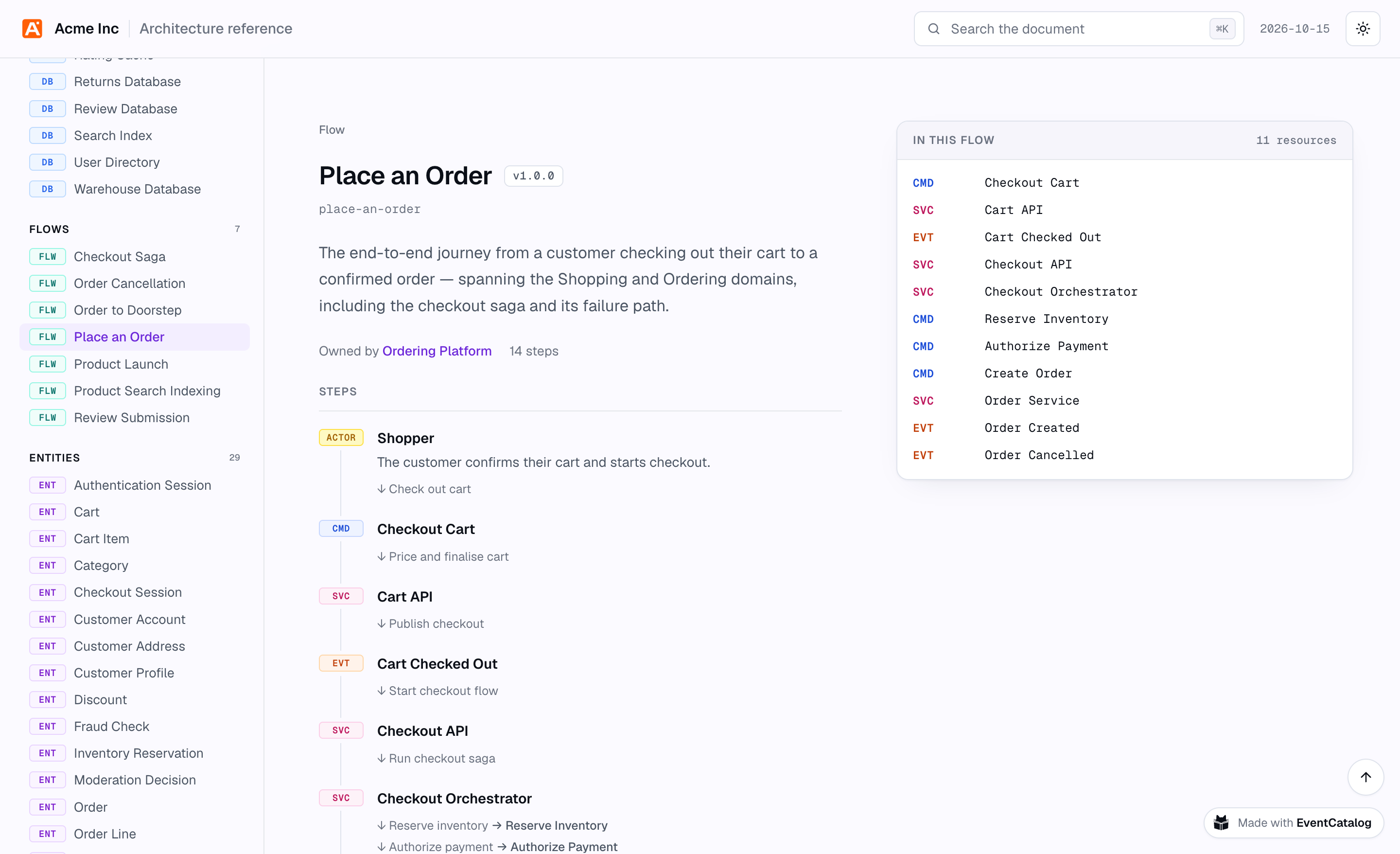
The file opens with an overview: what it documents and how much of it there is. On the left, every resource is listed with a tag for what it is, so you can find a domain or a service at a glance.
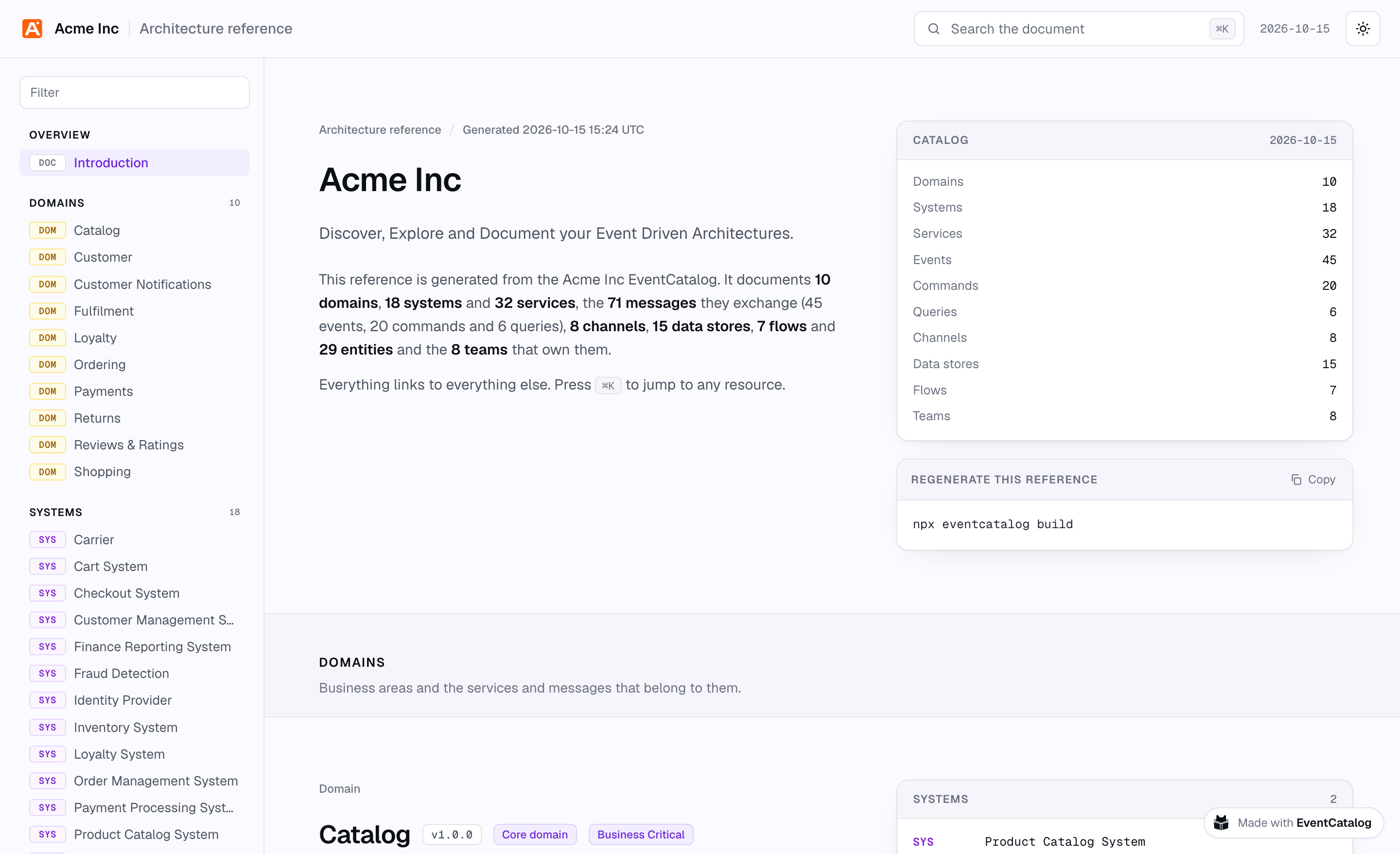
The architecture reference for the Acme Inc demo catalog, generated from its EventCatalog.
Each resource gets a section, with its summary, badges and documentation from your catalog, including mermaid diagrams. Relationships go on the right: what a domain contains, what a service sends and receives, who reads and writes a data store. Every relationship is a link, so you can follow a message to the service that consumes it, then to the domain it belongs to.
Messages come with their schemas. The file shows their attributes, read from your JSON Schema, Avro or Protobuf files, with an example payload, a TypeScript type and the raw schema, ready to copy. This is the page an engineer needs when they're integrating with a message they've never seen before.
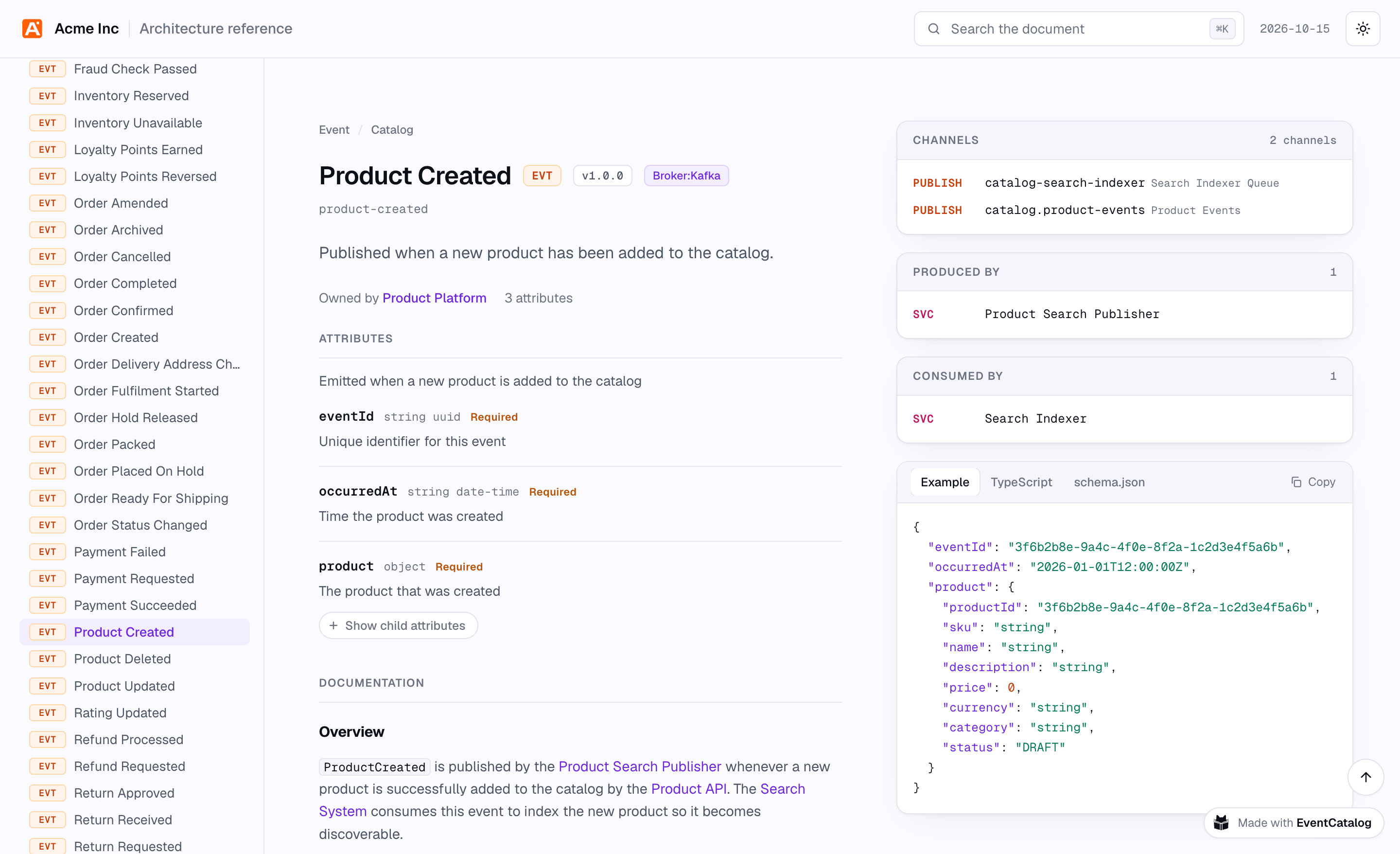
The Product Created event: its attributes, where it's published, who produces and consumes it, and an example payload.
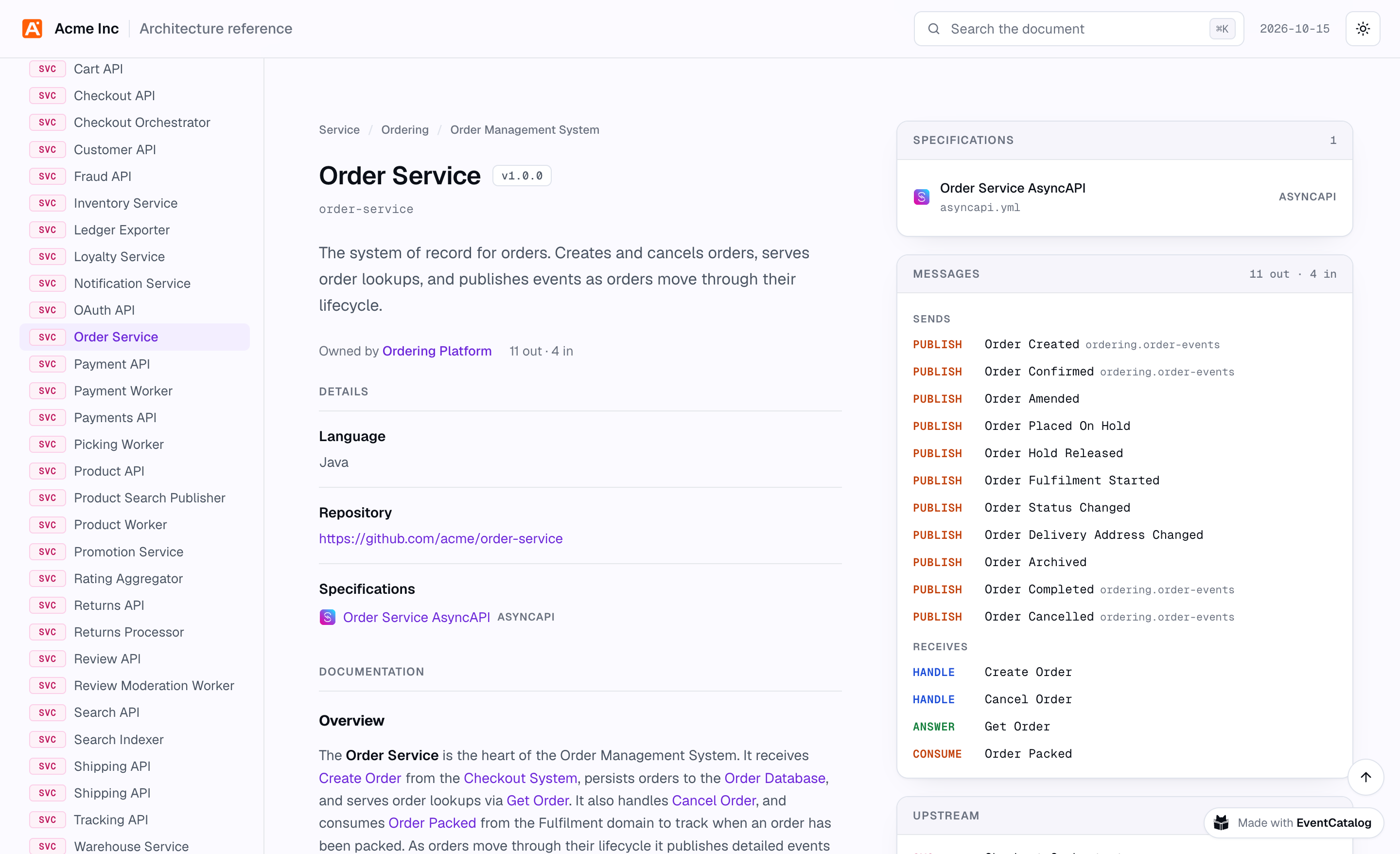
Services show every message they send and receive, and how: whether they publish an event, handle a command or answer a query, and on which channel. Their OpenAPI, AsyncAPI and GraphQL specifications are in the file too, to read, copy or download.
Flows list their steps in order, with a link to every resource each step touches.
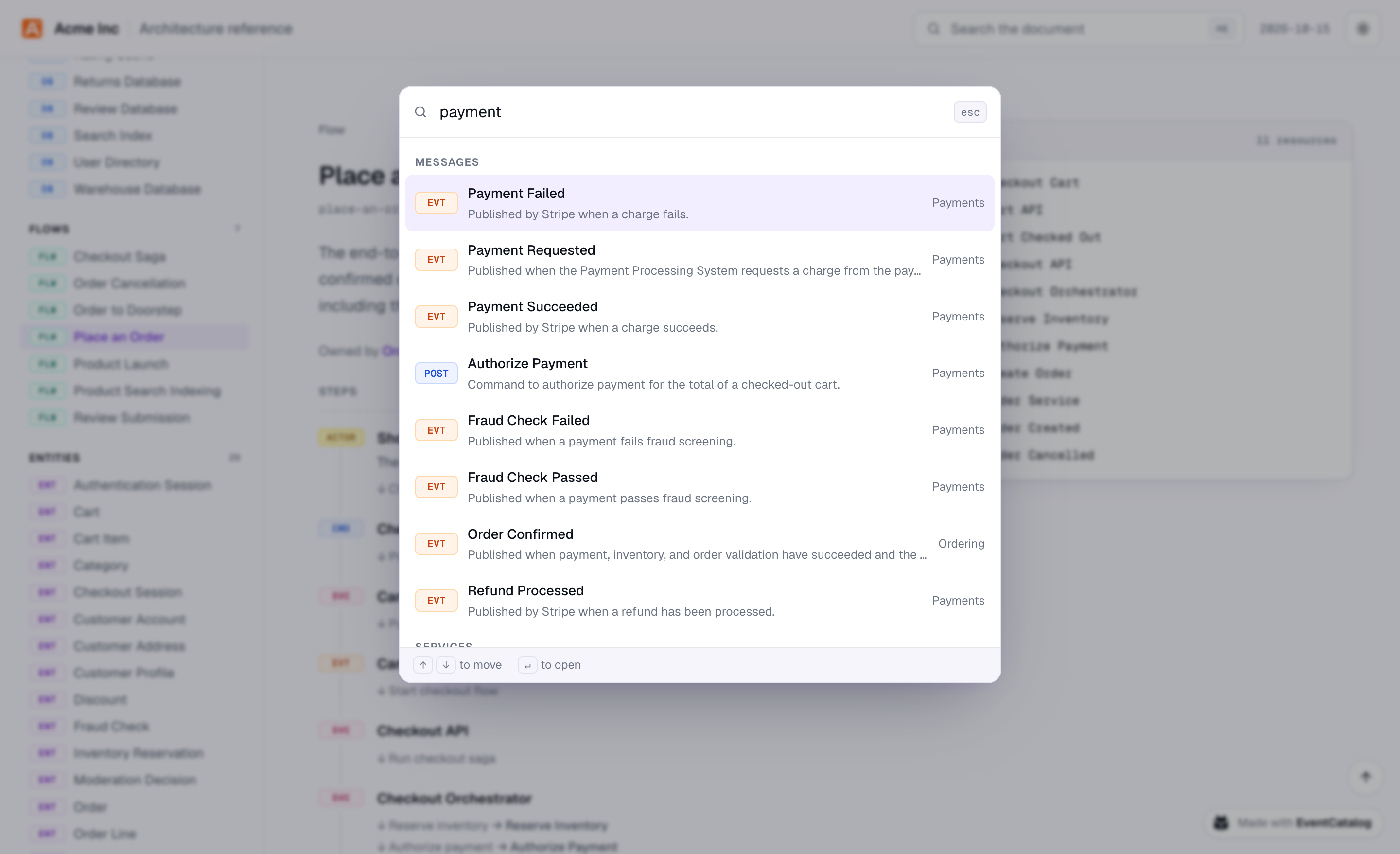
Press ⌘K (or Ctrl+K) to search the file by name, ID or summary. It has light and dark themes, and follows your system setting by default.
Choose what's in a custom export
A custom export is a file in your catalog, in the exports folder. Its frontmatter says what's in it, and its body is the introduction readers see first.
Here's one for partners who take payments through Acme:
---
title: Payments for partners
summary: How partners take payment for orders and stay in sync with what happens next.
audience: Partners integrating with Acme Checkout

include:
  - system: payment-processing-system
  - service: checkout-api
  - event: payment-succeeded
  - event: payment-failed
  - event: refund-processed

exclude:
  - service: payment-worker
  - data-store: payment-database
---

Welcome! This guide covers everything you need to take payment for an Acme order.
Including a system brings everything in it: its services, its data stores and the messages its services send and receive. exclude takes things out again, and it always wins. Here, the Payment Worker and its database stay out, even though they're part of the system.
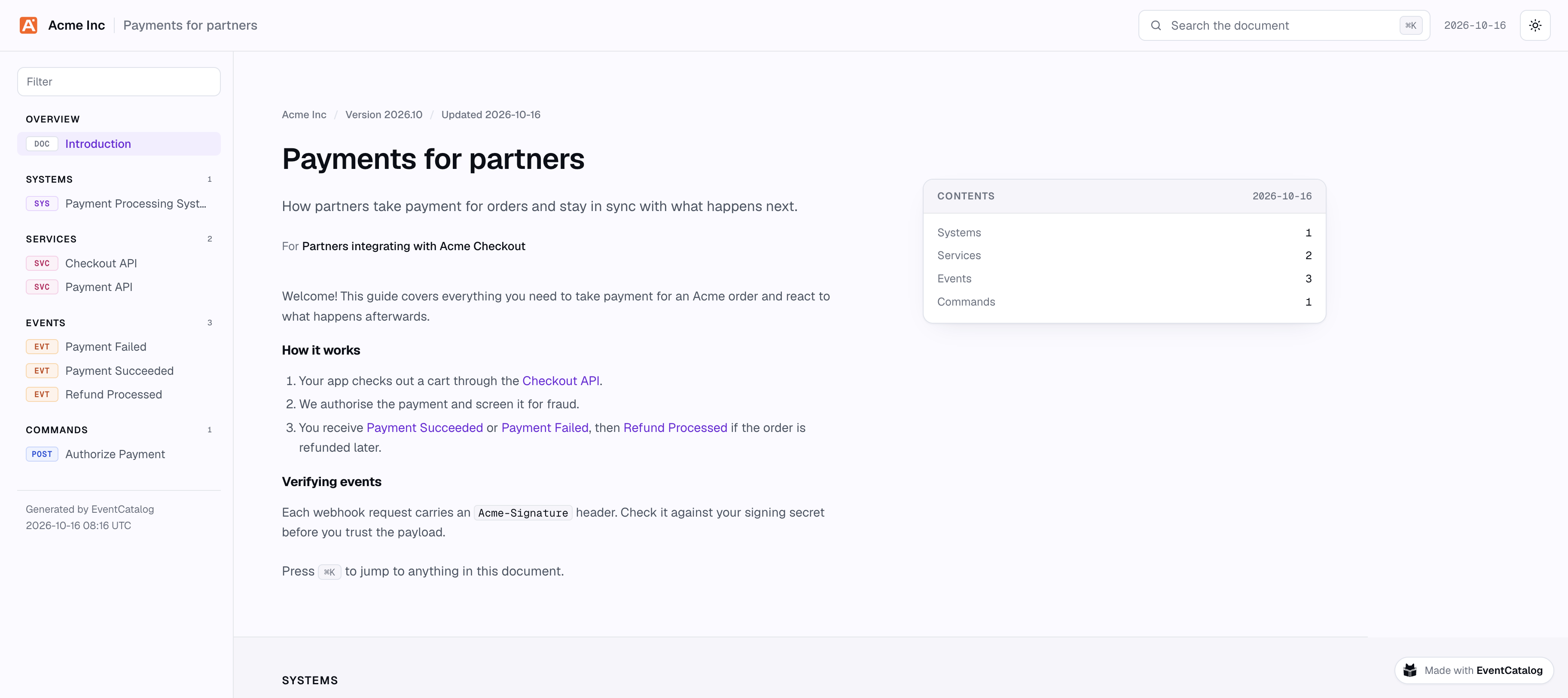
Payments for partners: one system, two services, three events and a command from the Acme catalog, and nothing else.
The same few lines work for any audience. A custom export for a data protection review, with every resource that holds personal data:
title: Where we keep personal data
audience: Our data protection officer
include:
  - x-contains-personal-data: true
Or a handover pack for the team taking over a domain, this time with the owners, contacts and docs left in:
title: The Payments domain
audience: The Billing team, who own it from January
include:
  - domain: payments
hide: []
references: name-only
Let resources opt in
The data protection export above doesn't list anything. It picks up every resource with a custom property, the x- fields in your frontmatter:
include:
  - x-public: true
  - x-operational-tier: 1
    kind: service
exclude:
  - x-data-classification: [confidential, restricted]
Mark what may leave your teams with x-public: true, and a custom export picks it all up, including whatever you mark next month. The properties choose what's in an export, but they're never shown in it, so x-cost-centre stays in your catalog.
If you want to find resources by custom property in your own scripts, the same lookup is in the SDK:
await sdk.getResourcesByProperty('x-operational-tier', { equals: 1, types: ['service'] });
Nothing leaks by accident
A custom export is only useful if you can trust what's left out of it. We were careful here:
- Links to anything outside the export are dropped. An event consumed by an internal service doesn't mention that service. If you'd rather show names without links, set
references: name-only. - What you exclude is never named, not even as plain text. Links to it in docs read "another service".
- Owners, repositories, team contacts and the resources' own docs are hidden by default, since they're written for your teams. Ask for them with
hidewhen the reader is one of your teams. neverExportin your config names what no custom export may ever show, whatever it includes.
Before you send a custom export, check what's in it and why:
npx @eventcatalog/cli export partner-payments --check
  Included (7)
    system   payment-processing-system 1.0.0  (include)
    service  payment-api 1.0.0                (in system payment-processing-system)
    ...
  Excluded (2)
    service     payment-worker 1.0.0    (exclude, was in system payment-processing-system)
    data store  payment-database 1.0.0  (exclude, was in system payment-processing-system)
  Links dropped (26)
    ...
Every resource says why it's there. The check fails when something an export names isn't in the catalog any more, so if you run it in CI, you'll notice when a rename breaks one.
Written on every build
You don't have to remember to export anything. Every time you build your catalog, EventCatalog writes the reference to architecture.html and each custom export to exports/<id>.html. Wherever you host your catalog, they're right alongside it, so the link you sent last month still shows what's true today.
If you don't want them, turn them off in eventcatalog.config.js:
module.exports = {
  exports: {
    html: { enabled: false },
    custom: { enabled: false },
  },
};
If your catalog uses authentication, both are off unless you turn them on. Files in the build output are served without the authentication checks, so we don't want to publish your catalog without you knowing.
Or export with the CLI
To export without building your catalog, use the EventCatalog CLI from the root of your catalog:
# The whole catalog
npx @eventcatalog/cli export --format html

# One custom export
npx @eventcatalog/cli export partner-payments
Each writes its file and opens it in your browser. Use --output to save it somewhere else and --no-open to skip the browser, for example to publish it as an artifact from your CI pipeline:
npx @eventcatalog/cli export --format html --output reports/architecture.html --no-open
Built for large catalogs
A file for a big catalog is a big file, so we made sure it stays fast. Sections are drawn as you scroll towards them, and code is highlighted the first time you open it. We tested it on a catalog with 5,000 messages, and the page was ready to use in under a tenth of a second after it loaded.
Try it
The architecture reference is in EventCatalog 5.1, and custom exports are in EventCatalog 5.2. Upgrade your catalog:
npm install @eventcatalog/core@latest
Then build your catalog and open architecture.html, or run npx @eventcatalog/cli export --format html to see yours right away. To make your first custom export, add a file to exports/ and run npx @eventcatalog/cli export <id>.
I'd love to hear who you end up sending it to. Read the export docs, share feedback in Discord, or open an issue on GitHub.