Export your catalog
eventcatalog@5.1.0Some people need to understand your architecture but can't open your catalog: a partner integrating with your services, an auditor, the team at a company you've acquired, a contractor without access to your network.
Exporting your catalog gives them one self-contained HTML file. It doesn't need a server and there's nothing to sign in to, so you can attach it to an email, add it to a design review, keep it with an audit, or host it next to your catalog.
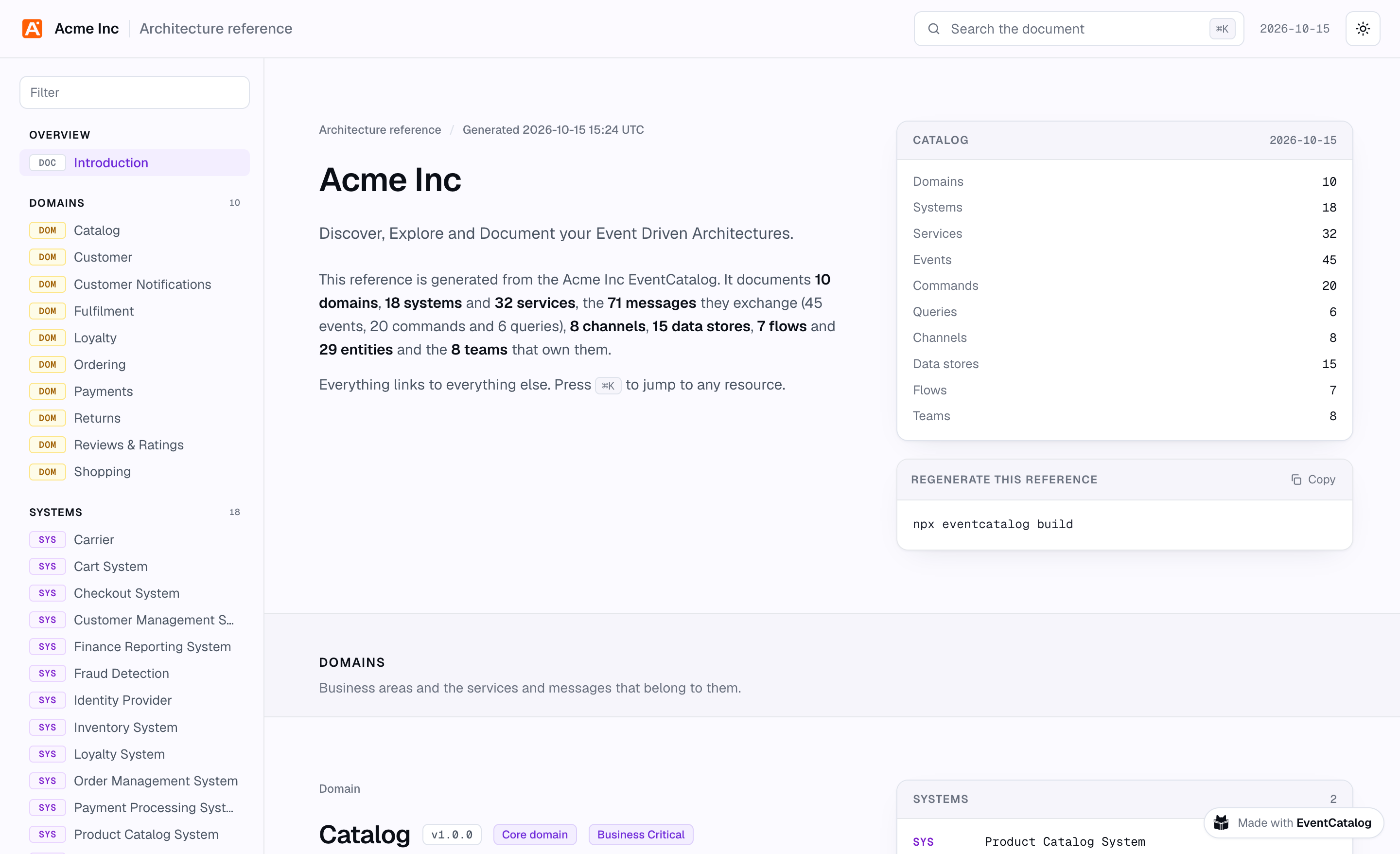
See the export of our demo catalog
Two ways to export
| Architecture reference | Custom export | |
|---|---|---|
| What's in it | Your whole catalog | The part of your catalog you choose, with your own introduction |
| Who it's for | People who should see everything: your teams in a design review, an architecture audit, an AI agent | People who need part of it: partners, a regulator, the team taking over a domain |
| How you make it | Nothing to set up | A file in your catalog's exports folder that says what's in it |
| Where it's written | architecture.html | exports/<id>.html |
You can have both: one reference, and as many custom exports as you have audiences.
What's in the file
Both are the same kind of file:
- An overview, with how many of each resource it documents (and, for a custom export, its title, who it's for and its introduction).
- A section for every resource, with its summary, badges and documentation (including mermaid diagrams).
- Relationships on every section: who produces and consumes a message, what a service sends and receives, which services read and write a data store, what lives inside a domain or system. Every relationship is a link.
- Message attributes from your JSON Schema, Avro and Protobuf schemas, with an example payload, a TypeScript type and the raw schema.
- Your specifications (OpenAPI, AsyncAPI and GraphQL), which readers can view and download.
- Flows, step by step, with every resource each step touches.
- Search across the file (press
⌘KorCtrl+K), a sidebar filter, and light and dark themes.
Only the latest version of each resource is included. Resources marked as hidden are left out.
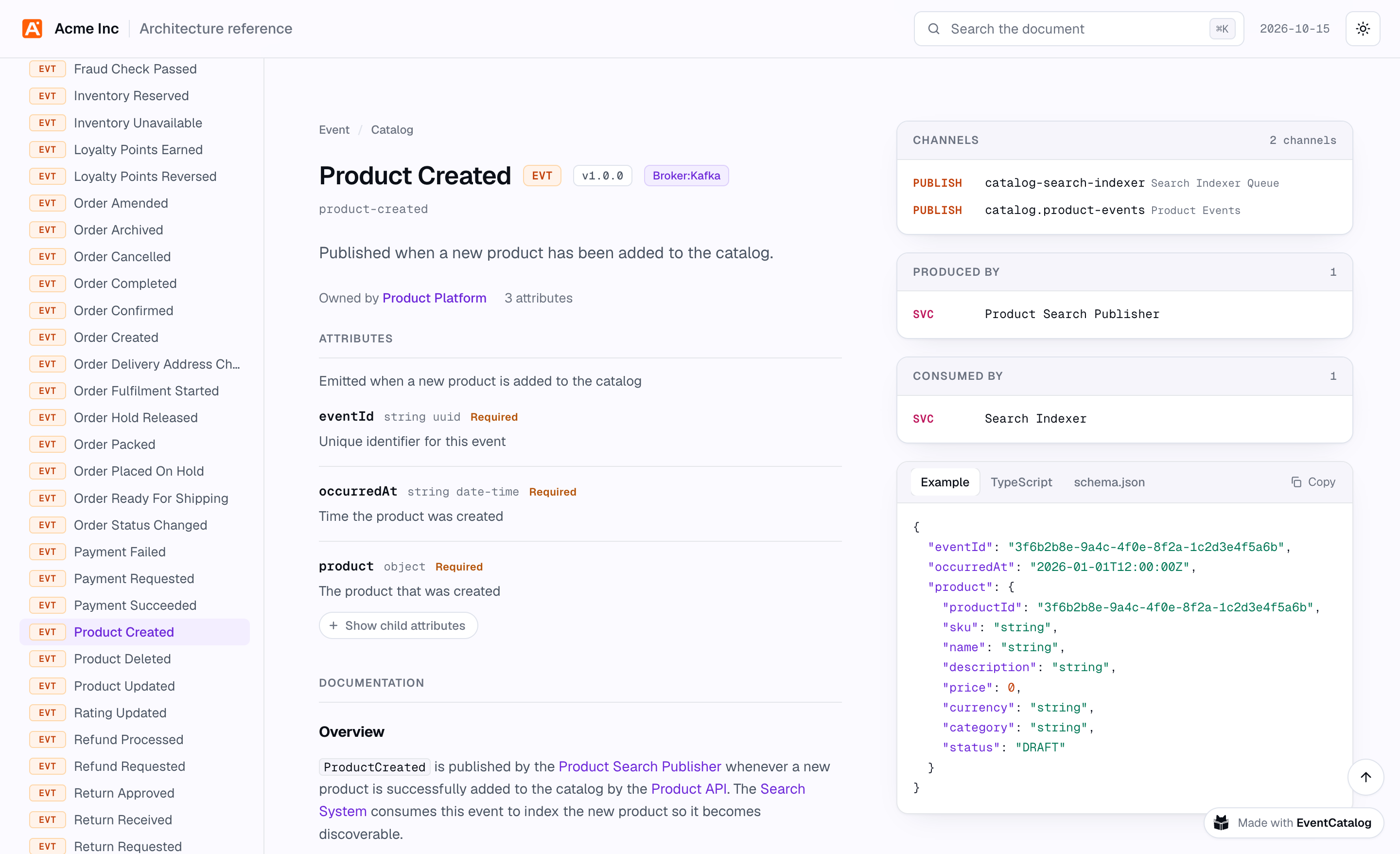
Written on every build
You don't have to remember to export anything. Every time you build your catalog, EventCatalog writes the reference and your custom exports to the build output:
| File | Static build | Server mode | Hosted at |
|---|---|---|---|
| Architecture reference | dist/architecture.html | dist/client/architecture.html | /architecture.html |
| Custom exports | dist/exports/<id>.html | dist/client/exports/<id>.html | /exports/<id>.html |
Because they're written from your catalog on every build, a link you shared last month still shows what's true today.
To export without building your catalog, use the export command of the EventCatalog CLI:
# The whole catalog
npx @eventcatalog/cli export --format html

# One custom export
npx @eventcatalog/cli export partner-payments
Catalogs with authentication
If your catalog uses authentication, nothing is exported when you build unless you turn it on. Files in the build output are served without the authentication checks, so anyone who knows the URL could read them.
To export anyway, set exports.html.enabled (for the reference) or exports.custom.enabled (for custom exports) to true in eventcatalog.config.js. You can always export with the CLI and share the file yourself.
Sharing an export
Exports use the title, organizationName and logo from your eventcatalog.config.js file. When you share a link to a hosted export in Slack, Teams or on social media, the preview shows the catalog's name (or the export's title) and what it documents.
Each file shows when it was generated.
Next steps
- Export your whole catalog as an architecture reference.
- Create a custom export for partners, a regulator or another team.
- See the reference for every field, option and command.