Application Sidebar
The application sidebar is the vertical sidebar that is rendered on every page in EventCatalog.
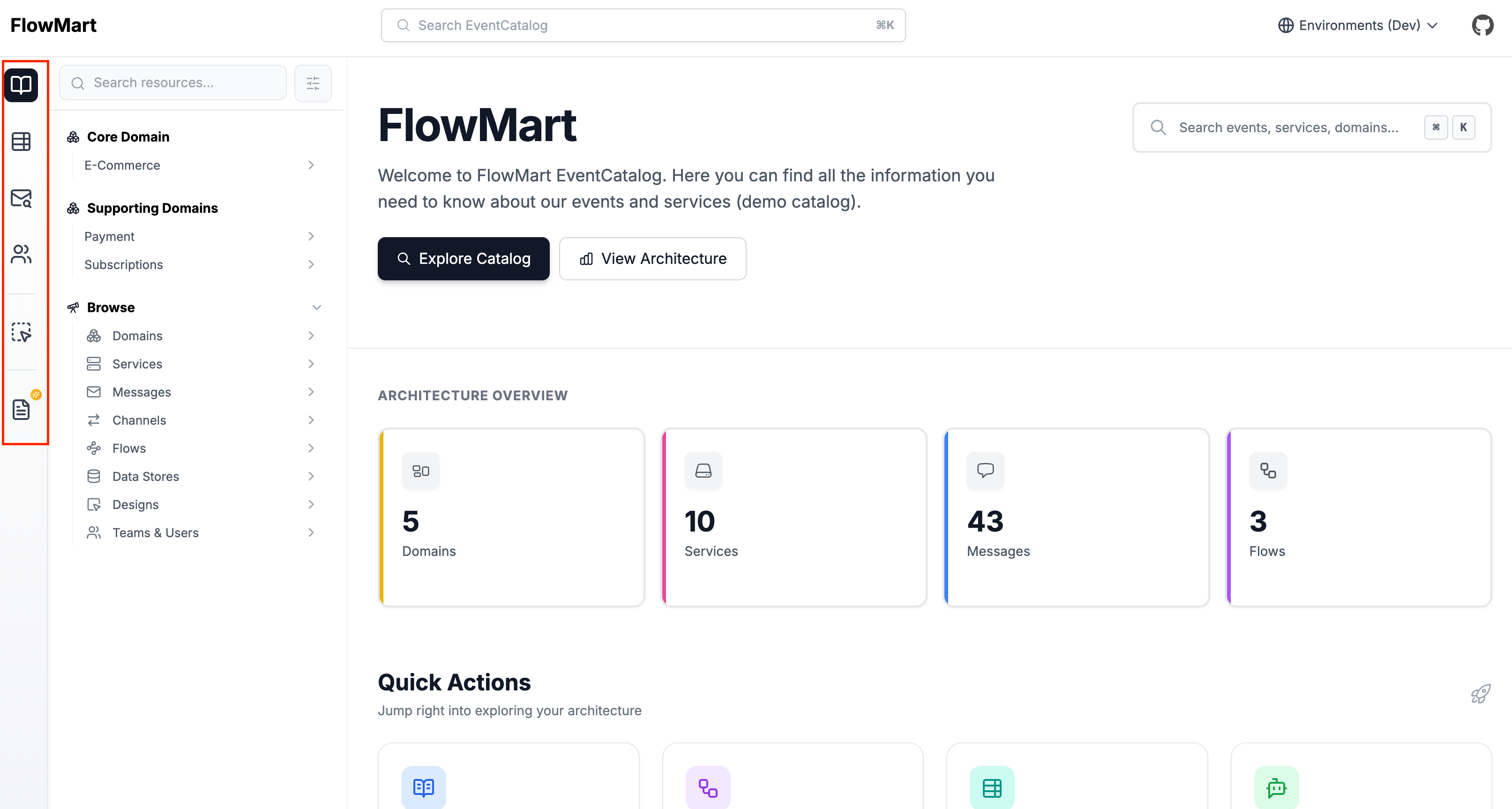
Customize the application sidebar
You can customize the application sidebar with the navigation.groups property in your eventcatalog.config.js file.
Use this when you want to:
- Reorder the application navigation.
- Hide built-in navigation items.
- Add custom links to internal or external pages.
- Group navigation items under labels.
- Pin navigation groups to the bottom of the sidebar.
- Configure which routes make an item active.
navigation.groups customizes the vertical application sidebar.
navigation.pages customizes the context-aware documentation sidebar shown on /docs/* pages.
If you do not configure navigation.groups, EventCatalog renders the default application sidebar.
If you do configure navigation.groups, your groups replace the default application sidebar. Add every item you want users to see.
Built-in navigation items
EventCatalog provides built-in navigation items you can reference by id.
| ID | Description |
|---|---|
home | Home |
docs | Custom documentation |
catalog | Discover catalog |
schemas | Schemas & APIs |
schema-insights | Schema Insights |
teams | Teams |
users | Users |
settings | Settings |
You can also reference built-in route IDs directly, such as /schemas/explorer, /directory/teams, or /settings/general.
Group options
Each group in navigation.groups supports:
| Property | Type | Description |
|---|---|---|
id | string | Unique group identifier. |
label | string | Optional label shown above the group. |
visible | boolean | Set to false to hide the group. |
position | 'top' | 'bottom' | Use bottom for settings-style groups pinned below the main navigation. Defaults to top. |
items | array | Navigation items in this group. |
Item options
Each item supports:
| Property | Type | Description |
|---|---|---|
id | string | Built-in item id, route id, or custom item id. |
label | string | Custom label. Required for custom items. |
icon | string | Any icon exported by lucide-react, such as House, BookOpen, or LifeBuoy. |
href | string | Required for custom items. Built-in items provide their own href. |
visible | boolean | Set to false to hide the item. |
match | string | string[] | Paths that should mark the item as active. Useful for custom navigation items. |
Example: default-style navigation
module.exports = {
  navigation: {
    groups: [
      {
        id: 'main',
        items: [{ id: 'home' }, { id: 'docs' }],
      },
      {
        id: 'browse',
        label: 'Browse',
        items: [
          { id: 'catalog' },
          { id: 'schemas' },
          { id: 'schema-insights' },
        ],
      },
      {
        id: 'organization',
        label: 'Organization',
        items: [{ id: 'teams' }, { id: 'users' }],
      },
      {
        id: 'settings',
        position: 'bottom',
        items: [{ id: 'settings' }],
      },
    ],
  },
};
Hide items
Use visible: false to hide a group or item.
module.exports = {
  navigation: {
    groups: [
      {
        id: 'browse',
        label: 'Browse',
        items: [
          { id: 'catalog' },
          { id: 'schemas' },
          // Hide Schema Insights
          { id: 'schema-insights', visible: false },
        ],
      },
      {
        id: 'organization',
        label: 'Organization',
        items: [
          // Hide Teams
          { id: 'teams', visible: false },
          { id: 'users' },
        ],
      },
    ],
  },
};
Add custom links
Custom items require an id, label, icon, and href.
module.exports = {
  navigation: {
    groups: [
      {
        id: 'platform',
        label: 'Platform',
        items: [
          {
            id: 'platform-docs',
            label: 'Platform Docs',
            icon: 'BookOpen',
            href: '/docs/custom/platform/overview',
            match: ['/docs/custom/platform'],
          },
          {
            id: 'support',
            label: 'Support',
            icon: 'LifeBuoy',
            href: 'https://support.example.com',
          },
        ],
      },
    ],
  },
};
External href values open in a new tab.
Active route matching
Built-in items know which routes should mark them as active.
For custom links, use match when more than one route should activate the same navigation item.
module.exports = {
  navigation: {
    groups: [
      {
        id: 'platform',
        items: [
          {
            id: 'platform-docs',
            label: 'Platform Docs',
            icon: 'BookOpen',
            href: '/docs/custom/platform/overview',
            match: [
              '/docs/custom/platform',
              '/docs/custom/engineering-standards',
            ],
          },
        ],
      },
    ],
  },
};
Migrating from sidebar
In v3 you could show or hide application sidebar items using the top-level sidebar property.
In v4 this has been replaced by navigation.groups.
module.exports = {
-  sidebar: [
-    { id: '/directory/teams', visible: false },
-    { id: '/schemas/fields', visible: false },
-  ],
+  navigation: {
+    groups: [
+      {
+        id: 'browse',
+        label: 'Browse',
+        items: [
+          { id: 'catalog' },
+          { id: 'schemas' },
+          { id: 'schema-insights', visible: false },
+        ],
+      },
+      {
+        id: 'organization',
+        label: 'Organization',
+        items: [{ id: 'teams', visible: false }, { id: 'users' }],
+      },
+    ],
+  },
};
The SideBarConfig type is no longer exported.