Track recent changes
eventcatalog@5.12.0EventCatalog can show when each part of your catalog last changed. The dates come from your git history, so people can see whether a page is current or has drifted, and nobody has to update a date by hand.
Use this when you want to answer questions like:
- Is this documentation still up to date?
- When did this schema or OpenAPI file last change?
- What changed in the catalog recently?
Turn on last updated dates
Last updated dates are off by default. Turn them on with lastUpdated.enabled in your eventcatalog.config.js file.
module.exports = {
  lastUpdated: {
    enabled: true,
  },
};
The dates are read from git once per build.
Where dates are shown
Resource pages
Each resource page (domains, systems, services, messages, agents, flows and so on) ends with Last updated on 10 Nov 2026.
The date is the newest commit to any of the resource's own files:
- its
index.mdxpage - its schema (
schemaPath, or the local files in a message'sschemaslist, includingfile://refs) - its specifications (OpenAPI, AsyncAPI, GraphQL and generic files listed in
specifications) - its
changelog.mdx
Other files in the resource's folder are not counted. For example, a domain folder holds its services, and a change to one of those services does not change the domain's date.
The date sits in the page footer, next to the Edit this page link when you have set editUrl.
Specification pages and the schema explorer
OpenAPI, AsyncAPI, GraphQL and generic specification pages show when that specification file last changed.
The Schema Explorer shows a date for each schema and specification. For a schema that comes from a schema registry, EventCatalog uses the date the registry reports.
Homepage
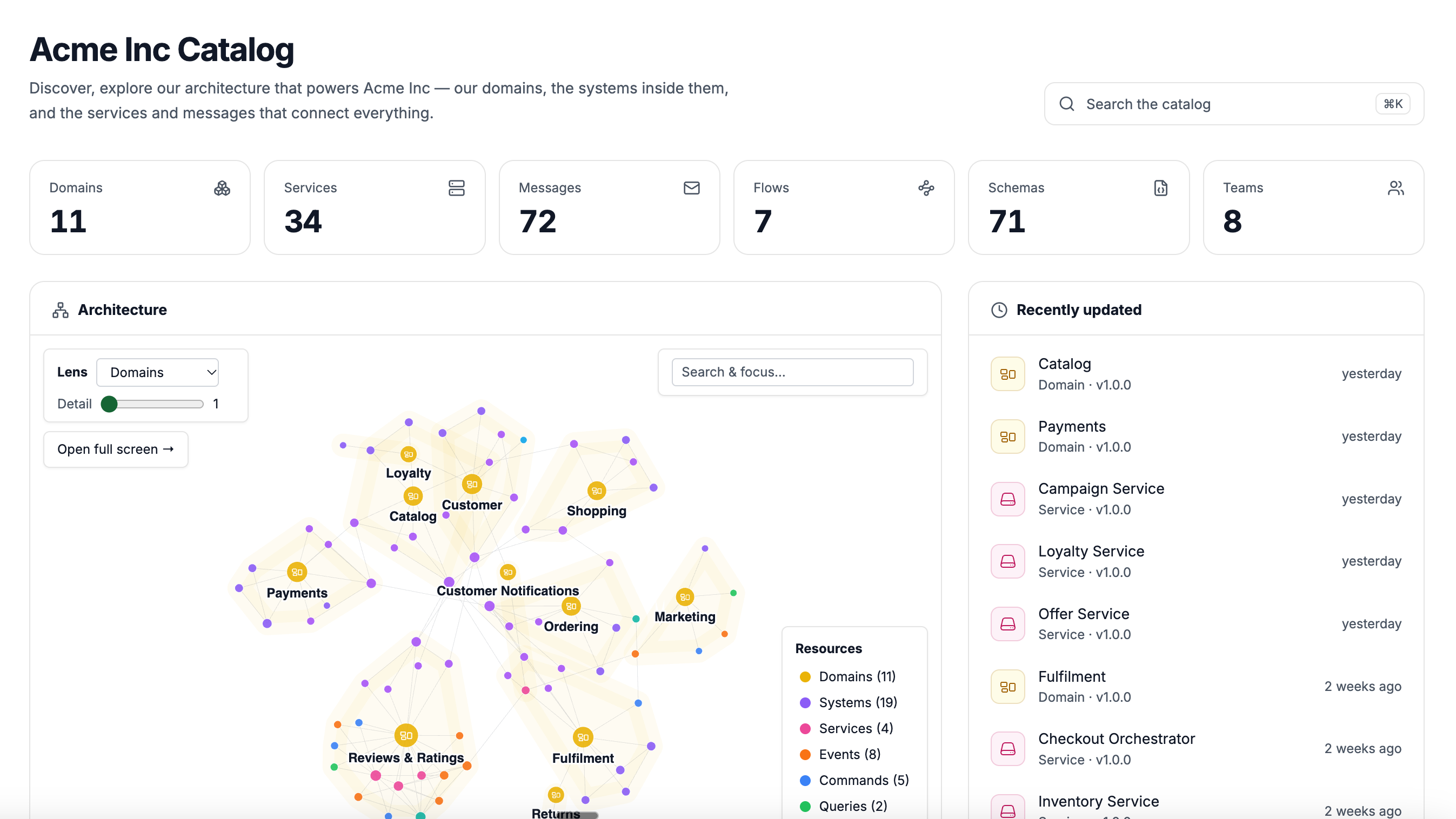
The homepage shows a Recently updated list. Resources, message schemas and specifications each get their own row, so you can see a schema change even when the message page did not change.
When the architecture graph is on, the list sits beside it on wide screens (as in the screenshot above). Each row shows the resource type and version, and how long ago it changed. Hover over the time to see the full date.
Before 5.12.0, the homepage showed the recently updated list whenever the architecture graph was turned off. The list now needs lastUpdated.enabled.
When no date is shown
EventCatalog shows no date rather than a wrong one. Dates are left out when:
- git is not installed where the catalog is built
- the catalog is not in a git repository
- the repository is a shallow clone
- the file has not been committed yet
When this happens, the build prints one warning that says why, for example:
[EventCatalog] lastUpdated is on, but the catalog is not in a git repository. Pages show no last updated date.
Build from a full clone
In a shallow clone, the oldest commit lists every file as added. Every page would look like it changed on that day, so EventCatalog does not show dates.
Many CI systems and hosting platforms clone shallow by default. Build from a full clone instead:
GitHub Actions: set fetch-depth: 0 on actions/checkout.
- uses: actions/checkout@v4
  with:
    fetch-depth: 0
Vercel: set the environment variable VERCEL_DEEP_CLONE=true.
Docker: if you build the catalog inside a Docker image, the build stage needs git installed and the repository's .git folder (check it is not in your .dockerignore).