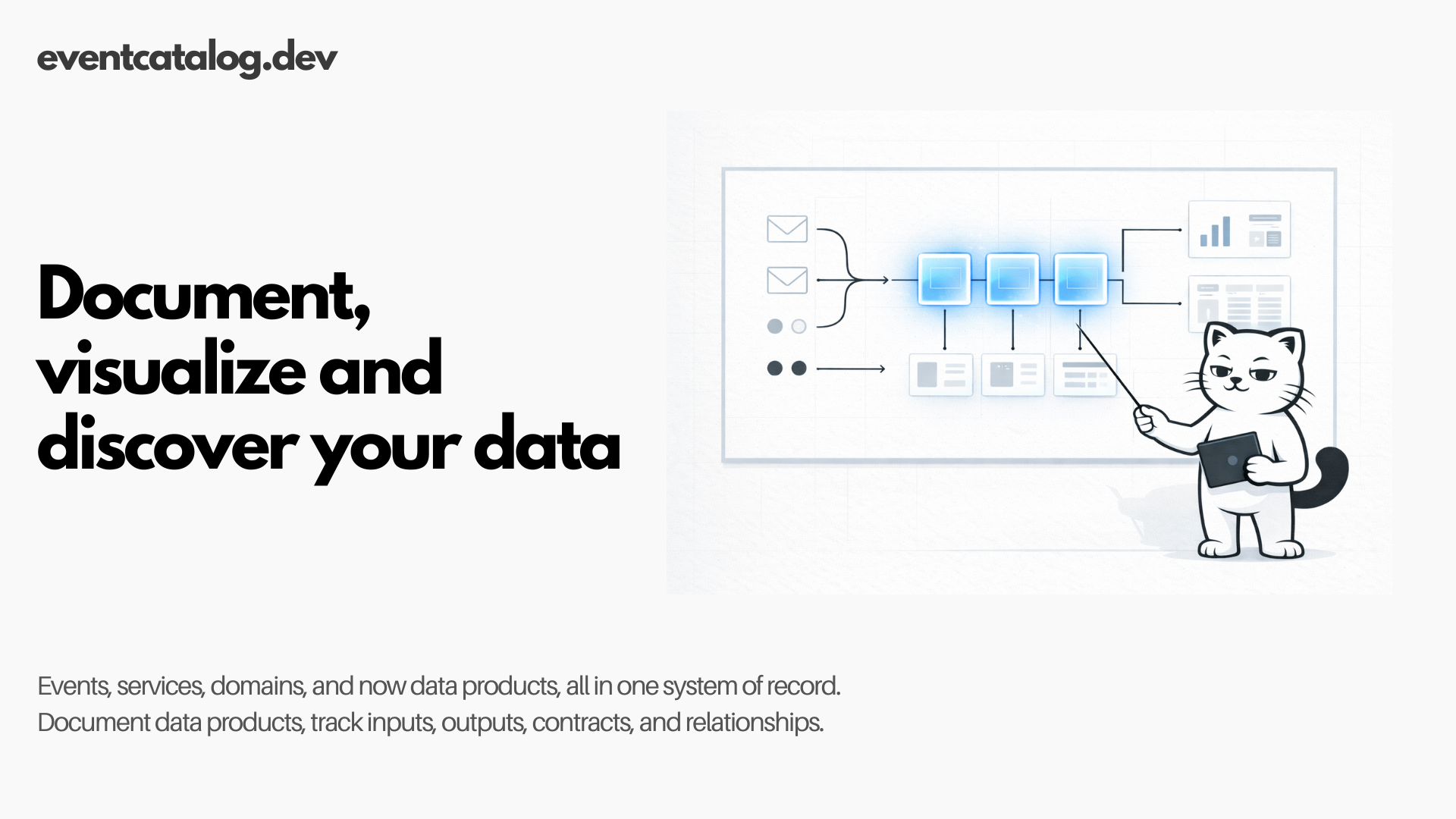
Data products join EventCatalog as a first-class resource type with inputs, outputs, contracts, and full integration with your existing architecture.
I'm excited to share that EventCatalog 3.8.0 introduces data products as a first-class resource type.
If your organization is building a data mesh or transforming raw events into analytics-ready tables, you can now document those data products directly in your catalog alongside your events, services, and domains.
Data products are now discoverable, versioned, and queryable through the same tools you use for the rest of your architecture.
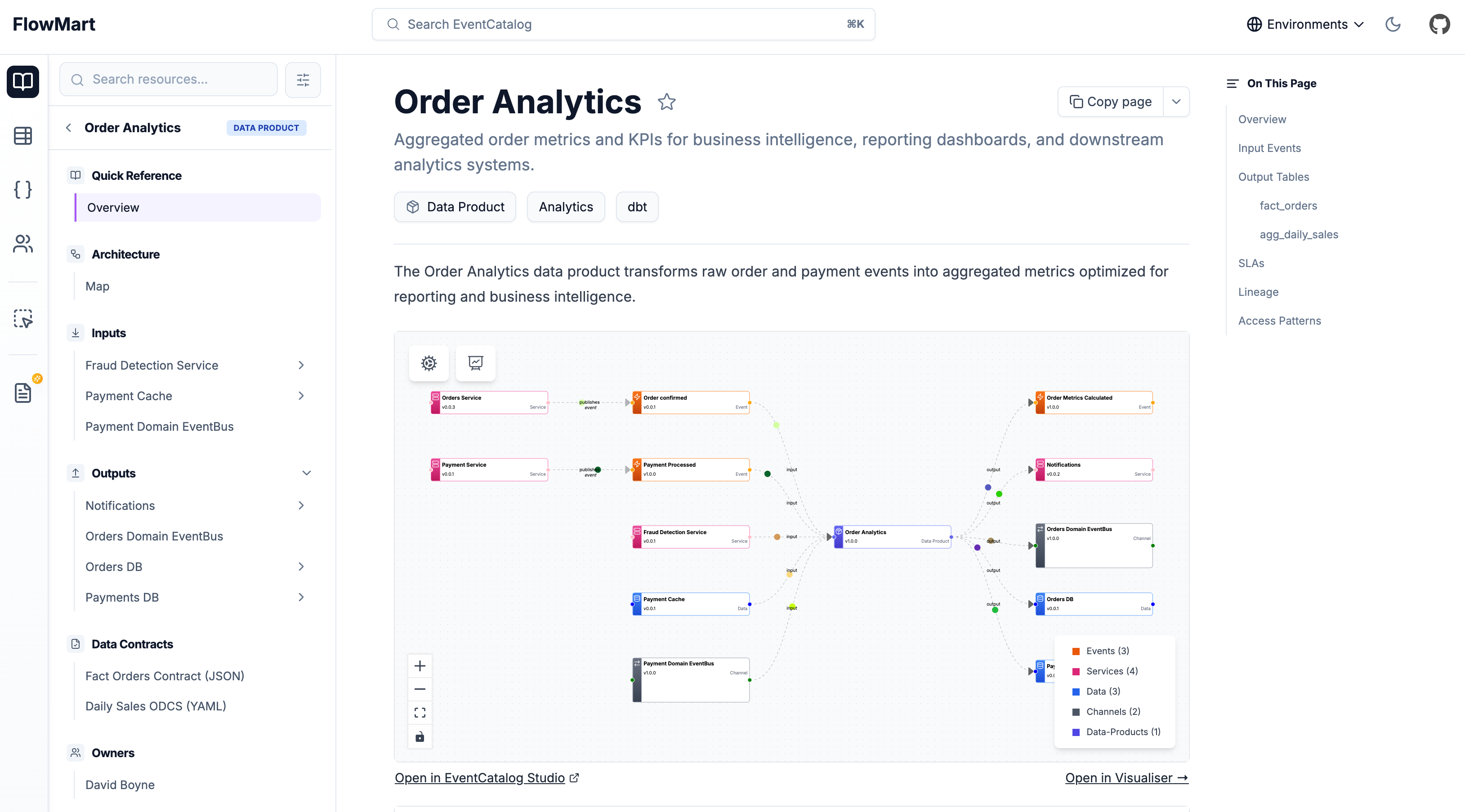
You can now document how your events impact the data systems downstream, visualize the complete lineage, and understand the bigger picture between your event-driven architecture and your data platforms.
For teams running data platforms, this means your analysts, architects, and engineers can find the metrics they need without hunting through Slack channels or outdated wikis. They also gain visibility into where their data comes from and how it flows through the system.
Why data products matter
Your event-driven systems generate thousands of events daily. OrderConfirmed, PaymentProcessed, ShipmentDelivered. But business stakeholders don't ask "How many OrderConfirmed events fired yesterday?" They ask "What was our revenue?" or "What's our fulfillment rate?"
Data products bridge that gap. They transform raw events into business-ready metrics. They're the aggregated sales dashboards, the fulfillment KPI tables, the customer segmentation datasets that power decisions.
In a data mesh architecture, each domain owns its data products. The orders domain produces order analytics. The payments domain produces payment metrics. Just like services in a microservices architecture, data products are independently owned, versioned, and evolved.
What EventCatalog data products give you
EventCatalog treats data products the same way it treats events and services. Full versioning, ownership tracking, and relationship mapping.
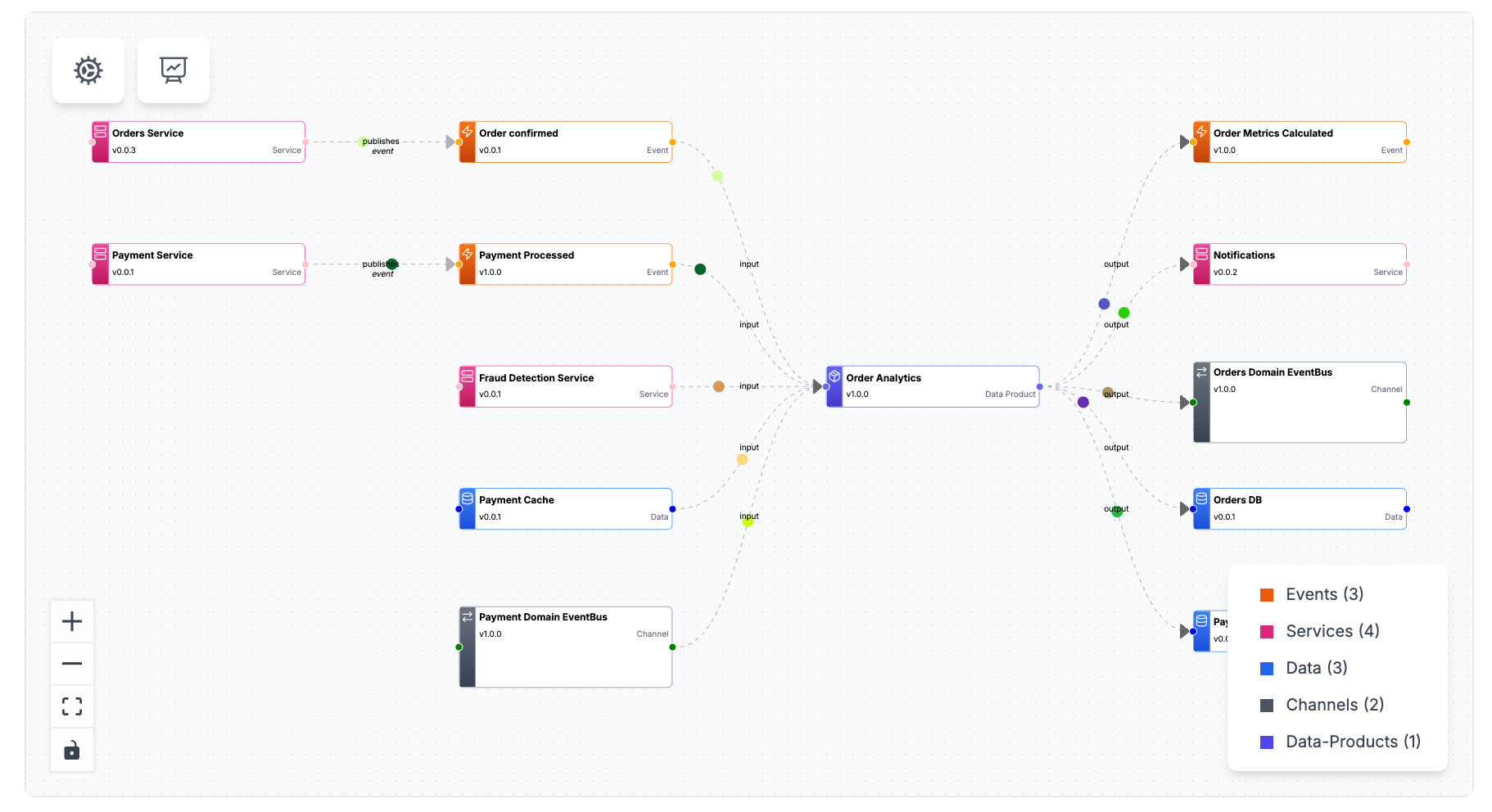
Inputs and Outputs: Document what goes into a data product and what comes out. Your order analytics data product might consume OrderConfirmed and PaymentProcessed events or an ETL pipeline, then output to a Snowflake table and an analytics service.
Contracts: Attach any data contract to your outputs (e.g JSON Schema, ODCS YAML, etc). Your downstream consumers can see exactly what fields, types, and SLAs they're working with. The Schema Explorer renders these contracts inline.
Versioning: Data products evolve. When you add a new metric or change an aggregation, you version it. The catalog tracks all versions and highlights the latest.
Ownership: Assign teams and users as owners. When someone has questions about payment metrics, they know who to contact.
Relationships: Data products connect to the rest of your architecture. They consume events from services, write to containers (databases, data warehouses), and may even produce new events. The node graph visualizes these connections.
Integration With Existing Features
Data products aren't isolated. They integrate with everything EventCatalog already offers.
Domains: Nest data products inside domains and subdomains.
Sidebar Navigation: Data products appear in the sidebar under their domain, just like services and events.
Discover Page: Filter, search, and browse data products across your entire catalog. Sort by domain, owner, or version.
Node Graphs: The visualizer shows inputs flowing into data products and outputs flowing to consumers. If a data product consumes an event produced by a service, the graph renders that relationship.
AI Chat: Ask your catalog "Which data products consume OrderConfirmed?" or "Show me all payment metrics." The AI understands data products as a resource type.
MCP Server: Query data products programmatically through the MCP Server. Your architects can ask Claude Desktop, Cursor, or Windsurf about data product schemas and relationships.
Schema Explorer: Attach any data contract to your outputs (e.g JSON Schema, ODCS YAML, etc). The Schema Explorer renders them with syntax highlighting and field-level details. Click a field to see its type, description, and validation rules.
SDK Support
The EventCatalog SDK includes full support for data products. You can create, update, and manage them programmatically.
import { writeDataProduct } from '@eventcatalog/sdk';

await writeDataProduct({
  id: 'order-analytics',
  name: 'Order Analytics',
  version: '1.0.0',
  inputs: [
    { id: 'OrderConfirmed' },
    { id: 'PaymentProcessed' }
  ],
  outputs: [
    {
      id: 'orders-db',
      contract: {
        path: 'fact-orders-contract.json',
        name: 'Fact Orders Contract',
        type: 'json-schema'
      }
    }
  ],
  markdown: 'Your markdown content...'
});
This makes it easy to generate data products from your existing data platform metadata or automate documentation as part of your CI/CD pipeline.
Getting Started
Data products are available in EventCatalog 3.8.0.
Create a data-products directory in your catalog, add an index.mdx file, and start documenting. The structure mirrors events and services. You can nest them in domains or place them at the root.
Read the data products documentation for full configuration options, schema contract formats, and node graph customization.
Beta status and feedback welcome
Data products are in beta. The core features work. Inputs, outputs, contracts, versioning, node graphs, SDK support. But we want your feedback before we finalize the API.
If you're building data products, try this out. Tell us what's missing, what's confusing, what could be better. We're particularly interested in feedback on contract formats, visualization preferences, and workflow integration.
Join the Discord to share your thoughts or open an issue on GitHub with suggestions.
Data products are how you turn events into insights. Now they're documented alongside the rest of your architecture.