EventCatalog 3.28.1 lets you set a custom icon on any resource. One field in frontmatter and your visualiser goes from generic coloured boxes to a diagram that tells the real story of your stack.
EventCatalog 3.28.1 adds custom icons to every resource type. Set styles.icon in any frontmatter and that icon appears across your entire catalog: visualiser nodes, sidebar navigation, documentation headers, and search results.
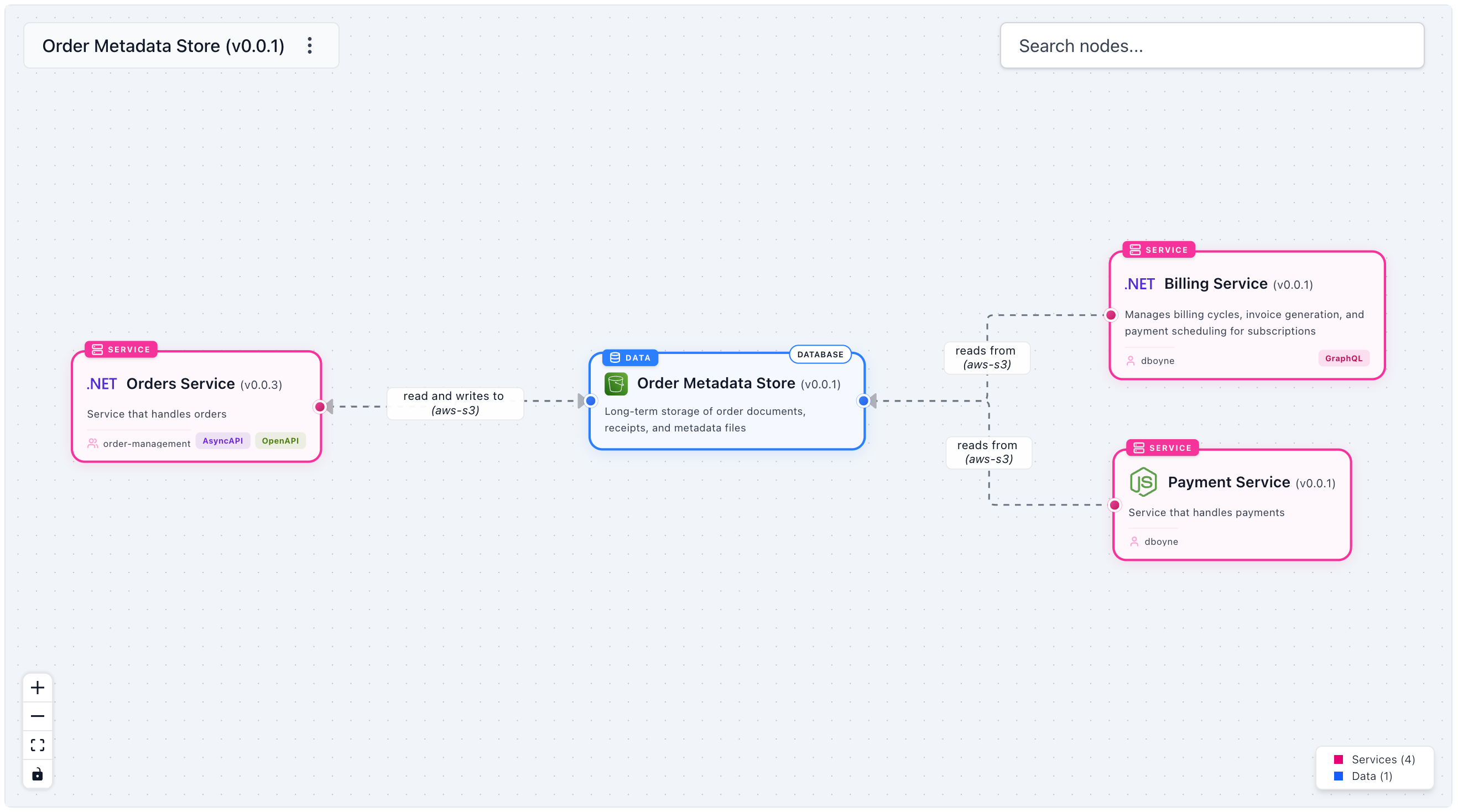 Custom icons on visualiser nodes — each node communicates the actual technology, not just its resource type
Why icons matter
A visualiser full of generic coloured boxes tells you what kind of thing each node is: service, channel, event. It doesn't tell you what it actually is. Add a Postgres icon, a Kafka icon, and a Stripe logo and the same diagram communicates the shape of your system at a glance. Your team sees "the Kafka pipeline into Snowflake" instead of "a channel connected to a data product".
Icons are optional, but they change how quickly people read a diagram. The difference between a diagram that needs a legend and one that's self-explanatory is often just a handful of recognizable logos.
How it works
Add styles.icon to any resource's frontmatter. The value is either a path under your catalog's public/ folder or an absolute URL:
---
id: OrdersService
name: Orders Service
version: 0.0.1
styles:
  icon: /icons/languages/dotnet.svg
---
Drop your SVG, PNG, or WEBP files into the public/ folder and reference them by path. For brand logos you don't want to download and host yourself, point straight at a URL instead:
---
id: PaymentService
name: Payment Service
version: 0.0.1
styles:
  icon: https://cdn.simpleicons.org/stripe
---
The same styles.icon field works on events, commands, queries, services, channels, containers, and data products.
Simple Icons CDN
Simple Icons provides SVG logos for over 3,000 brands, served directly from a CDN. No account, no download, no hosting required. The URL pattern is https://cdn.simpleicons.org/{slug} where slug is the lowercase brand name. It's the fastest way to add recognizable logos to third-party services like Stripe, Kafka, Snowflake, or Postgres.
Beyond the visualiser
The icon doesn't just appear on visualiser nodes. It shows up everywhere a resource is referenced inside EventCatalog.
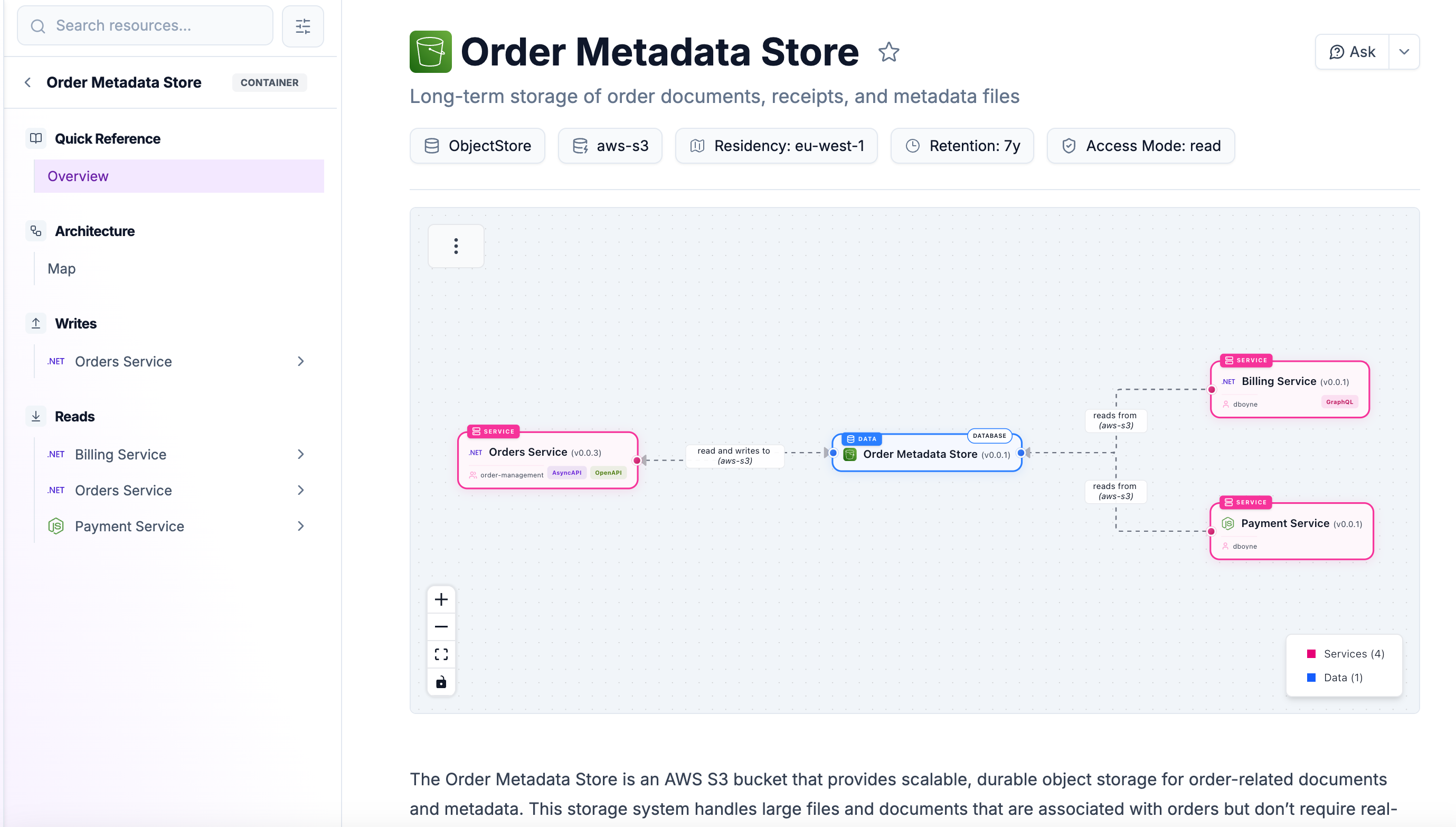 The same icon appears in the sidebar, the documentation page header, and the search modal — not just the visualiser
Set an icon once and it propagates to the sidebar navigation, the documentation page title, and the header search modal. That consistency matters when you have a large catalog where people navigate between resources frequently.
Default icons out of the box
Even if you don't set any custom icons, the catalog now looks more consistent. EventCatalog 3.28.1 ships sensible default Lucide icons per collection: bolt for events, chat for commands, search for queries, server for services, arrows for channels, database for containers, and package for data products. Resources that previously showed no icon now have one automatically.
Getting started
Add styles.icon to any resource frontmatter and restart your catalog. The services guide covers the custom icon option in full detail, and the same section exists on every resource type's documentation page.
As always, questions and feedback are welcome on Discord or on GitHub.