A new externalSystem flag lets you mark services like Stripe, Twilio, or Snowflake as third-party dependencies. They get their own colour, their own sidebar section, and their own tab in discover.
EventCatalog 3.28.0 adds a small but useful flag to services: externalSystem: true. Set it on any service (like Stripe, Twilio, or Snowflake) and EventCatalog will treat it as a third-party dependency rather than something your team owns.
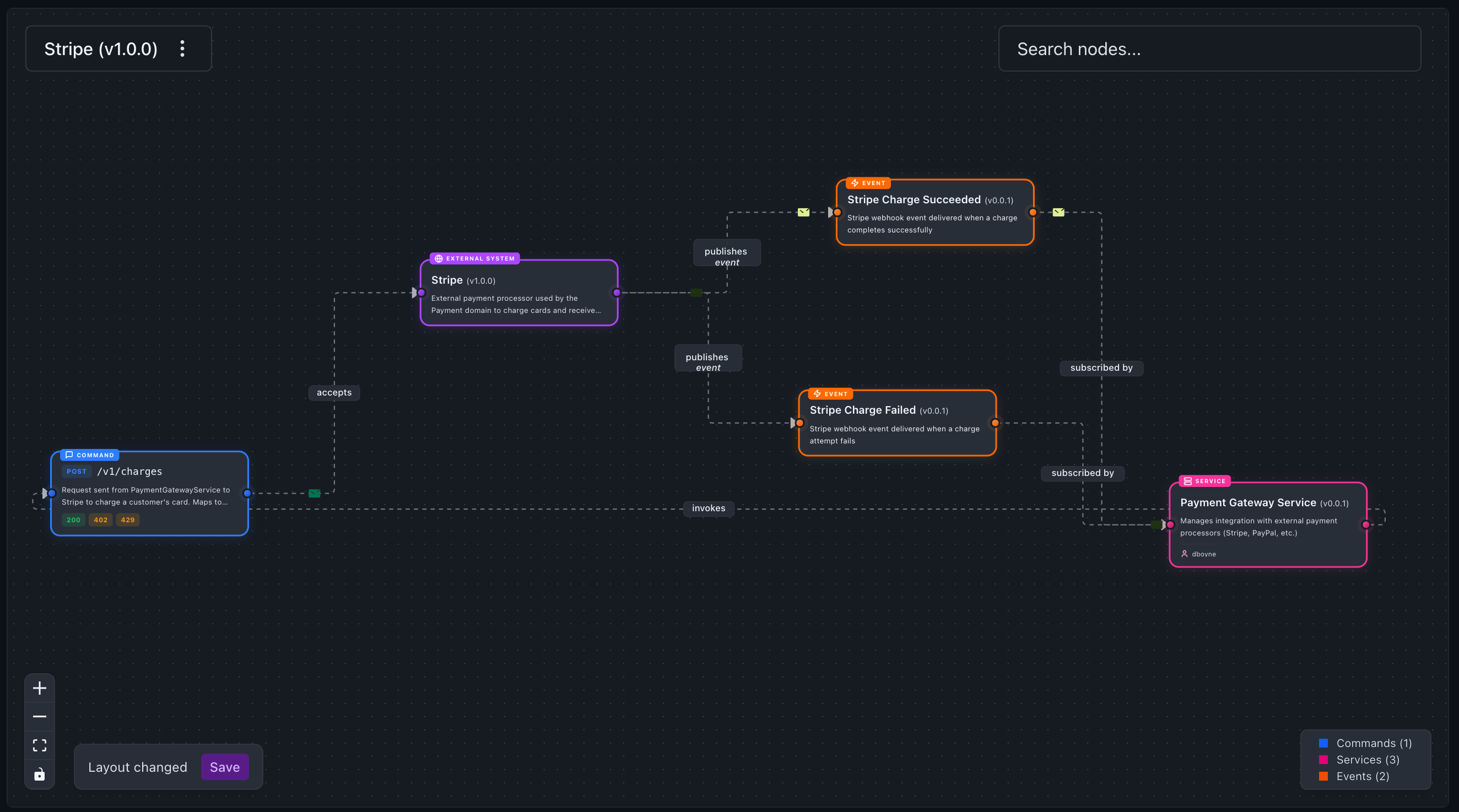 Stripe modelled as an external system, sending and receiving messages just like any other service
Why add this?
Most production systems depend on third parties. You call Stripe to charge cards. You call Twilio to send SMS. You stream events into Snowflake for analytics.
Before this release you had two options, and neither was great. You could model Stripe as a regular service, but then it looked identical to your own services on the visualiser, which made it hard to see where your system actually ends and a third party begins. Or you could leave third parties out of your catalog entirely, which meant the integration contracts lived in wikis, Slack threads, and engineers' heads.
Now there is a third option.
What changes
External systems are still services. They share the whole services schema; they can send and receive messages, have owners, have specifications, have versions, appear in flows. Nothing about that changes.
What the flag changes is how they're presented:
- On the visualiser they render purple with a Globe icon and an "External System" badge, so you can see at a glance which parts of your architecture you don't own.
- In the sidebar they get their own "External Systems" section at the root, and an "External Integrations" group inside each domain, separate from your own services.
- On the discover page there's a new "External Systems" tab alongside "Services", so you can inventory every third-party dependency in one place.
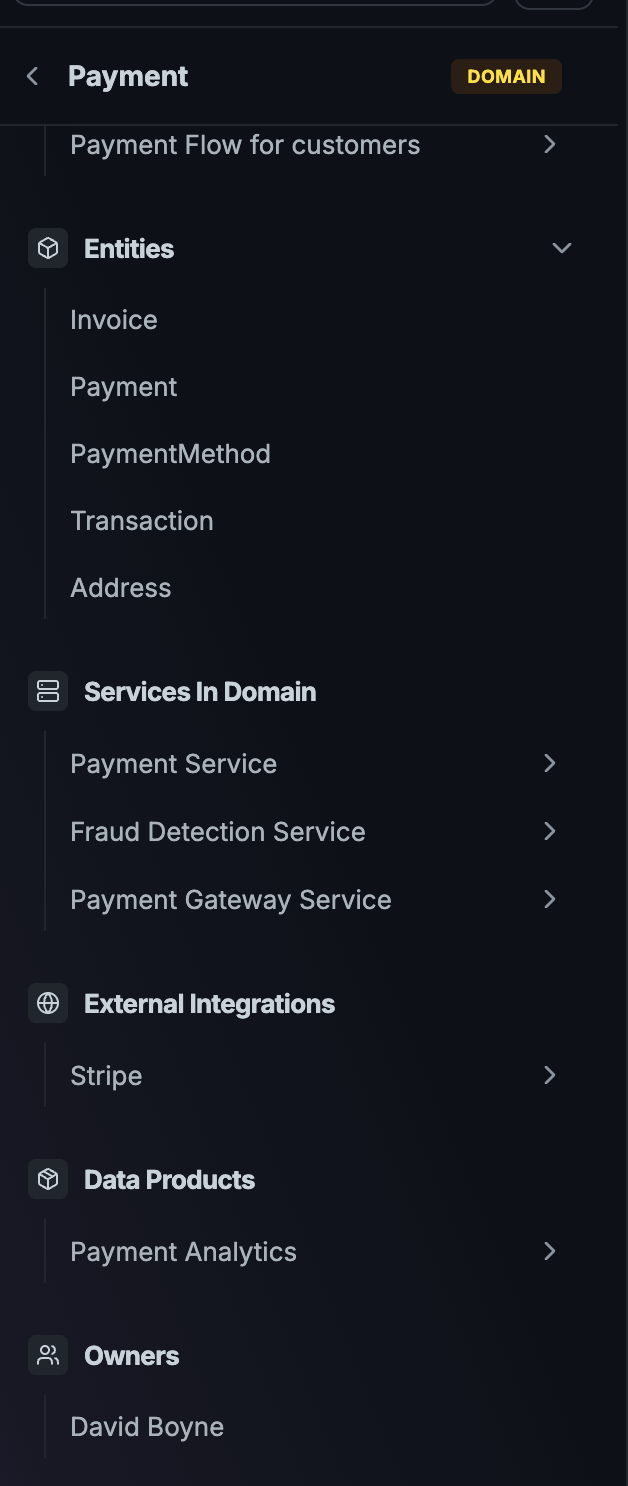 Inside the Payment domain, Stripe sits under "External Integrations", separate from the services your team owns
How to use it
Add externalSystem: true to a service's frontmatter. That's it. Here's a minimal Stripe example:
---
id: Stripe
name: Stripe
version: 1.0.0
summary: External payment processor used to charge customer cards.
externalSystem: true
receives:
  - id: ChargeCard
    version: 0.0.1
sends:
  - id: StripeChargeSucceeded
    version: 0.0.1
  - id: StripeChargeFailed
    version: 0.0.1
---
Because external systems send and receive messages like any other service, the service that talks to Stripe just mirrors it. In this case PaymentGatewayService sends the ChargeCard command and receives the two webhook events back:
---
id: PaymentGatewayService
name: Payment Gateway Service
version: 1.0.0
sends:
  - id: ChargeCard
    version: 0.0.1
receives:
  - id: StripeChargeSucceeded
    version: 0.0.1
  - id: StripeChargeFailed
    version: 0.0.1
---
That's your entire Stripe integration documented, and it shows up on the visualiser as a complete round trip. No manual diagrams to keep in sync.
Stripe on the visualiser as a purple external system, with the full integration contract to PaymentGatewayService visibleGetting started
If you already have a service in your catalog that represents a third-party system, just add externalSystem: true to its frontmatter and restart your catalog. The sidebar and visualiser pick up the change automatically.
If you're starting from scratch, the creating an external system guide walks through the full Stripe example. For a refresher on how services work, see the services introduction.
As always, questions and feedback are welcome on Discord or on GitHub.