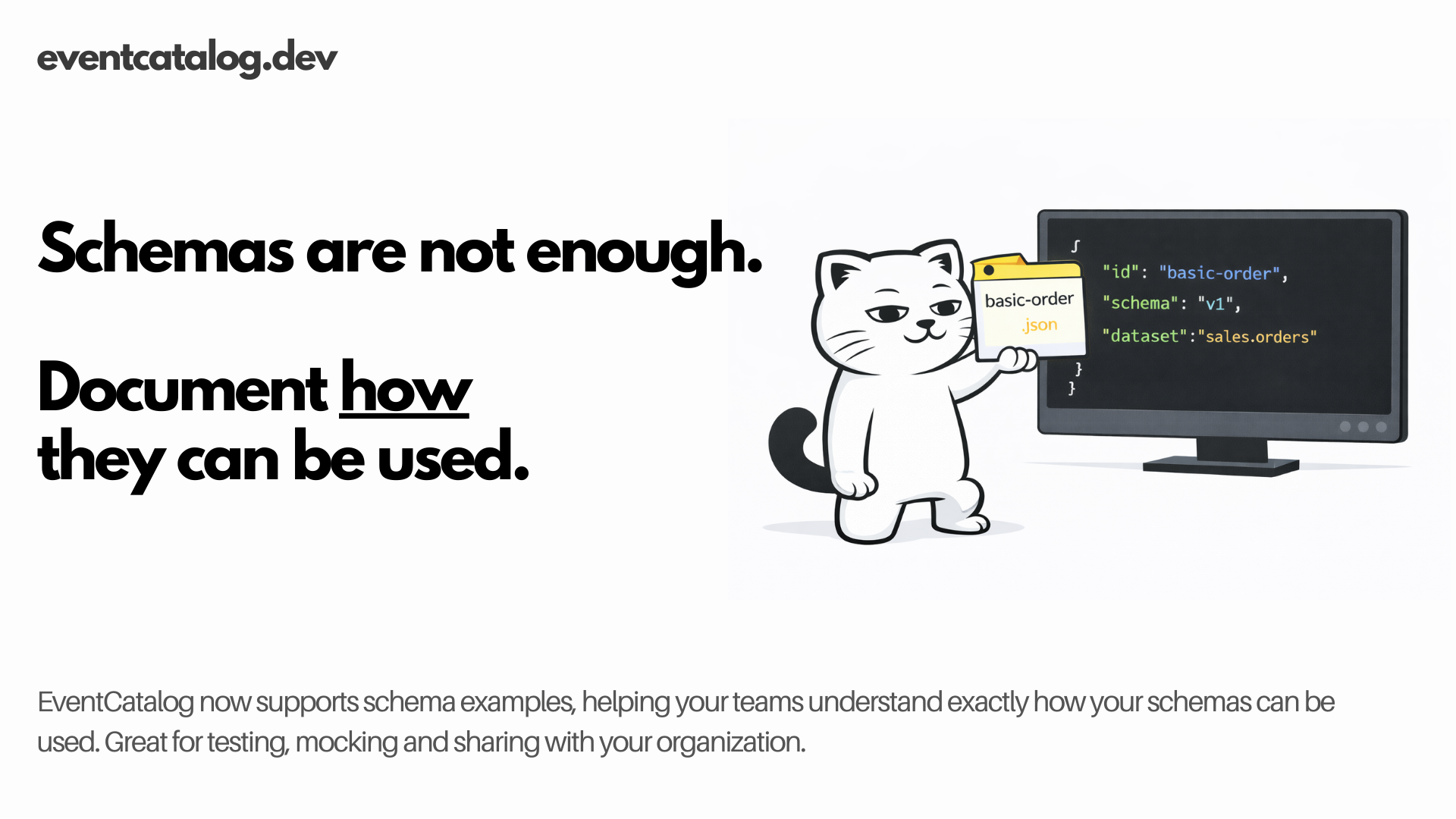
Message Usage Examples lets you ship real payload samples alongside your events, commands, and queries so your team never has to guess what an OrderCreated event actually looks like in production.
A schema tells you the shape of a message. An example shows you how it can be used.
Schemas are necessary. Examples are what people actually reach for when they're writing a consumer, debugging a failed event, or onboarding to a service they've never touched.
EventCatalog now supports the ability to add any amount of examples with your schemas, helping your teams understand exactly how your messages are used in your architecture.
Schemas are not enough
You've documented your OrderCreated event. It has a schema. It has properties. It has owners. But when a new team member sits down to write a consumer, or when an incident is in progress and someone needs to understand what that event carries, the schema only goes so far.
They need a real example. Not a synthetic one from a property table. An actual payload that reflects how the message looks for a basic order, an international order, a failed payment, a retry.
That context lives in someone's head, a Slack thread, or a test fixture buried in a repo. It is not in the catalog.
Introducing Message Examples
Message Examples lets you place real payload files alongside any event, command, or query in your catalog. Those files appear in the Schema Explorer under a new Usage Examples tab, with syntax-highlighted viewing, a copy button, and optional metadata for each example.
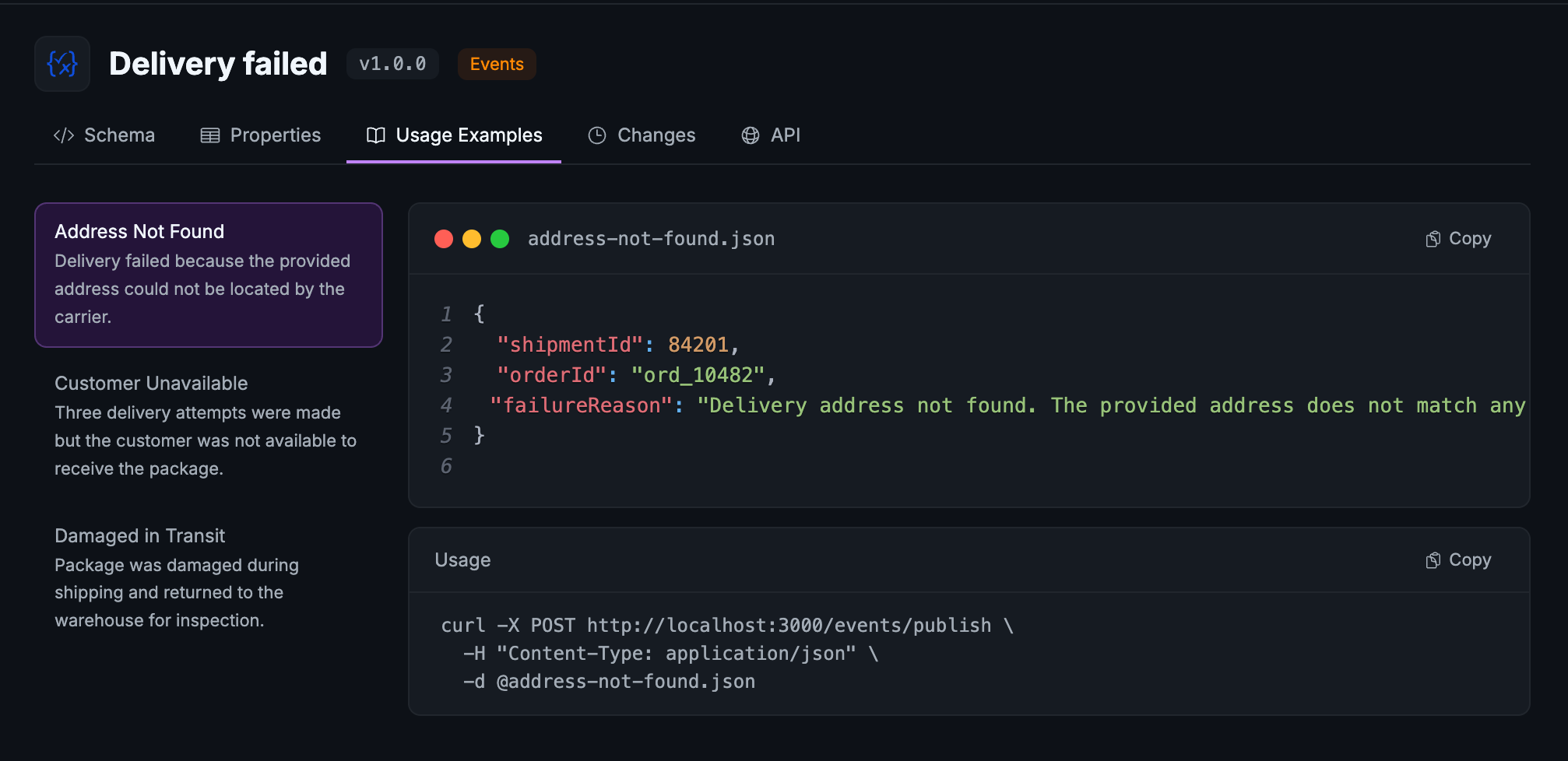
Drop in JSON, YAML, XML, Protobuf, or any other format your messages use. EventCatalog renders them with syntax highlighting automatically.
When you'd use it
If your team onboards new engineers who need to understand what real payloads look like, this is for you. If you've ever pasted a sample event into Slack to help someone debug, this is where it should live instead. If you have multiple scenarios that your messages cover (a standard order, an international order, a partial refund) and those distinctions matter to consumers, this gives you a structured place to document each one.
How it works
Create an examples/ directory inside any event, command, or query directory and add your payload files there:
events/
  OrderCreated/
    index.mdx
    schema.json
    examples/
      basic-order.json
      international-order.json
That's the minimum. EventCatalog picks up any files in that directory and displays them in the Schema Explorer under the Usage Examples tab, using the filename as the title.
Adding rich metadata with examples.config.yaml
For production use, you'll want to add context to each example. Create an examples.config.yaml file in the same directory:
basic-order.json:
  name: Basic Order
  summary: A simple domestic order with a single item.
  usage: |
    curl -X POST http://localhost:3000/events/publish \
      -H "Content-Type: application/json" \
      -d @basic-order.json

international-order.json:
  name: International Order
  summary: An order with international shipping and customs information.
The name field overrides the filename as the display title. The summary field appears in the examples list so your team can pick the right one at a glance. The usage field shows how to send or trigger the example, with its own copy button in the UI.
Everything in the config is optional. Files without a config entry still appear using their filename as the title.
The config supports .yaml, .yml, and .json formats if you prefer JSON. Nested folders are supported and displayed flat.
Schema Explorer tab changes
The Schema Explorer tabs have been renamed to make the new tab fit naturally alongside the others:
| Before | After |
|---|---|
| Code | Schema |
| Schema | Properties |
| (new) | Usage Examples |
| Diff | Changes |
| API | API |
SDK support
If you generate catalog content programmatically, the EventCatalog SDK has new methods for managing examples:
import { addExampleToEvent, getExamplesFromEvent, removeExampleFromEvent } from '@eventcatalog/sdk';

// Add an example to a versioned event
await addExampleToEvent('OrderCreated', {
  fileName: 'basic-order.json',
  content: JSON.stringify({ orderId: 'ord_123', total: 49.99 }, null, 2),
}, '1.0.0');

// Retrieve all examples for an event
const examples = await getExamplesFromEvent('OrderCreated', '1.0.0');

// Remove an example
await removeExampleFromEvent('OrderCreated', 'basic-order.json', '1.0.0');
The same methods are available for commands (addExampleToCommand, getExamplesFromCommand, removeExampleFromCommand) and queries.
Getting started
Upgrade to EventCatalog 3.22.1, then add an examples/ directory to any message. A single JSON file is all you need to see the Usage Examples tab appear in the Schema Explorer. Add an examples.config.yaml when you want to add names, summaries, and usage snippets.
Summary
Message Usage Examples closes the gap between what the schema says and what the message actually looks like. Real payloads, organized by scenario, with the context your team needs to use them.
Check the documentation for the full configuration reference. If you have questions or feedback, join us in Discord or open an issue on GitHub.