Message examples
eventcatalog@3.22.1EventCatalog lets you attach example payloads to any message (event, command, or query). This can help your team understand exactly how your schemas can be used in your architecture and provide them with real examples.
Examples appear in the Schema Explorer under a Usage Examples tab alongside the schema, properties, and changelog tabs.
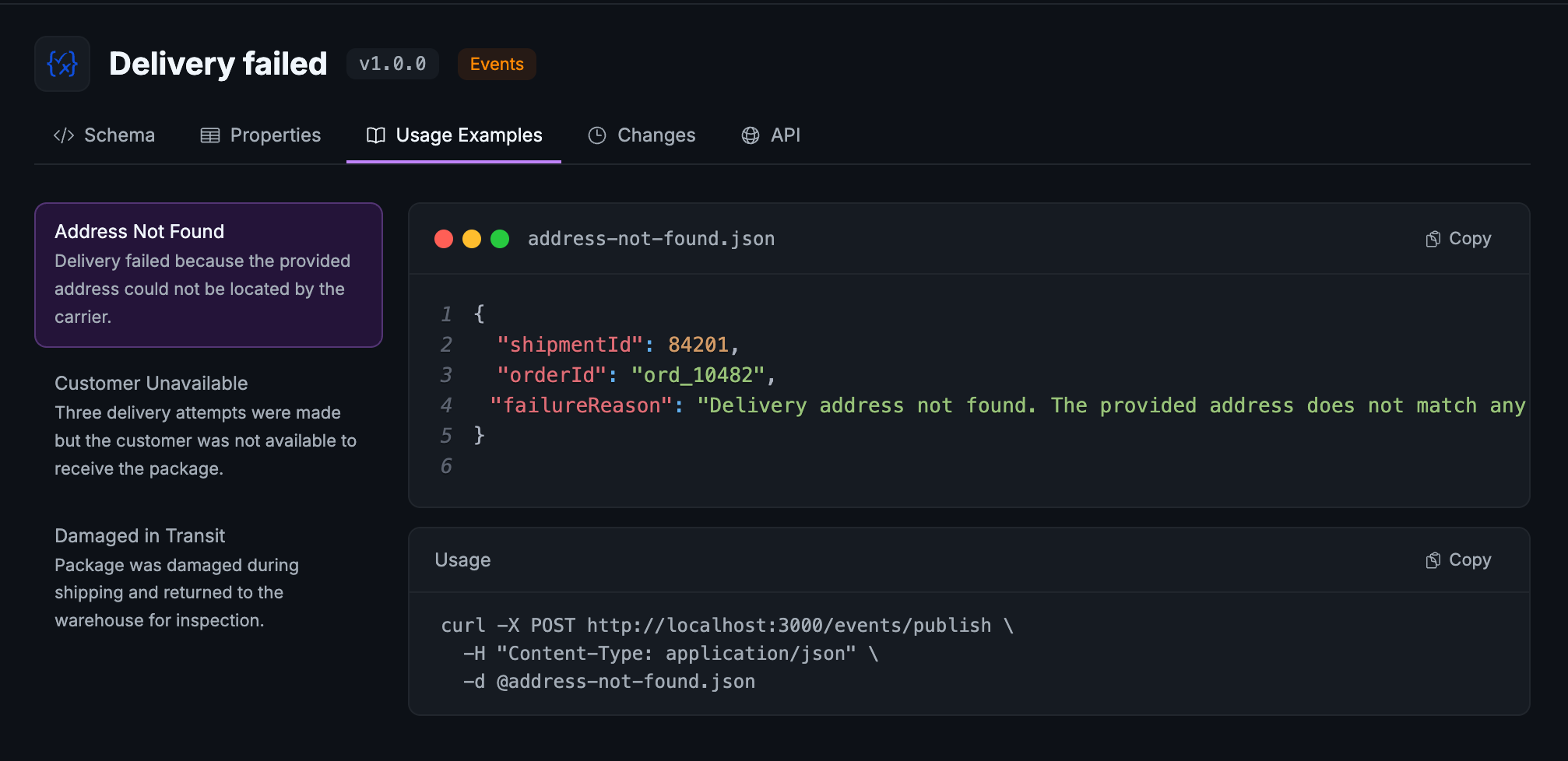
Add examples
Create an examples/ folder inside your message directory and drop in any example files. EventCatalog supports any text-based format: JSON, YAML, XML, Protobuf, and more.
events/
  OrderCreated/
    index.mdx
    schema.json
    examples/
      basic-order.json
      international-order.json
The Usage Examples tab appears automatically when at least one example file is present. No frontmatter changes are required.
Organise with subfolders
You can use nested folders to group related examples. EventCatalog displays all files in a flat list regardless of folder depth.
examples/
  domestic/
    basic-order.json
  international/
    eu-order.json
    apac-order.json
Add metadata
Place an examples.config.yaml (or .yml or .json) file inside the examples/ folder to add a display name, summary, and usage snippet to each example.
basic-order.json:
  name: Basic Order
  summary: A simple domestic order with a single item.
  usage: |
    curl -X POST http://localhost:3000/events/publish \
      -H "Content-Type: application/json" \
      -d @basic-order.json

international-order.json:
  name: International Order
  summary: An order with international shipping and customs information.
All fields are optional. When name is omitted, EventCatalog uses the filename without its extension as the title.
| Field | Type | Description |
|---|---|---|
name | string | Display name shown in the examples list |
summary | string | Short description shown below the name |
usage | string | How-to-run snippet shown below the code block |
Use the SDK
You can manage examples programmatically using the EventCatalog SDK.
import { addExampleToEvent, getExamplesFromEvent, removeExampleFromEvent } from '@eventcatalog/sdk';

// Add an example
await addExampleToEvent('OrderCreated', '1.0.0', {
  fileName: 'basic-order.json',
  content: JSON.stringify({ orderId: '123', total: 49.99 }, null, 2),
});

// Read all examples
const examples = await getExamplesFromEvent('OrderCreated', '1.0.0');

// Remove an example
await removeExampleFromEvent('OrderCreated', '1.0.0', 'basic-order.json');
Equivalent functions exist for commands (addExampleToCommand, getExamplesFromCommand, removeExampleFromCommand) and queries (addExampleToQuery, getExamplesFromQuery, removeExampleFromQuery).