The new flow-wizard skill lets you describe a business workflow in plain language while your AI agent builds the flow and wires it to your existing catalog resources.
Flows are one of the most popular resources documented in EventCatalog. They let you document end-to-end business workflows in your architecture, giving you and your team the bigger picture of how everything connects together.
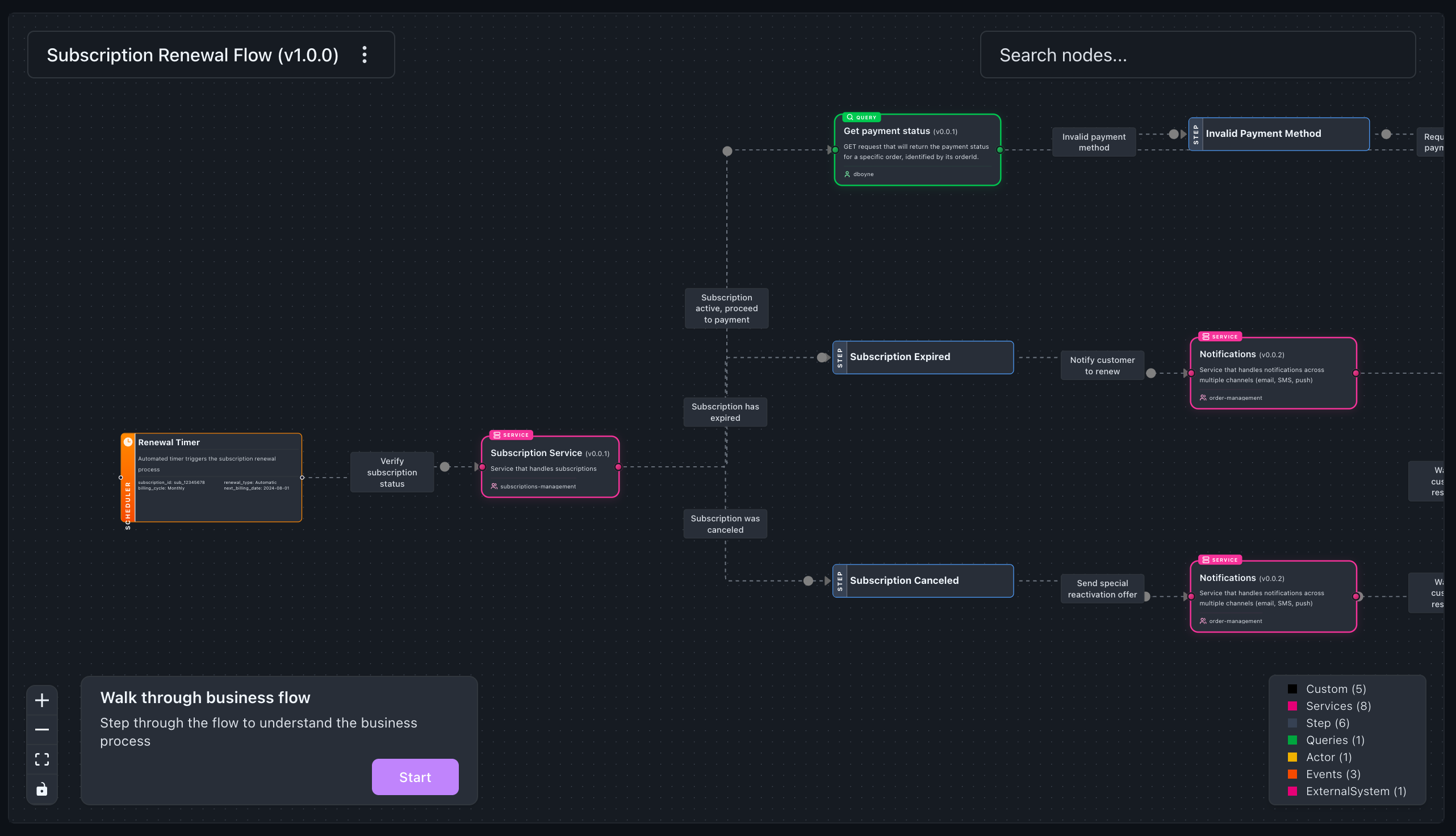
Today, creating a flow means writing a YAML file by hand. We wanted to make that easier. The new flow-wizard skill lets you describe your workflow in plain language, and your AI agent builds the flow for you.
The problem with flows today
Everyone on the team knows the workflow. They can describe it in a sentence: "customer places an order, we validate payment, notify the warehouse, and send a confirmation." That part is easy.
The hard part is sitting down and turning that into a properly structured flow file. You need to know the YAML format, the right node types, and the correct IDs and versions for every service and message you reference. It takes time, and it breaks easily if you get a detail wrong.
What's new
flow-wizard is a new skill for AI coding agents that support the skills format, such as Claude Code. It turns flow creation into a guided session where you describe the business workflow in plain language and the agent builds it with you.
The agent locates your EventCatalog project, scans the resources you already have, and asks what flow you want to document. It breaks the workflow into sections, walks through each stage one at a time, and suggests the right node types based on what you describe.
As you talk through the workflow, the skill cross-references your catalog. When it finds an existing service, event, command, or query, it uses the exact id and version. When it does not, it creates a sensible placeholder so you can keep moving.
When you'd use it
Whether you're a product owner, architect, or developer, if you can describe a business workflow you can now document it. You don't need to know the YAML format or the flow file structure. Checkout flows, onboarding journeys, payment retries, ticket triage, order fulfilment, approval paths all fit well here.
It is particularly useful when you want to capture the bigger picture, not just one message or one service. The wizard helps you connect the people, systems, and messages involved across the whole workflow. It also handles branching: describe success and failure paths, or parallel work after a step, and the wizard confirms those paths before generating the correct structure.
How it works
Install the skill into your project:
npx skills add event-catalog/skills --skill flow-wizard
Then open your agent and describe what you want to document:
Use the flow-wizard skill to help me document our checkout flow.
The agent guides the session from there. It asks where your catalog lives, scans your resources, proposes sections, confirms each section before moving on, and summarizes the full workflow before writing anything to disk.
If you already have the EventCatalog MCP server connected, the agent queries your catalog directly. If you do not, it works by scanning the catalog folders locally.
Here is the kind of output the wizard produces:
steps:
  - id: "customer_submits_order"
    title: "Customer Submits Order"
    actor:
      name: "Customer"
    next_step:
      id: "place_order"
      label: "Submit order"

  - id: "place_order"
    title: "Place Order"
    message:
      id: "PlaceOrder"
      version: "1.0.0"

  - id: "orders_service"
    title: "Orders Service"
    service:
      id: "OrdersService"
      version: "2.1.0"
The value is not just that the AI writes the YAML. It is that the result is grounded in the catalog you already maintain, with correct IDs, correct versions, and a structure that matches how the workflow actually runs.
Getting started
Install the skill, point your agent at your catalog, and describe the workflow you want to capture. The wizard handles the rest.
Start with the AI Skills documentation, then follow the creating a flow with AI guide for the full walkthrough.
Summary
flow-wizard turns flow documentation into a conversation. Instead of hand-writing YAML, you describe the workflow and the agent builds it step by step, cross-referenced against the catalog you already have.
That means less friction and a much better chance that important business workflows actually get documented. Read the documentation for the full setup. If you have questions or feedback, join us in Discord or open an issue on GitHub.