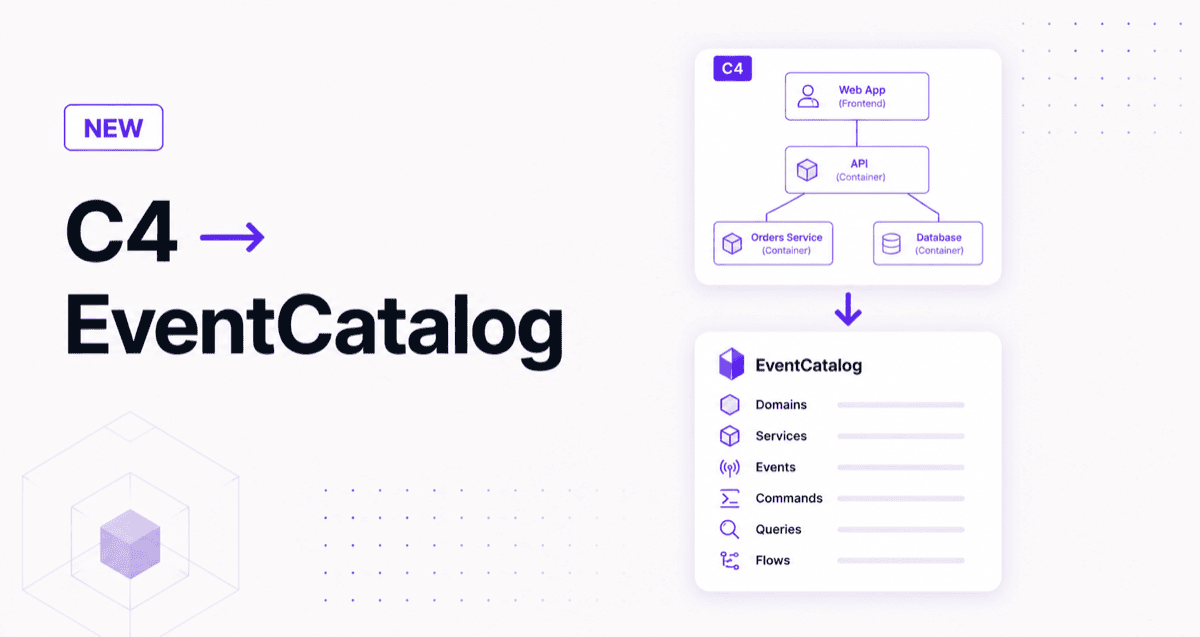
Two ways to bring C4 architecture modeling into EventCatalog: a Claude skill that converts C4 diagrams (Structurizr, C4-PlantUML, Mermaid C4) into a full event-driven catalog, and the LikeC4 component that renders interactive C4 diagrams directly inside EventCatalog pages.
Lots of teams already use C4 to model their architecture, whether that's Structurizr DSL, C4-PlantUML, Mermaid C4, LikeC4, or just markdown architecture docs. If that's you, the good news is you can bring that work straight into EventCatalog.
C4 and EventCatalog complement each other nicely. C4 gives you a clear view of your structure: systems, containers, and how they fit together. EventCatalog adds the event-driven detail on top: the events flowing between services, the schemas, who owns what, and how a business process actually runs. Today I want to show you two ways to connect the two.
There are two ways to bring C4 into EventCatalog:
- The
c4-to-eventcatalogClaude skill converts a C4 model (Structurizr, C4-PlantUML, Mermaid C4, or markdown) into a full EventCatalog: domains, services, events, commands, queries, and flows. - The
<LikeC4View />component renders interactive LikeC4 diagrams directly inside EventCatalog pages from your.c4source files (available since EventCatalog 3.47.2).
Use the skill to bootstrap a catalog from C4 you already have. Use the component to embed C4 diagrams alongside your event-driven documentation. The rest of this post explains both.
How do you convert C4 diagrams into EventCatalog?
To convert C4 diagrams into an EventCatalog, use the c4-to-eventcatalog skill. It reads your C4 model and generates a navigable, event-driven catalog from it.
It's a Claude skill (MIT-licensed) that takes your C4 model as input and generates real EventCatalog resource definitions: domains, services, events, commands, queries, channels, containers, flows, and the relationships between them.
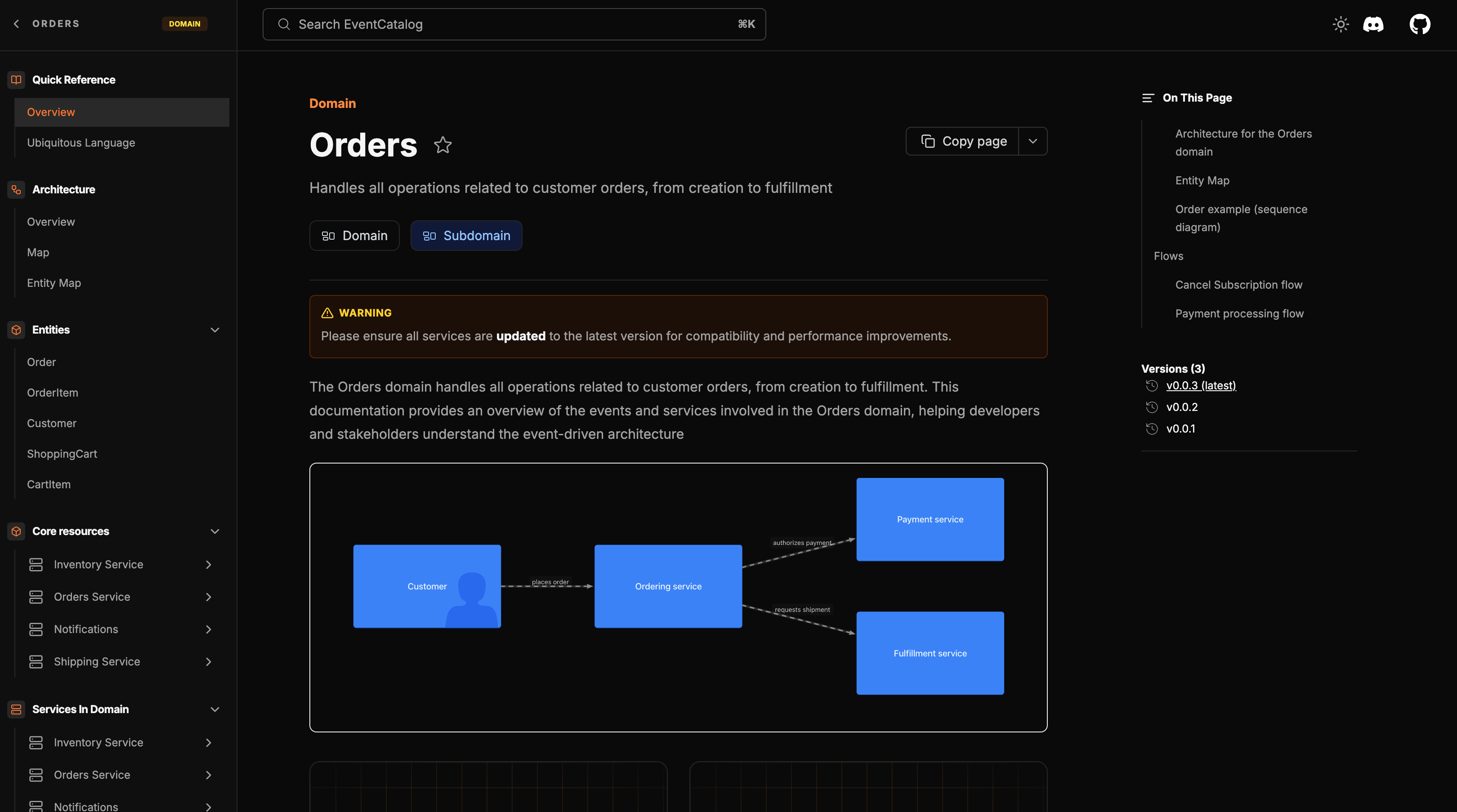 A rich, navigable domain in EventCatalog, the kind of living documentation you get on top of your C4 architecture
Which C4 formats does the skill accept?
The skill accepts six input formats:
- Structurizr DSL
- Structurizr JSON
- C4-PlantUML
- Mermaid C4
- Plain markdown architecture docs
- Diagrams or images (text-based input gives more reliable results)
If your team uses any of these formats today, you can feed it directly.
It's not a dumb box-to-resource converter
This is worth emphasising. A naive C4-to-catalog tool would create a new EventCatalog resource for every C4 element it finds. That produces fragmented, over-populated catalogs that are worse than the original.
The skill maps based on responsibility and ownership, not shape. Most C4 components become body content on the relevant service page rather than separate top-level resources. It excludes domains that would be empty, asks you one structural question at a time (with rationale) when boundaries are genuinely ambiguous, and avoids destroying content that's already in your catalog.
How does the skill work?
The skill follows a five-step workflow. It starts by auditing your existing catalog so it can preserve content and flag drift rather than overwriting what's there. Then it parses your C4 model with evidence, mapping each element to the appropriate EventCatalog resource type. Before it writes a single file, it produces a plan document (.c4-eventcatalog-plan.md) that you can review and approve. Once you're happy with the plan, it generates the files, including <NodeGraph /> visualization components so you get navigable relationship views out of the box.
The point is that you can go from a C4 diagram to a real, navigable, event-driven catalog in minutes. You're not starting from a blank page, and you're not losing the architectural intent that was already in the diagram.
When to use it
Use the skill when you want to bootstrap a full catalog from architecture you already have. It's also useful when you want to reconcile an existing catalog against a new or updated C4 model, since it flags drift rather than silently overwriting.
How do you render C4 diagrams inside EventCatalog?
To render C4 diagrams inside EventCatalog, use the <LikeC4View /> component. It embeds interactive LikeC4 diagrams directly inside your catalog pages, so your C4 diagrams stay the source of truth for high-level architecture.
LikeC4 is an excellent open-source project for modeling architecture as code and rendering interactive C4 diagrams. It deserves a look on its own merits. EventCatalog's integration with it means you can write .c4 source files and have them rendered live inside any MDX page in your catalog, no screenshots, no copy-paste drift.
Full docs are at eventcatalog.dev/docs/development/components/diagram-syntax/likec4.
How do you embed a C4 diagram in a catalog page?
EventCatalog auto-detects .c4 files in your project and loads the LikeC4 Vite plugin automatically. Once your .c4 files are in place, embedding a diagram is one line:
---
id: Orders
name: Orders Domain
version: 0.0.1
---

## Architecture Overview

Here is how the Orders domain fits into the wider system:

<LikeC4View viewId="OrderFlow" />

## Events

<NodeGraph />
The viewId maps to a named view in your LikeC4 source. Additional props give you control over layout:
| Prop | Required | Default | Notes |
|---|---|---|---|
viewId | Yes | - | The LikeC4 view name to render |
project | No | - | For multi-project setups |
height | No | 600px | Diagram height |
What do you need to install?
Install the required dev dependencies:
npm install --save-dev likec4@1.55.1 @likec4/icons@1.46.4
That's it. Create .c4 files in your catalog, add <LikeC4View /> to any MDX page, and the diagrams appear interactive at localhost:3000.
This feature is available from EventCatalog 3.47.2.
When to use it
Use the <LikeC4View /> component when your team uses LikeC4 as the canonical source for architecture diagrams and you want those diagrams to appear alongside the event-driven detail in EventCatalog, without maintaining two separate sources.
Which approach should you use?
Use the c4-to-eventcatalog skill to convert C4 into a full catalog. Use the <LikeC4View /> component to embed C4 diagrams inside catalog pages. Here is how they compare:
c4-to-eventcatalog skill | <LikeC4View /> component | |
|---|---|---|
| What it does | Converts a C4 model into EventCatalog resources | Renders C4 diagrams inside catalog pages |
| Output | Domains, services, events, commands, queries, flows | Interactive C4 diagram |
| Source of truth | EventCatalog (after generation) | Your .c4 files |
| Best for | Bootstrapping or syncing a full catalog | Keeping C4 as the high-level view |
| Requires | Claude Code (or any Claude environment with skills) | EventCatalog 3.47.2+ and LikeC4 deps |
These two approaches solve different problems and work well in combination.
Use the c4-to-eventcatalog skill when you want to bootstrap or sync a full living catalog from your C4 model. It extracts the architectural intent from the diagram and turns it into domains, services, messages, flows, and ownership. The catalog then becomes the place where event-driven detail lives and grows.
Use the <LikeC4View /> component when you want to keep your C4 diagrams as the high-level architectural view and embed them directly inside catalog pages. Your .c4 files stay the source of truth for structure, and EventCatalog adds the event-driven layer alongside them.
The combination works naturally. C4 gives you the structure; EventCatalog adds the living event-driven documentation on top of it. Schemas, versioning, ownership, flows, changelogs, everything that C4 doesn't capture and teams constantly need.
Frequently asked questions
What is C4?
C4 is a model for visualizing software architecture at four levels of detail: Context, Containers, Components, and Code. It is widely used to describe systems with tools like Structurizr, C4-PlantUML, Mermaid C4, and LikeC4.
What is EventCatalog?
EventCatalog is open-source documentation tooling for event-driven architectures. It documents your domains, services, events, commands, queries, schemas, flows, and ownership, and keeps that documentation versioned and discoverable.
Can you convert C4 diagrams into EventCatalog?
Yes. The c4-to-eventcatalog Claude skill reads a C4 model and generates EventCatalog resources from it, including domains, services, events, commands, queries, and flows. It accepts Structurizr DSL, Structurizr JSON, C4-PlantUML, Mermaid C4, markdown, and images.
Can you render C4 diagrams inside EventCatalog?
Yes. The <LikeC4View /> component renders interactive LikeC4 diagrams directly inside EventCatalog pages from your .c4 source files. It is available from EventCatalog 3.47.2 onwards.
Do I have to choose between the skill and the component?
No. The skill and the component are complementary. Use the skill to bootstrap a catalog from C4 you already have, and use the component to embed C4 diagrams alongside your event-driven documentation.
Is the c4-to-eventcatalog skill free?
Yes. The c4-to-eventcatalog skill is MIT-licensed and open source. It runs inside Claude Code or any Claude-powered environment that supports skills.
Get started
To try the skill, install it from the EventCatalog skills repo and point it at your C4 model. The skill runs inside Claude Code or any Claude-powered environment that supports skills.
To add C4 diagrams to an existing catalog, upgrade to EventCatalog 3.47.2 or later, install the LikeC4 dev dependencies, and check the LikeC4 component docs for examples.
If you have questions or want to share what you've built, the Discord community is the best place to reach us. Issues and contributions are welcome on GitHub.