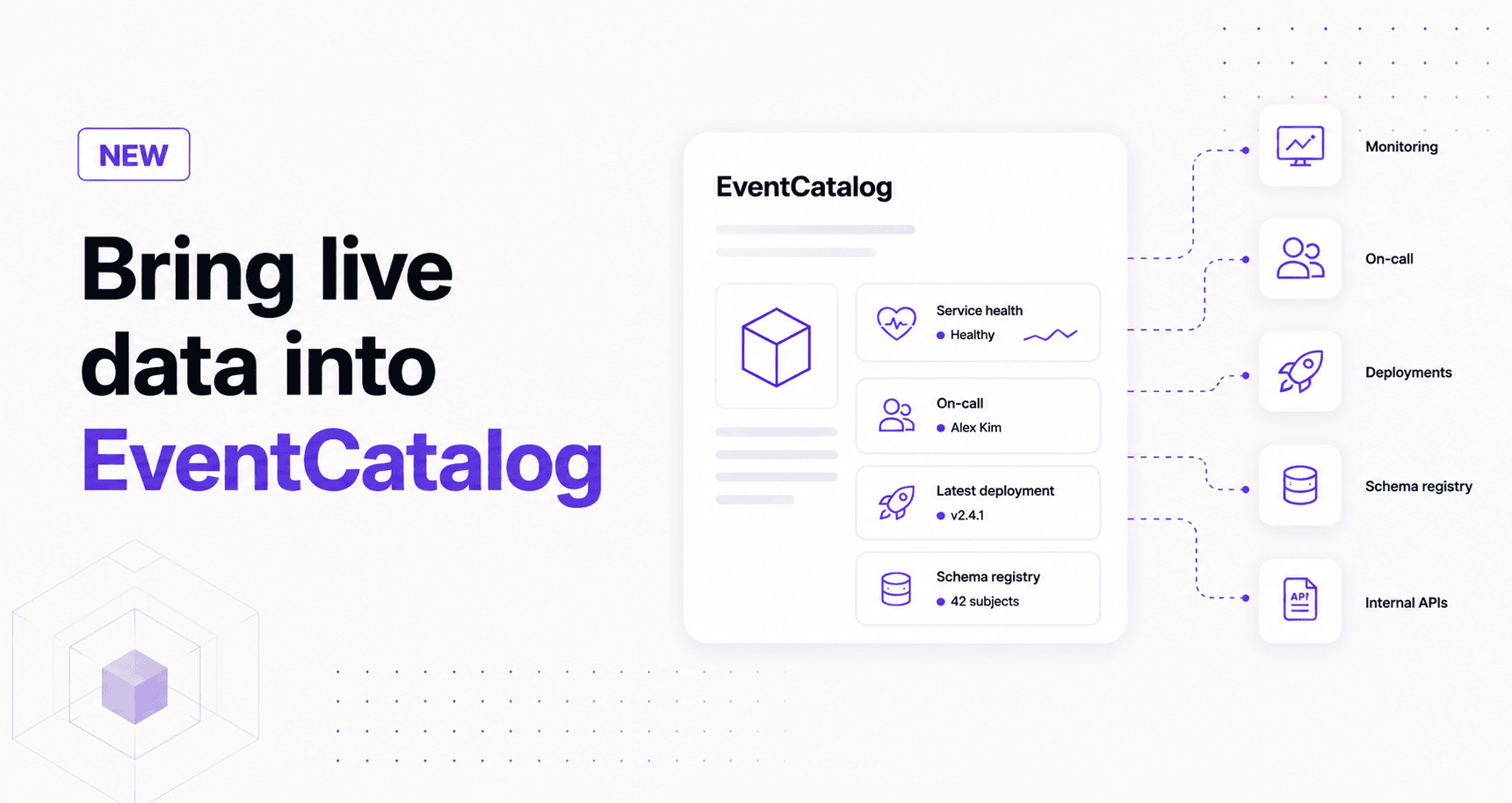
Use custom EventCatalog components to fetch service health, ownership, deployment, and registry data directly into your architecture documentation.
Your architecture documentation should explain how your systems work. Sometimes it should also show what is happening around those systems right now in real-time.
With custom components, EventCatalog can fetch data from your internal platforms, monitoring tools, schema registries, deployment systems, and service catalogs. That means a service page can show the architecture model, the schema, the owner, the latest deployment, and the current health signal in one place.
Custom components turn EventCatalog pages into living documentation surfaces.
TL;DR
Custom components let you add reusable UI and logic to EventCatalog pages.
You can use them to:
- fetch build-time data from internal APIs
- fetch request-time data in SSR mode
- fetch public browser data after the page loads
- render service health, on-call rotations, scorecards, repository metadata, deployment state, or schema registry data
- combine EventCatalog's architecture model with the tools your team already uses
Why this matters
EventCatalog already helps you document services, events, schemas, domains, teams, and relationships.
But real systems do not live only in documentation.
The service health might live in Datadog or Prometheus. The on-call rotation might live in PagerDuty. The API scorecard might live in an internal developer portal. The latest schema might live in a registry. The deployment state might live in GitHub, Buildkite, Argo CD, or another platform.
When this information is scattered, developers learn to keep five tabs open.
EventCatalog custom components give you another option: bring the useful parts back into the page where people are already learning about the system.
What can you build with custom components?
EventCatalog ships with built-in components, and you can also create your own using Astro. These custom Astro components live in your catalog and can be rendered from MDX pages.
For example, a service page can import a component like this:
import ServiceHealth from '@catalog/components/service-health.astro';

# Order Service

<ServiceHealth service="OrderService" />
That component can fetch data and render it beside the rest of your documentation.
---
const { service } = Astro.props;

const response = await fetch(`https://platform.example.com/services/${service}/health`);
const health = await response.json();
---

<section class="not-prose rounded-lg border border-gray-200 p-4 dark:border-gray-800">
  <p class="m-0 text-sm font-semibold">Service health</p>
  <p class="mb-0 mt-2 text-sm">Status: {health.status}</p>
  <p class="mb-0 mt-1 text-sm">Last checked: {health.checkedAt}</p>
</section>
The useful part is not the card. The useful part is that the page now has architecture context and operational context together.
How custom components fit into a page
Custom components help you enrich the documentation experience for the reader.
They are small, reusable blocks that can sit beside the rest of your EventCatalog content.
For example, a service page can explain what the service does, show the events it produces, render a relationship graph, and include a custom status component.
The component does not need to own the whole page. It only needs to answer one useful question.
Three ways to fetch data
The right fetching pattern depends on how fresh the data needs to be and whether the API is private.
1. Fetch data at build time
By default, EventCatalog builds a static site. In that mode, fetch() calls inside component frontmatter run during the build.
This works well for information that can be refreshed when you rebuild your catalog:
- service maturity scores
- repository metadata
- ownership records
- API scorecards
- last deployment summary
- schema registry metadata
---
const { service } = Astro.props;

let score = 'Unknown';

try {
  const response = await fetch(`https://platform.example.com/services/${service}/score`);
  const data = await response.json();
  score = data.score;
} catch {
  score = 'Unavailable';
}
---

<span class="not-prose rounded-md border border-gray-200 px-2 py-1 text-sm dark:border-gray-800">
  Score: {score}
</span>
Build-time fetching is predictable. The data changes when your catalog is rebuilt.
That makes it a good fit for documentation signals that should be reviewed and released with the catalog.
2. Fetch data at request time with SSR
If the data needs to be fresher, run EventCatalog in SSR mode.
In SSR mode, the component can fetch data when the page is requested. This is better for private or frequently changing information, such as current service health, active incidents, or on-call state.
export default {
  output: 'server',
};
You can still keep secrets on the server.
---
const { service } = Astro.props;

const response = await fetch(`https://platform.example.com/services/${service}/health`, {
  headers: {
    Authorization: `Bearer ${process.env.PLATFORM_API_TOKEN}`,
  },
});

const health = await response.json();
---

<section class="not-prose rounded-lg border border-gray-200 p-4 dark:border-gray-800">
  <p class="m-0 text-sm font-semibold">Runtime health</p>
  <p class="mb-0 mt-2 text-sm">Status: {health.status}</p>
</section>
This pattern is useful when your catalog needs to answer questions like "what is happening with this service right now?"
3. Fetch public data in the browser
Browser fetching works when the data is public or already safe for the user to request.
For example, you might call a public status endpoint after the page loads.
---
const { endpoint } = Astro.props;
---

<div
  data-service-status
  data-endpoint={endpoint}
  class="not-prose rounded-lg border border-gray-200 p-4 text-sm dark:border-gray-800"
>
  Loading status...
</div>

<script>
  const elements = document.querySelectorAll('[data-service-status]');

  elements.forEach(async (element) => {
    const endpoint = element.getAttribute('data-endpoint');

    try {
      const response = await fetch(endpoint);
      const data = await response.json();
      element.textContent = `Status: ${data.status}`;
    } catch {
      element.textContent = 'Status unavailable';
    }
  });
</script>
Do not use this pattern for private APIs that need secrets. Browser code is visible to the user.
If you need credentials, use build-time fetching, SSR fetching, or a server-side proxy.
Where this becomes useful
Custom components are useful when your organization has knowledge that is useful on the page but does not belong in the core resource metadata.
For example:
- Service health: show the current health, SLO status, or incident state for a service.
- On-call ownership: show the active support rotation beside the team and service docs.
- Platform metadata: show maturity, production readiness, tier, runtime, or compliance data from an internal platform.
- Deployment state: show the latest deployment, running version, or environment summary.
- Schema context: show registry metadata, compatibility mode, or the latest approved schema version.
- Repository context: show open pull requests, security alerts, or ownership data from GitHub.
This is where EventCatalog becomes more than generated markdown.
It becomes the place where your architecture model meets the operational systems around it.
What about built-in components?
Custom components do not replace EventCatalog's built-in components.
You can still use components like NodeGraph to visualize relationships and SchemaViewer to render schemas inside documentation pages.
Custom components sit beside them.
For example, an event page might include:
- a
SchemaViewerfor the event schema - a
NodeGraphfor producers and consumers - a custom component that fetches schema registry compatibility settings
- a custom component that links to the owning team's runbook
That combination gives the reader the model, the contract, the relationships, and the operational context.
Getting started
Start with the custom components documentation.
The shortest path is:
- Create a component in your catalog's
componentsfolder. - Import it into a service, event, domain, or custom documentation page.
- Pass the resource id, name, or frontmatter into the component.
- Fetch the data you need.
- Render a small, focused UI block.
Summary
EventCatalog components are a practical way to bring real operational and platform data into EventCatalog.
They work well when your team wants documentation that connects to monitoring systems, service catalogs, schema registries, deployment platforms, and internal APIs.
Start with one small component. Add one useful signal to one service page. If people stop opening another tab to answer the same question, you have found a good place for a component.
Read the custom components guide, join the EventCatalog Discord, or open an issue on GitHub if you want to share what you are building.