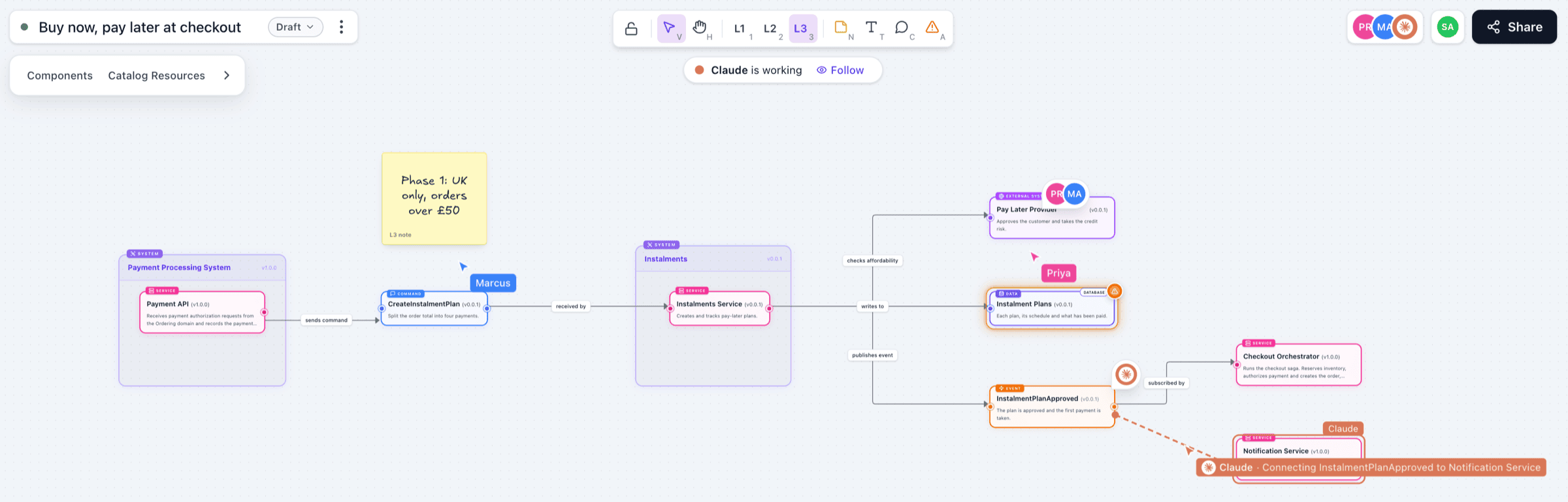
I'm excited to share that we've improved and simplified our MCP server for EventCatalog.
Previously, to use EventCatalogs MCP server you had to install and run the standalone @eventcatalog/mcp-server package separately, the previous MCP server would use the llms.txt file to provide context to the LLM. Although this worked, it was not the most efficient way to use EventCatalog with MCP clients...
We have reviewed the MCP server and made it much more efficient and easier to use.
Every EventCatalog instance now includes a built-in MCP server at /docs/mcp/ and now uses more performant ways to provide your models with the information they need.
This means you can connect your preferred MCP clients directly to your EventCatalog instance and start asking questions about your architecture in natural language.
Why use EventCatalog's MCP server
EventCatalog is documentation for both humans and AI. Your teams browse the catalog to understand services, events, and domains. Your AI tools can now do the same.
The MCP server gives LLMs and MCP clients (Claude Desktop, Cursor, Windsurf, VS Code) direct access to your architecture documentation. Ask questions about message schemas, trace service dependencies, or analyze change impact.
The AI works with the same source of truth your team uses.
This is the best of both worlds. Humans get a visual catalog they can browse and search. AI gets structured access to query, filter, and reason about your architecture. Both stay in sync because they read from the same place.
Getting started
To get started, you need to update your EventCatalog instance to the latest version and configure it to run in SSR mode.
First you need to update your EventCatalog instance to the latest version.
Updating EventCatalog
npm install @eventcatalog/eventcatalog@latest
Then you need to update your eventcatalog.config.js file to use SSR mode. (mcp requires SSR mode)
eventcatalog.config.js
export default {
output: 'server',
}
Once EventCatalog is running you can connect your preferred MCP client to your EventCatalog instance at /docs/mcp/.
To get started, see our MCP server documentation.
Example usage
Once connected, you can ask questions about your architecture in natural language. This can be useful for:
- Finding messages for features you're building
- Accessing catalog directly in code editors
- Defining standards and creating schemas
- Exploring OpenAPI and AsyncAPI files
- Understanding service impact from changes
- Discovering resource ownership
Here are some examples:
"What's the blast radius if I change the OrderCreated event?"
The OrderCreated event (v2.0.0) is consumed by 4 services:
| Service | Team | Impact |
|---|
| InventoryService | Platform | Updates stock levels |
| NotificationService | Communications | Sends order confirmation |
| AnalyticsService | Data | Tracks order metrics |
| BillingService | Finance | Initiates payment flow |
Total blast radius: 4 services across 4 teams. Consider coordinating with Platform and Finance teams before making breaking changes.
"Which services does the Payment team own?"
The Payment team owns 3 services:
- PaymentGateway (v1.2.0) - Processes credit card transactions
- RefundService (v1.0.0) - Handles refund requests and chargebacks
- PaymentWebhooks (v2.1.0) - Receives payment provider callbacks
These services produce 5 events and consume 3 events total.
"Show me the schema for UserRegistered"
Here's the UserRegistered event schema (v1.0.0):
{
  "userId": "string (UUID)",
  "email": "string (email format)",
  "registeredAt": "string (ISO 8601 datetime)",
  "source": "enum: web | mobile | api",
  "marketingConsent": "boolean"
}
This event is produced by AuthService and consumed by NotificationService, CRMSync, and AnalyticsService.
"Explain the checkout business flow"
The Checkout flow consists of 5 steps:
- Cart Validation - CartService validates items and availability
- Price Calculation - PricingService applies discounts and taxes
- Payment Processing - PaymentGateway charges the customer
- Order Creation - OrderService creates the order record
- Fulfillment Trigger - Emits OrderCreated to start shipping
Average completion time: 2.3 seconds.
The MCP server includes 15 tools for querying your architecture and 9 resources for bulk data access.
View all tools and resources →
Migrating from standalone server
The standalone @eventcatalog/mcp-server package still works, but we plan to deprecate it in a future release. The built-in server is faster, uses less context, and requires no external setup. We recommend migrating to the built-in MCP server when possible.
Summary
The built-in MCP server simplifies deployment by eliminating external server management. It provides faster queries through direct content collection access and supports custom tools for domain-specific integrations.
The built-in MCP server requires SSR mode and a Scale license. Get a free trial at eventcatalog.cloud.
Learn more:
Get help: