Add resources to systems
eventcatalog@4.0In EventCatalog, systems can directly reference:
Messages, APIs, schemas, and channels are usually documented through the services and messages inside the system.
Add resources using frontmatter
Add resources to the system frontmatter using services, flows, entities, and containers.
---
id: cart-system
name: Cart System
version: 1.0.0
# define services in this system
services:
  - id: cart-api
    version: 1.0.0
# define databases in this system
containers:
  - id: cart-database
    version: 1.0.0
# define documented business workflows part of this system
flows:
  - id: checkout-flow
    version: 1.0.0
# define any entities that belong to this system
entities:
  - id: cart
    version: 1.0.0
---
The version is optional. If no version is given, EventCatalog uses the latest version of the referenced resource.
Keep resources inside the system folder
You can also define resources inside the system folder to keep related architecture documentation together.
This structure makes the system the entry point for the resources that make up that capability.
Show the resource diagram
Add <NodeGraph /> to the system page to show the resources inside the system.
## Resource Diagram

<NodeGraph />
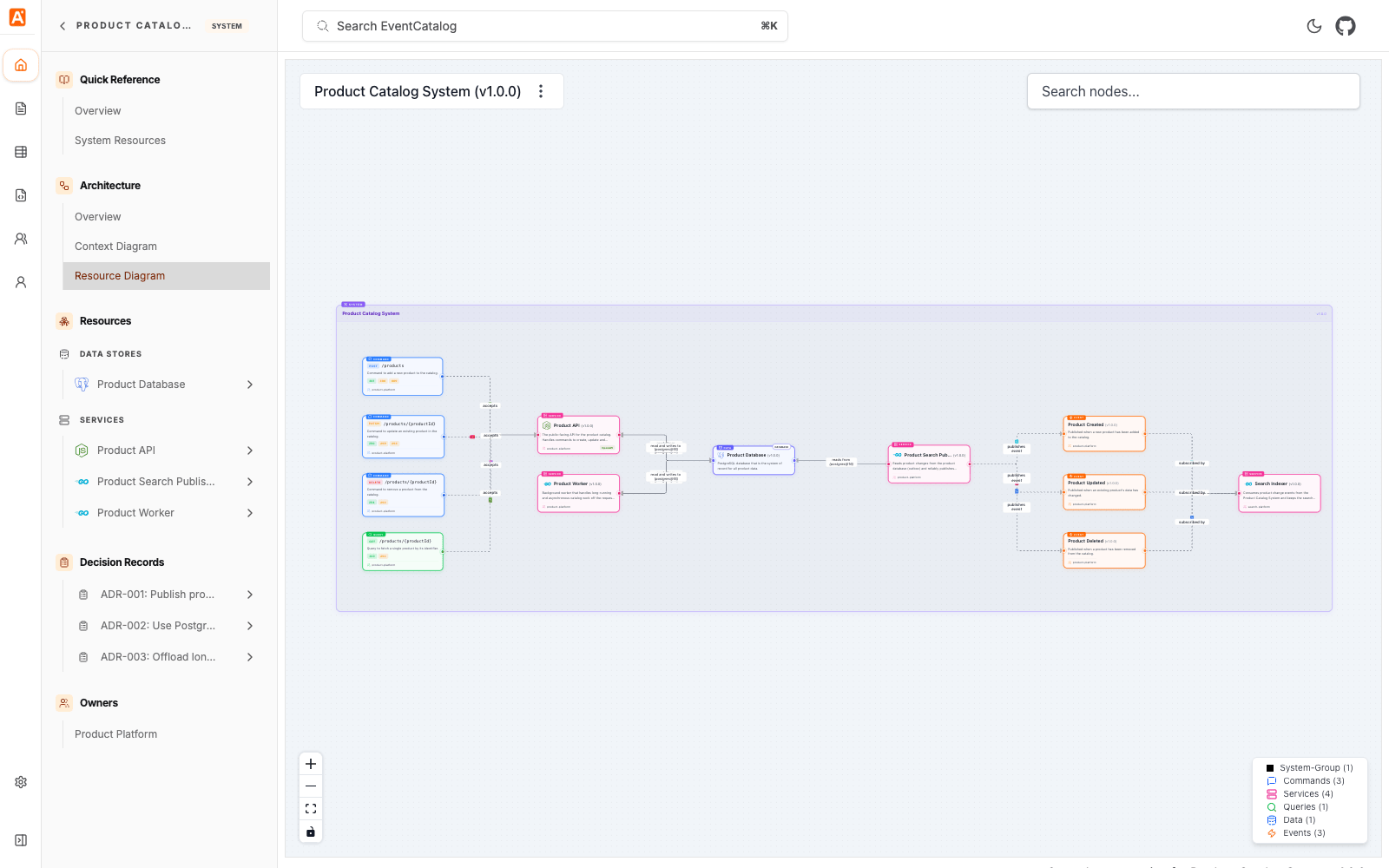
You can also open the resource diagram directly:
/visualiser/systems/{system-id}/{version}
For the complete list of supported fields, see the systems reference.