Model relationships and actors
eventcatalog@4.0Systems can describe how they relate to other systems and which people, roles, or external participants interact with them.
EventCatalog uses this information to render context diagrams for systems and domains.
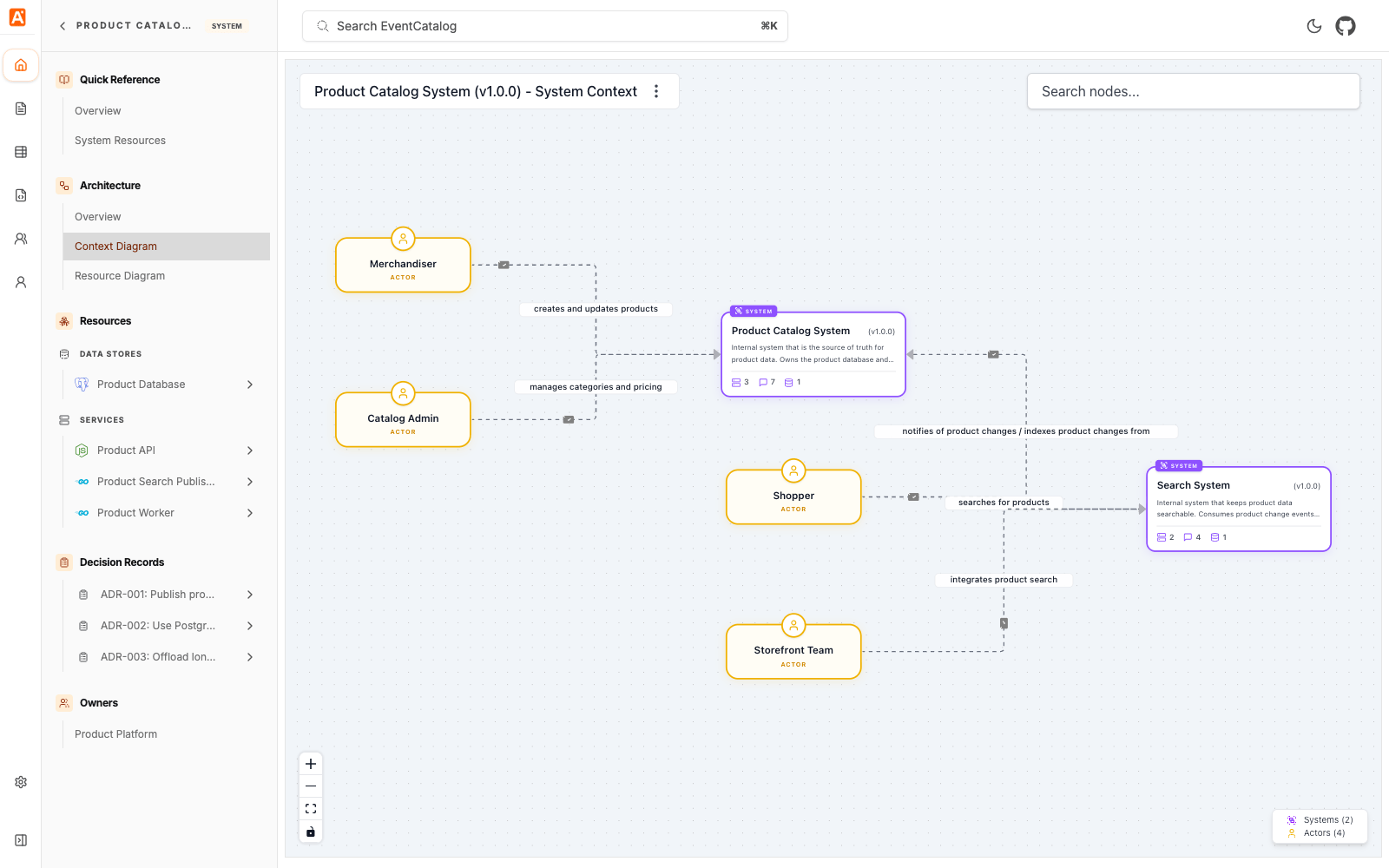
Add relationships to other systems
Use relationships to connect one system to another system.
---
id: cart-system
name: Cart System
version: 1.0.0
relationships:
  # id of the system it has a relationship with
  - id: promotion-system
    # version of the system (optional)
    version: 1.0.0
    # label used for edge in graph
    label: calculates discounts via
---
The label is shown on the relationship edge in context diagrams.
Relationships are one-directional. Define the relationship on the system that owns the source of the relationship.
Add actors
Use actors to show people, roles, or external participants that interact with a system.
---
id: cart-system
name: Cart System
version: 1.0.0
# define any actors for that system
actors:
  # unique id for actor (shared across your catalog)
  - id: shopper
    name: Shopper
    # label used in the edge
    label: adds items and checks out
    # inbound or outbound
    direction: inbound
---
Use direction: inbound when the actor interacts with the system.
Use direction: outbound when the system reaches out to the actor, such as sending an email or notification.
Show the context diagram
Add <ContextDiagram /> to a system page to show the system in context with related systems and actors.
## Context Diagram

<ContextDiagram />
You can also open the context diagram directly:
/visualiser/systems/{system-id}/{version}/context
For the complete relationship and actor fields, see the systems reference.