Set up ADR Compliance with GitHub
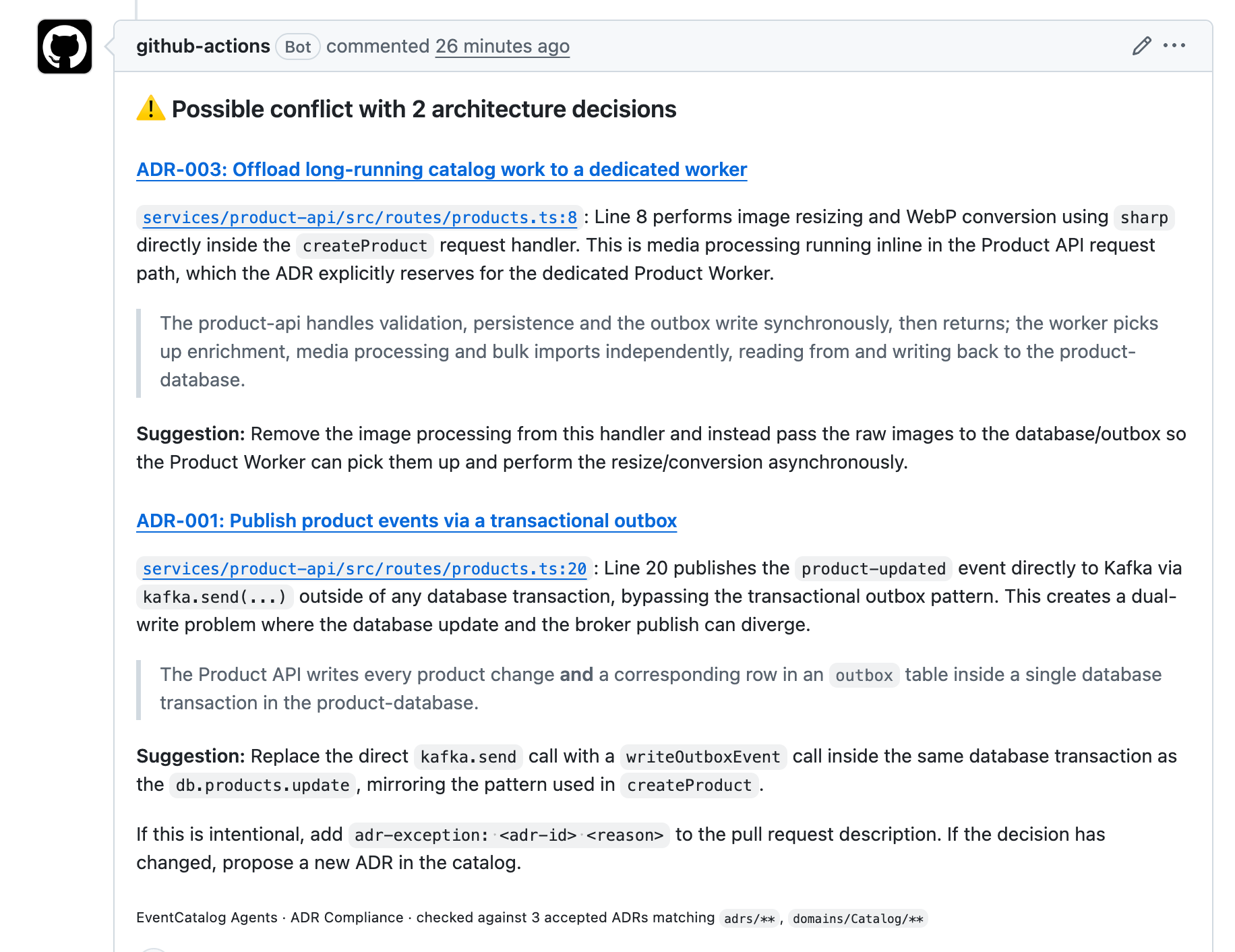
Run ADR Compliance in GitHub Actions with the event-catalog/agents action. New to ADR Compliance? Read the introduction first.
Before you start
You need:
- An EventCatalog in a GitHub repository (the catalog repository), with the catalog at the root of the repository, and your decisions documented as ADRs.
- A GitHub repository with the code you want to check (the source repository).
- An API key for an AI model provider.
Setup
In your source repository, add two secrets under Settings → Secrets and variables → Actions:
ANTHROPIC_API_KEY, or the key for your model provider.EVENTCATALOG_TOKEN, a GitHub token that can read your catalog repository. The workflow never writes to it.
Then add the workflow. It runs while the pull request is open, so a conflict is raised while the code can still change:
on:
  pull_request:
    types: [opened, synchronize, reopened]

jobs:
  adr-compliance:
    runs-on: ubuntu-latest
    permissions:
      contents: read
      issues: write
      pull-requests: write
    steps:
      - uses: actions/checkout@v6
        with:
          ref: ${{ github.event.pull_request.head.sha }}
          fetch-depth: 0
      - uses: event-catalog/agents@v2
        env:
          # The key for your model's provider. This one is for the default model.
          # Using another provider? Swap this variable and set `model` below.
          ANTHROPIC_API_KEY: ${{ secrets.ANTHROPIC_API_KEY }}
        with:
          # The agent workflow to run.
          agent: adr-compliance
          # The ADRs to check against, as globs from your catalog's root.
          # Here: the top-level adrs folder and the Orders domain.
          adrs: adrs/**, domains/Orders/**
          # Your catalog repository, in owner/repo format.
          catalog-repo: your-org/your-catalog
          # A token that can read your catalog repository.
          catalog-token: ${{ secrets.EVENTCATALOG_TOKEN }}
          # Optional: the model to use. Defaults to anthropic/claude-sonnet-4-6.
          # model: openai/gpt-5.1
Replace your-org/your-catalog with your catalog repository, and set adrs to the ADRs that apply to this repository. Keep fetch-depth: 0: the agent needs it to compare the pull request with its base branch.
To check it works, open a pull request that does something one of your accepted ADRs rules out.
Re-run when the description changes
The agent reads exceptions from the pull request description when it runs. To re-run it automatically when the description changes, add edited to the types:
on:
  pull_request:
    types: [opened, synchronize, reopened, edited]
Configuration
| Input | Required | Default | Description |
|---|---|---|---|
agent | Yes | Set to adr-compliance to run this workflow. | |
adrs | Yes | Comma-separated globs, relative to the catalog root, selecting the ADRs to check against. | |
catalog-repo | Yes | Your catalog repository, in owner/repo format. | |
catalog-ref | No | main | The catalog branch to read. |
catalog-token | No | github.token | A token that can read the catalog repository. |
catalog-url | No | The URL of your hosted catalog. The comment links ADRs to it. Without it, they link to your catalog repository. | |
model | No | anthropic/claude-sonnet-4-6 | The model the agent uses. See models. |
ignore-paths | No | Build and dependency folders | Comma-separated paths or glob patterns to leave out of the review. |
Use models in your AWS account
To use Amazon Bedrock, use an amazon-bedrock/ model, such as amazon-bedrock/eu.anthropic.claude-sonnet-4-6, and give the job AWS credentials with aws-actions/configure-aws-credentials. See the Code-to-Docs example.
Versions
ADR Compliance needs event-catalog/agents@v2.2.0 or later. Use event-catalog/agents@v2 for the latest v2 release, or an exact release such as event-catalog/agents@v2.2.0, which never changes. Releases are listed on GitHub.