Global entity map
eventcatalog@5.10.0The Global Entity Map shows every entity in your catalog on one diagram, with the references between them. Where an entity map shows the entities of one domain or service, the Global Entity Map shows the data model of the whole organization.
Use it to answer questions like:
- Which entities does each domain own?
- Which entities are referenced from other domains?
- Which entities are shared by more than one domain?
- Which entities don't belong to anything yet?
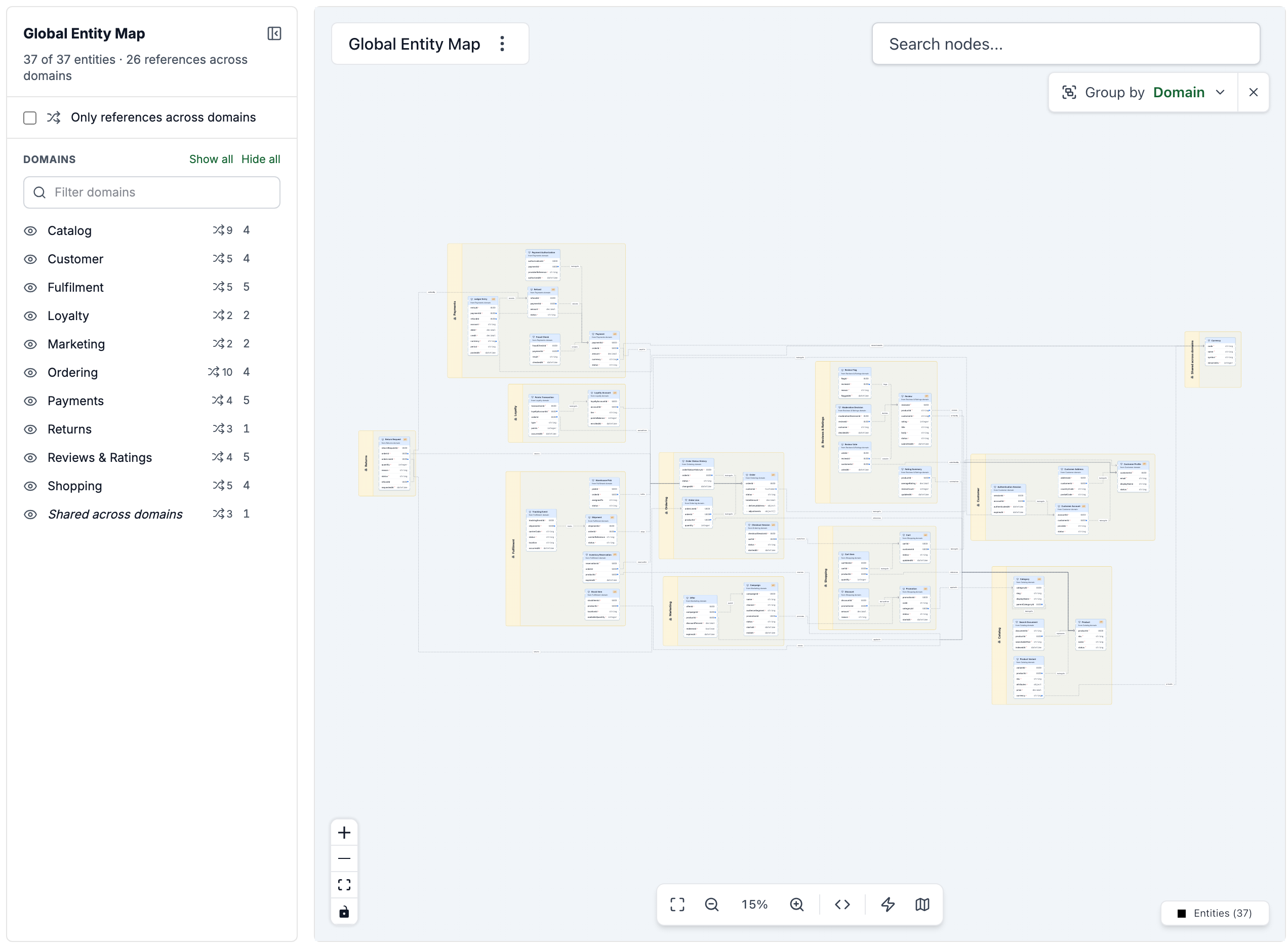
Open the Global Entity Map
When your catalog has entities, a Global Entity Map link appears in the Top level diagrams section of the visualizer sidebar. You can also open it at:
/visualiser/entity-map
The map shows the latest version of every entity.
If you've customized your sidebar, you can add a custom link to this URL.
How entities are placed in domains
Entities can be added to domains, systems, and services. The Global Entity Map works out which domain each entity belongs to from any of them:
| Entity listed by | Belongs to |
|---|---|
| A domain | That domain. |
| A system | The system, and the domain the system is in. |
| A service | The service's system (if it's in one), and its domain. |
| More than one domain | Shared across domains, a group of its own. |
| Nothing | No domain. It's shown outside every group. |
A resource that pins an older version of an entity doesn't own the latest version. For example, if a domain lists customer at version 1.0.0 and the latest is 2.0.0, that domain doesn't own the customer shown on the map.
An entity's team is its own owner, or else the owner of the domain, system, or service that lists it.
Group entities
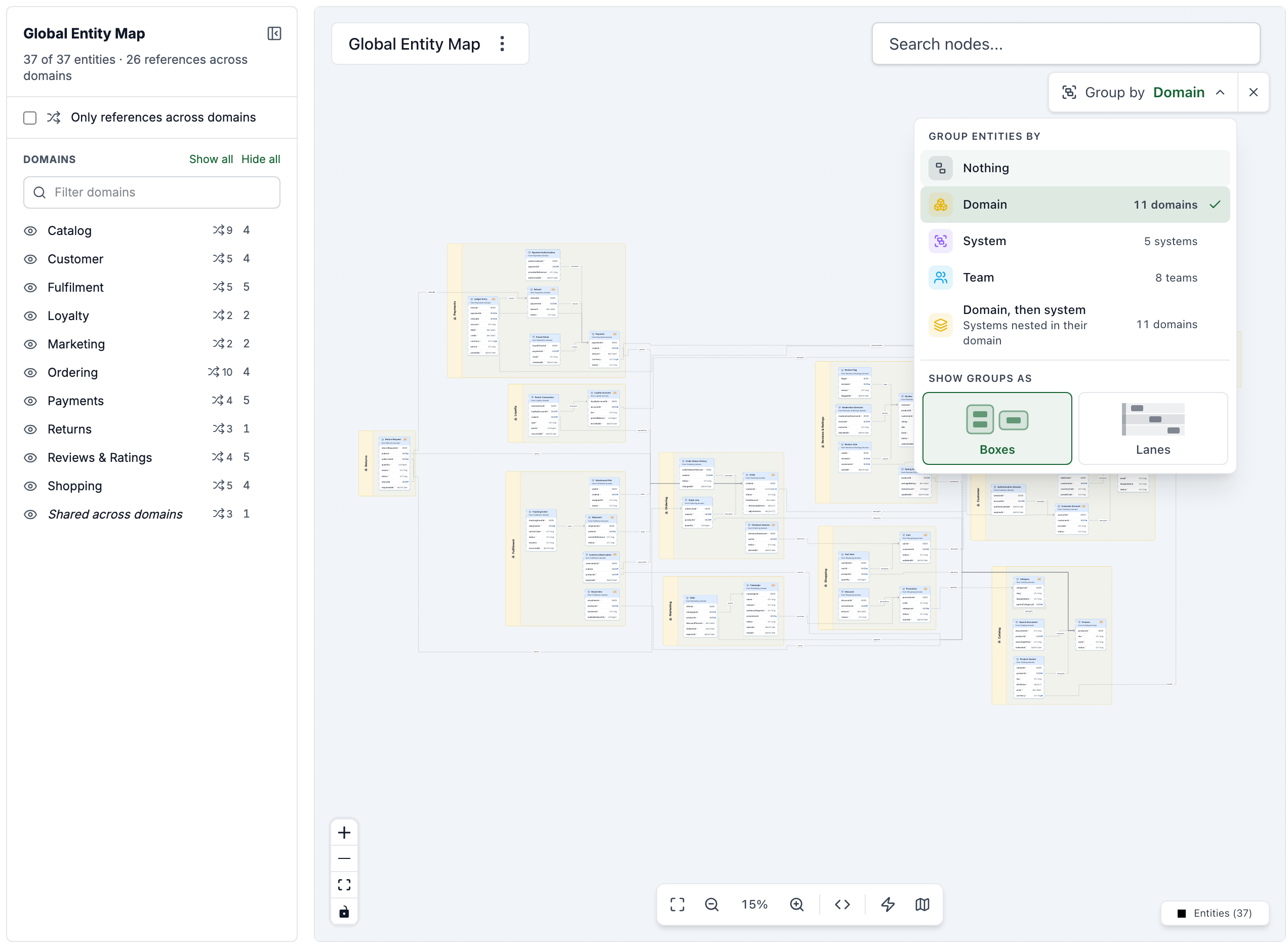
The map opens with entities grouped by their domain. Use Group by at the top right of the diagram (or press G) to group them another way:
| Group by | What it shows |
|---|---|
| Domain | A box for each domain, and one for entities shared across domains. |
| System | A box for each system. Only entities listed by a system, or by a service in one, are grouped. |
| Team | A box for each owning team. |
| Domain, then system | Systems nested in their domain. |
| Nothing | No groups. |
Groups can be shown as Boxes placed around their entities, or as Lanes stacked from top to bottom.
Filter what's shown
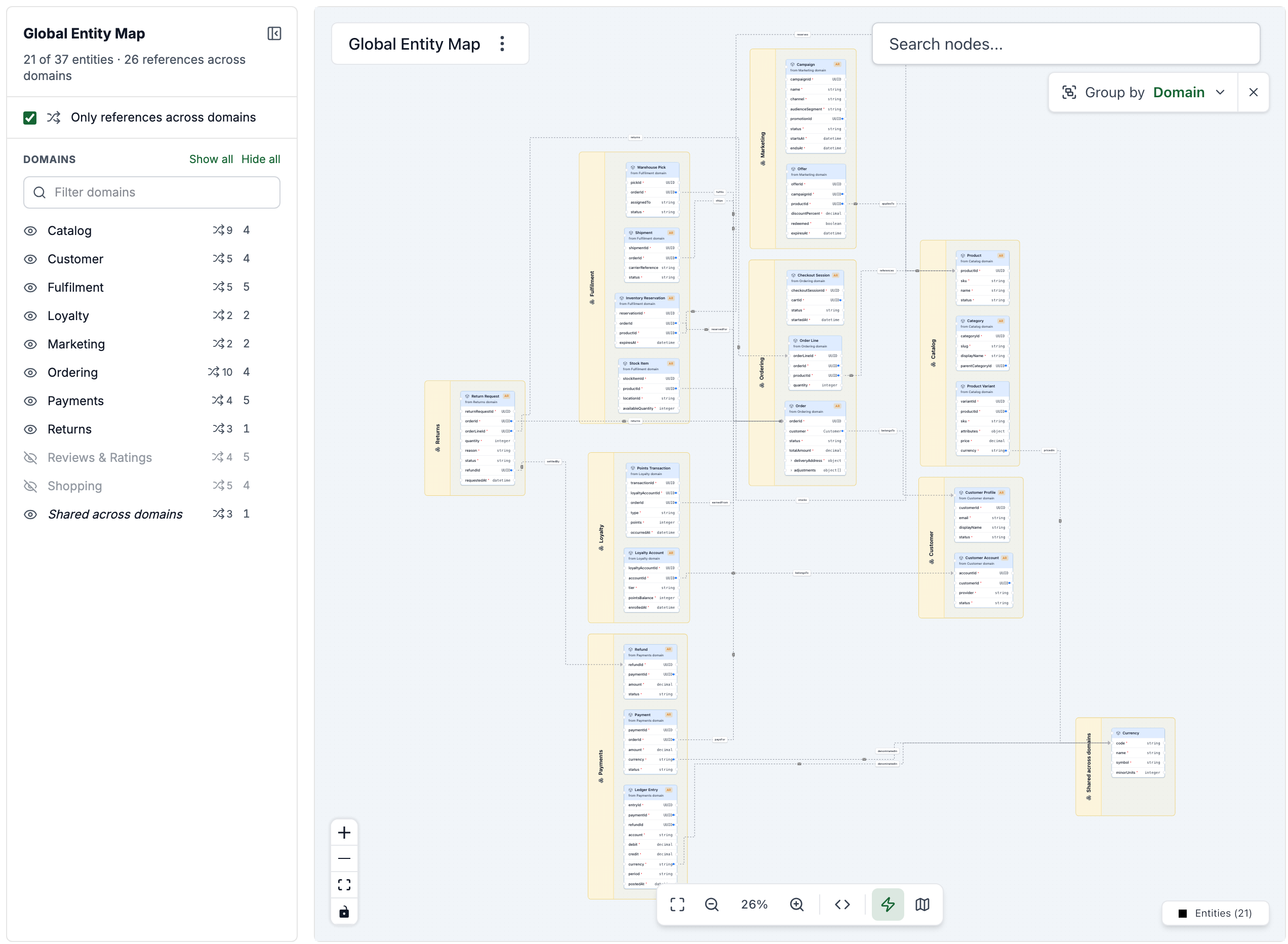
The panel on the left of the diagram lists each domain, with how many entities it has and how many references cross into other domains.
- Click a domain to show or hide its entities.
- Hover over a domain and click the button that appears beside it (Only show) to show just that domain. Click it again to show everything.
- Use Show all and Hide all to change every domain at once, and Filter domains to find a domain in a long list.
- Turn on Only references across domains to show only the entities that reference, or are referenced by, an entity in another domain. This is a quick way to see the dependencies between domains.
To give the diagram more room, collapse the panel with the button at its top right (or press [). The collapsed panel shows how many filters are on, so hidden domains aren't forgotten. The map remembers whether the panel is open in your browser.
Share a view
The domains you've hidden, the Only references across domains filter, and the grouping are all kept in the URL. Copy the URL to share exactly what you're looking at. For example:
/visualiser/entity-map?hide=reviews,shopping&crossDomain=true&group=team
Find an entity
Use Search nodes at the top of the diagram to find an entity. Picking one moves the diagram to it and selects it.