Docs going stale is the most common documentation problem teams have today.
- 30% named keeping docs in sync as their biggest challenge, nearly double the next one (State of Docs 2026).
- 43% of engineers said the same.
- 56.5% of developers said outdated information blocks them (Stack Overflow 2026 Developer Survey).
Docs can go stale when updating them depends on someone remembering. To keep them current, updates need to be part of the workflows your teams already run.
This post covers why architecture docs can go stale, and three automated workflows you can set up with EventCatalog to keep them up to date.
Why does architecture documentation go stale?
Most teams understand that documentation is important, especially when you're documenting software architecture: how things work, architecture decision records, schemas and specifications, diagrams and everything else. The biggest problem is that these docs can go stale as the implementation changes across the organization.
- Updates are manual. Every new event, changed schema or new consumer needs someone to go and edit a page.
- Who owns the change? One team changes a service, another team owns the page that describes it. When the code changes, the docs update falls between them.
- The docs live away from the code. Changes happen in pull requests, specifications and schema registries. The docs sit somewhere else, so they're easy to forget.
When docs go stale, trust is lost.
By adding automated workflows into your CI/CD process can help you keep your docs in sync with reality.
Three automated workflows to keep your docs up to date
Documentation workflows allow you to use CI/CD to help you keep your documentation updated when changes occur around your organization (e.g changes to specs, schemas or implementation details).
In EventCatalog, your domains, services, messages and schemas are structured files in your git repository (docs-as-code).
Having your documentation as code allows you to add automated checks, and workflows to keep them up to date.
Here are three common patterns people use to keep their catalog up to date:
| Workflow | What it keeps up to date |
|---|---|
| 1. Generate docs from your specs | Your contracts: messages, schemas and APIs |
| 2. Automatic doc updates with code changes | The changes specifications don't capture |
| 3. Diagrams that can't go stale | Every diagram, at every level |
1. Generate docs from your specs
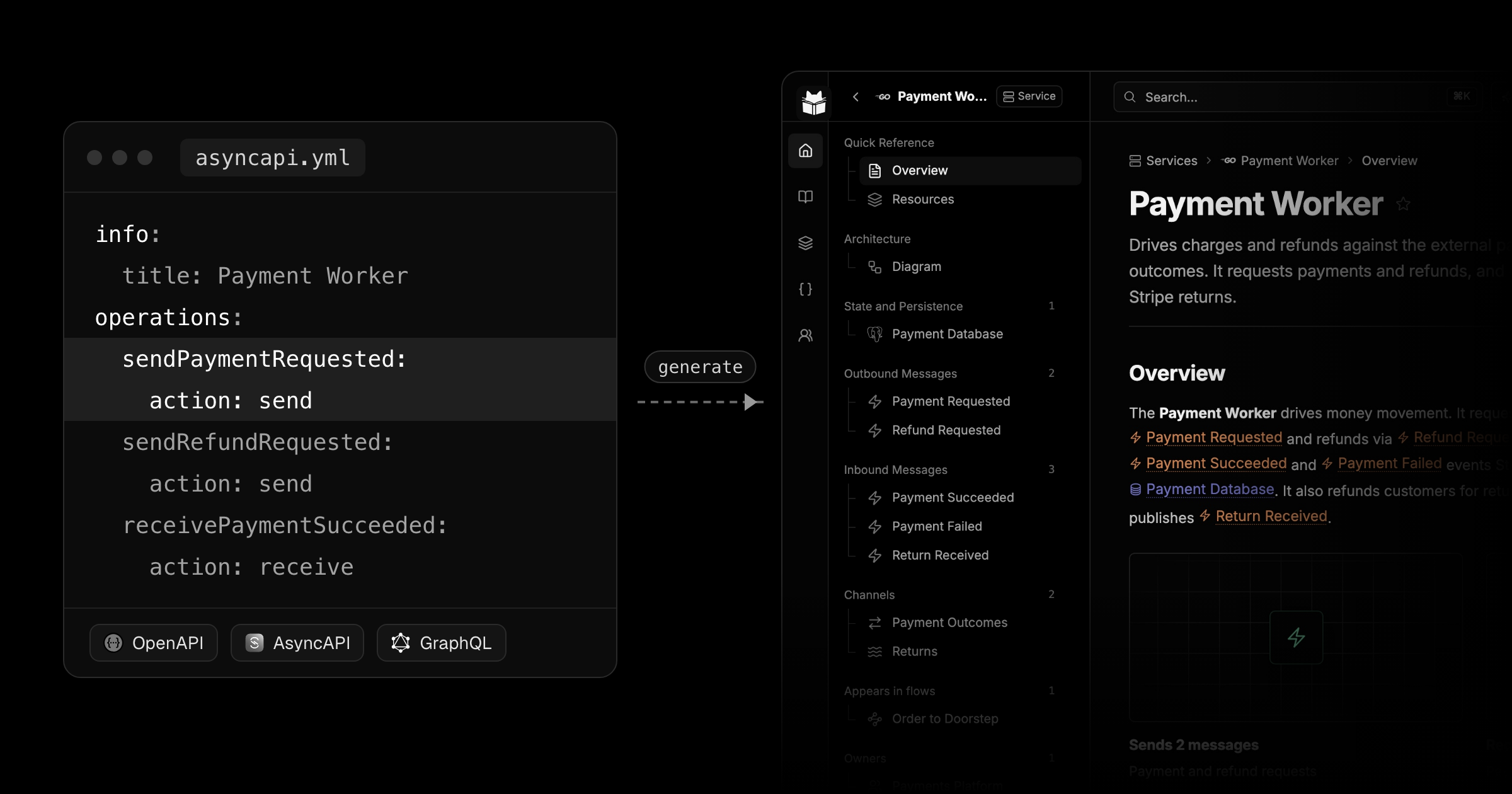
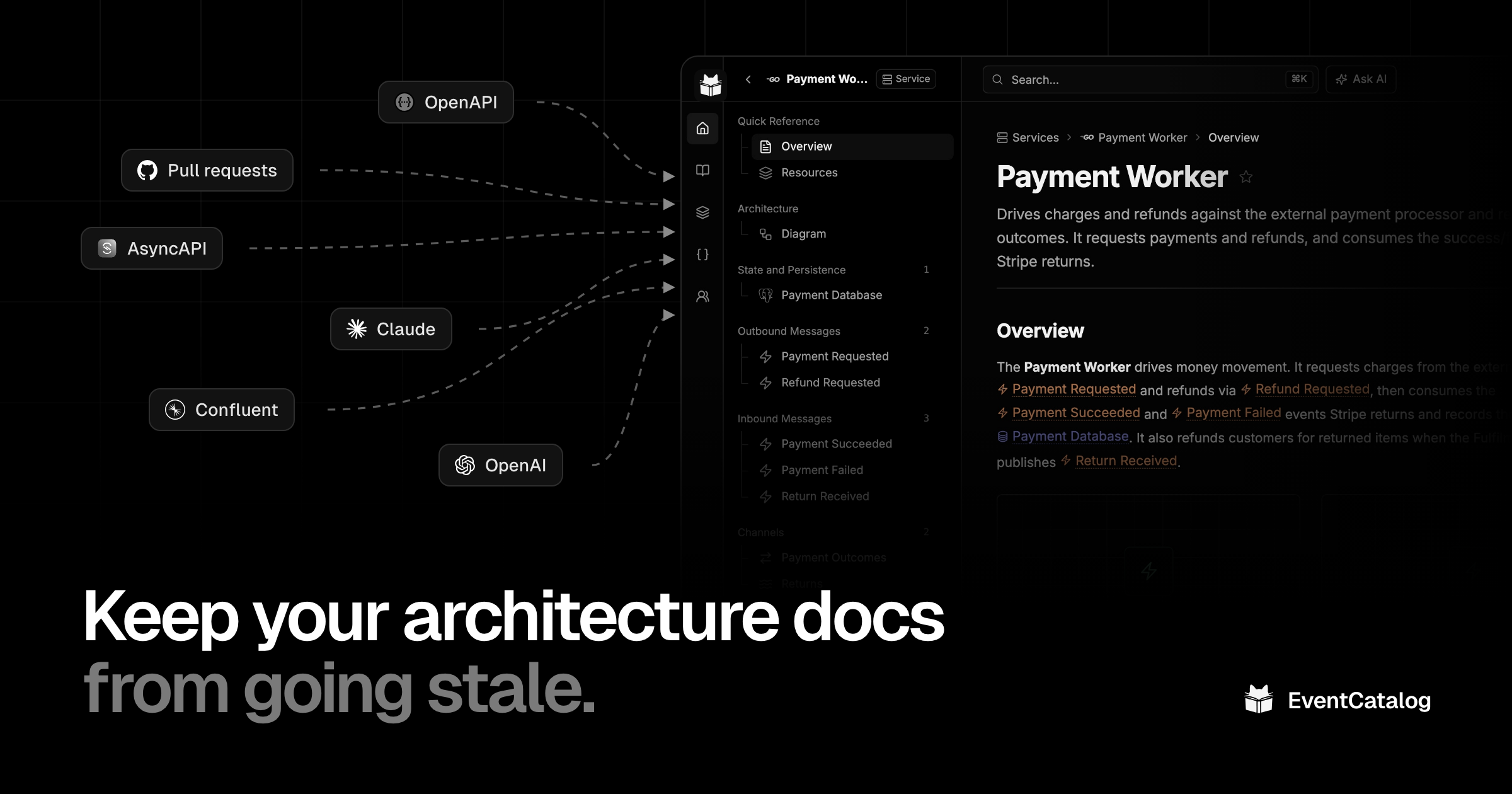
Generating docs from specifications is the most common way teams keep API and event docs up to date. You keep your OpenAPI or AsyncAPI files next to your code, and the docs are built from them.
Many companies support documentation generation from specifications, but we add a few differences:
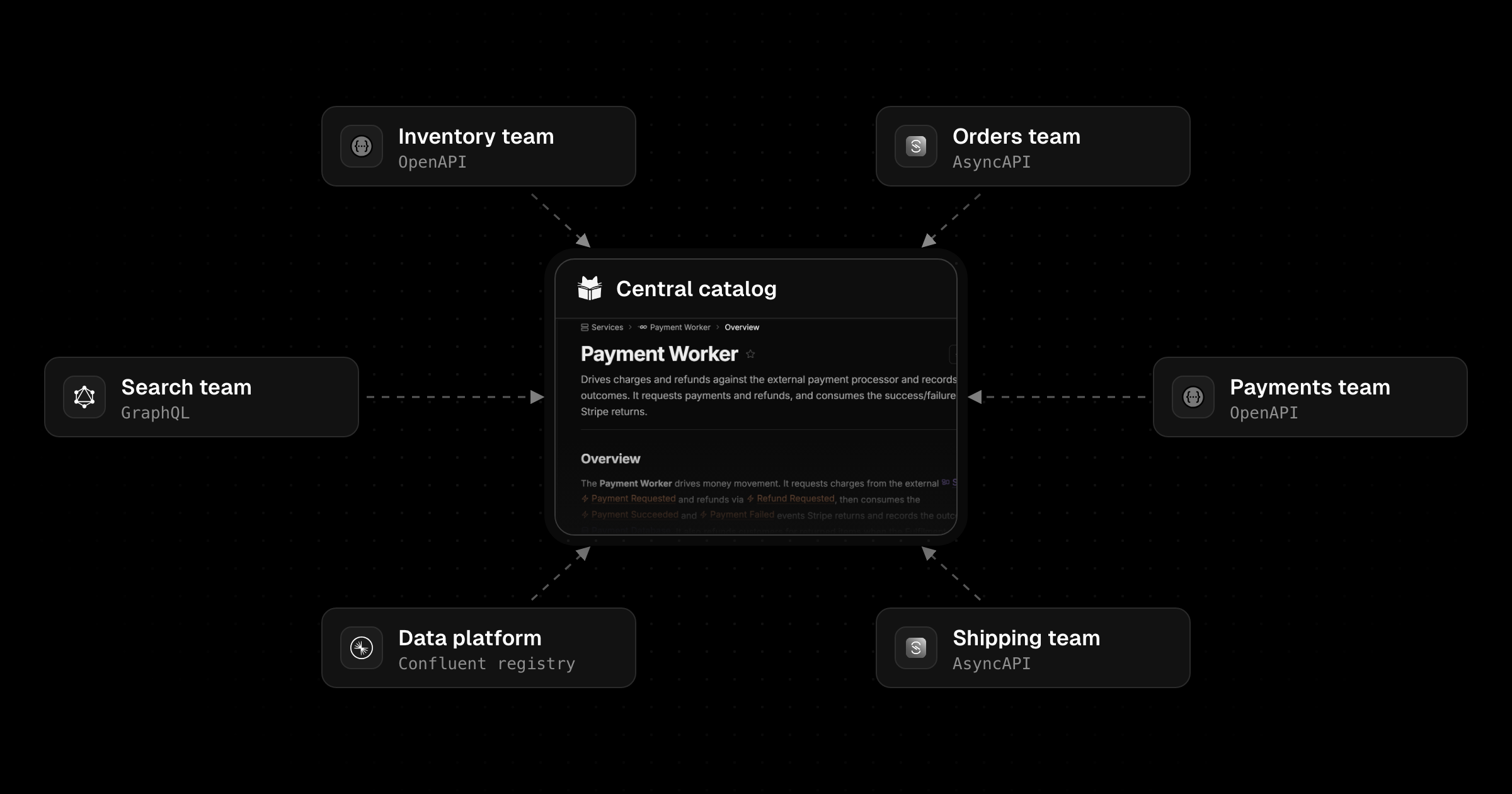
- Many specs, one catalog. Generators read your specifications and registries like Confluent Schema Registry, and assign the messages to the services and domains you choose. You get one place that shows how everything connects, not a page per spec.
- Enrich your specifications with context. A specification says what a service sends and receives, but not why it exists or how it's used across your organization. Add that context to the generated pages, and persist markdown keeps it every time the generator runs.
- Change history. Bump the version in your spec, and your services and messages are versioned, with schema and spec changes shown on the changelog page.
You can set up your CI/CD to run the generators whenever a specification changes, anywhere in your organization. This keeps your docs in sync with the specifications of many different teams, and opens up different workflows for how you run your architecture documentation.
We call this the central catalog pattern. Each team keeps owning its own specifications, and every change flows into one catalog for the whole organization.
Get started: read our generators for OpenAPI, AsyncAPI and GraphQL, connect your schema registries, or write your own generator with the EventCatalog SDK.
2. Automatic doc updates with code changes
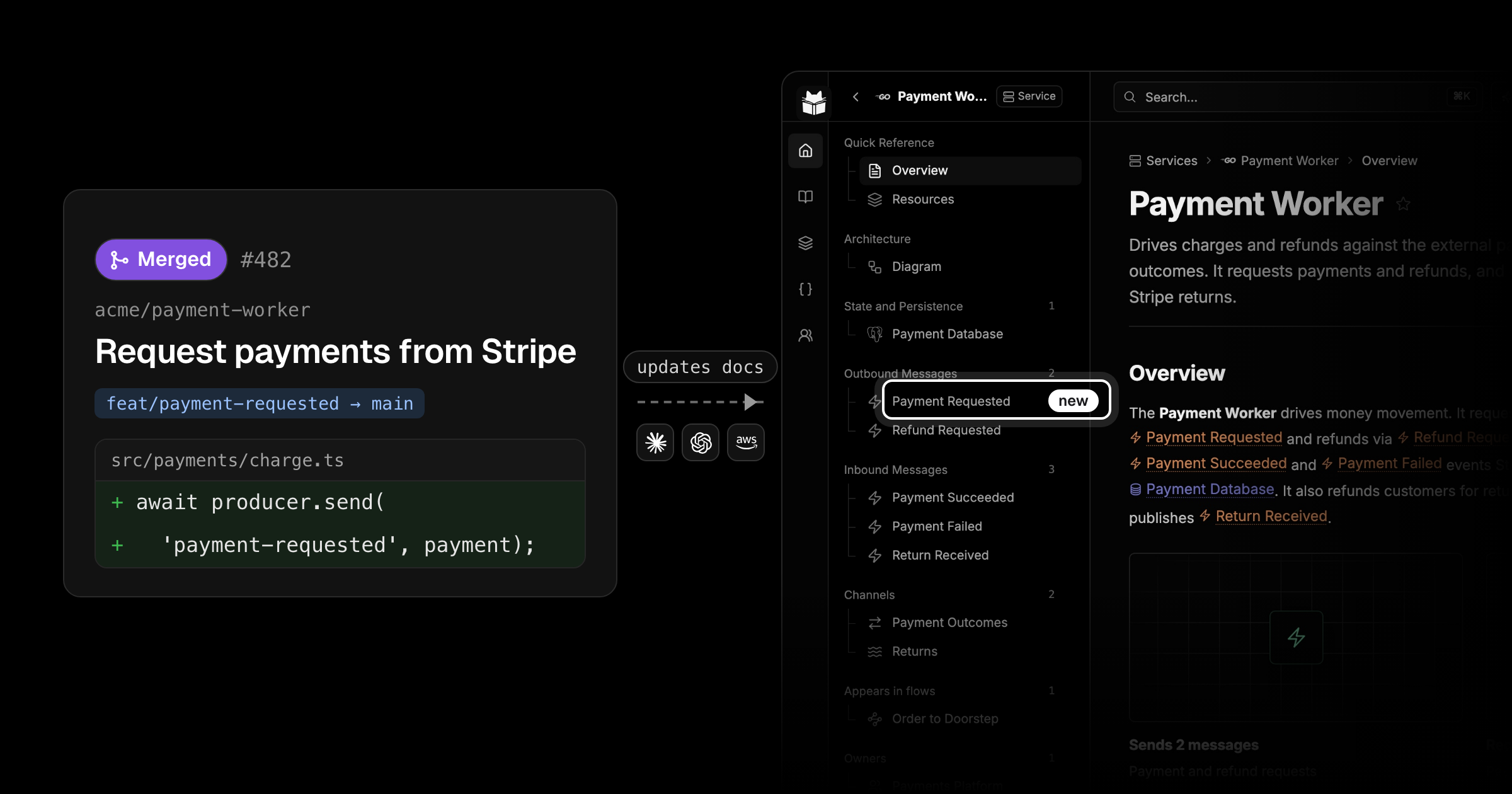
Overtime implementation details (code) drifts from what was documented, this often happens when documentation is not updated. Once this happens trust is slowly lost in the documentation and diagrams across the organization.
Using the code to docs workflow EventCatalog can sync your implementation details with your documentation, helping you keep your docs in sync.
Any changes that happen in your code are reflects in your documentation using our CI/CD agentic workflow.
The code-to-docs workflow allows you to bring your own agent, which means everything remains private to your organization, all we do is connect your code and catalog together.
How it works
When a pull request merges, your agent will:
- Reads the change and finds the affected resources in your catalog.
- Plans which docs need to change. If nothing does, it stops.
- Edits only those docs, following how your catalog is already written.
- Checks its work with the linter and your fitness functions.
- Opens a pull request in your catalog for your team to review.
Teams are already running this workflow across hundreds of pull requests every week. If you'd like to try it, the Code-to-Docs docs show how to set it up.
Get started: GitHub Actions · Azure DevOps · Bitbucket
3. Diagrams that can't go stale
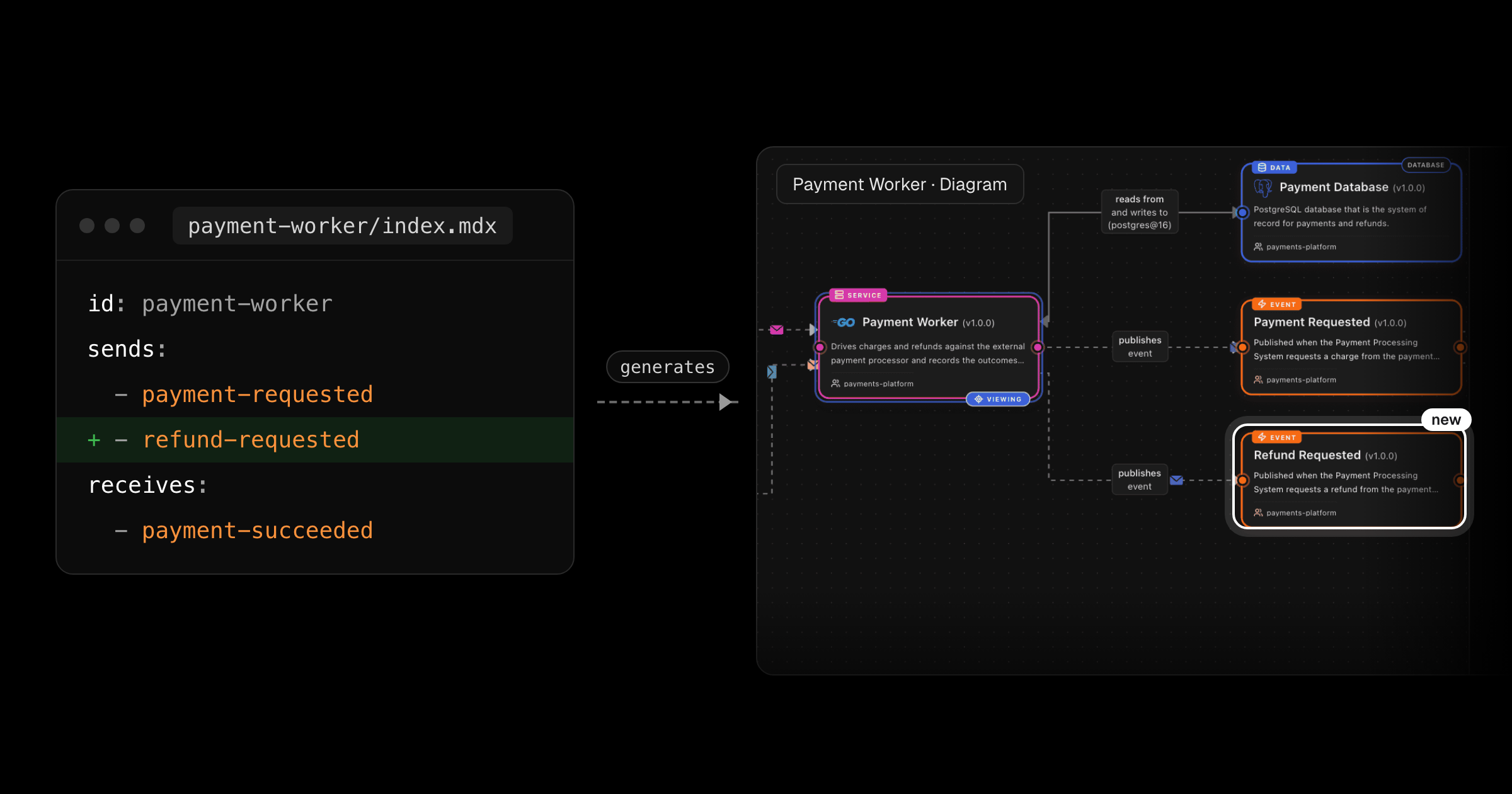
Hand-drawn diagrams can go stale as soon as the system changes, because someone has to remember to redraw them.
In EventCatalog, you don't draw your diagrams. They're automatically generated from your documentation.
EventCatalog stores the relationships between all the resources in markdown. It uses the markdown to work out how everything connects, and draws your diagrams from it. Your diagrams are inferred from the documentation itself.
Most documentation tools and diagramming tools are separate. In EventCatalog, they're one and the same.
EventCatalog generates several kinds of diagram from your docs:
- Domain diagrams at three levels, from the domain down to its services and messages.
- System diagrams, from the system context diagram down to the services, messages and data stores inside one system.
- Flows, to walk through a business process step by step.
- Entity maps, to see how your entities relate across domains.
- The architecture graph, your whole catalog as one graph.
Get started: read about diagram levels, or open Diagram in the sidebar of any domain, system or service in your catalog.
Automate your catalog today
Architects and developers lose trust in documentation when it becomes stale. You can use CI/CD workflows to help you keep your documentation up to date.
In EventCatalog, we help solve this with the three workflows in this post:
- Generate docs from your specs, with generators for OpenAPI, AsyncAPI, GraphQL and your schema registries.
- Update docs when code changes, with Code-to-Docs.
- Keep diagrams in sync, because they're generated from your docs.
If you want to try EventCatalog yourself, the installation guide has a prompt you can give your AI agent and skills to document an existing codebase, so you can create a catalog in minutes.
I'd love to hear how you keep your docs up to date. Come and say hello on Discord, or open an issue on GitHub.