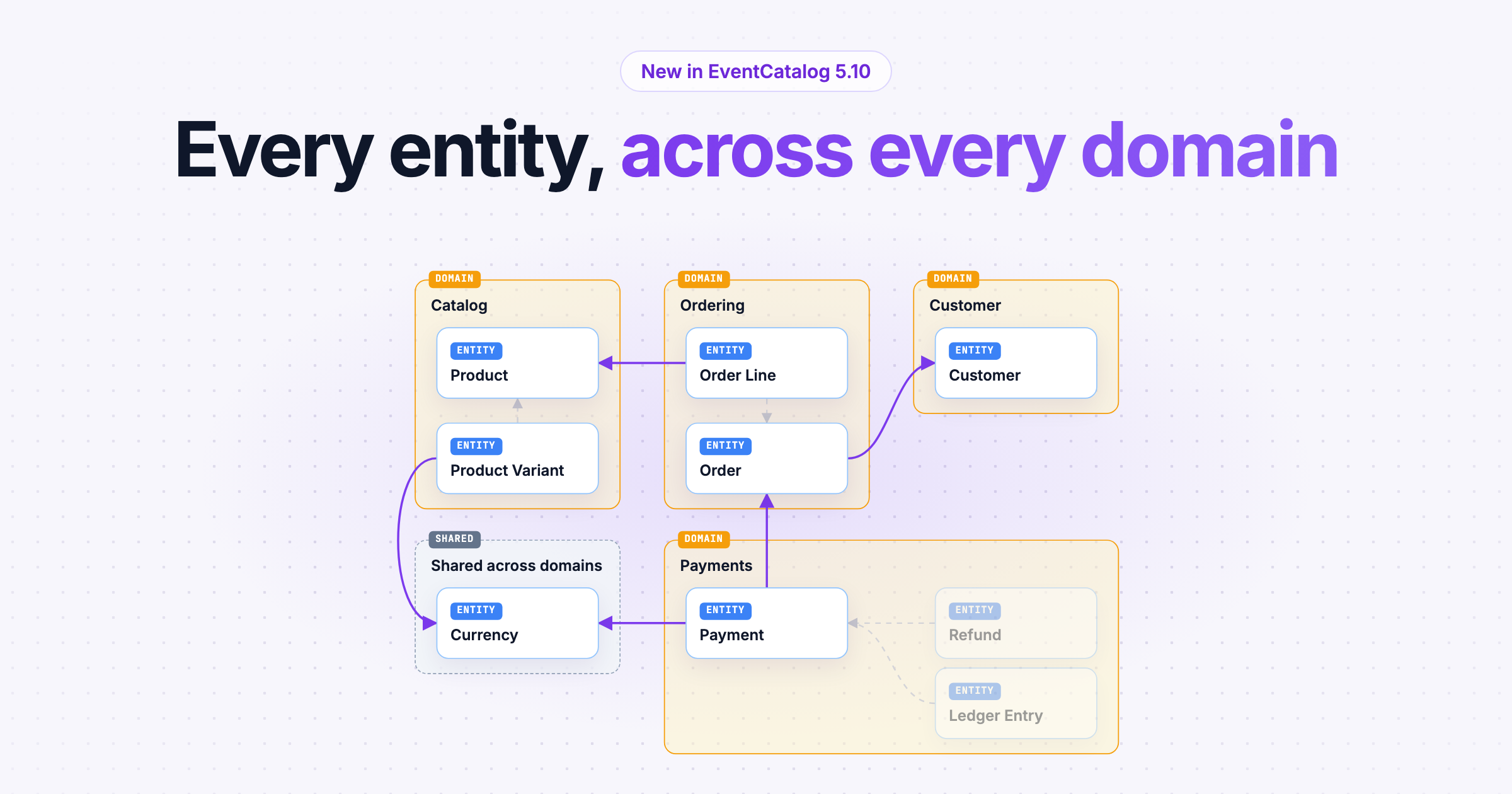
The new Global Entity Map shows every entity in your catalog on one diagram, grouped by the domain that owns it, so you can see how your data model fits together across domains.
Entities describe the business concepts your architecture is built on: an Order, a Payment, a Customer. Until now, you could see them one domain at a time.
That works until you have a lot of domains. Payments references Orders. Orders references Products and Customers. Products and Payments both need a Currency. The interesting parts of a data model are often the references between domains, and those were the hardest to see.
Since we shipped diagram levels, teams have been asking for exactly this: one view of every entity in the organization, and how they relate across domain boundaries.
So we built the Global Entity Map.
Every entity, grouped by the domain that owns it
The Global Entity Map shows every entity in your catalog on one diagram, with the references between them. Click a step, or let it play:
Entities are placed in the domain that owns them. It doesn't matter whether a domain, a system or a service lists an entity: EventCatalog works out which domain it belongs to. An entity that more than one domain lists goes in its own Shared across domains group, so shared ownership is easy to spot.
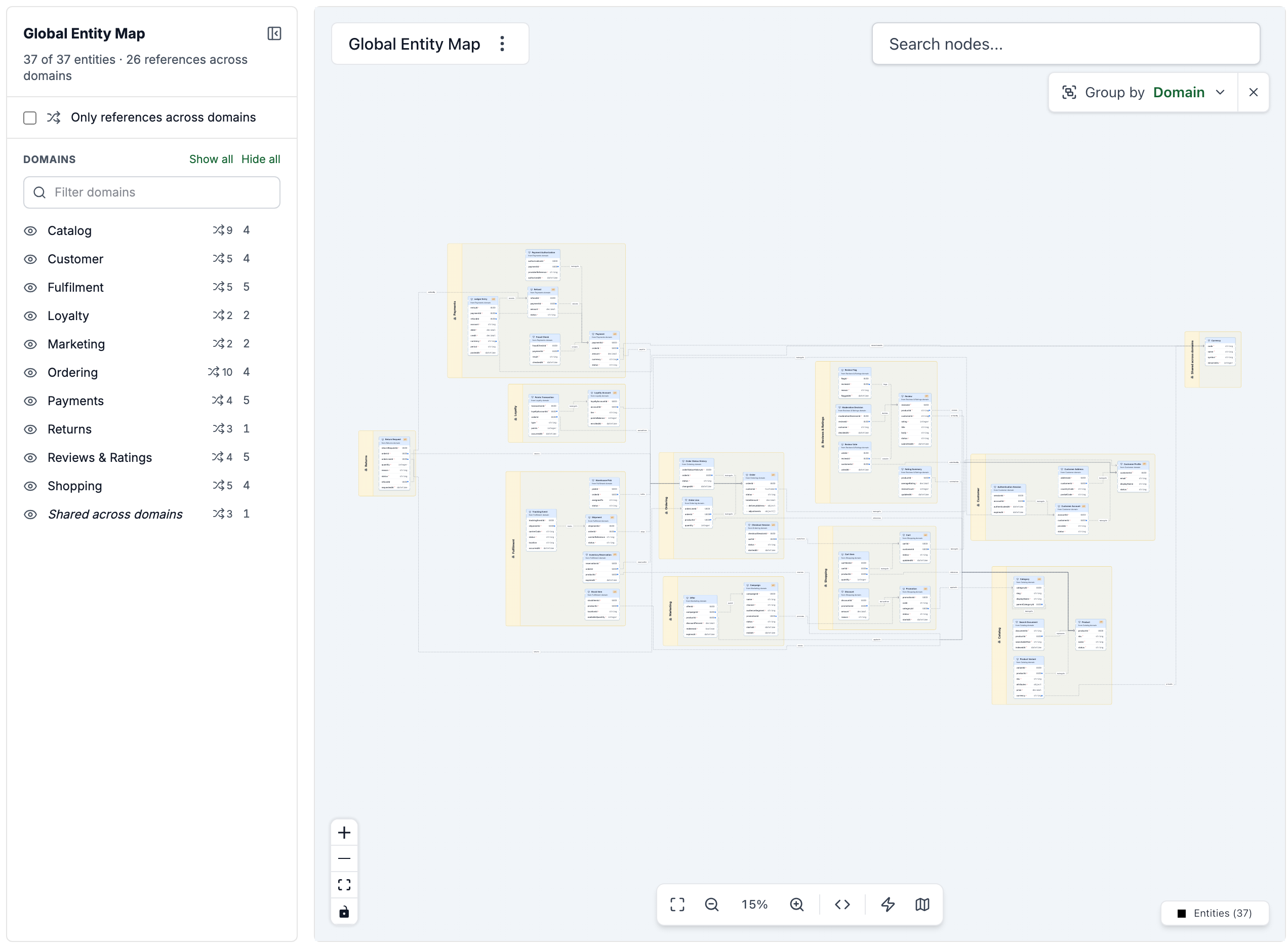
Every entity in the example catalog, grouped by domain.
Find the dependencies between your domains
Turn on Only references across domains and the map shows only the entities that reference, or are referenced by, an entity in another domain. These are the dependencies worth talking about before a change ships.
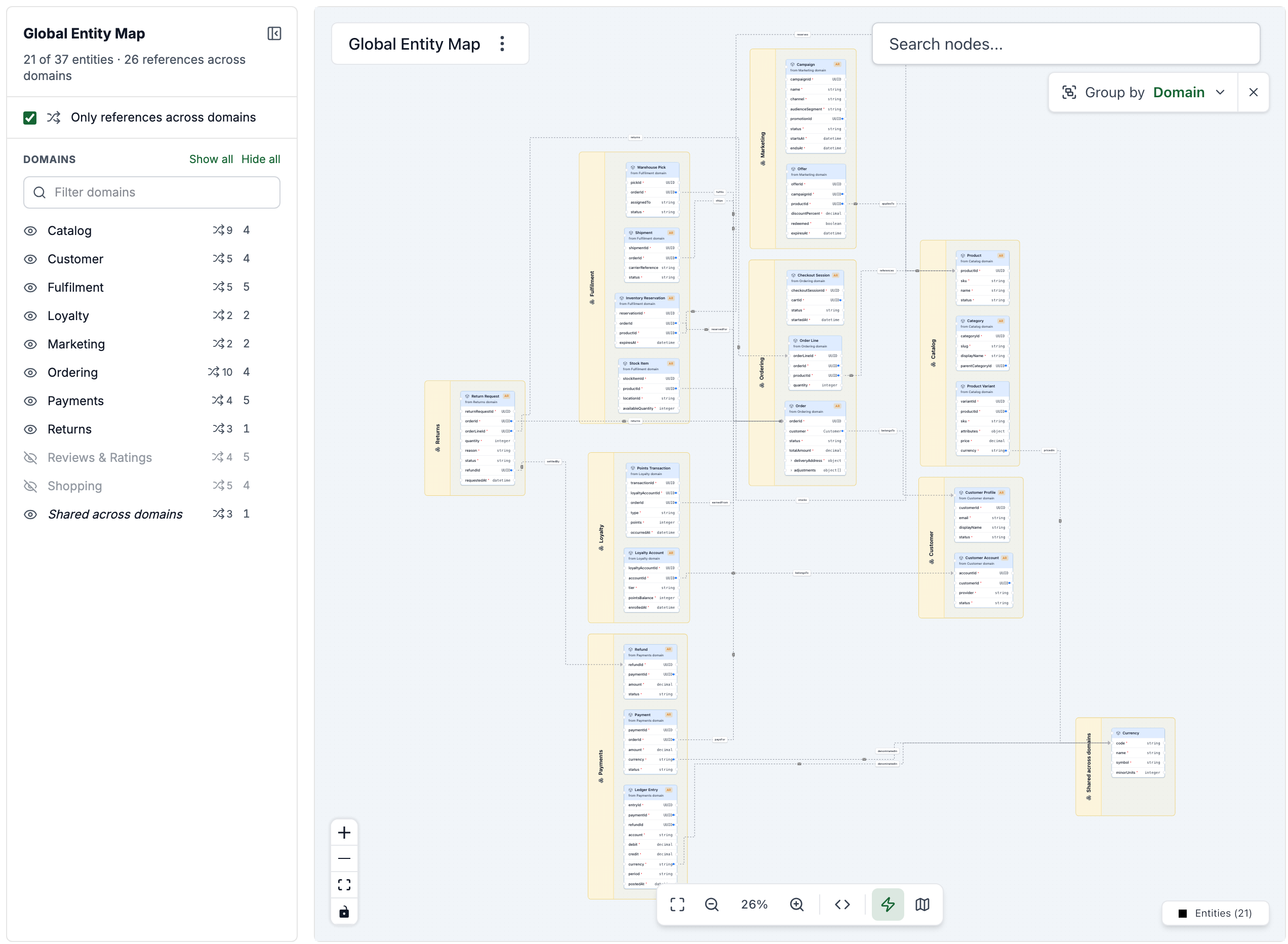
Two domains hidden, and only the references that cross a domain boundary.
You can also:
- Group entities by domain, system or team, as boxes or lanes.
- Show or hide each domain, or show just one.
- Collapse the filters to give the diagram more room.
- Share a link to exactly what you're looking at. Hidden domains, filters and grouping are all kept in the URL.
Try it on your catalog
The Global Entity Map is in EventCatalog 5.10. Upgrade your catalog:
npm install @eventcatalog/core@latest
Then open Top level diagrams → Global Entity Map in the visualizer sidebar, or go to /visualiser/entity-map. If your catalog doesn't have entities yet, start by creating an entity and adding it to a domain, system or service. The Global Entity Map docs cover the rest.
I'd love to see what your data model looks like on one map. Turn on Only references across domains first: it's usually where the surprises are.
Built from your feedback
This feature exists because people using EventCatalog told us what they needed. A lot of what we ship starts that way.
So if you have an idea, something that doesn't quite fit how your team works, or just want to tell me what you think, reach out on Discord or open an issue on GitHub. I read all of it, and it shapes what we build next.