Supported content and MDX
EventCatalog Editor supports rich editing for common Markdown content and source editing for advanced Markdown and MDX.
Rich editor content
The rich editor supports:
- Headings
- Paragraphs
- Bold and italic text
- Links
- Bullet lists
- Numbered lists
- Blockquotes
- Code blocks
- Horizontal dividers
- Tables
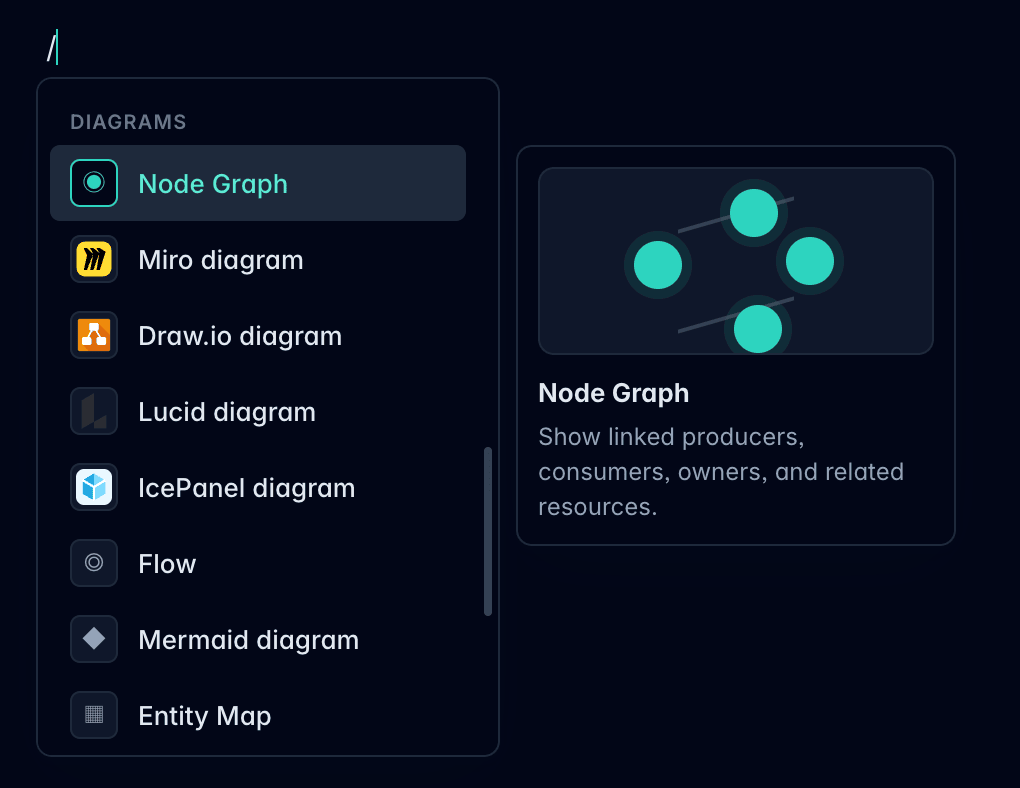
Use / in an empty paragraph to open the slash command menu.
Slash commands
Slash commands can insert Markdown blocks and EventCatalog components from the rich editor.
Common command groups include:
- Text: headings, paragraphs, and quotes
- Lists: bullet and ordered lists
- Advanced: code blocks, dividers, and tables
- Admonitions: note, tip, warning, danger, and info callouts
- Diagrams: Node Graph, Flow, Mermaid, Miro, Draw.io, Lucid, IcePanel, Entity Map, and Schema Viewer
- Layout: Steps, Tiles, and Accordion group
- AI: Prompt and Visibility blocks
Some commands are resource-aware. For example, Schema Viewer appears for events, commands, and queries, and Entity Map appears for domains.
Source mode
Use source mode for:
- Frontmatter edits
- Custom Markdown
- MDX components
- Content the rich editor does not expose yet
Source mode edits the full document source.
MDX components
The editor understands common EventCatalog MDX components and keeps unknown or complex components as blocks so they can round trip through the editor.
Examples of EventCatalog content you may see include:
NodeGraphEntityMapMermaidStepsSchemaSchemaViewerMessageTableChannelInformationOpenAPIAsyncAPIAdmonitionResourceGroupList
If a component cannot be edited visually yet, use source mode.
Editor modes
Use the header controls to switch between visual editing and source editing.
