Review and publish editor changes
EventCatalog Editor writes to your local catalog files. Use the Changes page to inspect what changed before you publish.
Open the Changes page
Choose Changes from the editor navigation.
If the catalog is a Git repository, the editor shows local changes grouped by EventCatalog resource.
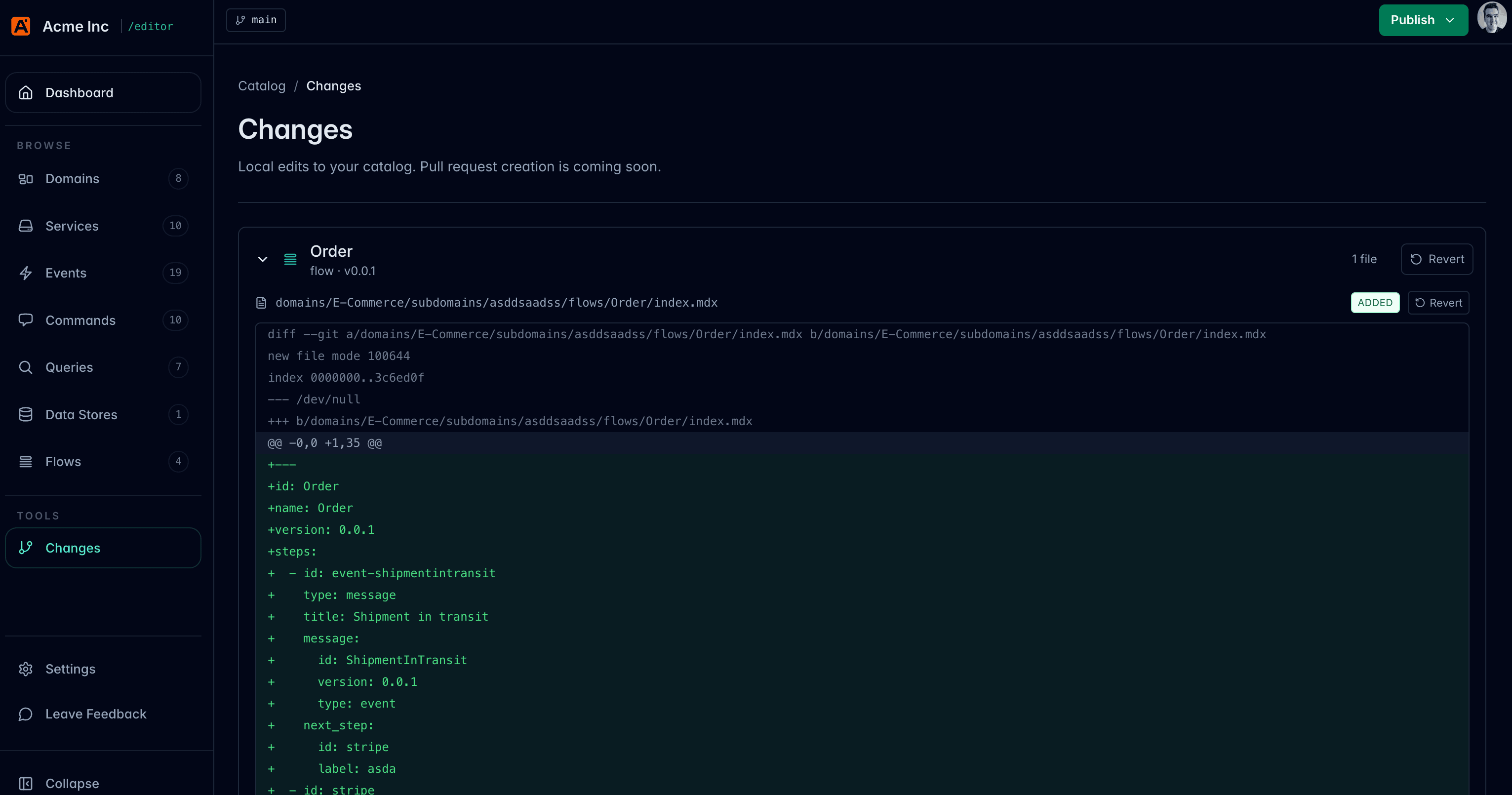
Inspect a file diff
Open a changed file to view the unified diff.
Use the diff to check:
- The intended Markdown or MDX changed
- Metadata changes are correct
- Generated schema or specification paths look right
- Unrelated files were not changed accidentally
Publish from the editor
When the changes look right, click Publish in the editor.
In the beta editor, Publish commits your changes locally to Git. It does not deploy your catalog or open a pull request.
Use a short message that describes the catalog change, for example:
Document OrderPlaced event schema
Continue with your team's workflow
After publishing, use your existing Git workflow to share and release the change.
For example:
git push
Then open a pull request if your team reviews catalog changes through GitHub or another Git hosting provider.
Built-in pull request creation is planned, but beta users should continue using their existing Git workflow after publishing local changes.