Adding messages to services
EventCatalog supports different types of messages (commands, events and queries).
A service in EventCatalog can receive or send messages.
A service can also send and receive messages through channels.
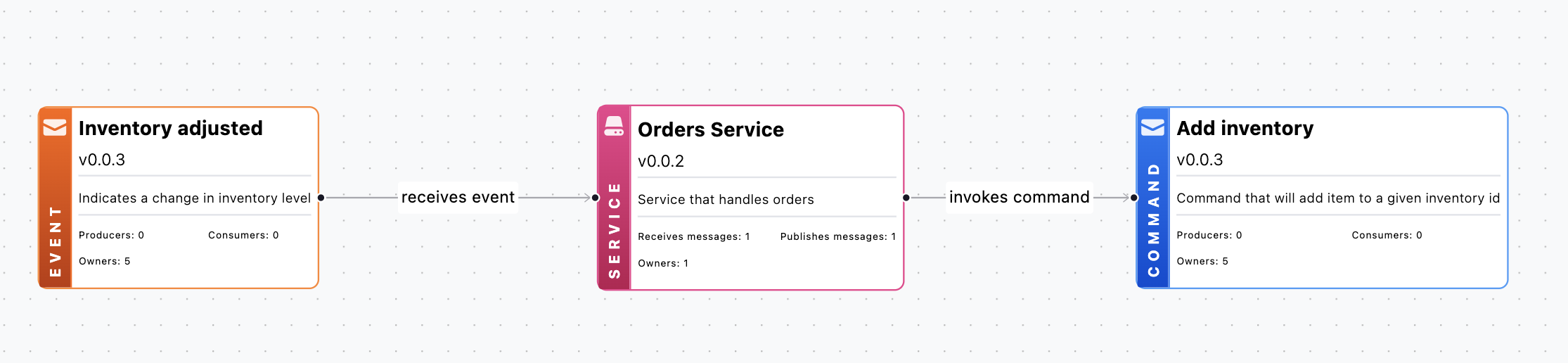
If you are coming from an event-driven architecture you will be familiar with the terms producers and consumers. Producers produce events and consumers consume them.
EventCatalog services can be either producers or consumers or both. For example if a service receives an event (type of message) it is the consumer, if it sends an event (type of message) it is the producer.
The idea of sends and receives comes from the AsyncAPI specification and gives flexibility to support other types of messages (commands and queries).
To add messages to your service you first have to define your messages.
Once you have messages defined in your Catalog you can reference them within your service.
Adding messages to your service
To add messages to a service you need to define them in either the sends or receives array within your service frontmatter API.
You need to add the id of the message and optionally the version of the message.
---
id: OrderService
... # other service frontmatter
receives:
    # id of the message this service receives
    - id: PaymentProcessed
    # (optional) The version of the message you want to add.
    # If no version is given the latest version of the message will be used.
      version: 0.0.1
sends:
    # id of the message this service sends
    - id: OrderProcessed
      version: 2.0.1
---

<!-- Markdown contents... -->
The receives and sends fields in your service tell EventCatalog which messages this service either consumes or publishes.
When you define your messages for your service you can define the version of them too. This can be powerful if you have multiple versions of your events, commands or queries. Example could be an API that you are consuming, maybe you are consuming an old version of this API you can specify that.
Routing messages through channels
You can also route your messages through channels. Examples of these could be your brokers, queues, topics, etc.
To do this you can use the to and from fields in your service frontmatter.
This example shows :
- the
OrderServicesending anOrderPlacedmessage to theorders.eventschannel. - the
OrderServiceconsuming the aPaymentProcessedmessage from thepayments.eventschannel.
---
id: OrderService
... # other service frontmatter

# Service sends a message called OrderPlaced
# This message is published to the orders.events channel (e.g broker)
sends:
  - id: OrderPlaced
    to:
      - id: orders.events

# Service consumes a message called PaymentProcessed
# This message is consumed from the payments.events channel (e.g queue)
receives:
  - id: PaymentProcessed
    from:
      - id: payments.events
---
You can read more about routing messages through channels in the routing messages through channels guide.
Using semver versioning
eventcatalog@2.4.0You can use semver syntax when referencing your services in your domains.
---
id: PaymentDomain
... # other domain frontmatter
services:
    # Latest minor version of PaymentsService will be added
    - id: PaymentsService
      version: 0.x.1
    # Minor and patches of this version will be linked
    - id: NotificationsService
      version: ^1.0.1
    # Latest version of this service will be shown by default.
    - id: PaymentsService
---

---
id: OrderService
... # other service frontmatter
receives:
    # Service receives a message called PaymentProcessed
    # The latest minor/patch version of this event will be used
    - id: PaymentProcessed
      version: 1.x.x
sends:
    # Service sends a message called OrderProcessed
    # This pulls the latest patch version of OrderProcessed
    - id: OrderProcessed
      version: 2.0.x
    # Service sends a message called OrderCancelled
    # This pulls the latest minor/patch version of OrderCancelled
    - id: OrderCancelled
      version: >1.0.1
---

<!-- Markdown contents... -->
Although it's recommended to link to a version of a message it is now optional. If no version is given latest is used by default.
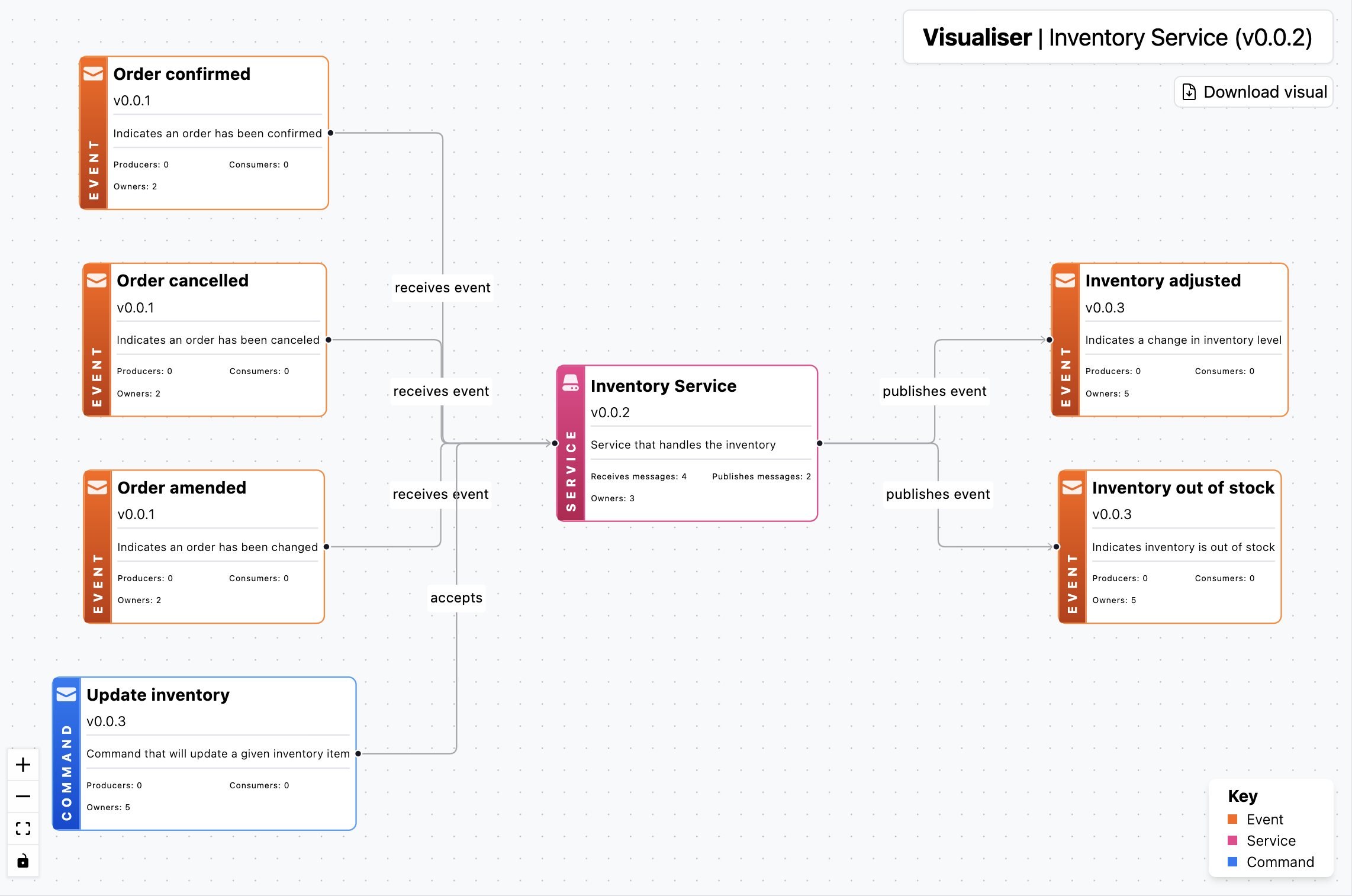
Visualizing messages within a service
When messages get added within your services EventCatalog will visualize this for you either using the NodeGraph component or through the visualizer.