Understanding diagrams
eventcatalog@3.3.0EventCatalog automatically generates architecture diagrams based on your resources and how they relate to each other. These auto-generated visualizations help you understand your system's structure.
But what about your own diagrams?
Many teams have existing architecture diagrams - whether they're Mermaid flowcharts, PlantUML sequence diagrams, Miro boards, IcePanel views, or simple images. The diagrams feature lets you bring these into EventCatalog as first-class, versioned resources.
What can you do with diagrams?
With diagrams in EventCatalog you can:
- Bring any diagram type - Mermaid, PlantUML, Miro embeds, IcePanel, Lucidchart, draw.io, images, or any MDX content
- Version your diagrams - Track how your architecture visualizations evolve over time
- Compare versions side-by-side - See what changed between diagram versions (Scale feature)
- Assign to any resource - Link diagrams to domains, services, messages, or containers
- Reuse across resources - Reference the same diagram from multiple places in your catalog
- Organize flexibly - Store diagrams at the top level or nest them within domains and services
- Ask questions with AI - Use EventCatalog's AI assistant to ask questions about your diagrams
- Expose to LLMs - Diagrams are available at
.mdxURLs (e.g.,/diagrams/my-diagram/1.0.0.mdx) for LLM consumption
How is this different from auto-generated diagrams?
| Auto-generated diagrams | Custom diagrams (this feature) |
|---|---|
| Created automatically from your resources | You create and maintain them |
| Show relationships between catalog items | Show anything you want |
| Update when resources change | Update when you version them |
| Limited to catalog data | Any visual content |
Both complement each other. Auto-generated diagrams show your system as documented in the catalog. Custom diagrams let you add context - migration plans, target architectures, sequence flows, event storming results, or embedded boards from your favorite diagramming tools.
What do diagrams look like in EventCatalog?
Diagrams have their own dedicated pages with version switching and appear in the sidebar when assigned to resources.
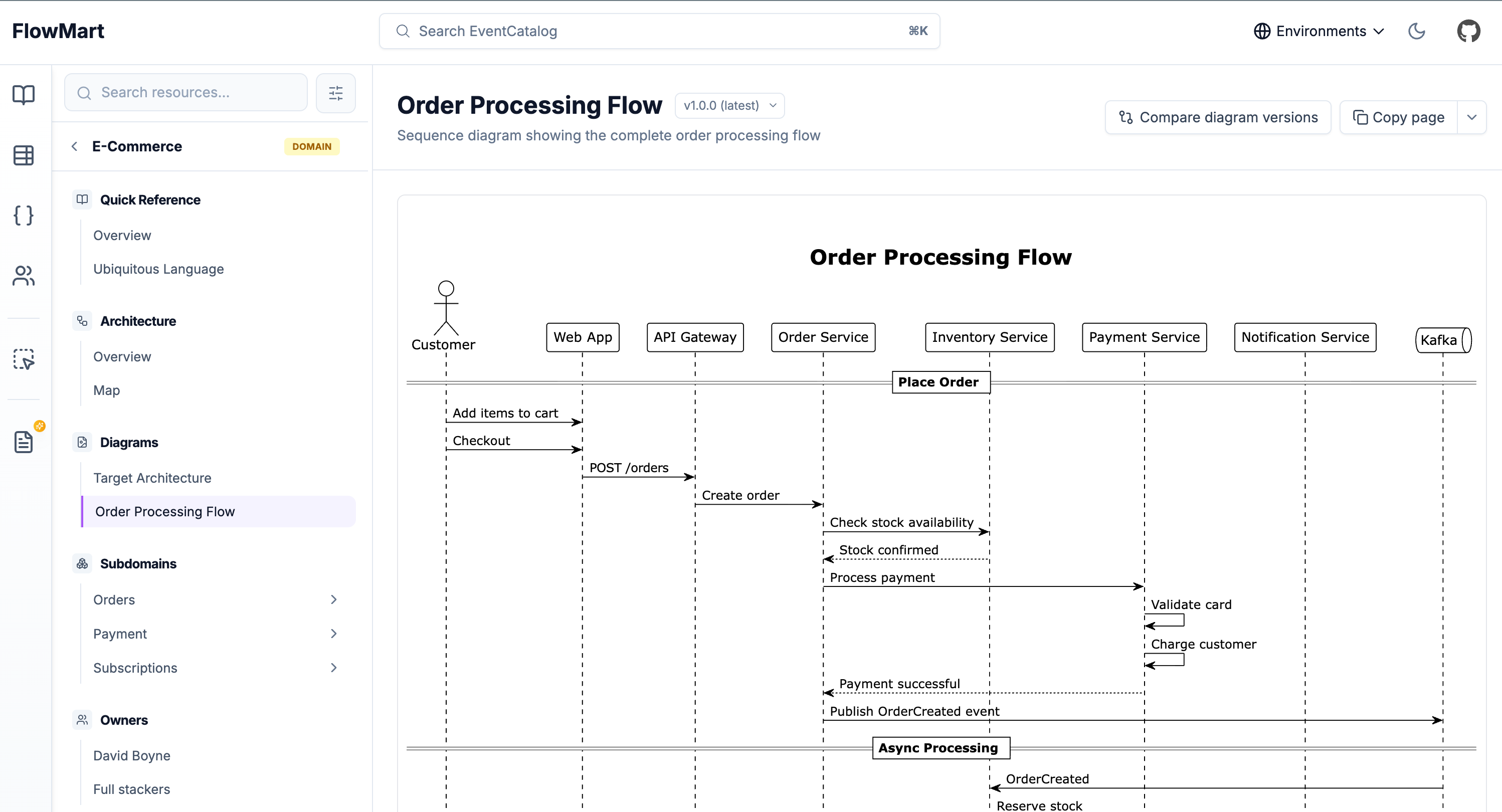
View Demo of a Target Architecture diagram →
When to use custom diagrams
Use diagrams when you want to:
- Document target architecture or migration plans
- Embed Miro boards, IcePanel views, or other collaborative diagrams
- Create sequence diagrams showing detailed message flows
- Share event storming results or architecture decision records
- Maintain historical versions of architectural diagrams
- Add visual context that can't be auto-generated from your resources
Supported content formats
Diagrams support any content you can write in MDX:
- Mermaid diagrams - Flowcharts, sequence diagrams, C4 diagrams
- PlantUML diagrams - UML, sequence, component diagrams
- Embedded diagrams - Miro, IcePanel, Lucidchart, draw.io, FigJam
- Static images - PNG, SVG, JPG files
- Markdown content - Add explanations and documentation around visuals
- Custom components - Use any MDX component to enhance your diagrams