Slack integration
i
This feature requires an EventCatalog Scale license.
The EventCatalog Slack Bot connects to your EventCatalog MCP server, allowing teams to query architecture documentation directly from Slack. Ask questions about events, services, domains, and schemas without leaving your workspace.
The slack bot is self hosted, you own your data and deployment.
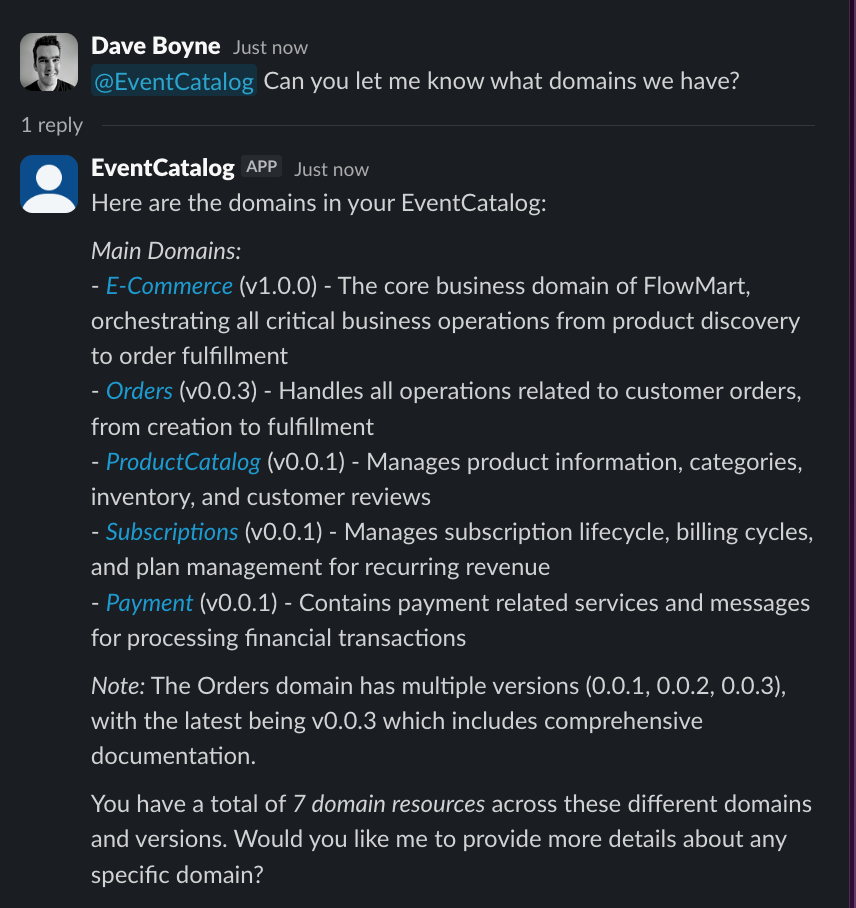 Example of the EventCatalog Slack Bot in action asking about the OrderCreated event
How it works
- You configure the bot with your own AI provider and model (e.g. Anthropic, OpenAI, Google)
- Users @mention the bot or post in dedicated channels
- The bot queries your EventCatalog MCP server
- AI-powered responses appear in threads to keep channels organized
Key features
- @Mention anywhere - Add the bot to any channel and ask questions
- Dedicated channels - Create auto-reply channels for architecture questions
- Multiple AI providers - Works with Anthropic, OpenAI, or Google
- Self-hosted - Your data stays private, you control your data and deployment
- Socket Mode - No public URL or webhooks needed
- Custom tools support - Bring your own integrations for real-time data
Custom tools
The Slack bot supports custom tools defined in your eventcatalog.chat.js file. This means you can bring real-time data into your Slack conversations:
- Query production metrics from Datadog or Prometheus
- Check service health and uptime
- Look up on-call engineers from PagerDuty
- Fetch queue depths from Kafka
- Any custom integration your team needs
Custom tools work automatically - the AI decides when to use them based on user questions. Ask "who is on-call for OrderService?" and get live data directly in Slack.
Prerequisites
- EventCatalog instance (with configured MCP server) running in SSR mode
- EventCatalog Scale license
- Slack workspace with app creation permissions
- API key for your chosen AI provider
Repository
The EventCatalog Slack Bot is open source: