Linking resources
eventcatalog@3.42.0Use appliesTo to connect an ADR to the catalog resources it affects. When resources are linked, the ADR appears in the Decision Records section of each resource's sidebar.
Use appliesTo
Add an appliesTo array to the frontmatter, specifying the type and id of each affected resource.
appliesTo:
  - type: domain
    id: Orders
  - type: service
    id: PaymentService
  - type: event
    id: PaymentAccepted
  - type: channel
    id: orders-domain-eventbus
Supported resource types
The following resource types can be used in appliesTo.
agent
service
event
command
query
flow
channel
domain
user
team
container
entity
diagram
data-product
Pin to a specific version
By default, EventCatalog resolves the link to the latest version of the resource. Add a version field to pin to a specific version.
appliesTo:
  - type: service
    id: PaymentService
    version: 1.0.0
  - type: event
    id: OrderConfirmed
    version: latest   # explicit, same as omitting version
How it appears in the UI
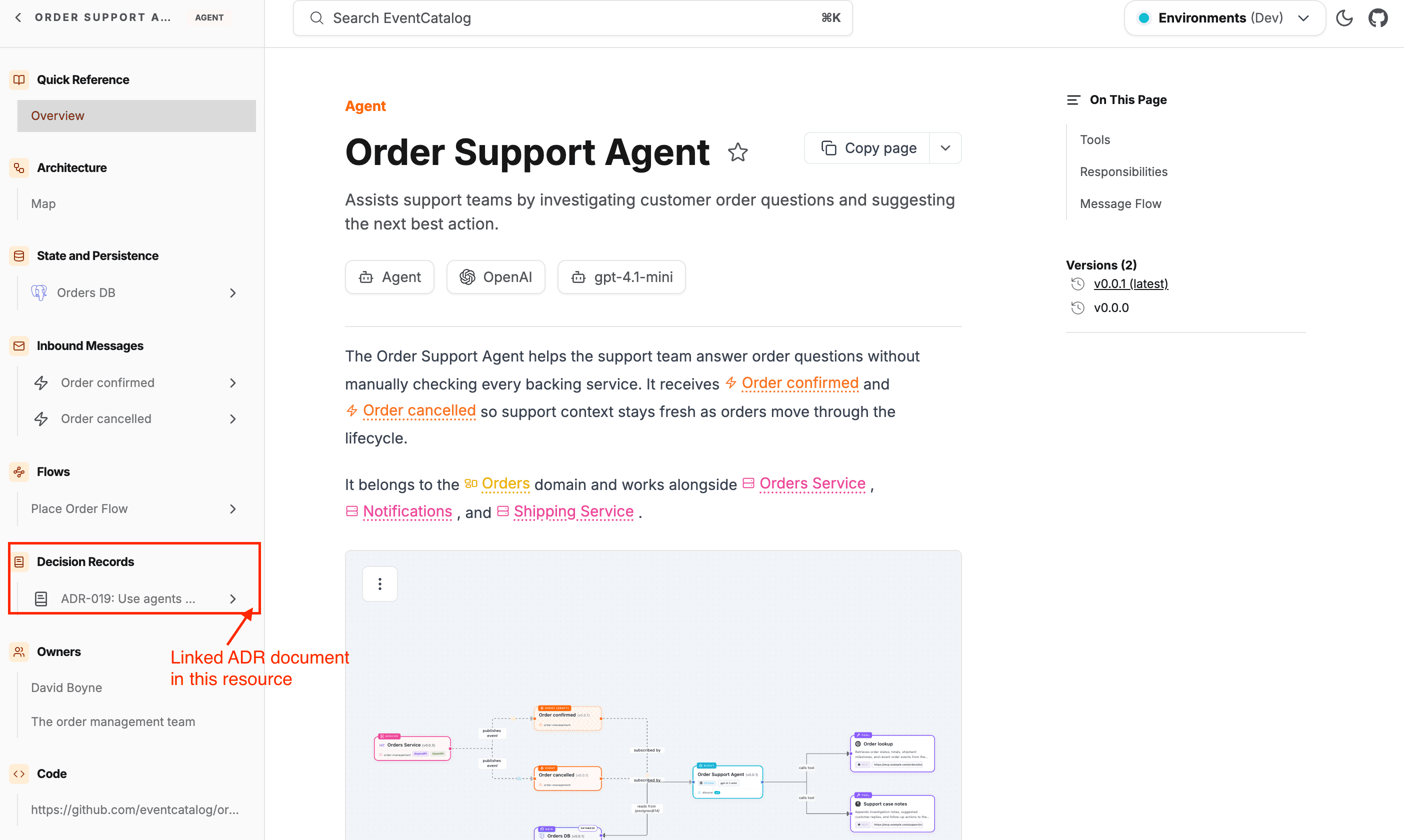
When a resource has one or more ADRs linked via appliesTo, a Decision Records group appears in that resource's sidebar. Each linked ADR shows its name and links directly to the decision page.
This means engineers reading a service or event page can immediately see which architectural choices affect it, without leaving the page.