EventCatalog Studio
Plan what's next, together.
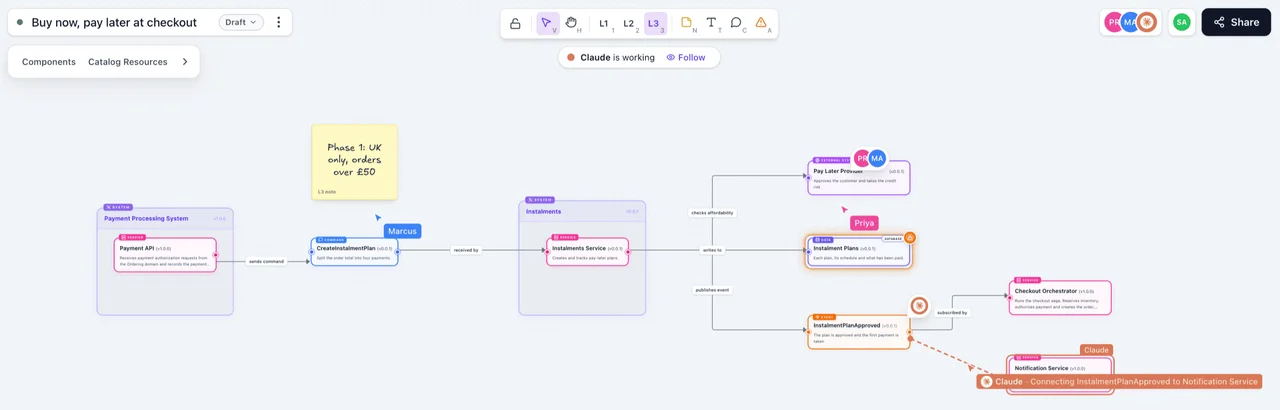
Your catalog shows how your architecture works today. Studio is where you design what comes next. Start from the domains, services and messages you already document, sketch the change on a live canvas, and work on it with your team and your AI agents.
Trusted by teams at








Start from the architecture you already have.
No more redrawing services on a whiteboard. Every design starts from your catalog, so the conversation is about the change, not about what exists today.
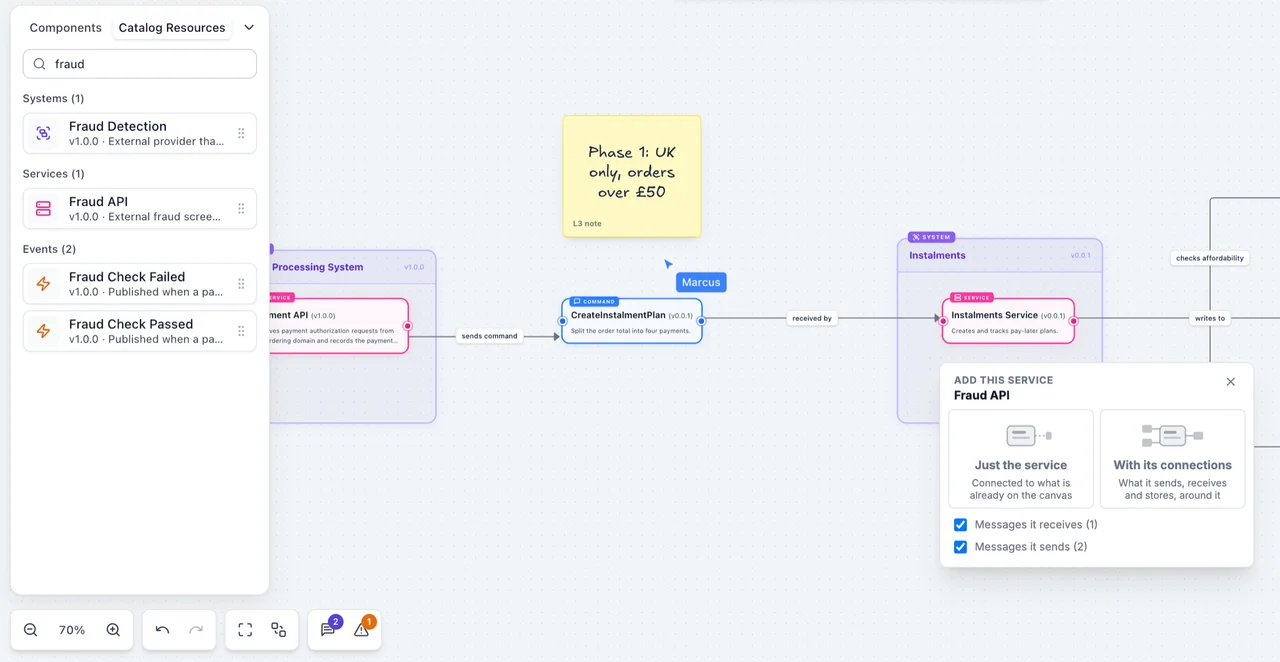
Drag domains, systems, services, messages and data stores onto a canvas, with their real names, versions and summaries.
Add a service with what it sends, receives and stores, already connected. No redrawing by hand.
Start from a diagram in your catalog and change it. Your documentation stays as it is.
One design, the right level for every conversation.
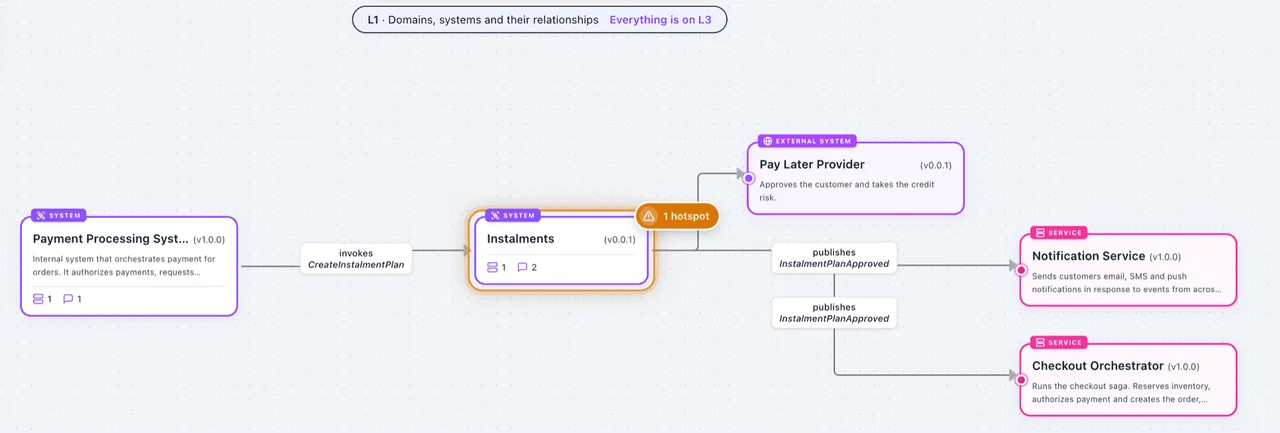
Canvases have the same three levels as your diagrams. Draw the change once, then zoom out for leadership or in for the engineers.
Domains, systems and how they relate. For leadership, and for deciding where something belongs.
The services and data stores inside them. For agreeing who changes what.
Every message and channel. For the engineers designing the change.
Design it together, live.
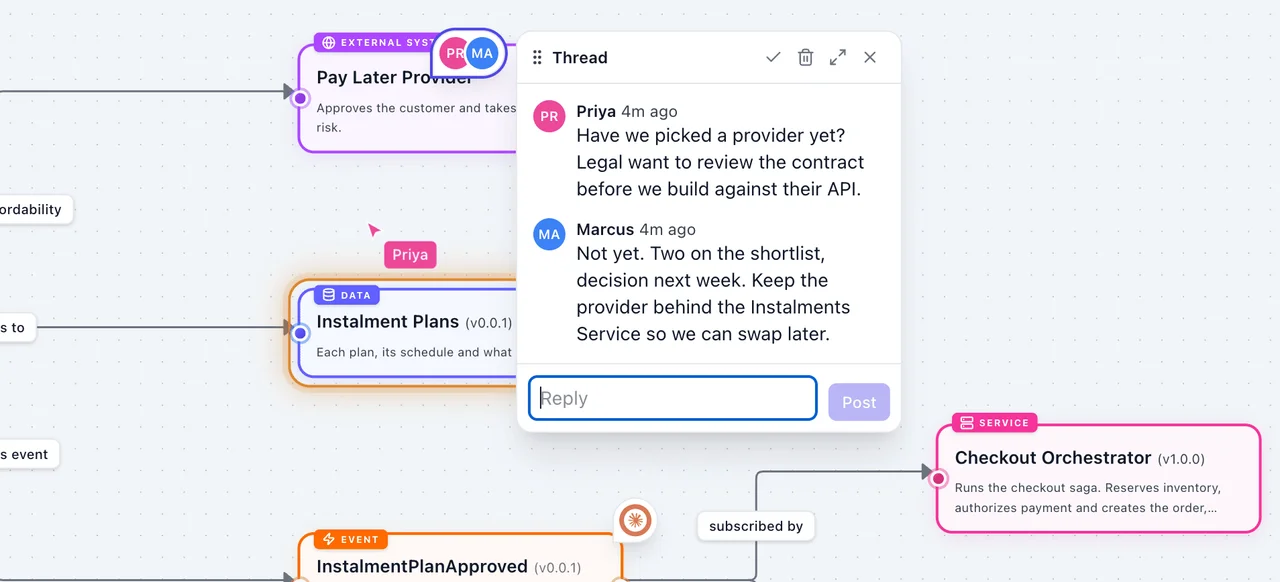
Share a link and your team joins you on the canvas. Talk it through where the design is, not in a separate thread.
Everyone on a canvas sees each other, and every change, as it happens.
Pin a question to a node, reply in a thread, and resolve it when it is settled.
Flag a risk as critical, a warning or info. It stays visible when you zoom out.
Your AI agent, on the same canvas.
Agents connect through the MCP server and join the canvas with their own pointer. They add resources from your catalog, sketch new components and connect them while you watch, and in Claude and ChatGPT the canvas opens right in the chat.
 Claude
 ChatGPT
 CursorAny MCP client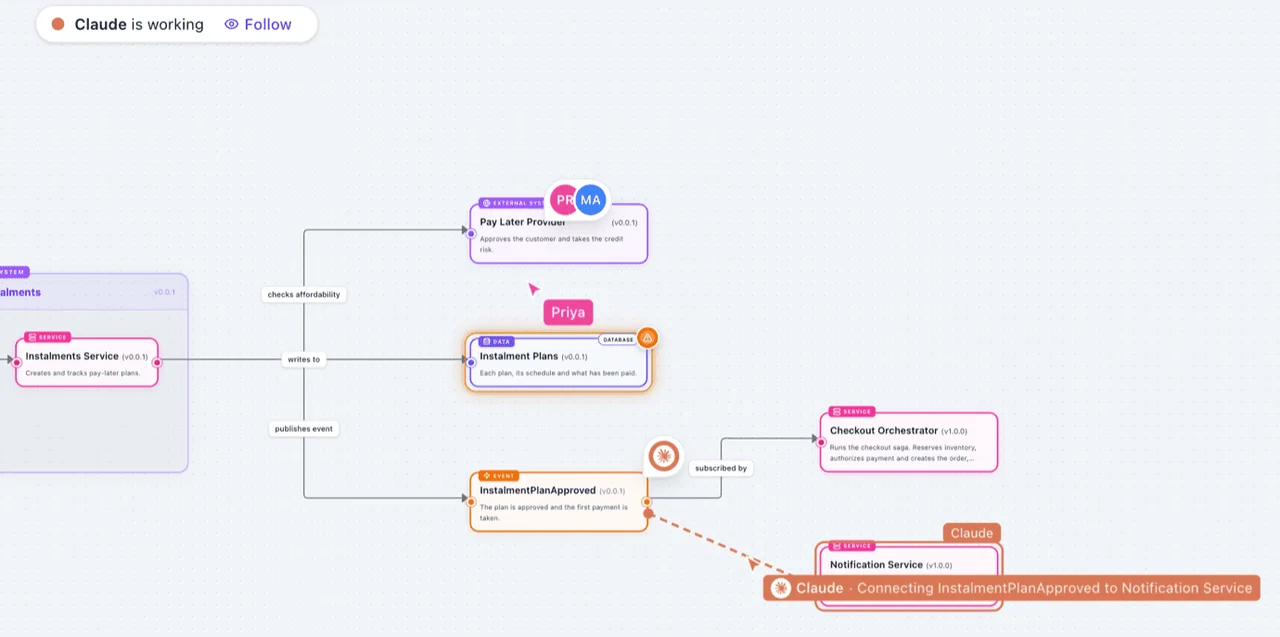
From idea to decision, on the record.
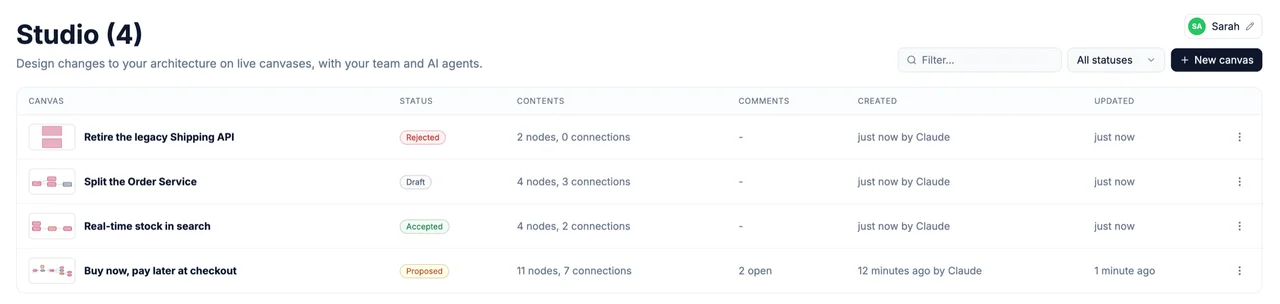
Every canvas has a status and a history. Months later, you can see what was decided, why, and which ideas were turned down.
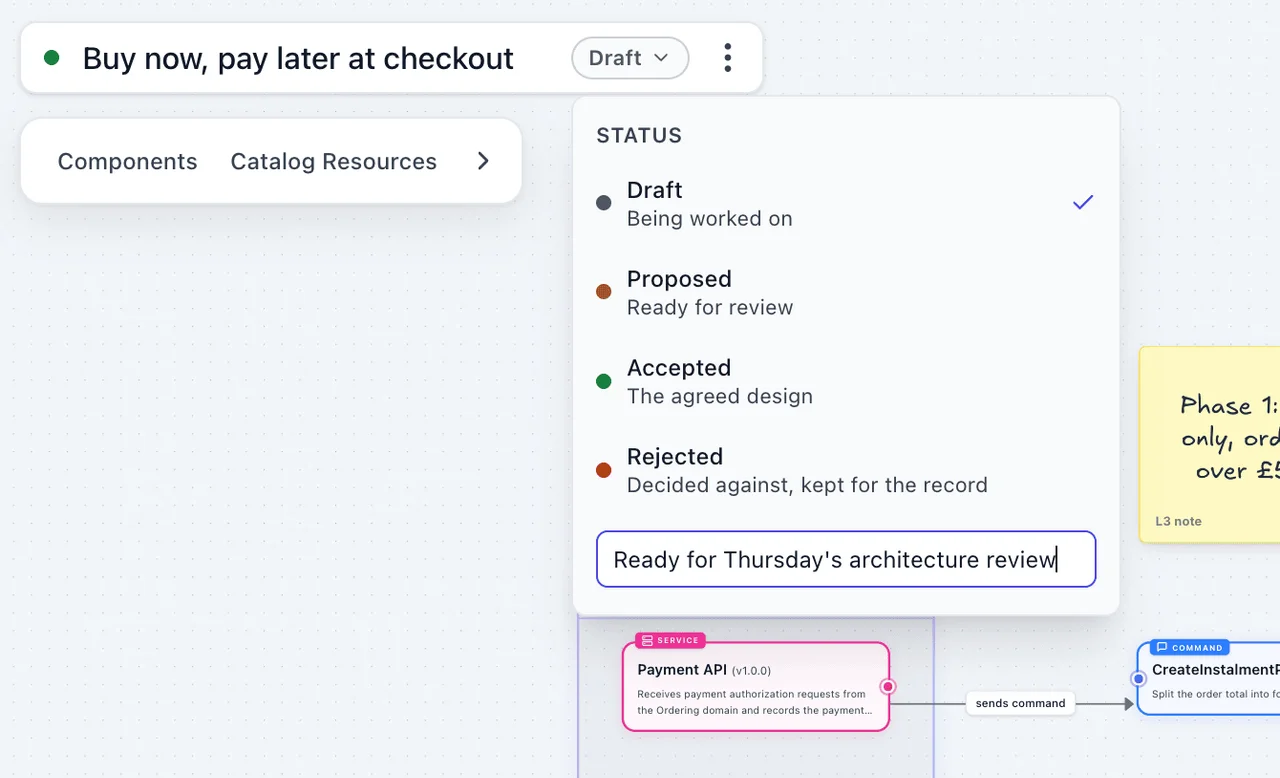
Move a design along as it matures, with a note at each step.
See who decided what, when and why. Rejected ideas stay on the record.
Canvases are saved by your EventCatalog, to storage you configure. Export them as images or files.
No catalog yet? Start in your browser.
EventCatalog Studio is also on the web, for sketching an idea before you have a catalog, or with people outside your organisation.
Open it and start drawing with domains, services, messages and data stores.
Your design is saved locally as you work. Share a link, or start an encrypted live session with your team.
When you are ready, export the design to EventCatalog with one prompt to your AI agent.
Plan your next change today.
Studio is part of EventCatalog v5. Run your catalog and open Studio from the sidebar. Free for organisations under $10M.