Architecture decision records (ADRs) are growing in popularity, and they're becoming the standard way to capture an organization's decisions and the conversations behind them.
Teams spend time debating options and writing them up. The ADR goes into a GitHub repository or a document, and people may refer back to it, if you're lucky. But the code keeps changing across the organization, with no automated checks against those ADRs.
I'm happy to share a new workflow in EventCatalog that lets you document your ADRs and add automated checks to make sure code changes adhere to them.
ADRs with automated checks
EventCatalog lets you document your ADRs against your architecture, and assign them to the domains, systems, services and messages they affect.
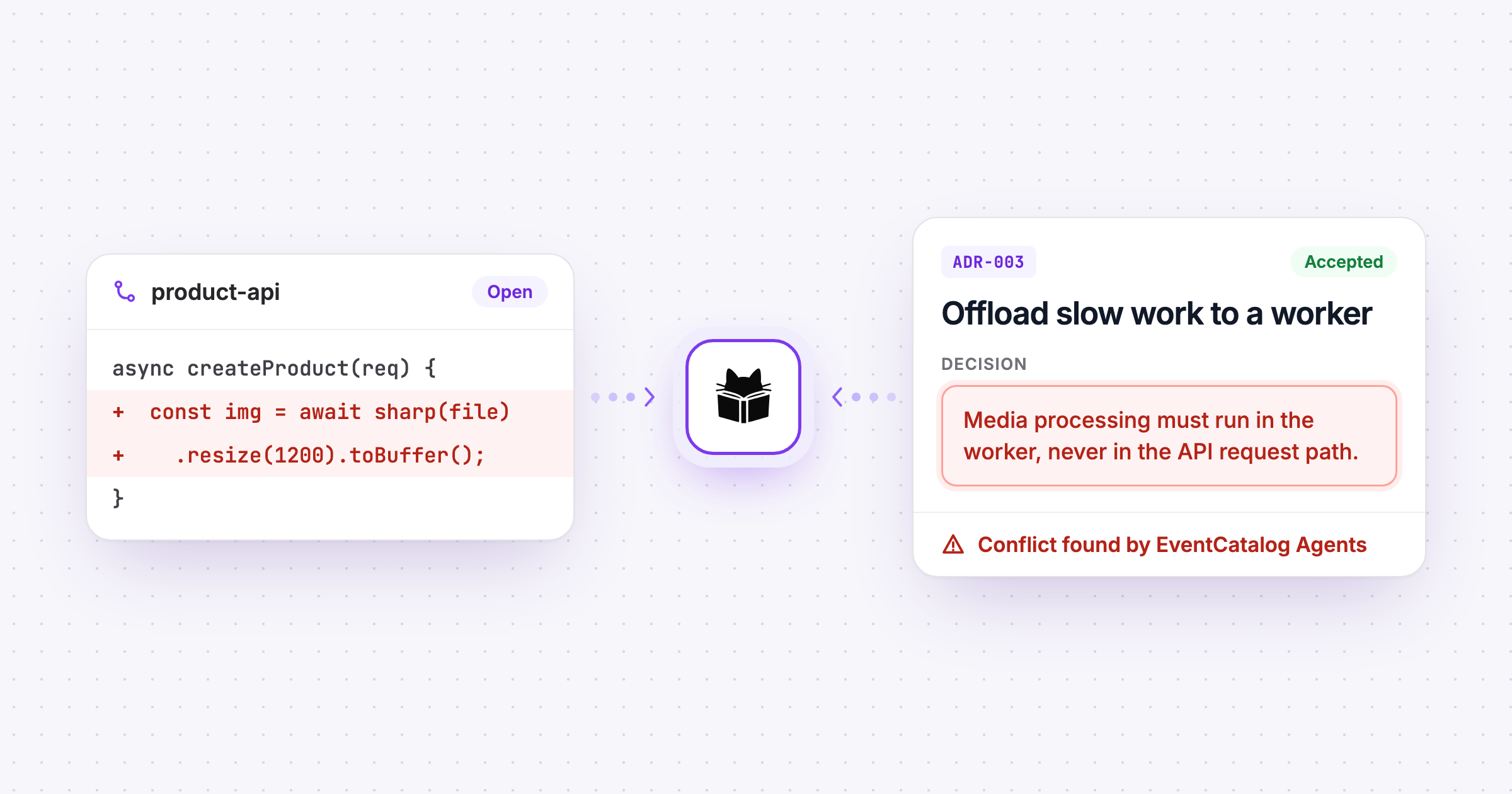
The new ADR Compliance workflow then checks your pull requests against the ADRs you choose. If the code clearly goes against one, the agent comments with the line, the decision, and how to fix it:
 eventcatalog-agentsbotcommented
⚠️ Possible conflict with 1 architecture decision
ADR-003: Offload long-running catalog work to a dedicated worker
services/product-api/src/routes/products.ts:8: The createProduct handler now performs image resizing and WebP conversion inline using sharp before returning a response. ADR-003 designates media processing as work that must be handled by the product-worker, in order to keep API latency small and predictable.
The worker picks up enrichment, media processing and bulk imports independently, reading from and writing back to the product-database.
Suggestion: Remove the sharp processing from the API request path, and have the product-worker pick up the resize and conversion job asynchronously.
If this is intentional, add adr-exception: <adr-id> <reason> to the pull request description. If the decision has changed, propose a new ADR in the catalog.
How it works
When a pull request opens, the agent workflow:
- Selects your ADRs. It takes the accepted ADRs you pointed it at. Proposed, rejected and superseded decisions don't count.
- Finds the relevant ones, so only decisions on the same topic are reviewed in full.
- Reviews the changed lines, and reports only clear conflicts.
- Checks its work. The line must be one the pull request changed, and the quote must be in the ADR.
- Comments on the pull request, and updates that comment on every push.
If there are no conflicts, it stays silent. Your team finds drift while the code can still change, not after it reaches production.
Built for how you work
You choose which ADRs apply. Check against the ADRs for a domain, a team or your whole organization, depending on where they live in your catalog:
with:
  agent: adr-compliance
  # Organization-wide decisions, and those of the Orders domain
  adrs: adrs/**, domains/Orders/**
Your team stays in charge. The agent comments and doesn't block a merge. If a conflict is intentional, record an exception and your reason in the pull request description, and it stays visible to reviewers. If the decision has changed, write a new ADR.
Bring your own model. The agents run with your own key: Claude, GPT, a model on Amazon Bedrock, or any other provider.
Your data stays private. The agents run as a GitHub Action in your own CI. Your code goes only to the model provider you choose. We never see your code, your catalog or your pull requests.
Get started
I'm excited to share this new workflow with you all. I think there's so much more we can do with ADRs than leave them as lost documentation. We can use them as a driver for automation and governance in our architecture, and get more value from them.
Check code against ADRs has a prompt you can copy into Claude Code, Codex, Cursor or any other agent to set it up. New to ADRs? Start by creating your first ADR.
EventCatalog Agents are source available on GitHub.
I'd love to hear how you get on, so come and say hello on Discord.