# Entity maps
Copy as Markdown[View as Markdown](/docs/development/guides/resources/entities/entity-maps.md)
***
Entity maps help teams understand the relationships between business concepts.
When entities are assigned to a domain or service, EventCatalog can create an entity map that shows:
* The entities assigned to that resource.
* Relationships between those entities.
* Entities referenced from outside the current resource.
* Which entities are owned by the current domain or service context.
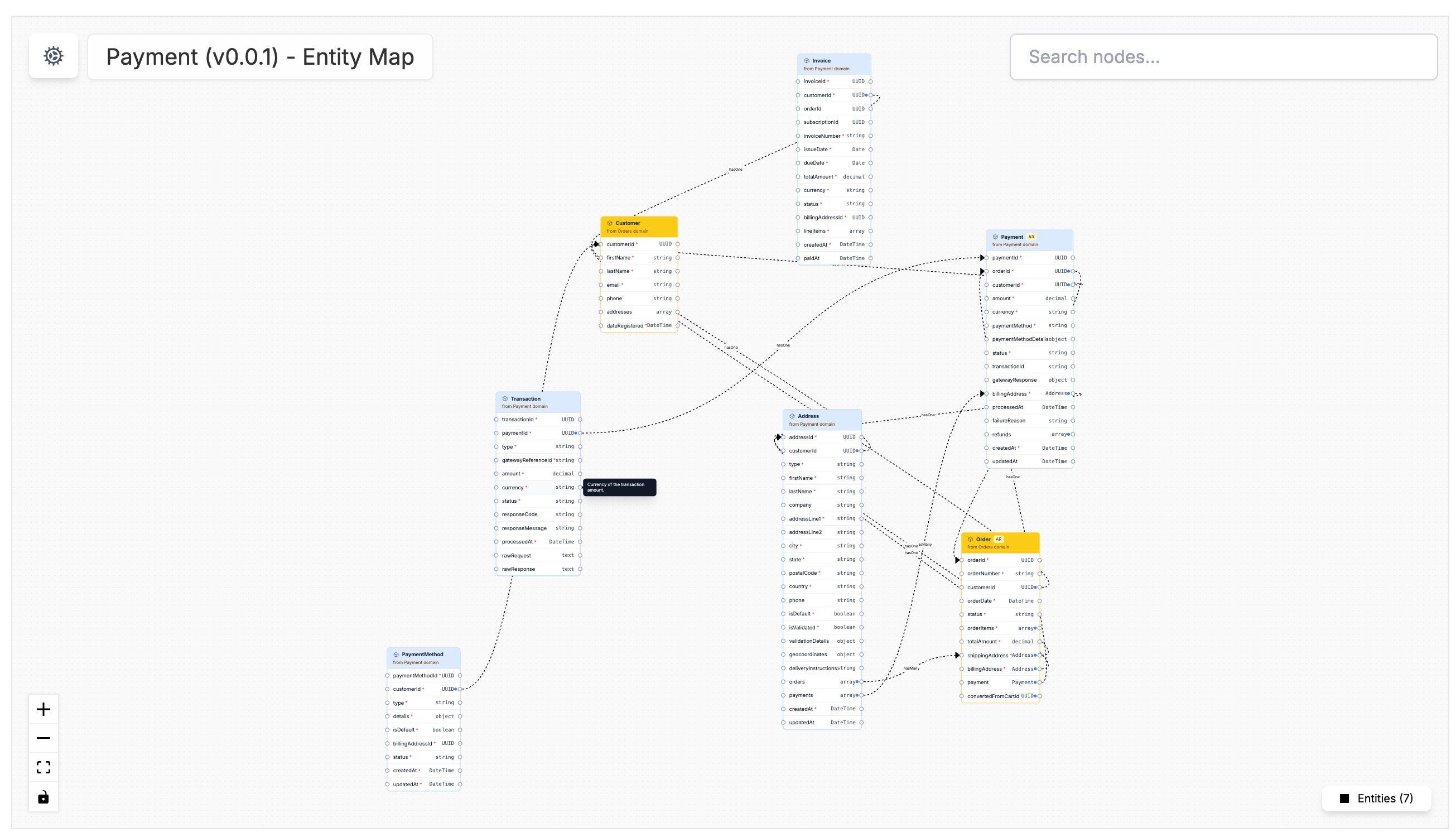
## Open an entity map in the visualizer[](#open-an-entity-map-in-the-visualizer "Direct link to Open an entity map in the visualizer")
Domains and services have dedicated entity map routes:
```
/visualiser/domains/{id}/{version}/entity-map
/visualiser/services/{id}/{version}/entity-map
```
When a domain or service has entities assigned, an **Entity Map** link appears automatically in the resource sidebar under the visualizer section.
## Embed an entity map[](#embed-an-entity-map "Direct link to Embed an entity map")
You can also embed an entity map on a page using the `` component.
```
```
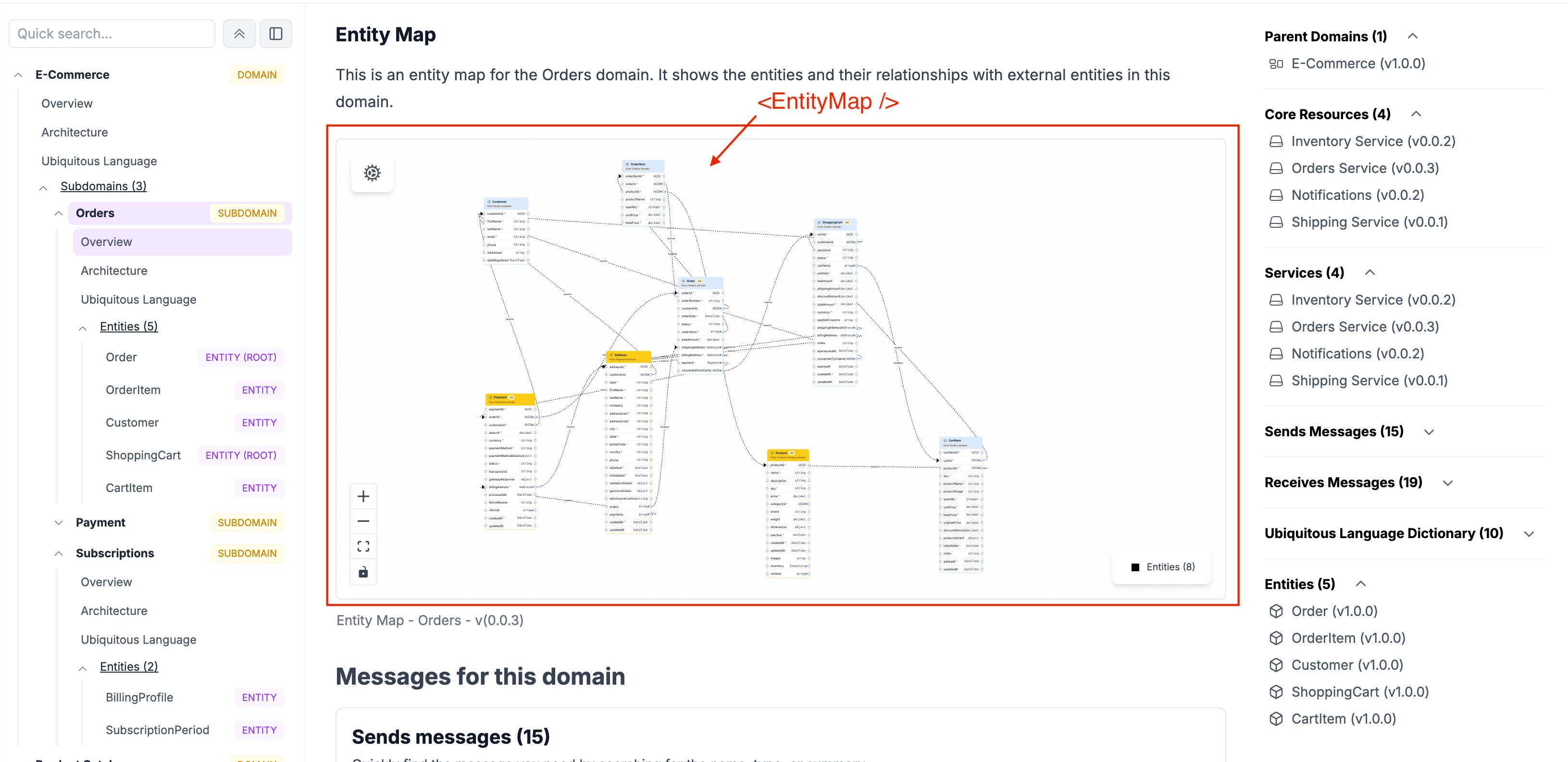
Use embedded entity maps when you want the model to appear directly in domain, service, or custom documentation.
## Next steps[](#next-steps "Direct link to Next steps")
* [Model entity relationships](/docs/development/guides/resources/entities/model-entity-relationships.md)
* [EntityMap component reference](/docs/development/components/components/entitymap.md)