# Add entities to domains
Copy as Markdown[View as Markdown](/docs/development/guides/domains/add-resources-to-domains/add-entities-to-domains.md)
***
Once you have [created your entities](/docs/development/guides/resources/entities/create-entity.md) you can add them to your domains.
To add an entity to a domain, add the entity to the `entities` array in the domain's markdown file.
/domains/Orders/index.mdx
```
---
id: Orders
name: Orders
version: 1.0.0
entities:
- id: Order
version: 1.0.0
- id: OrderItem
version: 1.0.0
---
Your domain markdown...
```
## Visualize domain entities[](#visualize-domain-entities "Direct link to Visualize domain entities")
**Added in** `eventcatalog@2.49.0`
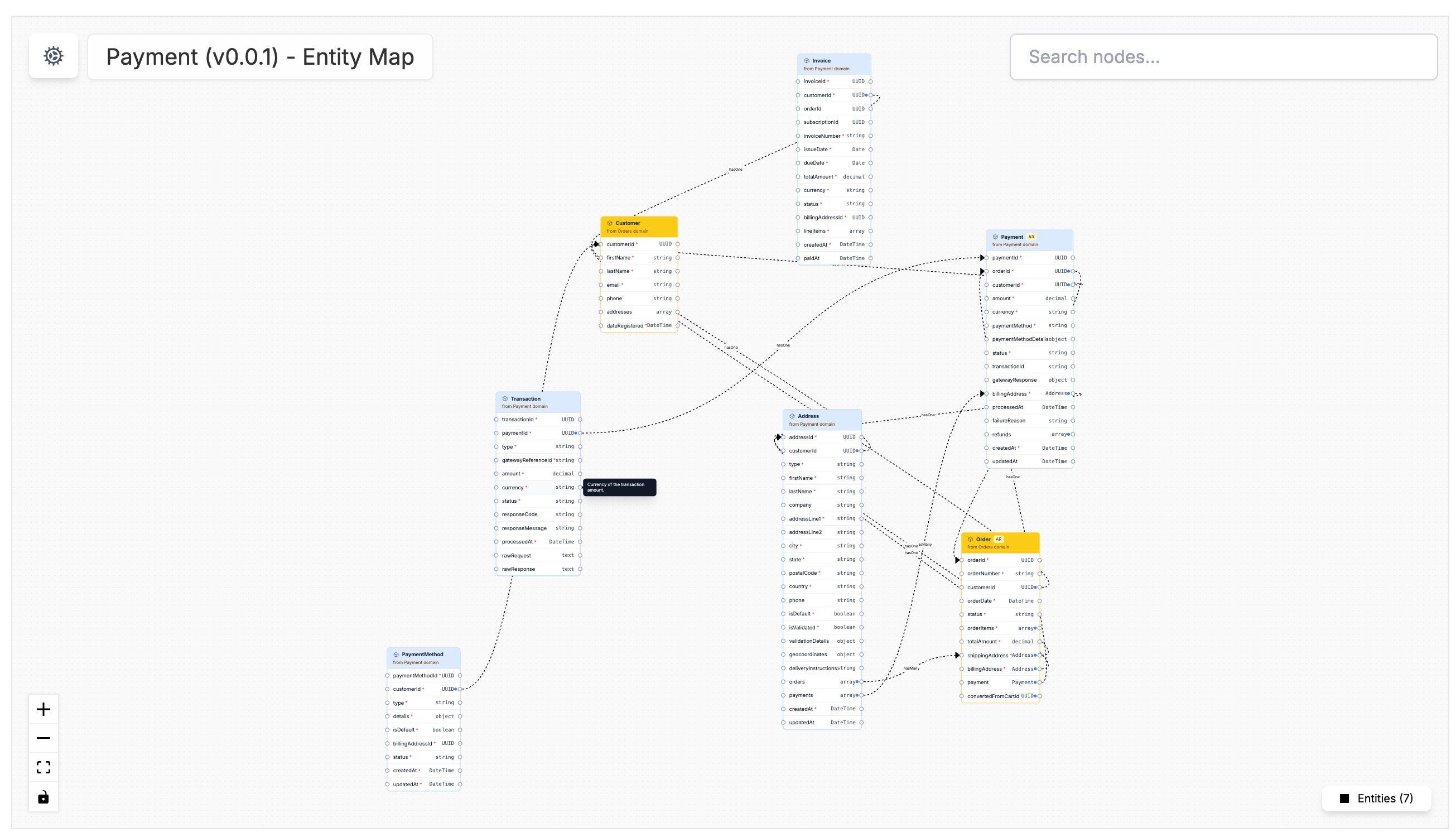
When a domain has entities assigned, EventCatalog can generate an entity map for that domain.
The entity map helps teams understand the domain model at a glance. It shows:
* The entities inside the domain
* The relationships between those entities
* Which entities are owned by the current domain
* Entities referenced from other domains
Entities that are referenced from another domain are shown as **yellow**.
## View the entity map in the visualizer[](#view-the-entity-map-in-the-visualizer "Direct link to View the entity map in the visualizer")
EventCatalog creates a dedicated entity map visualizer route for domains:
```
/visualiser/domains/{id}/{version}/entity-map
```
For services, the route is:
```
/visualiser/services/{id}/{version}/entity-map
```
When a domain or service has entities assigned, an **Entity Map** link appears automatically in the resource sidebar under the visualizer section.
## Embed the entity map on a page[](#embed-the-entity-map-on-a-page "Direct link to Embed the entity map on a page")
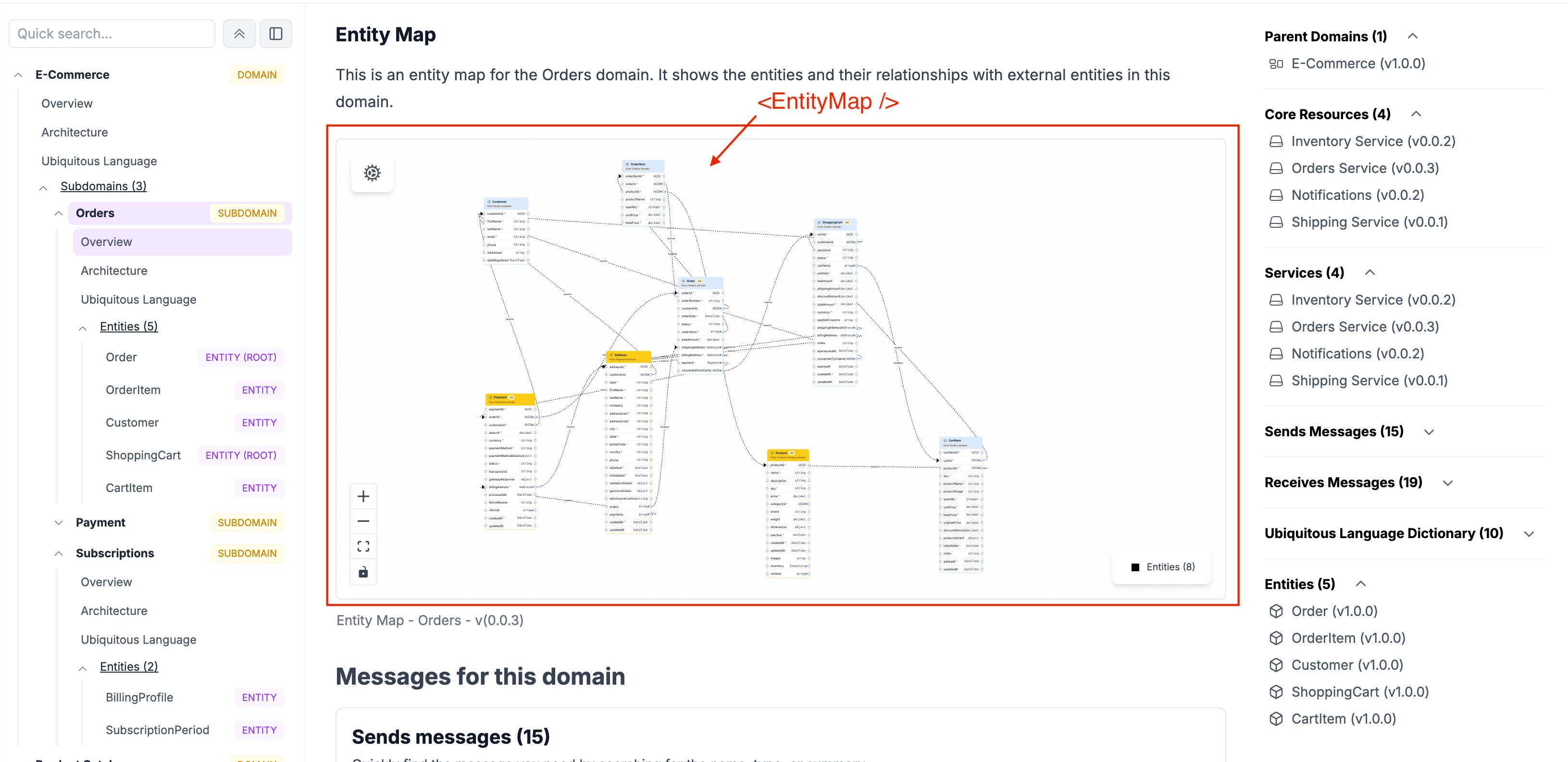
You can also embed the entity map of a domain on any page in your catalog using the `` component.
```
```
## Create relationships between entities[](#create-relationships-between-entities "Direct link to Create relationships between entities")
Entity maps become more useful when your entities reference each other.
Use the optional reference fields on entity properties:
* `references`: The entity you want to reference, for example `Order`
* `relationType`: The type of relationship, for example `hasOne`, `hasMany`, or `belongsTo`
* `referencesIdentifier`: The property in the referenced entity used to establish the relationship, for example `orderId`
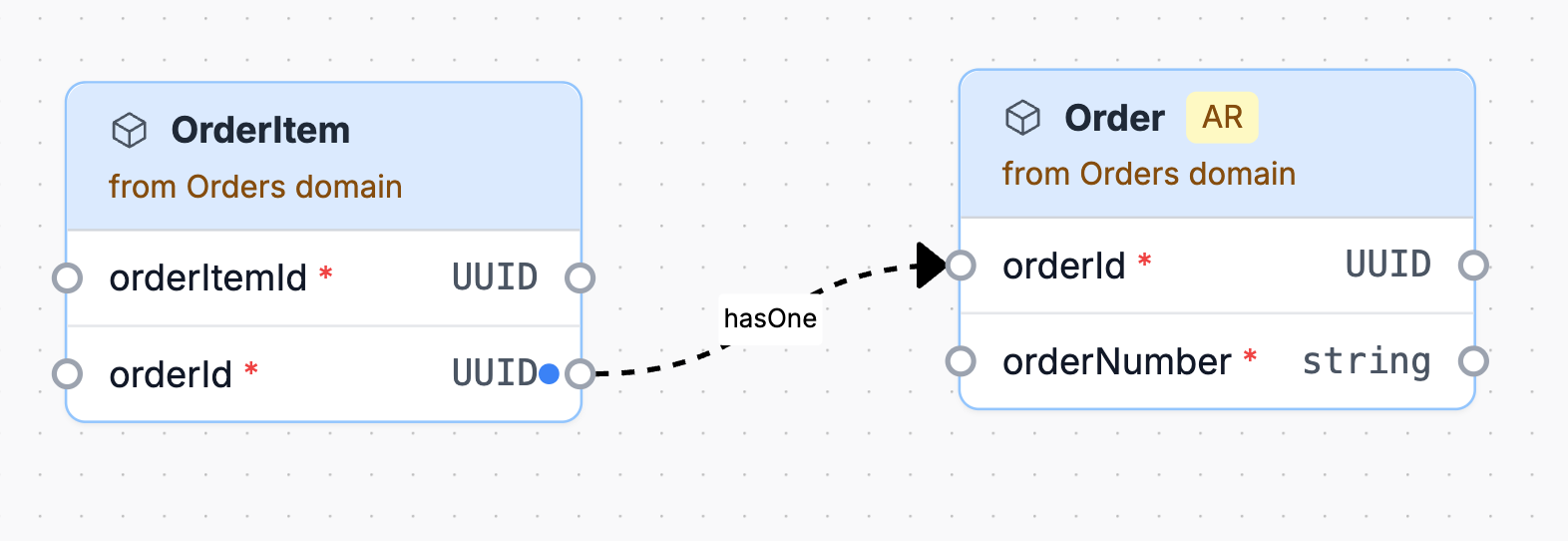
For example, an `OrderItem` can reference an `Order` through `orderId`.
/domains/Orders/entities/OrderItem/index.mdx
```
---
id: OrderItem
name: OrderItem
version: 1.0.0
identifier: orderItemId
summary: Represents a single item within a customer's order.
properties:
- name: orderItemId
type: UUID
required: true
description: Unique identifier for the order item
- name: orderId
type: UUID
required: true
description: Identifier for the parent Order
references: Order
relationType: hasOne
referencesIdentifier: orderId
---
```
This configuration generates an entity map that visually shows the relationship between `OrderItem` and `Order`.
More information on entity reference fields can be found in the [entities reference](/docs/development/guides/resources/entities/reference.md).