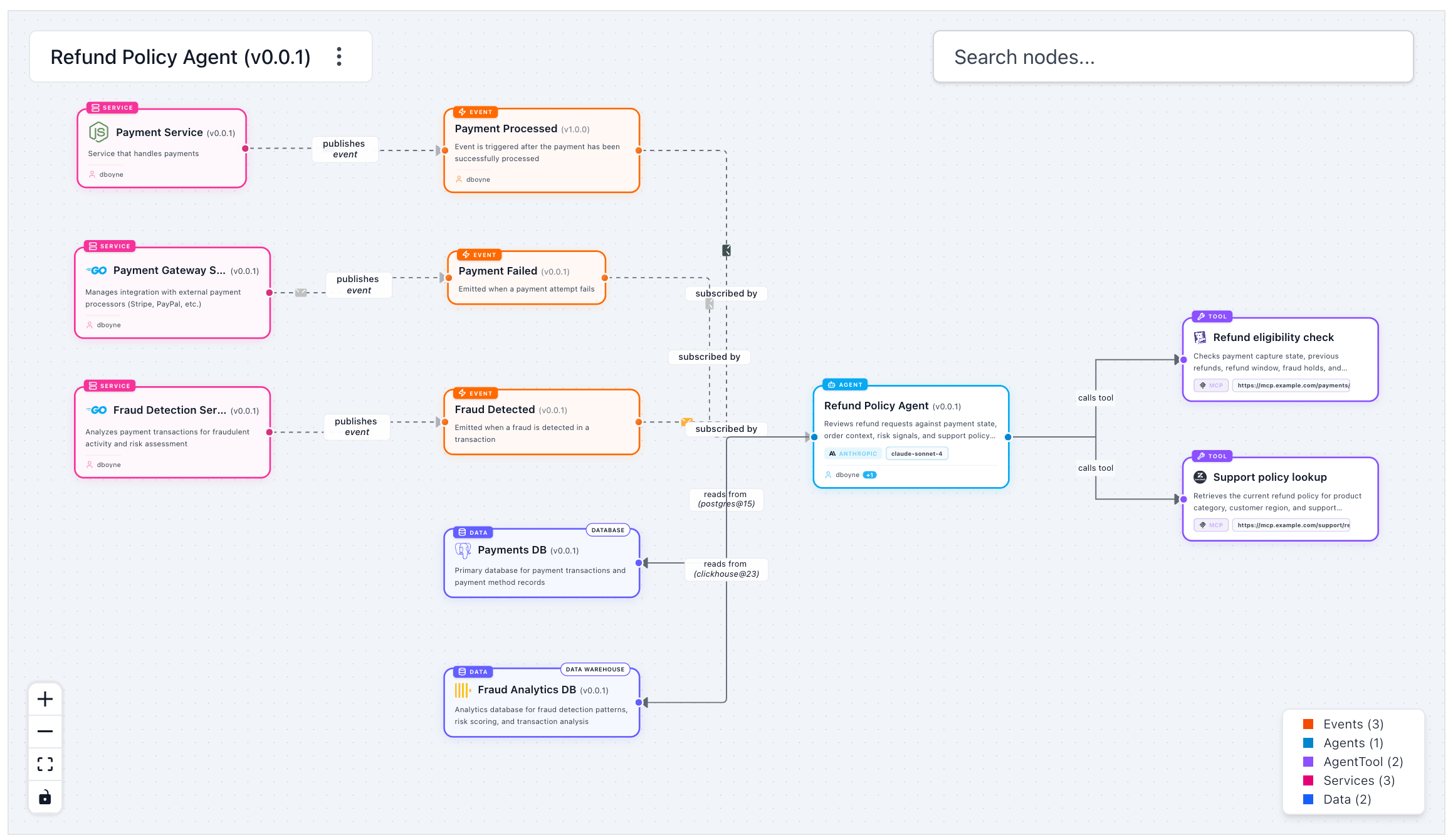
Adding messages to agents
eventcatalog@3.41.0An agent can receive messages (events, commands, or queries) that trigger its reasoning, and send messages as a result of its actions.
Connecting agents to messages keeps the full event topology visible in the visualiser and lets your team trace which agents react to which events.
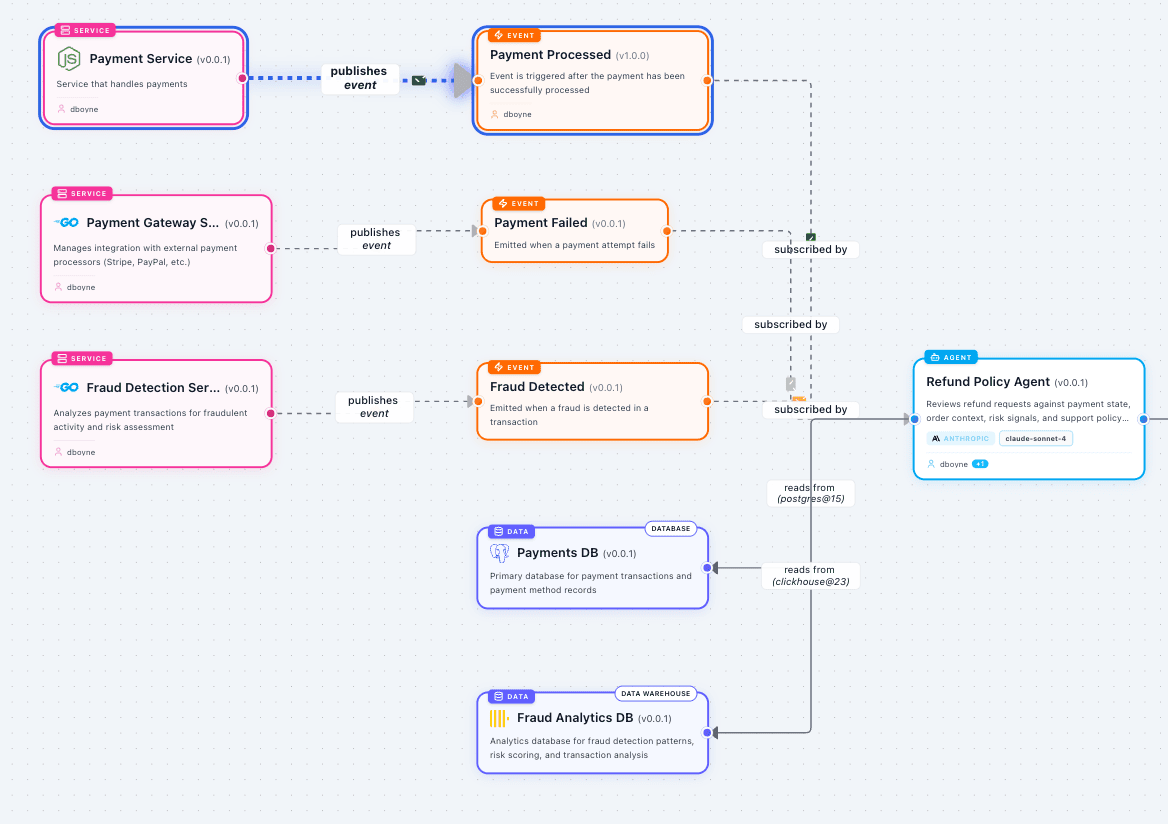
Adding messages to your agent
To add messages to an agent you need to define them in either the sends or receives array within your agent frontmatter API.
You need to add the id of the message and optionally the version of the message.
---
id: FraudReviewAgent
... # other agent frontmatter
receives:
    # id of the message this agent receives
    - id: PaymentInitiated
    # (optional) The version of the message you want to add.
    # If no version is given the latest version of the message will be used.
      version: 0.0.1
sends:
    # id of the message this agent sends
    - id: FraudCaseCreated
      version: 0.0.1
---

<!-- Markdown contents... -->
The receives and sends fields in your agent tell EventCatalog which messages this agent either consumes or publishes.
When you define your messages for your agent you can define the version of them too. This can be powerful if you have multiple versions of your events, commands or queries. Example could be an event raised by another team — you can pin the exact version your agent reasons over so a future change doesn't silently alter its behaviour.
Routing messages through channels
You can also route your messages through channels. Examples of these could be your brokers, queues, topics, etc.
To do this you can use the to and from fields in your agent frontmatter.
This example shows:
- the
FraudReviewAgentsending aFraudCaseCreatedmessage to thefraud.eventschannel. - the
FraudReviewAgentconsuming aPaymentInitiatedmessage from thepayments.eventschannel.
---
id: FraudReviewAgent
... # other agent frontmatter

# Agent sends a message called FraudCaseCreated
# This message is published to the fraud.events channel (e.g broker)
sends:
  - id: FraudCaseCreated
    to:
      - id: fraud.events

# Agent consumes a message called PaymentInitiated
# This message is consumed from the payments.events channel (e.g queue)
receives:
  - id: PaymentInitiated
    from:
      - id: payments.events
---
You can read more about routing messages through channels in the routing messages through channels guide.
Using semver versioning
eventcatalog@2.4.0You can use semver syntax when referencing your messages in your agents.
---
id: FraudReviewAgent
... # other agent frontmatter
receives:
    # Agent receives a message called RiskScoreCalculated
    # The latest minor/patch version of this event will be used
    - id: RiskScoreCalculated
      version: 1.x.x
sends:
    # Agent sends a message called FraudCaseCreated
    # This pulls the latest patch version of FraudCaseCreated
    - id: FraudCaseCreated
      version: 2.0.x
    # Agent sends a message called FraudEscalated
    # This pulls the latest minor/patch version of FraudEscalated
    - id: FraudEscalated
      version: >1.0.1
---

<!-- Markdown contents... -->
Although it's recommended to link to a version of a message it is now optional. If no version is given latest is used by default.
Visualizing messages within an agent
When messages get added within your agents EventCatalog will visualize this for you either using the NodeGraph component or through the visualizer.