# \
Copy as Markdown[View as Markdown](/docs/development/components/external-diagram-embeds/lucid.md)
***
**Added in** `eventcatalog@2.34.4`
The `` component renders a [Lucid diagram](https://lucid.app/) in your documentation.
### Support[](#support "Direct link to Support")
The `` component is supported in domains, services, all messages and [custom documentation](/docs/development/bring-your-own-documentation/custom-pages/introduction.md).
### Usage[](#usage "Direct link to Usage")
1. Include the `` component inside the markdown
* e.g `/events/MyEvent/index.mdx`
**Basic Example**
```
---
#event frontmatter
---
```
### Output example in EventCatalog[](#output-example-in-eventcatalog "Direct link to Output example in EventCatalog")
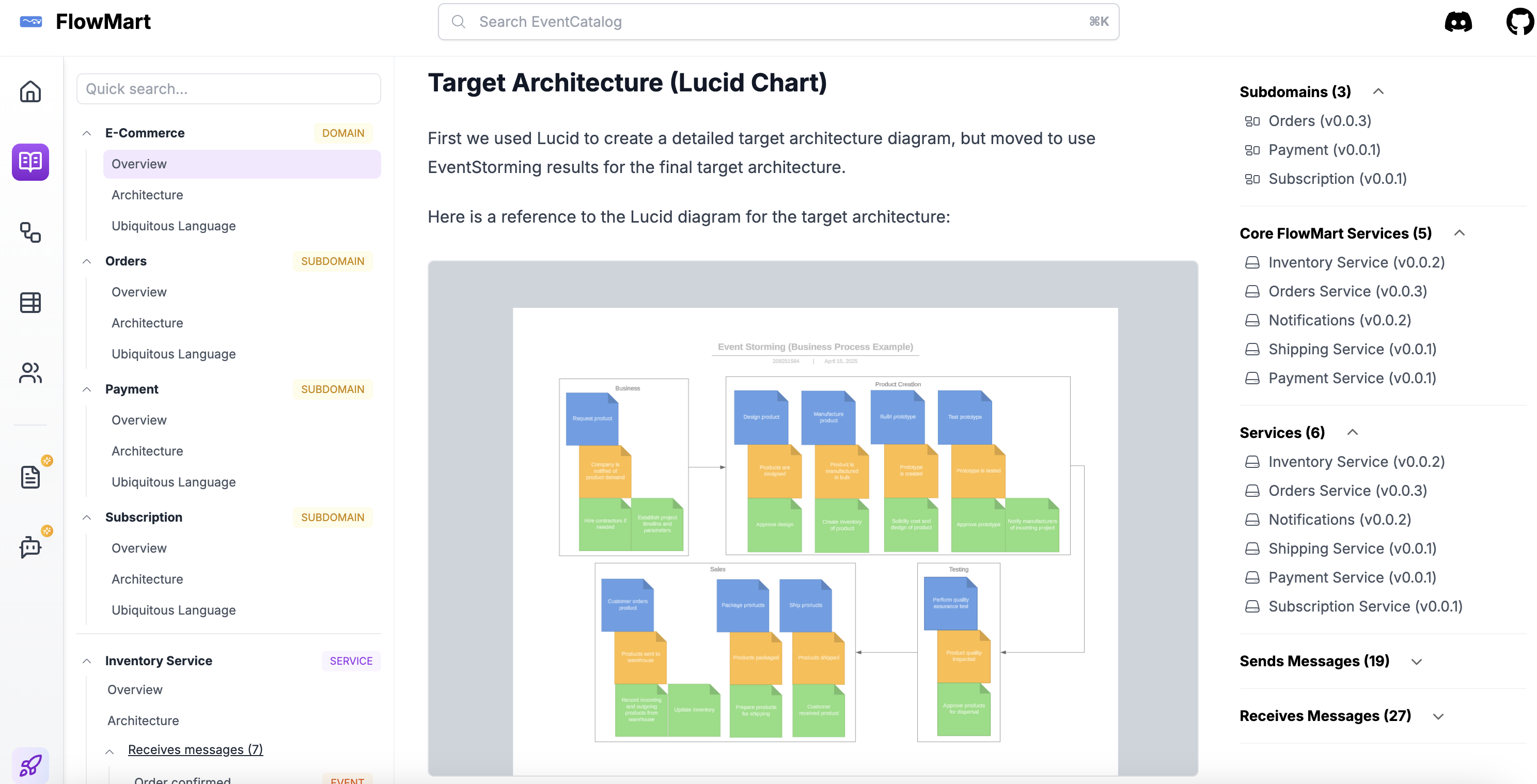
* [Example: View demo in a domain page](https://demo.eventcatalog.dev/docs/domains/Orders/0.0.3)
* [Example: View demo in custom documentation page](https://demo.eventcatalog.dev/docs/custom/guides/event-storming/01-index)
### Props[](#props "Direct link to Props")
| Name | Type | Default | Required | Description |
| ----------- | -------- | ------- | -------- | ---------------------------------------------------------------------------------------------------------------------------------------------------------- |
| `diagramId` | `string` | | Yes | The ID of the Lucid diagram to embed. You can find the ID in the URL of the Lucid diagram or by clicking "Share" in Lucid and copying the ID from the URL. |