# Service frontmatter API
Copy as Markdown[View as Markdown](/docs/api/service-api.md)
***
## Overview[](#overview "Direct link to Overview")
Services are just markdown files, with this comes the use of Content, MDX components and also [front-matter](https://jekyllrb.com/docs/front-matter/).
Here is an example of the service frontmatter you will find in your `/services` folder.
/services/Orders/index.mdx (example)
```
---
# id of your service, used for slugs and references in EventCatalog.
id: Orders
# Display name of the Service, rendered in EventCatalog
name: Orders
# Version of the Service
version: 0.0.1
# Short summary of your Service
summary: |
Service that contains order related information
# Optional owners, references teams or users
owners:
- dboyne
# Optional messages this service receives and it's version
receives:
- id: InventoryAdjusted
version: 0.0.3
# Optional messages this service sends and it's version
sends:
- id: AddInventory
version: 0.0.3
# Optional flows associated with this service
flows:
- id: OrderProcessing
version: 1.0.0
# Optional details about the programming language and url for the code
repository:
language: JavaScript
url: https://github.com/event-catalog/pretend-shipping-service
# Optional badges, rendered to UI by EventCatalog
badges:
- content: New service
backgroundColor: blue
textColor: blue
# Optional icon to display (from https://heroicons.com/)
# Or the name of the broker (e.g Kafka, EventBridge, etc)
icon: BoltIcon
---
## Overview
This orders service gives API consumers the ability to produce orders in the systems. Events are raised from this system for downstream consumption.
```
## Required fields[](#required-fields "Direct link to Required fields")
### `id`[](#id "Direct link to id")
* Type: `string`
Unqiue id of the service. EventCatalog uses this for references and slugs.
Example
```
---
id: Orders
---
```
### `name`[](#name "Direct link to name")
* Type: `string`
Name of the service this is used to display the name on the UI.
Example
```
---
name: My orders service
---
```
### `version`[](#version "Direct link to version")
* Type: `string`
Version of the service.
Example
```
---
version: 0.0.1
---
```
## Optional fields[](#optional-fields "Direct link to Optional fields")
### `summary`[](#summary "Direct link to summary")
Short summary of your service, shown on service summary pages.
Example
```
---
summary: |
service that contains everything about orders
---
```
### `owners`[](#owners "Direct link to owners")
An array of user ids that own the service.
Example
```
---
owners:
- dboyne
- mSmith
---
```
### `sends`[](#sends "Direct link to sends")
An array of messages (ids) the service sends. These can be commands, queries or events ids.
Example
```
---
sends:
- OrderFulfilled
- OrderComplete
---
```
### `receives`[](#receives "Direct link to receives")
An array of messages (ids) the service receives. These can be commands, queries or events ids.
Example
```
---
receives:
- OrderPlaced
- OrderAdjusted
---
```
### `writesTo`[](#writesTo "Direct link to writesTo")
**Added in** `eventcatalog@2.59.0`
An array of [data stores](/docs/development/guides/data/introduction.md) ids that the service writes to.
Example
```
---
writesTo:
- id: OrdersDatabase
# The version of the data store you want to add (optional, if not provided latest will be used)
version: 0.0.1
---
```
### `readsFrom`[](#readsFrom "Direct link to readsFrom")
**Added in** `eventcatalog@2.59.0`
An array of [data stores](/docs/development/guides/data/introduction.md) ids that the service reads from.
Example
```
---
readsFrom:
- id: OrdersDatabase
# The version of the data store you want to add (optional, if not provided latest will be used)
version: 0.0.1
---
```
### `entities`[](#entities "Direct link to entities")
**Added in** `eventcatalog@2.36.0`
An array of [entities](/docs/development/guides/domains/entities/introduction.md) ids that belong to the this service. Which entities belong to this service.
Example
```
---
entities:
- id: Order
- id: OrderItem
# Optional version of the entity, latest version is used if not provided
version: 0.0.1
---
```
### `flows`[](#flows "Direct link to flows")
An array of [flows](/docs/development/guides/flows/introduction.md) ids that are associated with this service.
Example
```
---
flows:
- id: OrderProcessing
- id: PaymentFlow
# Optional version of the flow, latest version is used if not provided
version: 1.0.0
---
```
### `badges`[](#badges "Direct link to badges")
**Added in** `eventcatalog@3.39.4`
An array of badges that get rendered on the page.
Example
```
---
badges:
- content: My badge
backgroundColor: green
textColor: green
# Optional icon to display (from https://heroicons.com/)
icon: BoltIcon
---
```
#### Use named colors[](#use-named-colors "Direct link to Use named colors")
Set `backgroundColor` or `textColor` to a named palette token for automatic light/dark mode adaptation.
Supported names: `slate`, `gray`, `zinc`, `neutral`, `stone`, `red`, `orange`, `amber`, `yellow`, `lime`, `green`, `emerald`, `teal`, `cyan`, `sky`, `blue`, `indigo`, `violet`, `purple`, `fuchsia`, `pink`, `rose`.
Named color example
```
---
badges:
- content: Critical
backgroundColor: red
textColor: red
---
```
#### Use any CSS color[](#use-any-css-color "Direct link to Use any CSS color")
You can also pass any valid CSS color value directly: hex (`#ff0000`), `rgb()`, `hsl()`, `oklch()`, or a CSS variable (`var(--my-color)`).
CSS color example
```
---
badges:
- content: Custom
backgroundColor: "#6366f1"
textColor: "#ffffff"
---
```
#### Link to external URLs[](#link-to-external-urls "Direct link to Link to external URLs")
**Added in** `eventcatalog@3.39.6`
Add a `url` to a badge to make it render as a clickable link with an external-link icon. When `url` is omitted, the badge renders as a plain label.
Link badge example
```
---
badges:
- content: View Runbook
url: https://runbooks.example.com/my-service
backgroundColor: blue
textColor: white
---
```
### `specifications`[](#specifications "Direct link to specifications")
**Added in** `eventcatalog@2.39.1`
You can assign one or more specifications to a service. The visualiser shows spec type badges (OpenAPI, AsyncAPI, GraphQL) on the service node when specifications are defined, making it easy to see which specs a service exposes at a glance.
Example
```
---
specifications:
- type: asyncapi
path: order-service-asyncapi.yaml
name: AsyncAPI Specification
- type: openapi
path: openapi.yml
name: OpenAPI Specification
- type: graphql
path: graphql.yml
name: GraphQL Specification
---
```
| Property | Type | Required | Description |
| -------- | -------- | -------- | ----------------------------------------------------------------------------------------------------------------------- |
| `type` | `string` | Yes | The type of specification, currently only `asyncapi`, `openapi` and `graphql` are supported. *GraphQL added in v2.58.0* |
| `path` | `string` | Yes | The path to the specification file |
| `name` | `string` | No | Optional friendly name of the specification, rendered in the UI |
**Older versions of EventCatalog (< 2.39.0)**
If you are using an older version of EventCatalog you will need to use the following syntax.
Example
```
---
specifications:
asyncapiPath: order-service-asyncapi.yaml
openapiPath: openapi.yml
---
```
### `visualiser`[](#visualiser "Direct link to visualiser")
**Added in** `eventcatalog@2.39.2`
Turn off the visualiser for this resource. This means the resource will not be included in the visualiser or the navigation bar for the visualiser.
**Default: `true`**
Example
````
---
visualiser: false
---
### `editUrl` \{#editUrl}
Override the default edit url for the page. This is used to navigate the user to the edit page for the page (e.g GitHub, GitLab url).
```mdx title="Example"
---
editUrl: https://github.com/event-catalog/eventcatalog/edit/main/services/Orders/index.mdx
---
````
### `detailsPanel`[](#detailsPanel "Direct link to detailsPanel")
**Added in** `eventcatalog@2.53.0`
Override the default details panel for the page. You can use this show/hide areas of the details panel.
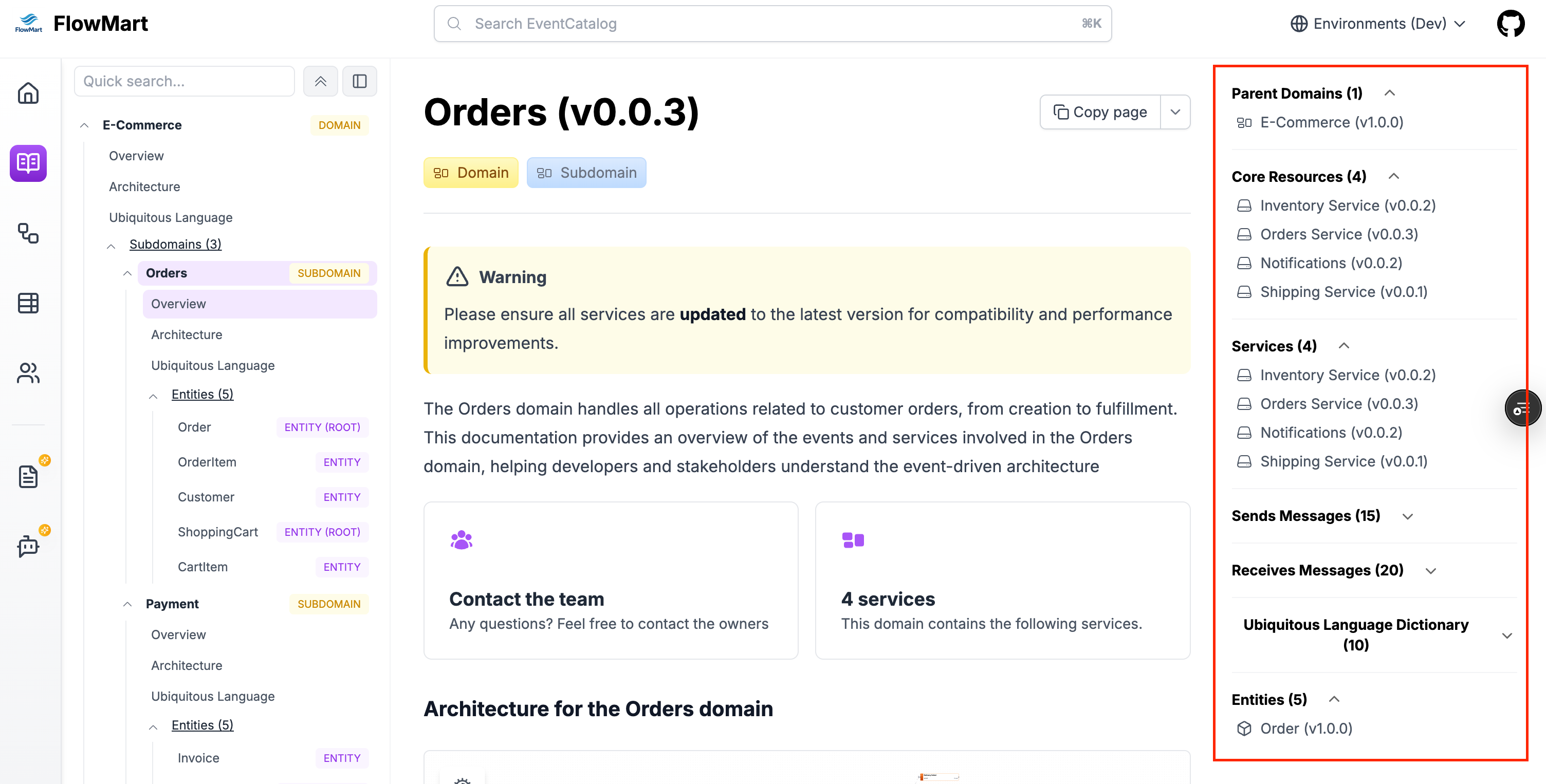
Example
```
---
detailsPanel:
domains:
visible: false
messages:
visible: false
versions:
visible: false
specifications:
visible: false
---
```
Options:
| Property | Type | Required | Description |
| ---------------- | -------- | -------- | ------------------------------------------------------------------------------------------------ |
| `domains` | `object` | No | An object with a `visible` property to show/hide the domains section |
| `messages` | `object` | No | An object with a `visible` property to show/hide the messages section (sends and receives) |
| `versions` | `object` | No | An object with a `visible` property to show/hide the versions section |
| `specifications` | `object` | No | An object with a `visible` property to show/hide the specifications section |
| `entities` | `object` | No | An object with a `visible` property to show/hide the entities section |
| `repository` | `object` | No | An object with a `visible` property to show/hide the repository section (e.g GitHub, GitLab url) |
| `owners` | `object` | No | An object with a `visible` property to show/hide the owners section |
| `changelog` | `object` | No | An object with a `visible` property to show/hide the changelog button |
### `attachments`[](#attachments "Direct link to attachments")
**Added in** `eventcatalog@2.57.2`
An array of attachments for this resource type.
Example
```
---
attachments:
- url: https://example.com/adr/001
title: ADR-001 - Use Kafka for asynchronous messaging
description: Learn more about why we chose Kafka for asynchronous messaging in this architecture decision record.
type: 'architecture-decisions'
icon: FileTextIcon
- https://example.com/adr/002
---
```
Options:
The attachments can be a url (string) or an object with additional properties.
Object properties:
| Property | Type | Required | Description |
| ------------- | -------- | -------- | ---------------------------------------------------------------------------------------------------- |
| `url` | `string` | Yes | The url of the attachment |
| `title` | `string` | optional | The title of the attachment |
| `description` | `string` | optional | The description of the attachment |
| `type` | `string` | optional | The type of the attachment, this will be used to group attachments together in the UI |
| `icon` | `string` | optional | The icon of the attachment, you can pick from the [lucide icons](https://lucide.dev/icons/) library. |